

Microsoft’s latest security push for Windows tries to square two long-standing demands from the ecosystem: make the platform secure by default while preserving its openness and flexibility — and do it with a “consent-first” model that gives users and IT administrators clearer control and visibility over what apps and AI agents actually do on their PCs.
Microsoft’s Secure Future Initiative (SFI) and the Windows Resiliency Initiative (WRI) have been the company’s public commitments to harden Windows and Microsoft services against a more aggressive threat landscape that includes AI-enabled attacks, supply chain risks, and increasingly sophisticated exploitation of legacy protocols. Over the last year, Microsoft has layered multiple efforts under those umbrellas: hardware-backed integrity features in Windows 11, new hardening recommendations in Microsoft 365, and expanded operational controls for enterprise tenants.
Two new items announced in this wave — presented as sibling initiatives — are Windows Baseline Security Mode and User Transparency and Consent. Together they aim to: (1) make runtime integrity more prescriptive so only trusted binaries and drivers run by default; and (2) make every access to sensitive resources and appliance-level behaviors more visible and reversible to users and admins. These moves align with Microsoft’s recent public guidance for “secure-by-default” posture and follow the rollout pattern of similar controls in Microsoft 365 earlier in the winter of 2025–2026.
If Microsoft executes well, the result will be fewer silent compromises, more predictable enterprise rollouts, and a clearer path for developers to follow modern security practices. If it stumbles on compatibility or fails to prevent signing-based abuse, the result could be fragmentation, frustrated admins, and a new class of supply-chain risk.
But the devil is in the operational details. Success will depend on developer tooling, clear timelines, robust exception governance, and a UX that prevents consent fatigue while remaining hard to spoof. Administrators and developers must start preparing now: inventory legacy dependencies, adopt code signing, pilot baselines in simulation, and train support teams for the coming wave of permission-driven troubleshooting.
This is a pivotal moment for Windows: Microsoft is trying to convert security lessons learned at scale into a default posture for billions of devices. It’s a bold, necessary move — but its real-world payoff will appear only after months of careful rollout, developer cooperation, and disciplined governance across the ecosystem.
Source: Thurrott.com Microsoft Announces Windows Baseline Security Mode and User Transparency and Consent
 Background
Microsoft’s Secure Future Initiative (SFI) and the Windows Resiliency Initiative (WRI) have been the company’s public commitments to harden Windows and Microsoft services against a more aggressive threat landscape that includes AI-enabled attacks, supply chain risks, and increasingly sophisticated exploitation of legacy protocols. Over the last year, Microsoft has layered multiple efforts under those umbrellas: hardware-backed integrity features in Windows 11, new hardening recommendations in Microsoft 365, and expanded operational controls for enterprise tenants.Two new items announced in this wave — presented as sibling initiatives — are Windows Baseline Security Mode and User Transparency and Consent. Together they aim to: (1) make runtime integrity more prescriptive so only trusted binaries and drivers run by default; and (2) make every access to sensitive resources and appliance-level behaviors more visible and reversible to users and admins. These moves align with Microsoft’s recent public guidance for “secure-by-default” posture and follow the rollout pattern of similar controls in Microsoft 365 earlier in the winter of 2025–2026.
What Microsoft announced (plain summary)
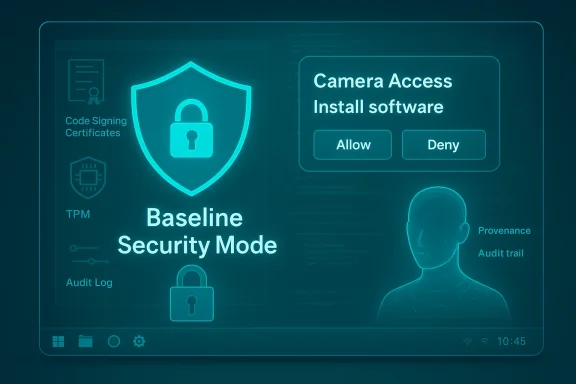
- Windows Baseline Security Mode (BSM for Windows): a runtime integrity posture that, when enabled, enforces safeguards so “only properly signed apps, services, and drivers are allowed to run” by default. Administrators and end users will be able to create exceptions when needed, and developers will be able to detect whether the protections are active and whether exceptions were granted.
- User Transparency and Consent: an OS-level push to require explicit, clear prompts whenever apps (or AI agents) access sensitive resources such as the file system, camera, microphone, or when they attempt to install other software. Prompts are intended to be actionable and reversible, and Microsoft promises new transparency signals and auditability for app and agent behavior.
- Both initiatives are being folded into the Secure Future Initiative and the Windows Resiliency Initiative. Microsoft says the changes will be rolled out in a “phased approach” with ecosystem partners, developers, and enterprises; early visibility is expected in Insider builds before wider deployment.
Why this matters now
The threat landscape changed in two big ways over the last several years:- Agentic and AI-driven attacks materially increase the scale and automation of exploitation. Attackers can now orchestrate complex multi-step attacks that exploit permissions, obscure telemetry signals, and misuse admin capabilities more rapidly than defenders can respond.
- Legacy protocols and unsigned code remain a dominant exploitation vector. A consistent pattern in modern compromises is the use of legacy services, unsigned installers, and loose driver policies to persist or escalate privileges.
Deep dive: Windows Baseline Security Mode
What it promises, technically
Windows Baseline Security Mode (as described by Microsoft) attempts to consolidate runtime integrity protections into a single, auditable baseline that applies by default. The core features include:- Runtime integrity enforcement: By default, only binaries, services, and drivers that meet specified signing and policy criteria will execute. This is a strengthened code integrity posture that relies on signing, attestation, and kernel-level enforcement.
- Exception handling / overrides: Administrators and end users can allow specific apps to run via an exceptions mechanism. Exception events are intended to be visible so developers and IT can see when and why a process required an exception.
- Developer awareness APIs: Applications and installers can query whether the baseline protections are active and whether exceptions exist for their components, enabling better compatibility handling and helpful UX for end users.
Where this fits in the Windows security stack
- Not a replacement for kernel isolation: BSM builds on kernel-level protections like HVCI and virtualization-based security. Those features enforce integrity at memory and kernel boundaries; BSM is the policy surface that decides which binaries and drivers meet the integrity bar.
- Similar to Microsoft 365 Baseline Security Mode: Microsoft already introduced a Baseline Security Mode for Microsoft 365 (a centralized, secure-by-default posture for cloud services). The Windows variant is the OS analogue: move from a collection of recommended settings to a canonical, auditable baseline.
- Applies to both consumer and enterprise devices: Microsoft has signaled administration controls for enterprise rollouts while allowing consumers to opt in or out — a model that aims to balance security with user agency.
Benefits
- Smaller attack surface by default: Fewer unsigned or legacy components will run without explicit exceptions.
- Easier auditing and compliance: A consistent baseline simplifies audits and explains system behavior to security teams.
- Developer feedback loop: APIs that let apps detect enforcement state will reduce the “mystery breakage” that has historically frustrated compatibility efforts.
Risks and friction points
- Compatibility headaches: Legacy enterprise apps and custom drivers are the biggest risk. Many verticals run bespoke or third‑party legacy software that relies on unsigned installers, legacy auth methods, or kernel-mode drivers that will require exceptions or rewrites.
- Operational burden for IT: Exception management, impact analysis, and user education become operational responsibilities. Over 100 IT teams have historically reported friction when mandatory baselines blocked legitimate flows.
- False sense of security: Policy alone isn’t perfect — attackers will pivot to signing abuse, stolen certificates, or compromised update channels. Strong reliance on signing puts supply chain risk into sharper focus.
- Rollback complexity: If a baseline change blocks critical workflows, rollbacks or exceptions must be fast and safe. Poorly designed exception systems can become vectors for misconfiguration or lateral movement.
Deep dive: User Transparency and Consent
The mechanics Microsoft describes
- Default-off model for sensitive sensors: Access to camera, microphone, location, and similar sensors will be default-denied at the desktop level in many elevated or sensitive contexts. When an app requests access, Windows will present a clear, actionable consent prompt.
- Install-time and runtime prompts for untrusted actions: When apps attempt to install additional software or perform potentially unexpected actions, Windows will surface consent dialogs that explain intent and let users accept or deny. Those decisions are reversible.
- Transparency for AI agents: Because AI agents can act autonomously or on behalf of users, Microsoft plans to enforce higher standards of visibility — logged actions, agent identity disclosures, and administrative visibility into agent behavior.
- Revocation and audit: Users and administrators will be able to review past consents and revoke them; audit logs will record agent and app actions for investigation.
Comparisons and precedents
- Apple’s TCC model and Android permission model are useful comparisons: both platforms require explicit consent for sensor access and provide per-app controls. Microsoft’s new approach brings Windows closer to that model while trying to remain compatible with longstanding PC workflows.
- Regulatory alignment: Consent-first designs map better to privacy frameworks like GDPR and state-level privacy laws that emphasize informed consent and auditability.
Benefits
- Reduces stealthy abuse: Default-deny for sensors closes a path where elevated processes could silently enable surveillance or data exfiltration.
- Increases user control: Clear prompts and revocable consent give users direct power to manage what apps can do.
- Better enterprise governance for agents: Admins will likely appreciate centralized visibility into agent behavior — an important control as organization-wide AI agents proliferate.
Risks and UX challenges
- Consent fatigue: Too many prompts will cause users to reflexively accept, which defeats the security benefit. The prompt design and context-sensitive timing will determine success.
- User confusion and helpdesk load: If apps start failing because users deny access—and those apps are critical—helpdesks will see a spike in tickets.
- Prompt spoofing and social engineering: Consent dialogs must be hard to spoof. Attackers will try to mimic OS dialogs to trick users; Microsoft must lock down the UI surface and educate users.
- AI agent identity complexities: Determining the “actor” behind an action (human, agent, or chained agent) is nuanced. The transparency model must make provenance and intent explicit to avoid blame-shifting or audit blind spots.
Cross-references and verification (what’s confirmed)
- Microsoft’s broader security commitments under SFI and WRI are publicly stated and have been referenced in official Windows blogs and Microsoft 365 communications in 2025. Companies deploying a secure-by-default baseline for Microsoft 365 began rolling features in November 2025; similarly, Windows security improvements and Administrator Protection have been visible in Insider builds and Microsoft developer blogs over the prior year.
- The concept of enforcing code integrity and relying on signing/attestation is neither new nor untested — Microsoft already enforces kernel code integrity with technologies such as HVCI and WDAC and uses Smart App Control on new devices to block unknown apps.
- Administrator Protection and sensor default-off behaviors have appeared in recent Insider releases and feature previews; these provide technical precedent for the consent and profile-isolation ideas that underpin User Transparency and Consent.
Practical guidance: what IT, developers, and users should do now
For IT administrators (recommended preparation)
- Audit and inventory: Catalog legacy apps, signed drivers, and third-party installers that rely on unsigned drivers or legacy auth. Prioritize the critical ones for remediation.
- Pilot early with impact reports: Use simulation or pilot modes (where available) to run the baseline policies in non-blocking mode and identify breakage before enforcement.
- Establish exception workflows: Define clear exception approval paths, TTLs (time-to-live), and approval guards to avoid proliferation of permanently allowed exceptions.
- Educate helpdesk and users: Prepare scripts and KB articles explaining the new prompts and the rationale for consent-first behavior.
- Invest in signing and supply chain hygiene: Encourage vendors to sign code and adopt secure update chains. Consider vendor contracts that mandate code-signing standards.
For application developers
- Detect and handle enforcement state: Use the APIs Microsoft provides to gracefully notify users when a required permission is blocked and provide step-by-step remediation guidance.
- Minimize need for elevation: Where possible, design installers and background services to run without admin rights. Use per-user installation models and per-user data stores.
- Support seamless consent UX: When an elevated action requires sensor access, design clear in-app messaging that explains why the permission is necessary and how the user can grant it.
- Sign your binaries and drivers: Adopt modern code signing practices and certificate lifecycle management to avoid being blocked by default baselines.
For end users (how to approach the transition)
- Treat new prompts as deliberate safeguard opportunities rather than annoyances. If a prompt appears unexpectedly, deny and investigate before allowing.
- Keep software up to date, and prefer apps from reputable publishers who sign their code.
- If you’re responsible for a shared device or a business device, check with IT before allowing persistent exceptions.
Critical analysis: strengths, but realistic limits
Microsoft’s plan addresses a vital need: make default Windows installations more resilient to modern attack techniques, and give users and admins a clear consent model for sensitive capabilities. The approach is strong for several reasons:- Alignment with Zero Trust and hardware-backed security: Combined with TPM/Hello and virtualization-based protections, default integrity enforcement makes many common post-exploit techniques much harder.
- Operational visibility: A single baseline, audit logs, and simulation tools help IT teams adopt hardening at scale without the scripting chaos of the past.
- User-centric privacy posture: Resetting sensor access to default-deny and making consents revocable is both sensible and progressive.
- Compatibility vs. safety tension: The PC ecosystem is extremely heterogeneous. Heavy-handed defaults will inevitably break legitimate workflows unless Microsoft and ecosystem partners invest heavily in developer outreach and migration tooling.
- Supply chain reliance: If signing becomes the de facto gate, attackers will target signing infrastructure, certificate authorities, or legitimate vendor update mechanisms. The baseline model must pair signing requirements with provenance attestation and monitoring to avoid producing a single point of failure.
- Behavioral economics of prompts: The security value of consent depends on the quality of prompts and the environment in which they are presented. Poorly designed prompts will be ignored, and attackers will social-engineer users around them.
- Governance and exception sprawl: Without strict governance, exception lists become permanent technical debt. Microsoft’s management UI and APIs must make lifecycle and approval chains explicit to avoid wild-west exception policies.
How this changes the Windows security conversation
For nearly two decades, Windows security conversations oscillated between two poles: keep Windows open and flexible, or lock it down to be more secure. The new initiatives announce a third way: make secure-by-default the recommended baseline while preserving opt-out flexibility and giving users the visibility and agency to make exceptions. That model recognizes the reality of enterprise heterogeneity while trying to nudge the entire ecosystem toward safer defaults.If Microsoft executes well, the result will be fewer silent compromises, more predictable enterprise rollouts, and a clearer path for developers to follow modern security practices. If it stumbles on compatibility or fails to prevent signing-based abuse, the result could be fragmentation, frustrated admins, and a new class of supply-chain risk.
Conclusion
Windows Baseline Security Mode and User Transparency and Consent represent a substantive shift in how Microsoft intends to shepherd the platform into an era of agentic AI, more aggressive exploitation, and heightened privacy expectations. The ambitions are technically sound — they leverage existing kernel integrity mechanisms, add a policy and audit surface, and make permissioning more deliberate.But the devil is in the operational details. Success will depend on developer tooling, clear timelines, robust exception governance, and a UX that prevents consent fatigue while remaining hard to spoof. Administrators and developers must start preparing now: inventory legacy dependencies, adopt code signing, pilot baselines in simulation, and train support teams for the coming wave of permission-driven troubleshooting.
This is a pivotal moment for Windows: Microsoft is trying to convert security lessons learned at scale into a default posture for billions of devices. It’s a bold, necessary move — but its real-world payoff will appear only after months of careful rollout, developer cooperation, and disciplined governance across the ecosystem.
Source: Thurrott.com Microsoft Announces Windows Baseline Security Mode and User Transparency and Consent
