Weatherbys’ move to rebuild the engines that run horse racing and animal genomics on Microsoft’s Power Platform represents one of the clearest examples yet of a heritage business using modern low‑code tooling to resolve decades‑old technical debt while keeping custodial responsibilities — like the General Stud Book — intact and auditable. What began as a pragmatic attempt to escape niche legacy languages and brittle on‑prem systems has evolved into a unified, cloud‑first architecture that now spans racing administration, stud‑book registration, and laboratory genomics workflows. The result is faster delivery, repeatable jurisdictional deployments across the Middle East and beyond, and a surprising test case for low‑code in regulated, high‑assurance scenarios.
Background: Weatherbys, the General Stud Book and the pressure to modernize
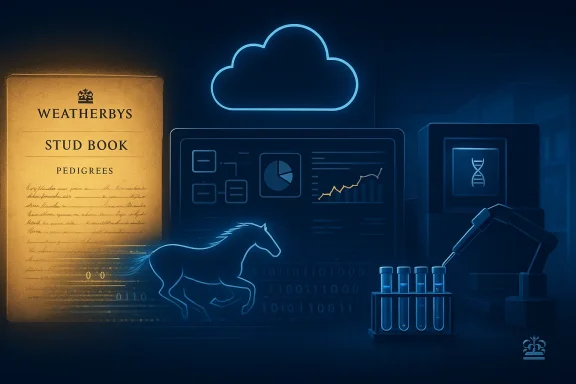
Weatherbys is not a typical technology customer. Founded in the 18th century when James Weatherby was appointed secretary to the Jockey Club, the company has served as the administrative backbone of British and Irish racing and remains the publisher and custodian of the General Stud Book — the historic register that documents Thoroughbred pedigrees. Weatherbys’ archive and its printed Stud Book editions are the industry’s authoritative record and a custodial responsibility that places heavy demands on data integrity, provenance and governance.The General Stud Book itself traces the lineage of modern Thoroughbreds back to the seminal foundation horses (commonly described as the Darley Arabian, the Godolphin Arabian and the Byerley Turk). That pedigree record, formalized in Weatherbys’ publications since the late 18th century, underpins everything from race eligibility to trade in bloodstock and therefore cannot be treated as a disposable IT problem.
For decades Weatherbys’ operational systems were built on legacy, in‑house platforms and niche languages that became increasingly expensive to maintain. The combination of scarce developer skillsets and rising cost of bespoke development provided a classic motivation for a strategic overhaul: reduce maintenance overhead, accelerate delivery, and build a modern, extensible platform capable of supporting multiple jurisdictions and regulated lab environments.
What Weatherbys built: a unified low‑code architecture
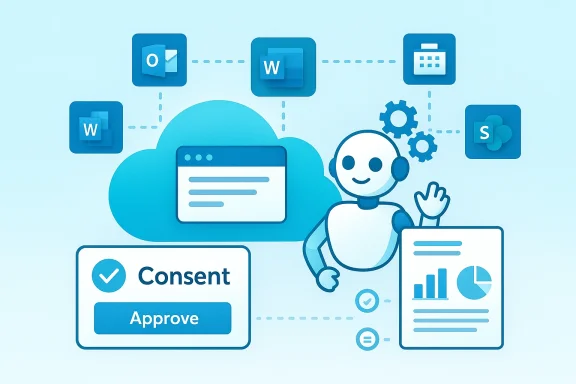
Weatherbys’ next‑generation landscape is built around Microsoft Power Platform — principally Power Apps, Power Automate and Dataverse — complemented by cloud services and targeted custom code where required. The transformation covers two tightly coupled domains:- Racing administration and stud‑book services — a configurable digital racing administration system that automates entries, declarations, racecards, prize payments and stud‑book registration.
- Laboratory and genomics workflows — data ingestion, sample tracking, lab allocation and reporting for Weatherbys Scientific, the company’s DNA testing and genomics arm.
- A low‑code‑first strategy: Power Platform handles the majority of presentation, orchestration and workflow through model‑driven apps and cloud flows; bespoke development is reserved only for integration points, instrument controls and performance‑sensitive workloads.
- A baseline, configurable product: a modular racing admin baseline that can be configured for different local rules and regulatory regimes, enabling deployments in places as operationally varied as Saudi Arabia, Bahrain and the UAE. The same baseline is used to accelerate rollouts and minimize repeat engineering.
- A hybrid hosting model: fully cloud‑native where jurisdictions permit, and on‑prem or private cloud instances where data sovereignty or regulatory requirements demand it. This hybrid approach preserves compliance while retaining a consistent code and metadata model where possible.
The components and how they fit together
Power Apps and Dataverse: presentation and the canonical data model
Power Apps (model‑driven and canvas) provides a rapid UI layer for clerks, registrars, race officials and lab staff. Dataverse is used as a canonical data store for core entities — horses, people, registrations, events, samples and test results — giving Weatherbys a single source of truth across services. Because Dataverse supports business rules, security roles and a data model that is discoverable by Power Automate flows and Power BI, it neatly replaces many bespoke middleware patterns Weatherbys previously needed.Power Automate: orchestration and integration
Power Automate handles event‑driven workflows: notification of new foal registrations, cross‑validation of parentage results, allocation of laboratory plates, and downstream publishing of racecards or result feeds. For heavy or latency‑sensitive integrations, Weatherbys uses targeted custom code (Azure Functions, middleware APIs) that orchestrates with Power Automate rather than replacing it. This hybrid orchestration gives the team the ability to implement complex rules while still benefiting from low‑code flow design.Cloud services and lab integrations
The genomics pipeline requires deterministic, auditable exchanges with laboratory information management systems (LIMS), sample scanners, Illumina workflows and third‑party genotype analysis services. Weatherbys integrates these systems via a mix of scheduled data imports/exports, API gateways and automated processes that transform lab outputs into structured results in Dataverse. The approach preserves a traceable chain of custody for samples while making results available to breeders and regulators.Why this approach makes sense for a custodial organization
- Speed without losing traceability: Low‑code tools let Weatherbys build validated workflows quickly while Dataverse and model‑driven apps preserve business rules and audit trails required for a published stud book and regulated lab services. This reduces friction for breeders while keeping the administrative ledger intact.
- Configurability for jurisdictions: Racing rules and stud‑book legislation vary by country. A modular baseline that can be configured reduces rework and lowers the cost of international rollouts — an essential capability given Weatherbys’ expanding footprint in the Middle East and partnerships in Bahrain and Saudi Arabia.
- Operational continuity and hybrid compliance: The ability to run cloud components with on‑prem hosting for sensitive data or where regulators require it means Weatherbys can balance modern operations with legal and national constraints.
Notable achievements and measurable outcomes
- A reduction in time to build baseline administration components from months to mere weeks (company figures), accelerating time‑to‑market for new racing jurisdictions and stud‑book portals.
- Conversion of historically paper‑based processes (foal registrations, passports, stud‑book entries) into fully digital flows, with significant reductions in manual rekeying and paperwork.
- Implementation of automated lab sample processing pipelines and dashboards that scale Weatherbys Scientific’s throughput and help the lab meet international accreditation standards.
Critical analysis: strengths, risks and the tradeoffs
Strengths — why the architecture is defensible
- Business agility: Power Platform provides a proven path to accelerate routine workflows and user interfaces, enabling subject matter experts (registrars, lab managers) to contribute to solution evolution without a heavy developer backlog.
- Single data model: Dataverse gives Weatherbys the ability to enforce data integrity, business rules, and fine‑grained security — crucial for a custodial service publishing official records.
- Repeatable deployments: A baseline product that’s configurable rather than rebuilt for each customer speeds rollouts and concentrates engineering effort on integration and domain logic rather than redoing the UI and basic orchestration each time.
Risks and open questions
- Vendor and platform lock‑in: A “Microsoft‑first, low‑code‑first” strategy accelerates delivery but concentrates risk with Microsoft’s ecosystem. Long‑term cost increases, licensing changes or platform directional shifts (e.g., changes to Dataverse pricing, service limits or regional availability) could materially affect operating cost and flexibility. This is a classic tradeoff for any low‑code centric architecture and should be managed with contractual and architectural mitigations (e.g., clear data export guarantees, API‑first integration patterns).
- Performance and scale boundaries: Low‑code solutions are excellent for business workflows and CRUD‑heavy operations, but genomics pipelines and high‑frequency race‑day telemetry (e.g., near‑real‑time result feeds and mass event processing) can exceed typical low‑code runtimes. Weatherbys mitigates this with a hybrid model — but that hybrid complexity adds operational overhead and testing burden.
- Regulatory and data sovereignty complexity: When a nation’s racing regulator or a farm‑to‑fork traceability law requires data to remain within specific geographies, Weatherbys must maintain on‑prem or regionally isolated cloud instances. That’s manageable but increases deployment and operational complexity, and raises questions about unified reporting and cross‑jurisdiction analytics.
- Auditability of low‑code changes: Low‑code systems accelerate change, which is a double‑edged sword for custodial records that require strict versioned change control. Weatherbys must pair rapid app evolution with robust governance: change approvals, automated testing, formal migration paths, and immutable audit logs. Dataverse and Power Platform offer features that help, but process discipline is essential.
Unverifiable or company‑specific claims
Some of the sharper claims you’ll see attributed to Weatherbys in promotional materials — for example, that a legacy language had “nine developers worldwide” or that a baseline system can be delivered “in a couple of weeks” — are valuable as internal indicators of impact but are inherently hard for independent reporters to verify. Those specifics should be treated as company statements unless confirmed by independent third‑party audits or published metrics. Where Weatherbys provides quantified outcomes, readers should ask for baseline metrics, change logs and user adoption numbers to fully validate the business case. (The broader architectural and customer‑impact claims, however, are corroborated by Weatherbys’ public digital initiatives and partner case studies.)Security, compliance and data governance — the real work
For an organisation whose outputs feed national registries and whose lab results can affect trade and breeding decisions, the non‑functional requirements are not optional. Weatherbys’ approach includes several sensible controls:- Role‑based security in Dataverse to ensure only authorised personnel can change pedigrees or release lab results; model‑driven apps enforce UI restrictions accordingly.
- Immutable audit trails and business process flows to capture who changed what and when — a necessity for an authoritative stud book and for forensic investigation in the event of a data dispute.
- Hybrid deployment topology to satisfy jurisdictional constraints and provide on‑site control where regulators require a non‑cloud footprint.
- LIMS integrations with chain‑of‑custody controls so that samples, lab equipment outputs and genotyping runs are recorded deterministically and linked to Dataverse entities. That ensures reproducibility and auditability in test results.
Practical recommendations (for Weatherbys and anyone attempting a similar transformation)
- Define contracts and SLAs that guarantee data exportability and portability from the low‑code platform. Plan for exit and disaster recovery scenarios.
- Implement strict DevOps for Power Platform: use ALM pipelines, solution packaging, automated testing and staged deployments for model‑driven apps and flows.
- Isolate high‑throughput and compute‑heavy genomics pipelines into purpose‑built compute services (e.g., containerized jobs or Azure Batch) linked to Dataverse for metadata, not for raw sequence processing.
- Treat Dataverse as the canonical ledger but maintain an auditable, versioned data lake or data warehouse for large‑scale analytics and as a backup of authoritative records.
- Maintain a governance board including racing, legal and lab stakeholders so that functional changes are reviewed for regulatory and pedigree impact prior to production deployment.
- Monitor total cost of ownership and model the implications of scale — especially licensing for Dataverse capacity, API throughput and premium connectors. Periodically validate the “low‑code” cost advantage against the volume and complexity of integrations.
The broader industry signal: low‑code meets domain expertise
Weatherbys’ case is a useful signal for regulated industries that maintain custodial records and operate laboratories — from livestock registries and breed societies to national traceability programs and public health labs. The Power Platform and Dataverse-style data modeling let domain experts participate directly in solution design while professional developers secure and scale integrations. That combination sharply reduces friction for projects where subject matter knowledge is the critical path to value. At the same time, organizations should not mistake low‑code for a silver bullet: the platform needs careful governance, hybrid hosting strategies, and clear architecture for compute‑heavy or mission‑critical components.What to watch next
- Weatherbys’ continued rollouts across the Middle East and Asia will test the configurability of the baseline product across different legal frameworks and race‑day operational models. Results from these deployments will reveal whether the “plug‑and‑play” claim holds at scale.
- The long‑term cost trajectory of Dataverse and premium Power Platform services as usage grows; transparency around capacity consumption and license management will be critical to maintaining an economical platform.
- How Weatherbys expands its genomics services and whether further automation can push Weatherbys Scientific from high‑volume genotyping to more advanced genomic decision support services for breeders and producers.
Conclusion
Weatherbys’ transformation is a practical demonstration that a centuries‑old custodial organisation can modernize core business processes without compromising provenance, auditability or regulatory compliance. Their use of Power Apps, Power Automate and Dataverse to deliver a configurable racing administration platform and to digitize lab genomics workflows shows how low‑code, when combined with disciplined governance and hybrid architecture, can be both pragmatic and powerful for mission‑critical domains. There are genuine tradeoffs — from vendor concentration to governance overhead and the need to isolate compute‑heavy genomic workloads — but Weatherbys’ progress to date presents a compelling blueprint for other registries and scientific services looking to enter a faster, safer era of digital service delivery.Source: Microsoft Weatherbys reinvents horse racing administration and genetic testing with Power Platform | Microsoft Customer Stories