

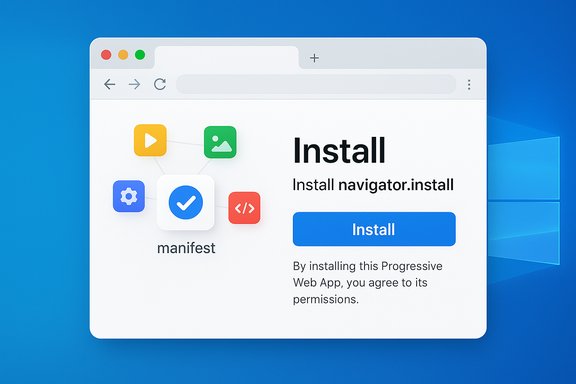
Google and Microsoft engineers are testing a new Web Install API that would let websites — and even third‑party app directories — trigger the installation of Progressive Web Apps (PWAs) directly from web pages, moving install discovery off app store silos and into the open web itself.
Progressive Web Apps already let sites present native‑like experiences: an app manifest, a registered service worker, and the browser’s install flow turn a site into an icon on the desktop or home screen. Browsers today decide when and how to promote an app for installation; developers can surface an in‑page install button that calls into browser‑exposed install hooks (for example, the classic beforeinstallprompt flow on Chromium). That model keeps the install UX gated by browser heuristics and platform differences. The Web Install API is a different approach: it defines a promise‑based JavaScript method (navigator.install) that a web page can call to ask the browser to install a PWA — either the current document or another manifest hosted on a different origin. The API is intentionally explicit: user confirmation is required for every install, and browsers remain responsible for UI and safety checks. The project has been developed in public by Chromium contributors with active participation from Microsoft Edge engineers and has already been discussed at W3C TPAC and other standards venues.
Recent Windows‑focused documentation and community history emphasize that PWAs on Windows have long walked a path from hosted web apps to full platform integrations via manifests and Store ingestion — the Web Install API should be read as the next step in that evolution rather than a sudden replacement for existing mechanisms. Microsoft’s prior PWA initiatives and the Store’s PWA ingestion work are part of this broader context; teams planning PWA distribution for Windows should track both the Web Install API experiment and vendor policy updates to choose the best mix of store and web channels.
(Where specific timelines or platform commitments were stated in early intent messages they represent the plans at the time of those announcements; these are subject to change as trials complete. Treat milestone targets such as “DevTrial in M139” as provisional and verify the current browser version and flag names before deploying test plans.
Source: Windows Report Google Could Make It Possible to Install Web Apps in All Browsers, Not Just Chrome and Edge
 Background / Overview
Progressive Web Apps already let sites present native‑like experiences: an app manifest, a registered service worker, and the browser’s install flow turn a site into an icon on the desktop or home screen. Browsers today decide when and how to promote an app for installation; developers can surface an in‑page install button that calls into browser‑exposed install hooks (for example, the classic beforeinstallprompt flow on Chromium). That model keeps the install UX gated by browser heuristics and platform differences. The Web Install API is a different approach: it defines a promise‑based JavaScript method (navigator.install) that a web page can call to ask the browser to install a PWA — either the current document or another manifest hosted on a different origin. The API is intentionally explicit: user confirmation is required for every install, and browsers remain responsible for UI and safety checks. The project has been developed in public by Chromium contributors with active participation from Microsoft Edge engineers and has already been discussed at W3C TPAC and other standards venues. What the Web Install API does (technical summary)
Three core signatures and two installation modes
The API provides three signatures to support common developer needs:- navigator.install
- Installs the current document (same‑origin, page‑initiated installs). This behaves like an in‑page “install this app” button you might already implement today.
- navigator.install(installUrl)
- Requests an install for an app hosted at installUrl (background document install). The browser locates the manifest at that URL and evaluates installability.
- navigator.install(installUrl, manifestId)
- A two‑parameter form that separates the URL to contact from the manifest identifier; useful for install catalogs and attribution workflows.
Security and consent model
Every install requires explicit user confirmation; the API does not permit silent or forced installs. The browser controls the prompt and can apply heuristics (rate limiting, origin checks, or additional manifest validations) to reduce abuse. The design notes and intent documents explicitly list the experiment’s measurement goals (e.g., tracking uninstall rates and prompt denial rates) so implementers can detect and tune for annoying/abusive flows. Experimental telemetry signals are part of the dev‑trial to evaluate safety and UX.Acquisition & attribution metadata
The proposal includes an optional Acquisition Info / attribution mechanism so publishers and catalogs can attach campaign or source metadata to an install (for analytics or marketing). That data is intentionally optional and scoped; standards discussions have emphasized privacy trade‑offs and guarded semantics for what gets exposed to apps and developers. The TPAC minutes and explainer material discuss both the feature and the privacy considerations at length.Cross‑browser support and current availability
- Chromium (Chrome and Edge) — Developer testing / DevTrial: the Web App Installation API flag (about://flags → web‑app‑installation‑api) is available in developer channels and was scheduled for DevTrial in M139, with origin trials / further tests planned for later milestones. The Chrome Platform Status entries and Blink discussions document the flag and the tracking bug.
- Microsoft Edge — Edge engineers are engaged in design, demos, and the dev trial; Edge-specific examples and explainer content live in the MSEdgeExplainers repository (explainer and test pages are public). Edge contributors helped develop demos and presented the API in standards fora.
- Firefox / Gecko — No active signal of shipping yet; Mozilla has been noted as having "no signal" in standards position threads at the time of the intent messages, and the broader WICG/W3C discussions continue. Cross‑browser implementation will depend on the API’s final shape, security model, and community consensus.
- Safari / WebKit — Safari on macOS supports some add‑to‑dock/add‑to‑home behaviors already, but WebKit’s participation on the Web Install API timeline remained undecided in early discussions; platform limitations on iOS (third‑party engines are effectively shells of WebKit) complicate feature parity. Expect different availability timelines on Apple platforms.
How to try the Web Install API today (developer steps)
- Install a Chromium developer build where the feature is available (Chrome or Edge dev/canary matching the announced DevTrial milestone or later). The flag name is web‑app‑installation‑api.
- Open about://flags, search for "web‑app‑installation‑api", enable it, and restart the browser. Expect instability — these builds are not production‑grade.
- Visit public demo/test pages that exercise the API (several community and Microsoft Edge sample pages exist). Use the provided UI to call navigator.install and observe the browser’s install prompt and behavior.
Why this matters: benefits and strategic implications
- Greater discoverability for PWAs: The Web Install API lets catalogs and directories install apps from the web. That means an app‑store‑like directory could itself be a website that installs curated PWAs — without requiring a native store submission. This has the potential to lower distribution friction for developers and create new discovery channels for web apps.
- Reducing dependence on native app stores: For many use cases — utilities, content apps, or lightweight productivity tools — web install flows can cut the friction and fees associated with app stores. The API is a standards‑driven path to make web acquisition more competitive with native marketplaces. Standards participants framed the API as a tool to “democratize and decentralize web application acquisition.”
- Better UX for curated collections: Search engines, platform stores, or third‑party directories could include an “Install” button that directly triggers browser‑mediated installation, making it easier for users to adopt multi‑app suites without chasing separate store pages. The Acquisition Info extension allows modest attribution for marketers without requiring a proprietary analytics pipeline.
- Developer ergonomics: A simple promise‑based API reduces brittle, browser‑specific workarounds and lets developers implement consistent install flows that work in developer‑trial environments today. Test pages and explainers show how navigator.install can cleanly fit into onboarding flows.
Risks, security concerns, and open questions
The Web Install API brings clear value but also introduces measurable risks that implementers, standardizers, and security teams must address.- Prompt fatigue and nuisance installs
If sites or catalogs push install buttons aggressively, users could be nagged into installing apps they don’t want. The dev‑trial explicitly measures prompt denial rates and rapid uninstall rates to detect such annoyance patterns; browser vendors plan to throttle or harden the UX if metrics indicate abuse. This is a central evaluation objective of the developer trial. - Cross‑origin installs and spoofing concerns
Allowing a site to request installation of a different origin’s manifest creates attack surface for tricking users into installing untrusted content. The spec and explainer discuss manifest id rules, same‑origin requirements, and options for browsers to restrict cross‑origin installs unless explicit entitlements are present in a manifest. Standards conversations explicitly flagged these security trade‑offs. - Attribution, privacy and marketing data
Acquisition Info lets installers attach optional metadata (campaign id, referrer) to installations. That is useful for attribution but raises privacy questions: how much metadata should propagate into an installed app's environment, and under what safeguards? The project documents and TPAC minutes call out privacy as a first‑class concern and recommend conservative defaults and limited payloads. - Platform inconsistency and Apple’s iOS constraints
On iOS, third‑party browsers are WebKit wrappers and cannot fully control system install experiences; Safari has long had the only reliable add‑to‑home workflows on Apple platforms. That platform reality will limit the API’s ability to create a truly cross‑platform uniform experience until Apple exposes the necessary system hooks or chooses to participate. The web platform community has flagged this as a major interoperability consideration for PWAs on iOS for years. - Enterprise governance and malware vectors
Organizations will want clear admin controls to prevent employees from installing unvetted web apps. The experiment’s telemetry and developer trial will help vendors design enterprise policies (e.g., policy to disable web install or require approval workflows). Until such controls are widely available, enterprises should treat the feature as experimental.
Practical guidance for developers and IT teams
- For developers building PWAs:
- Implement a correct, complete Web App Manifest and service worker; these remain the installation prerequisites. Use the manifest id field accurately if you expect cross‑origin installs.
- Offer an in‑page install CTA that falls back gracefully if navigator.install is not available. Feature detect navigator.install and continue to support the browser’s default install prompts for maximum compatibility.
- Be conservative about acquisition metadata. Only include what you truly need and document your privacy handling for users.
- For security teams and IT admins:
- Pilot the feature in isolated test rings using disposable profiles.
- Monitor telemetry for rapid uninstall spikes and user complaints (the dev‑trial is explicitly designed to capture such signals).
- Prepare policy options: plan to block or restrict web installs via group policies or endpoint controls until browser vendors publish enterprise management knobs.
- For product teams and app‑store operators:
- Explore whether a web‑based catalog could complement your distribution workflows; the API makes it feasible to build curated, in‑browser app catalogs that still respect user consent and platform security. TPAC discussions explicitly envisioned app catalogs and competition between discovery surfaces.
Standards, process, and how this fits into the web platform
The Web Install API is not a vendor‑locked feature; it has been presented to standards groups as an intent to experiment and an explainer is published (explainer & repo maintained in the MSEdgeExplainers space). W3C TPAC breakout notes show cross‑vendor participation (Google and Microsoft engineers appear in meeting minutes), and the API has a related pull request and TAG review threads. That public process is the best route to gaining broad interoperability and addressing cross‑browser privacy and security questions. Chromium’s runtime flags and source show the feature gated behind a runtime feature (WebAppInstallation), so developers can expect a staged rollout and telemetry‑driven adjustments before broad stable release. The intent threads include concrete measurement goals and milestones for origin trials and developer trials, which will influence the final API surface.Strengths and potential long‑term impact
- Empowers the open web: If widely adopted, the Web Install API can make the web a first‑class distribution surface again — letting developers deliver app‑like experiences without mandatory store gatekeeping. Standards proponents argue that this lowers friction and costs for developers and users.
- New business models for web publishers: App catalogs and curated directories can emerge as alternative marketplaces for PWAs, enabling discovery and monetization models outside of native app stores.
- Simpler onboarding flows: For many smaller apps, cutting the redirect/store step will increase conversion and reduce churn during first‑run experiences.
Limitations and things to watch
- Implementation variance — platforms and browsers may diverge in policies (rate‑limiting, entitlements, or even blocking certain cross‑origin installs). Don’t assume the API will behave identically across engines.
- Apple platform limitations — iOS remains a special case. Until Safari/WebKit aligns, PWAs will continue to have different install semantics on Apple devices. This structural limitation reduces the API’s immediate cross‑platform promise.
- Privacy and attribution trade‑offs — Acquisition Info is powerful for marketing, but it must be balanced with strong privacy protections and tight limits on what metadata propagates into installed apps. Standards conversations are ongoing; implementers should expect conservative defaults.
- UX and abuse mitigation — Metrics from the dev‑trial (prompt denial rates, immediate uninstall rates) will shape the final UX surface; browsers may add stricter heuristics if telemetry indicates poor behavior. The dev‑trial is explicit about measuring these signals.
Conclusion — what Windows users and developers should take away
The Web Install API represents a meaningful step toward making PWAs easier to find and install without forcing developers through platform app stores. The standard is being actively experimented with in Chromium (Chrome and Edge), with demos and explainers available now for developers to test, and substantive input from standards and browser implementers recorded at TPAC and in Blink discussions. That collaboration increases the chance this will become an interoperable, well‑governed web capability — provided the dev‑trial data persuades vendors that the UX and security trade‑offs are manageable. For now, the Web Install API should be treated as an important experimental advance: promising for discoverability and web‑first distribution, but still guarded by platform realities, privacy trade‑offs, and the need for careful UX design. Developers should experiment in dev channels, prioritize clear manifests and safe default behavior, and watch the specification and vendor documentation as the trial progresses.Recent Windows‑focused documentation and community history emphasize that PWAs on Windows have long walked a path from hosted web apps to full platform integrations via manifests and Store ingestion — the Web Install API should be read as the next step in that evolution rather than a sudden replacement for existing mechanisms. Microsoft’s prior PWA initiatives and the Store’s PWA ingestion work are part of this broader context; teams planning PWA distribution for Windows should track both the Web Install API experiment and vendor policy updates to choose the best mix of store and web channels.
(Where specific timelines or platform commitments were stated in early intent messages they represent the plans at the time of those announcements; these are subject to change as trials complete. Treat milestone targets such as “DevTrial in M139” as provisional and verify the current browser version and flag names before deploying test plans.
Source: Windows Report Google Could Make It Possible to Install Web Apps in All Browsers, Not Just Chrome and Edge
