

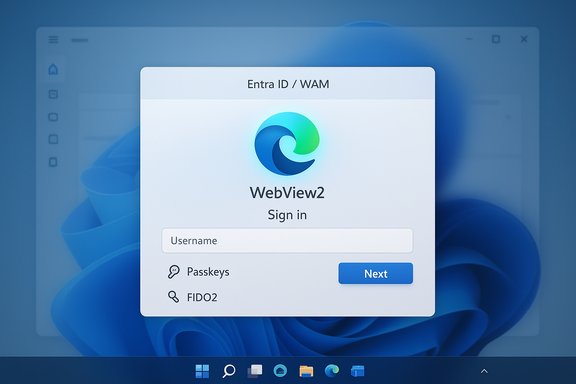
Microsoft’s Entra ID sign-in stack on Windows 11 is getting a significant under‑the‑hood refresh: WebView2 — the Chromium‑based embedded web control used across modern Windows apps — can now power Entra ID sign‑ins through the Web Account Manager (WAM). This change, delivered beginning with the December cumulative update (KB5072033) and surfaced in Microsoft’s Windows IT Pro announcement, promises faster, more consistent authentication flows, better compatibility with modern web UI frameworks, and an easier path to passwordless features such as passkeys — but it also introduces management, compatibility, and rollout considerations IT teams must plan for now.
WebView2 is Microsoft’s supported, Chromium‑based web runtime that lets native applications embed modern HTML/CSS/JavaScript content without launching a full browser. Microsoft has long encouraged apps and system surfaces to adopt WebView2 (Evergreen or Fixed Version) instead of legacy engines, and the WebView2 runtime is preinstalled on eligible Windows 11 devices as part of the OS. Using this same engine for authentication flows reduces fragmentation, centralizes security patches, and aligns sign‑in experiences with what users already see in Edge and web apps. Entra ID (formerly Azure AD) sign‑in flows on Windows are delivered via the Web Account Manager (the AAD Broker Plugin). Microsoft’s recent update allows that plugin to host sign‑in pages inside WebView2 instead of older embedded web views, beginning with the Windows cumulative update identified as KB5072033 (OS build 26200.7462 / 26100.7462 or later). Administrators can opt-in or opt-out through a Group Policy/registry toggle while Microsoft stages this capability more broadly.
Appendix — Quick reference
Source: Petri IT Knowledgebase Microsoft Introduces WebView2 Support for Faster Windows 11 Sign-Ins
 Background / Overview
WebView2 is Microsoft’s supported, Chromium‑based web runtime that lets native applications embed modern HTML/CSS/JavaScript content without launching a full browser. Microsoft has long encouraged apps and system surfaces to adopt WebView2 (Evergreen or Fixed Version) instead of legacy engines, and the WebView2 runtime is preinstalled on eligible Windows 11 devices as part of the OS. Using this same engine for authentication flows reduces fragmentation, centralizes security patches, and aligns sign‑in experiences with what users already see in Edge and web apps. Entra ID (formerly Azure AD) sign‑in flows on Windows are delivered via the Web Account Manager (the AAD Broker Plugin). Microsoft’s recent update allows that plugin to host sign‑in pages inside WebView2 instead of older embedded web views, beginning with the Windows cumulative update identified as KB5072033 (OS build 26200.7462 / 26100.7462 or later). Administrators can opt-in or opt-out through a Group Policy/registry toggle while Microsoft stages this capability more broadly. What changed technically
How WebView2 plugs into the Entra ID sign-in path
- The Web Account Manager (WAM / Microsoft.AAD.BrokerPlugin) is the process that surfaces web-based authentication dialogs inside native Windows apps.
- With the update, WAM can host the authentication UI inside the WebView2 runtime (a Chromium engine instance) instead of the legacy embedded WebView. That means sign‑in UI uses the same rendering and JavaScript engine as Microsoft Edge.
Minimum OS/update requirements
- The change requires Windows 11 devices to have the update shipped as KB5072033 (or later). The documented OS build targets for the rollout are Windows 11 24H2 and 25H2 builds noted in Microsoft’s announcement. Administrators should verify devices have the relevant build numbers before enabling WebView2 integration.
How administrators enable or disable WebView2 for Entra ID
To opt in or out, Microsoft documents a simple policy/registry approach:- Install KB5072033 (or newer) on the target Windows 11 device.
- Create or update the registry key:
- Path: HKEY_LOCAL_MACHINE\SOFTWARE\Policies\Microsoft\Windows\AAD
- Value: WebView2Integration (DWORD)
- Set = 1 to enable; set = 0 to disable.
- After changing the policy, restart or terminate the Microsoft.AAD.BrokerPlugin (Web Account Manager) process for the change to take effect.
Why this matters — benefits for users and IT
Faster, more consistent sign‑ins
Using WebView2 reduces browser‑engine discrepancies between the in‑app sign‑in surface and full browsers. That lowers the chance of rendering or JavaScript‑driven auth logic failing inside embedded dialogs and generally produces smoother UI interactions (fewer redirects, improved rendering of modern frameworks like React and Fluent UI). For end users, that translates into fewer oddities during OAuth/OIDC flows and faster token handoffs between apps.Better compatibility with modern identity features
WebView2 supports modern web APIs and security primitives that make advanced identity scenarios easier:- Passkeys / FIDO2 (WebAuthn) flows can be surfaced more reliably by WebView2 in sign‑in dialogs.
- Conditional Access and policy evaluation that rely on modern JavaScript or cross‑origin behavior will behave more consistently.
- Third‑party identity providers and single‑sign‑on (SSO) integrations built for modern browsers are more likely to work inside an embedded WebView2 control.
Operational advantages for developers and IT
- A single, evergreen runtime reduces duplicated effort for application teams: developers can target a common web platform rather than test against multiple embedded engines.
- Security and platform fixes for the underlying web engine arrive via WebView2 updates, reducing the maintenance burden if you use the Evergreen model.
Important caveats and compatibility notes
Not a universal drop‑in for every client library
MSAL.NET’s guidance remains nuanced: WebView2 is not supported for certain Entra ID authorities under some MSAL configurations (MSAL.NET still defaults to legacy web views for specific authority types due to stability constraints). That means some desktop apps using earlier MSAL versions or targeting certain flows might not automatically switch to WebView2 — developers must review supported MSAL versions and call patterns (for example, using Microsoft.Identity.Client.Desktop or Microsoft.Identity.Client.Desktop.WinUI3 as appropriate) to benefit from WebView2. Always confirm the MSAL version and test app behavior.Runtime requirement and distribution model
- The WebView2 runtime must be present on endpoints. On Windows 11, the Evergreen WebView2 runtime is preinstalled on eligible systems, but constrained or locked environments may still need manual provisioning. Microsoft recommends the Evergreen runtime for most scenarios; Fixed Version is available if you require deterministic behavior but introduces update management overhead. Plan your distribution model carefully.
Centralization and operational risk
- Because many Windows experiences and apps will now share the same WebView2 runtime, a regression or buggy WebView2 update can have broader impact across the OS and apps (for example, widgets, Office features, and authentication dialogs). That coupling increases blast radius for runtime issues and makes monitoring Edge/WebView2 release notes and Windows update advisories essential.
Early reports of application impact after KB5072033
- Some administrators have reported Remote App / Azure Virtual Desktop Remote Apps behavior issues after installing KB5072033 in early December rollout stages. Workarounds were shared by the community (registry tweaks or rolling back updates) while vendors investigate. Treat early reports as signals to pilot before mass deployment, and maintain rollback paths in case particular workloads are affected in your environment.
Security analysis — strengths and risks
Strengths
- WebView2 benefits from the same Chromium security model and frequent security updates as Microsoft Edge, reducing exposure to legacy engine vulnerabilities.
- Modern web APIs improve the reliability of WebAuthn/passkey operations in embedded flows, supporting phishing‑resistant authentication and enabling OS‑level passkey experiences when combined with Windows Hello.
- Centralizing embedded web content on a continuously updated runtime simplifies vulnerability remediation and reduces the number of distinct engines that need patching.
Risks and tradeoffs
- Centralization: A shared runtime increases the blast radius for regressions or security bugs. Tight update controls (for example, staging and pilot rings) are essential for enterprise environments.
- Cloud/identity interactions: WebView2 is an embedded rendering engine — identity still depends on proper token handling and secure storage. Newly enabled flows expose more surface area for network‑based controls (proxy, interception, conditional access) that require testing.
- Library and vendor gaps: Some client libraries or third‑party line‑of‑business apps may require code changes or updated packaging to use WebView2 reliably. MSAL versions and app packaging models (WinUI3, MSIX) should be validated.
Practical rollout guidance for administrators
Recommended phased plan
- Inventory: Identify applications, services, and OS surfaces in your estate that rely on WAM, Entra ID sign‑ins, Office integrations, or custom in‑app web auth dialogs.
- Pilot group: Choose a small representative pilot group (different hardware profiles, network segments, and app sets).
- Update baseline: Ensure pilot devices are on or above the required OS build (KB5072033 / the December cumulative update build). Validate that WebView2 runtime is present and up to date (prefer Evergreen).
- Enable opt-in: Set the registry / policy WebView2Integration = 1 on pilot machines and monitor sign‑in success metrics, conditional access signals, and helpdesk tickets.
- Test critical apps: Validate SSO with Teams, Office apps, Edge/Chromium‑based flows, and any third‑party IdPs used by your business applications.
- Expand in stages: Gradually increase deployment rings once pilot telemetry is acceptable. Maintain known good images and restore steps for hosts that show regressions.
Policy and technical checks
- Proxy and filtering: WebView2 uses modern TLS and web APIs — ensure corporate proxies and security appliances don’t unintentionally modify or block authentication JavaScript or postMessage traffic used by OAuth/OIDC flows.
- Group Policy / Intune: Deploy the WebView2Integration registry key via Group Policy Preference or Intune device configuration, and include logging to capture WAM/AAD Broker plugin events.
- App packaging: If you run MSIX‑packaged apps or are moving to WinUI 3, test their WebView2 integration path; for some passkey plugin models, MSIX packaging is required to register as a system provider.
Quick checklist for helpdesk and engineers
- If a user reports sign‑in failures after enabling WebView2:
- Confirm KB5072033 (or later) is installed and device build number matches Microsoft requirements.
- Verify the WebView2 runtime is installed and current.
- Restart or kill Microsoft.AAD.BrokerPlugin and retry sign‑in.
- Test the same sign‑in flow in Edge to determine if the issue is WebView2 rendering vs token broker logic.
- Roll back the registry toggle (set WebView2Integration = 0) to confirm whether the issue is WebView2‑specific.
Developer guidance
What developers should check
- Target the latest WebView2 SDK and test authentication UIs inside a hosted WebView2 control to catch any WebAuthn or JavaScript API differences early.
- Review MSAL and identity libraries: some library versions and authority types may still default to legacy web views. Update to MSAL versions that explicitly support WebView2 where appropriate, and test B2C, ADFS, and Entra scenarios.
- If building passkey or FIDO flows, validate WebAuthn behavior inside WebView2. Ensure you have a fallback for clients that cannot be updated immediately.
Packaging and testing
- Use the Evergreen WebView2 runtime for most apps unless you have strict compatibility needs; Evergreen simplifies security maintenance. If you choose Fixed Version, prepare a long‑term update cadence and distribution pipeline.
- For system passkey provider integrations (third‑party managers), MSIX packaging is often required for registration with the OS. Confirm vendor guidance and test provider toggle behavior in Settings > Accounts > Passkeys (where applicable).
Real‑world issues and what to watch in the wild
Early community and admin reports during staged rollout phases have highlighted:- Some AVD (Azure Virtual Desktop) Remote Apps showing errors after installing the KB5072033 update on host pools; mitigation may require specific remediation steps or support cases. Monitor vendor advisories if you run virtualized app hosts.
- Occasional “flash then close” enrollment or sign‑in experiences historically tied to missing WebView2 runtimes or broker misconfigurations — many of those are resolved by installing/repairing WebView2 or ensuring the AAD broker and Store sign‑in flows are healthy. Maintain a triage playbook.
Recommended decision matrix for IT teams
- If you run a small or homogeneous fleet with fast update cadence:
- Enable WebView2Integration on a wide pilot, prefer Evergreen runtime, and accelerate adoption to benefit from passkeys and modern auth.
- If you run a large enterprise with mixed legacy apps:
- Pilot selectively, keep Fixed Version options for locked apps, and require vendor validation for critical line‑of‑business software before enabling system‑wide.
- If you manage VDI/AVD or specialized image hosts:
- Delay broad rollout until vendor advisories confirm compatibility with KB5072033 and test Remote Apps/host pooling scenarios thoroughly.
Conclusion — what IT teams should do now
Microsoft’s move to support WebView2 for Entra ID sign‑ins is an important modernization step that aligns Windows sign‑in flows with modern web standards, improves the chances of a smooth passkey and passwordless future, and reduces long‑term maintenance overhead by consolidating on a single embedded web platform. At the same time, the change centralizes an important runtime, meaning IT teams must pilot carefully, examine dependencies (MSAL versions, app packaging, proxy policies), and prepare rollback plans for specialized workloads such as Remote Apps or legacy line‑of‑business software. Start with inventory and small‑scale pilots, validate critical authentication paths (SSO, Conditional Access, third‑party IdPs), and adopt the WebView2 integration in rings only after satisfactory telemetry and helpdesk outcomes.Appendix — Quick reference
- Minimum update: KB5072033 (or newer) targeting Windows 11 24H2/25H2 builds (check device build numbers before enabling).
- Registry toggle: HKEY_LOCAL_MACHINE\SOFTWARE\Policies\Microsoft\Windows\AAD\WebView2Integration (DWORD) — 1 = on, 0 = off. Restart or terminate Microsoft.AAD.BrokerPlugin to apply.
- Runtime: Use Evergreen WebView2 when possible; distribute and manage Fixed Version only if you need deterministic runtime behavior.
- Developer note: Verify MSAL.NET version and supported authority types; WebView2 support varies by MSAL and app packaging approach.
Source: Petri IT Knowledgebase Microsoft Introduces WebView2 Support for Faster Windows 11 Sign-Ins
