

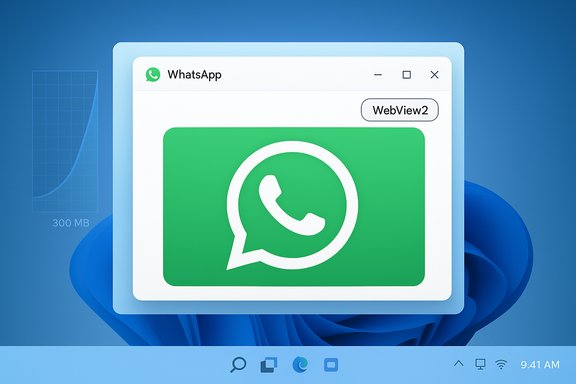
Meta has quietly replaced the native WhatsApp client on Windows 11 with a WebView2-wrapped instance of web.whatsapp.com — a change that crashes the promise of a lightweight, integrated Windows experience and leaves users facing significantly higher memory use, degraded notifications, and a more sluggish interface.
Background
From web wrapper to native and back again
WhatsApp’s long Windows story has been a series of technical reversals. The desktop client started as a web wrapper, moved to an Electron-based model in earlier years, then received a true native rewrite using UWP/WinUI that launched in 2022 and was widely praised for feeling like a modern Windows app. Now, after only a few years of native investment, Meta has moved the Windows client back to rendering the web interface inside Microsoft Edge’s WebView2 control. The public signals of this shift were small but unmistakable: users are being logged out to complete the transition, testers saw the app begin to load web.whatsapp.com inside a WebView2 container, and stable-channel updates have started to roll out that replace the WinUI executable with the web-based wrapper.Why companies do this
There is a familiar business logic behind moves like this: maintaining a single web codebase is cheaper and faster than supporting separate native clients for Windows, macOS, iPadOS and other platforms. A WebView-based approach allows a company to ship identical UI and feature work everywhere, cut desktop engineering headcount, and reduce QA overhead. That consolidation is the most commonly cited rationale in coverage and developer commentary about the change.What changed technically: WebView2 and what it means
The WebView2 process model
WebView2 embeds the Chromium-based Microsoft Edge engine inside desktop apps using a multiprocess model similar to a browser: there’s a WebView2 manager process, renderer processes, one or more utility processes and a GPU process. The runtime (msedgewebview2.exe) is shared across apps when using the Evergreen distribution, which helps with update and security hygiene. Importantly, the memory and CPU footprint depends heavily on the web content being rendered and how the host application uses WebView2. In other words, WebView2 itself is a renderer, and heavy or poorly optimized web code will drive memory use.Why WebView2 can feel heavier
- Web content is typically written for browsers: complex JavaScript bundles, runtime frameworks, and heavy single-page app architectures.
- Each WebView2 instance can spawn several supporting processes (GPU, network, audio, utilities) that together raise the observable process count in Task Manager.
- If the web app loads thousands of chat entries, embedded media previews, channels, or rich features like AI/ML processing, memory climbs fast — and those resources are controlled by the web code, not the host wrapper.
- WebView2 mitigates some duplication by sharing the runtime, but the runtime-shared model doesn’t remove the in-memory representation of heavy web app state.
The immediate user impact: memory, performance, and integration
Reported memory usage and performance
Independent technology outlets and testers report materially higher RAM usage with the new WebView2-wrapped WhatsApp compared with the prior native WinUI client. One widely-circulated test found the new client using roughly 300 MB on the login screen (idle), spiking to 2 GB while loading large chat histories and averaging about 1.2 GB while idle in the background; the native client reportedly measured in the low hundreds of megabytes under similar conditions. Other outlets have described the web wrapper using roughly 30% more RAM than the native client in their tests. These figures are symptomatic — they illustrate the direction of change more reliably than they pin down a single universal number. Caveat: physical memory numbers will vary enormously by PC hardware, number of active chats, embedded media, presence of pinned channels, extensions or browser cache state, and even which WebView2 runtime version is installed. The most widely-reported exact numbers come from a single tester; multiple outlets corroborate a clear increase in RAM use but report different magnitudes. Treat specific megabyte figures as indicative, not absolute.Sluggishness, notifications and platform fit
Beyond raw RAM the wrapper introduces integration regressions that matter in daily use:- Notifications are less reliable and show delayed delivery for some users; Do Not Disturb / Focus interactions don’t always behave as expected.
- The UI no longer adheres to Windows 11 Fluent design and WinUI idioms; the app looks and feels like a browser tab in a window rather than a native application.
- Features that depended on native APIs or local optimization (e.g., optimized screen sharing, certain call-handling flows, or OS-level background efficiency) can be degraded or changed to the web variant’s behavior. Several technology publications documented user reports of delayed notifications and poorer interaction with Windows 11 power and focus features.
Who benefits and who loses
Likely winners
- Meta/WhatsApp as a development organization — lower maintenance costs, fewer platform-specific engineers, faster cross-platform feature parity, and a single web engineering pipeline.
- Casual users whose machines have abundant RAM and who prioritize feature parity (e.g., Channels, Communities) over power-efficiency or native polish.
Likely losers
- Users on RAM- or battery-constrained devices (older laptops, small tablets), where memory hunger and background processes translate into slower machines and worse battery life.
- Enterprises and power users who expect predictable native integration, reliable notifications, and minimized background resource use.
- Windows ecosystem advocates who see another example of major app vendors deprioritizing native Windows UX in favor of one-size-fits-all web code.
Verifying claims and limits of public testing
- The claim that WhatsApp “now opens web.whatsapp.com in WebView2” is well-documented through multiple beta reports and independent testing logs; the move has been observed reproducibly by testers.
- The specific memory numbers (e.g., “1.2 GB idle” or “2 GB peak”) come from an individual inventory of a release tester and have not been published as official telemetry by Meta. Treat those as test findings from particular machines, not universal operating system facts.
- The reason often cited for the change — cost savings and the benefits of a unified web codebase — is consistent with Meta’s historical choices and public reporting from journalists about the company’s engineering decisions, but internal staffing or layoff details tied to this specific move are speculative unless confirmed by Meta or internal documentation. Flag any claims that name personnel actions or team disbandments as unverified unless supported by Meta statements.
Practical advice: what Windows users can do right now
If you depend on WhatsApp on a Windows device, there are practical steps to reduce friction, lower memory impact, and keep productivity steady.Short-term workarounds (fast)
- Use WhatsApp Web in a browser (Edge or Chrome) and treat it like your desktop client. In practice, running web.whatsapp.com in a modern browser may be no worse — and sometimes better — than the WebView2-wrapped store app because browsers have more battle-hardened process management and established PWAs.
- If you prefer an app feel, install the Progressive Web App (PWA) for WhatsApp from Edge or Chrome and pin it to the taskbar. A browser PWA often provides a better lifecycle and update model than single-purpose wrappers because the major browsers actively manage memory and runtime shared resources.
- If you haven’t updated to the new desktop release yet, postpone the update on machines where memory and notifications matter. The replacement is rolling out in stages; delaying may allow you to keep using the native client for a window of time.
Medium-term measures (technical)
- Ensure Microsoft Edge / the WebView2 runtime is updated. The runtime receives security and performance fixes independently; a current runtime often fixes regressions.
- Clear the WebView2 app cache if you see persistent memory growth — some apps allow clearing of application cache, and you can remove local WebView2 user data folders to reset state.
- Limit the number of actively loaded conversations and heavy-media chats in WhatsApp. The more chat preview content the app renders, the more memory it consumes.
- For enterprise environments, consider blocking the updated package via your device management system until you have a tested strategy for the new client.
Steps to install WhatsApp as a browser PWA (Edge)
- Open Edge and navigate to web.whatsapp.com.
- Sign in via your phone as usual.
- Click the browser menu (three dots) → Apps → Install this site as an app.
- Pin the installed PWA to your taskbar or Start for a quick, app-like experience.
Enterprise and IT admin considerations
- Inventory: audit machines that rely on WhatsApp for workflows and identify endpoints with limited memory or strict battery constraints.
- Deployment control: use Microsoft Intune or equivalent MDM to delay or block the new Store package until compatibility testing is complete.
- Support documentation: update helpdesk playbooks to include the PWA installation steps and known notification differences.
- User guidance: communicate the change proactively — users will encounter logouts and may be confused when the app no longer looks native. Provide the PWA as a supported alternative.
Broader implications for Windows as an app platform
Erosion of native-first commitments
Each high-profile app that reverts to a web wrapper chips away at the incentives for platform-specific investment. Native toolkits like WinUI exist to provide richer integration, better power efficiency and a consistent look-and-feel. When global apps shift away from those investments, Windows loses parity with the UX standard that earlier pushed Windows forward. The cadence of these moves matters: while web wrappers simplify development at scale, they also reduce the unique value proposition of a desktop OS optimized for native experiences.The trade-off calculus remains rational for large web-first companies
For Meta, with billions of users and many overlapping engineering priorities, supporting a single web code path is an operationally sane approach. The result is a product that is easier to maintain and faster to iterate across platforms. The trade-off — lower desktop-level polish for global operational simplicity — is explicit and, from an engineering cost standpoint, defensible. Whether this trade-off is acceptable to users is a separate product question.Critical analysis: strengths, risks, and the likely future
Notable strengths of Meta’s decision
- Faster feature parity: new web features (Channels, Communities updates) propagate to desktop immediately without parallel native engineering.
- Lower ongoing costs: a single codebase reduces bugs that come from platform differences and shrinks the number of platform-specific engineers and test suites required.
- Centralized security patching: the shared WebView2 runtime can receive security fixes quickly, and web deployments can be rolled back faster than discrete native releases.
Key risks and downsides
- Resource bloat: sustained higher RAM/battery use harms the experience on lower-end or older devices and degrades perceived performance.
- Notification regressions: desktop notifications and OS-level focus integration are often the first casualties when moving from native APIs to the web.
- Platform confidence: repeated deprecation of native apps can undermine Windows users’ trust in high-quality native applications and creates an environment where the best UX is reserved for scarce native-first vendors.
- Ecosystem consequences: if the best apps on Windows degrade to web wrappers, incentive for third-party Windows developers to produce differentiated, native experiences diminishes.
What to watch next
- Telemetry: if Meta publishes (or leaks) telemetry showing acceptable resource curves, that may calm criticism; right now, most reporting is third-party testing and anecdote.
- Stability updates: WebView2 runtime and WhatsApp web code optimizations may materially reduce the memory delta over time.
- Microsoft response: whether Microsoft enforces Store requirements about platform integration or not will shape future vendor behavior.
Final verdict and recommendations
The migration of WhatsApp for Windows from a native WinUI app back to a WebView2-based web wrapper is a pragmatic engineering decision for Meta but a clear downgrade for users who care about native performance, tight OS integration, and efficient background behavior. The move delivers cost and engineering benefits to Meta at the expense of Windows-first polish and lower device impact.For users and administrators the immediate playbook is straightforward:
- If you value native integration and low memory use, delay the update where possible and migrate to the WhatsApp Web PWA in a modern browser.
- If you manage fleets, block or control the update and prepare documented alternatives for end users.
- Keep Edge/WebView2 runtimes patched, and monitor WhatsApp behavior after updates because some regressions can be addressed in subsequent releases.
Every major Windows app transition deserves scrutiny: this one is likely to accelerate the debate about native-first vs. web-first on desktop platforms, and it’s essential that users and IT administrators take concrete steps now to control their environments and preserve productivity while Meta continues to iterate on the new client.
Source: Windows Latest Meta just killed native WhatsApp on Windows 11, now it opens WebView, uses 1GB RAM all the time
