

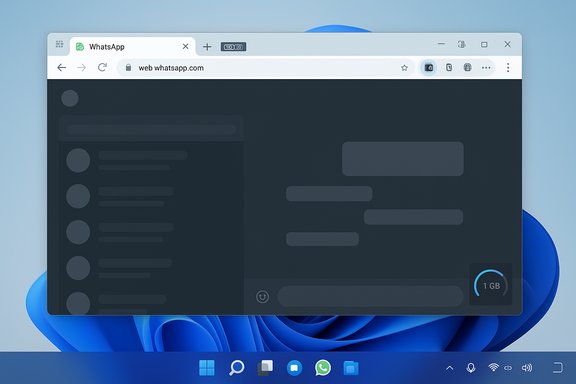
WhatsApp’s Windows client has quietly been reshaped into a Chromium-powered web wrapper — and the result is a noticeably heavier, less native experience that can chew through RAM, raise CPU use, and break the tight Windows 11 integrations many users relied on. What shipped as version 2.2584.3.0 replaces the previously snappy WinUI/UWP client with an app that essentially hosts web.whatsapp.com inside Microsoft’s WebView2 runtime, producing browser-like process counts and the memory/latency characteristics of a modern single‑page web application rather than a lean native desktop program.
Background
From native UWP to WebView2: the short history
WhatsApp’s Windows client has been through multiple platform rethinks. It began life as web-wrapped solutions, then moved to purpose-built native clients — a WinUI/UWP rewrite arrived in recent years and earned praise for being lightweight, responsive, and tightly integrated with Windows 11 features. In 2025 Meta began testing a return to a web-hosted model: betas were observed loading the web client inside WebView2, and the stable rollout followed soon after. The public-facing shift is visible: users are forced to re-authenticate, and the Store package now appears to rely on the Chromium-based WebView2 runtime.Why this matters now
The change isn’t merely cosmetic. Replacing a compiled, platform-aware client with a WebView2-hosted web app moves most runtime responsibilities — rendering, memory management, media handling, background tasks and notifications — into the web layer and the shared Edge runtime. For many Windows power users and administrators that means a different operational profile: higher idle memory, more CPU headroom used during interaction, and a weaker tie to Windows’ native notification and power-management APIs. Multiple independent hands‑on reports and news outlets replicated these observations within days of the rollout.What testers and early adopters are seeing
Performance and memory: empirical patterns
Real-world testing shows a clear direction: the WebView2 version uses markedly more RAM and feels less responsive than the native UWP app did on the same machines. Reported behaviours include:- Idle memory footprints starting in the hundreds of megabytes (often 300–600 MB) immediately after launch, before full chat sync.
- Routine use in active sessions commonly pushing memory toward ~1 GB, with spikes to 1.5–2+ GB on media‑heavy chats or rapid scrolling.
- CPU use that is noticeably higher than the UWP client, particularly during scrolling, scrolling‑induced reflows and video calls.
Responsiveness and animation
Users report a perceptible delay when switching chats, choppier scrolling in long histories, and lagged UI animations compared with the native client, which switched conversations and repainted almost instantly. These are not impossible to address in a web codebase, but they are the immediate user-facing symptoms of heavier client-side state and larger JS/CSS bundles being managed by the renderer processes.Notifications and background behaviour
- Native UWP used Windows’ built‑in notification APIs, delivering immediate toasts and tight Do Not Disturb / Focus Assist integration.
- The WebView2 wrapper relies on the embedded web client’s mechanism (service workers and the WebView2 runtime’s notification bridge), which can behave differently and has produced reports of delayed or degraded notifications and “You may have new messages” generic alerts when the wrapper is exited to tray.
Video and audio calls
Video calls and real‑time media interactions are heavier in the WebView2 build — tests reported three‑times the memory usage for a call session compared with the native client, and higher CPU usage during calls. That is partly because the web client keeps more state in the renderer and depends on Chromium’s media stack rather than optimized native pipelines.The technical mechanics: why WebView2 behaves this way
WebView2’s process model
WebView2 embeds Microsoft Edge’s Chromium engine and inherits Chromium’s multiprocess model: a browser (host) process, renderer process(es), a GPU process, and other utility processes (network, audio, storage). Each WebView2 instance — and sometimes each distinct origin — can spawn additional renderer processes. This design improves security and isolation, but it increases visible process count and aggregate memory compared with a single native process. Microsoft documents these behaviours and explicitly notes that resource usage depends heavily on the content the control renders.WhatsApp Web is a modern single‑page app (SPA)
web.whatsapp.com is a feature-rich SPA with large JavaScript bundles, active state for many chats, media preview caches, and service workers for background tasks and notifications. When that SPA runs inside WebView2 it keeps much of its runtime data in memory — open chat render trees, message caches, image/video buffers and in‑page component trees. Those in‑memory structures are what drive the higher RAM and CPU numbers when the WebView2 runtime hosts WhatsApp’s web code.Service workers, push and background lifecycles
WhatsApp Web uses service workers to implement offline behaviours and push notifications in browsers. When packaged in a WebView2 host, those service workers run in the WebView2 runtime and follow different lifecycle constraints than the native UWP background model. That is why the wrapper often needs to keep WebView2 processes alive in the background to ensure notifications, which increases steady-state memory. The trade-off is a functional parity with web features (Channels, Communities) but weaker native background efficiency.Real‑world impact: scenarios that will matter most
Users on modern desktops
If you run a high‑RAM desktop (16 GB or more) with a modern CPU, the WebView2 wrapper will be inconvenient but may not materially harm day‑to‑day productivity. You’ll notice the heavier memory footprint and slightly slower animations, but you probably won’t be left unable to work.Laptop owners and low‑RAM devices
On laptops with 8 GB or less — a large share of real machines in the wild — the wrapper can tip systems into high memory pressure. When RAM is saturated your machine will page more, battery life will decrease, and switching tasks will feel sluggish. For older or fixed‑RAM laptops this is the worst‑case trade‑off. Multiple testers reproduced serious slowdowns on 8 GB systems after the rollout.Power users and enterprise endpoints
Enterprises that relied on the native desktop client’s predictable resource profile and Windows integration (notifications, group policy control, background behavior) face operational risk: help desk calls may spike, and managed‑device policies may need updates to block or stage the rollout until teams test compatibility. Admins should pilot the new package and consider PWA or browser‑based alternatives where resource conservation or compliance matters.Practical mitigation: what Windows users and IT teams can do right now
These steps are ordered from quickest user fixes to IT‑grade controls.- If the Store update hasn’t installed on a critical machine, delay it (do not update) until you can test the new client on a spare device.
- Use the browser version (web.whatsapp.com) or install the Progressive Web App (PWA) from Edge/Chrome:
- Open web.whatsapp.com → Browser menu → Apps → Install this site as an app (Edge/Chrome).
- A browser‑managed PWA often benefits from the browser’s memory and lifecycle management.
- In the WhatsApp settings (desktop app) disable “Minimise to system tray” and “Start WhatsApp at login” to prevent background WebView2 processes from staying resident if you do not need persistent background notifications.
- Keep Microsoft Edge and the WebView2 runtime updated — WebView2 receives performance and security patches via Edge updates. Ensuring the runtime is current can reduce regressions.
- Close or limit large media‑heavy chats within WhatsApp; the more message previews and media the web client renders, the more memory it requires.
- On managed fleets, use MDM (Intune) and Store/distribution policies to pilot the new build in a ring before full deployment; push PWA instructions to endpoints as an approved alternative.
- Install the PWA or use web.whatsapp.com for desktop.
- If using the Store app, turn off “Start at login” and “Minimise to system tray”.
- Keep Edge updated.
- For persistent notification needs on low‑RAM machines, consider keeping the phone as the primary notification device for high‑priority channels.
Why Meta likely made this choice — and what’s unverified
The engineering rationale is straightforward: maintaining a single web codebase dramatically reduces duplication of work across platforms, speeds feature parity (Channels, Communities, Status redesigns), and shrinks the platform‑specific QA matrix. WebView2 wrappers let product teams iterate on one codepath and push the same UI/feature set to Windows, macOS and browsers simultaneously. That operational efficiency is the primary logic tech teams point to when describing similar migrations. That said, attributing the move to personnel cuts or specific layoffs inside Meta is plausible context, not a verified causal statement unless Meta confirms staffing decisions directly. Several outlets and community threads infer that cost and team consolidation were drivers; those claims should be flagged as speculative until Meta publishes a formal explanation. The trade‑off remains clear: cheaper, faster engineering at the cost of desktop polish and resource efficiency.The broader ecosystem question: is this one app or a pattern?
This WhatsApp change is not an isolated trend. Large consumer internet companies increasingly prefer a unified web codebase for desktop clients — a pattern because it simplifies development and accelerates shipping of new features. The practical consequence for Windows is a slow erosion of truly native, optimized apps; when many flagship services are web-wrapped, Windows’ advantage as a platform for finely tuned native applications is less visible to end users. That has long-term implications for power users, enterprise manageability, and how Microsoft can tout Windows as a desktop-first experience.Microsoft’s WebView2 runtime itself includes APIs and mechanisms to help host apps manage memory and lifecycle (suspend/resume, user data folder management), and there are engineering paths to mitigate worst offenders — but those require explicit investment and coordination between Meta and Microsoft. Without that cooperation, WebView2 hosts will feel and behave like browser tabs in a window rather than first‑class native apps.
Critical assessment: strengths, weaknesses, and the path forward
Notable strengths of the WebView2 approach
- Faster feature parity: Channels, Communities and other web-first features can appear on desktop faster.
- Lower per‑platform maintenance: One engineering pipeline reduces duplicated work and reduces bug‑fix surface area across clients.
- Centralized updates: Web code lets Meta iterate without full native release processes.
Real weaknesses and risks
- Resource bloat: Heavier RAM and CPU footprints can materially harm 8 GB systems and older laptops.
- Weaker Windows integration: Notifications, DND, accessibility hooks and UI polish degrade in the wrapper.
- Operational costs for admins: Enterprises that relied on the native client will need pilot programs and updated policies.
- User trust and perception: Long‑time Windows users who valued the UWP client’s snappiness will see this as a regression.
What a realistic remediation path looks like
- Short term: provide official guidance about Secure Storage / PIN and re‑auth behavior to prevent data loss during forced logouts.
- Medium term: Meta invests in WebView2 and web‑bundle optimizations — smaller JS bundles, lazy loading of chat renderers, aggressive media eviction policies.
- Long term: deeper runtime collaboration with Microsoft — a richer bridge for notifications and low‑memory modes in WebView2 that replicate native background behaviour.
Action plan for readers (concise)
- Tech-savvy users: install WhatsApp as a PWA, keep Edge and WebView2 updated, and disable “Start at login” in the Store app.
- Non-technical users: if your machine is slow after the update, switch to web.whatsapp.com in your browser and pin the site to the taskbar.
- IT admins: block or stage the Store update, pilot on a small ring, push PWA instructions, and update support scripts for re‑authentication issues.
- Everyone: enable Secure Storage / set a recovery PIN on mobile if you care about E2EE history integrity during device transitions.
WhatsApp’s pivot back to a WebView2‑wrapped client is a clear engineering trade‑off: faster cross‑platform shipping and a single codebase at the cost of native Windows performance and integration. For users on modern, high‑memory systems the change is inconvenient; for those on older or RAM‑constrained devices — and for IT teams that must support them — it is a practical regression that needs mitigation. The immediate remedies are straightforward — use the PWA, delay the update on critical machines, and keep WebView2/Edge current — but the longer story is about platform strategy: will major vendors invest to make wrapped web apps feel native, or will Windows continue to lose the performance advantage that once made its desktop so compelling? The answer will shape how people experience the PC in the years ahead.
Source: Windows Latest I tested the new WhatsApp for Windows 11 (a web wrapper) and it's a performance nightmare
