Who Pays for AI in Everyday Software? Pricing Power and Policy

  • Thread Author
AI’s promise of supercharged productivity is colliding with a less glamorous reality: the bill for that intelligence is increasingly landing on ordinary users and businesses rather than being absorbed by the technology firms that built it. This shift — visible in subscription price hikes, new AI‑credit models, and the rapid expansion of datacenter infrastructure — forces a practical question into everyday software choices: who should pay for the compute, power, and R&D behind generative AI?

A person uses Copilot on a laptop next to a futuristic AI data-center gauge.Background​

Generative AI moved fast from research labs into mainstream apps, reshaping how people write emails, analyze spreadsheets, and create slide decks. Vendors are racing to fold advanced language and reasoning models directly into widely used productivity suites. For consumers and small businesses, that means the AI formerly accessible only to large enterprises is now packaged into the tools they use every day — often as a component that increases recurring subscription costs. The Northeast Mississippi Daily Journal’s recent column captured this tension: AI’s capabilities are breathtaking, but the true cost is rarely obvious to people who simply open Word, Excel, or Outlook and summon “Copilot”-style help.
That observation reflects a broader industry pattern. Microsoft, Google, and other big vendors have begun embedding AI features into core offerings and adjusting pricing to match the added value and infrastructure expense. Those moves have significant implications for consumers, education, small businesses, and public policy.

Overview: How AI moves from data center to end user — and who pays​

AI features require two sets of capital:
  • One‑time and ongoing R&D and model training costs (research teams, cloud GPUs, long training runs).
  • Recurring operational costs to serve inference requests at scale (GPU fleets, networking, cooling, electricity).
Vendors have tried multiple commercial models to recover those costs:
  • Standalone premium AI subscriptions (e.g., Copilot Pro).
  • Bundling AI into existing subscriptions and raising prices (Personal/Family plan increases).
  • Usage‑based “AI credits” that meter heavy workloads.
  • New premium tiers that consolidate AI and core apps in a single monthly fee.
Where companies once absorbed research and ops costs, they now try to convert infrastructure investments into sustainable, recurring revenue streams. The tradeoff is direct: customers who enable and use AI features contribute materially to the economics that make those features possible. Multiple reporting threads and opinion pieces summarized this shift in the Microsoft 365 rollout and associated price changes.

Microsoft’s Copilot case study: integration, pricing, and the opt‑out paradox​

What changed​

Microsoft began moving Copilot from an optional add‑on into deeper parts of Microsoft 365, expanding access to consumers and families while changing the subscription economics. The official announcement confirmed a U.S. price increase of $3 per month for Microsoft 365 Personal and Family — the first increase for those plans in over a decade — and introduced settings to allow users to disable Copilot in apps where they don’t want AI assistance. Simultaneously, Microsoft kept a higher‑end Copilot Pro subscription for power users (previously $20/month) while later reshaping the product line to offer bundles such as Microsoft 365 Premium that aim to combine Office and advanced Copilot features into one offering. That bundle strategy tries to simplify the choices for consumers while consolidating AI value into a new, higher‑priced tier.

Why Microsoft did it​

The company argues that those price adjustments reflect real added value and the need to sustain investing in AI capabilities and secure infrastructure. Copilot capabilities — drafting, summarization, data analysis in Excel, automated slide creation in PowerPoint, and more — are framed as productivity multipliers that justify modest subscription increases. Microsoft’s public messaging emphasizes user control (settings to disable Copilot) and alternate “Classic” plans that exclude AI.

Why many users feel penalized​

Yet the rollout has exposed clear friction:
  • Some users never asked for these AI capabilities and resent paying more for features they won’t use.
  • Others find Copilot intrusive and imperfect in practice, which undermines the “premium” claim when errors or hallucinations occur.
  • The opt‑out path is uneven: while Microsoft added Classic plans and toggle settings, opt‑outs may limit access to other bundled benefits or are positioned as temporary offerings. That creates the perception of an AI tax that’s hard to avoid without sacrificing functionality.
In short: Microsoft’s approach is emblematic — it reveals the tension between monetizing AI infrastructure and preserving consumer choice.

The economics behind the headlines: why AI actually costs money​

Running modern generative models at consumer scale isn’t free.
  • Training “frontier” models routinely costs tens to hundreds of millions of dollars and consumes massive GPU time.
  • Serving models — the moment a Copilot or chat reply is generated — requires a global fleet of inference servers, costly networking, and power‑hungry cooling systems.
Microsoft’s and other hyperscalers’ capital expenditures for AI infrastructure have become visible line items in financial reporting. Public filings and industry reporting showed significantly increased capex as companies built GPU capacity and new datacenter regions to support AI workloads. Analysts and company CFOs have explicitly referenced these investments as a reason for monetization moves across product lines.
A useful way to think about it: every Copilot query uses compute cycles and electricity. At scale — millions to billions of interactions — these small per‑query costs aggregate into very large operational budgets. Those bills must be underwritten somehow: by investors, advertisers, enterprises, or end users.

Disruptors and the price war: DeepSeek and the challenge to incumbent economics​

Not all AI providers rely on the same cost structures. New entrants and open‑source projects have aimed to disrupt the economics of large models, claiming competitive performance at far lower price points.
DeepSeek’s R1 model is one of the best‑publicized examples. Its early releases and API pricing positioned the offering as substantially cheaper per token than some rival models, sparking rapid industry and media attention about whether lower‑cost but powerful models could force incumbents to rethink pricing and infrastructure strategies. DeepSeek’s documentation and third‑party reporting outlined input/output pricing that appeared far below earlier industry benchmarks — a factor that has pressured competitors to reconsider pricing and optimization. Caveats and verification: DeepSeek’s performance and cost claims should be treated cautiously. Public pricing pages and press releases present one side; independent benchmarks and enterprise security assessments are often limited or unavailable for brand‑new models, and geopolitical or compliance concerns may restrict some customers. In short: DeepSeek represents a genuine economic threat to incumbent models, but the long‑term picture depends on reproducible performance, security assurances, and operational stability.

The hidden social and environmental costs: data centers, energy, and community impact​

AI growth is not only a financial question — it’s an infrastructure question with environmental and local economic consequences.
  • National lab analysis shows U.S. data centers consumed about 4.4% of total electricity in 2023 and that demand could rise to as much as 6.7–12% by 2028 under high‑growth scenarios driven largely by AI workloads. Those increases have real effects on local grids, electricity prices, and renewable integration strategies.
  • Studies and reporting also highlight that training large models and running global inference fleets require enormous power and cooling, which can strain water resources and local permitting processes and create community pushback against new datacenters.
The environmental dimension compounds the “who pays” question: if utilities, municipalities, or taxpayers subsidize power or permitting for data centers, the public indirectly shoulders part of the cost of private AI services.

Who shoulders the burden — and who benefits?​

The current economics distribute costs and benefits unevenly.
  • End users and small businesses: pay higher subscription fees or buy AI credits, or they migrate to alternative suites (Google Workspace, LibreOffice, Zoho) if price sensitivity is high. Many individual users will trace the bill back to their personal budget.
  • Enterprises: often accept higher per‑user charges because AI features can deliver measurable time savings and productivity gains at scale.
  • Governments and communities: may face infrastructure stress from datacenter builds and bear the environmental and grid planning burdens partly through public capital, regulations, and rate structures.
  • Investors and hyperscalers: capture returns when monetization succeeds; they also bear some risk when infrastructure investments don’t convert to sustainable revenue.
The result is a transfer of previously centralized R&D and operational costs into distributed recurring charges that touch many everyday users — and many of those users may not see or value the difference.

Practical choices for users and IT decision‑makers​

For individuals and administrators evaluating whether to accept AI‑enabled price increases, the decision should be pragmatic and use‑case driven.
  • Inventory actual needs.
  • Do tasks you or your team perform get materially faster or better with AI assistance (e.g., complex Excel analyses, bulk summarization, drafting high‑volume correspondence)?
  • If the answer is “yes,” the productivity gains often justify the cost.
  • Test with limits.
  • Use trial periods, monitor AI‑credit consumption, and establish guardrails so heavy automation doesn’t produce unexpected invoices.
  • Explore alternatives.
  • Open‑source models, competitor workspace suites, and classic non‑AI plans are viable if you don’t benefit from Copilot‑level features. Be mindful that migrating platforms carries switching costs in time and compatibility.
  • Negotiate for business plans.
  • For SMBs, call your vendor rep: enterprise plans or volume discounts can materially change the per‑user economics.
  • Monitor privacy and compliance.
  • Verify how query data is stored and processed; enterprise customers should insist on contractual controls and data residency assurances.
These steps help translate the abstract debate into actionable procurement and daily‑use choices.

Policy and industry implications: transparency, competition, and consumer protection​

The AI subscription shift raises several policy questions:
  • Price transparency: Vendors should clearly disclose what AI features cost, how usage is metered, and what bill shock scenarios look like.
  • Consumer choice: Opt‑out paths need to be robust, not just temporary concessions; locking users into AI‑inclusive tiers by default reduces meaningful competition.
  • Competition and interoperability: New lower‑cost models and open‑source releases increase competitive pressure, but enterprises and governments will demand security and compliance parity before switching critical workloads.
  • Energy planning and regulation: Public agencies and utilities must coordinate with companies building AI datacenters to ensure reliable grid operations and environmental protections without unfairly subsidizing private infrastructure.
Those policy levers will shape whether AI costs remain an opt‑in premium for value‑seeking users or become a hidden tax baked into otherwise essential software.

Risks, tradeoffs, and what to watch​

  • Vendor lock‑in and feature creep: embedding AI deeply into standard apps can make migration expensive and give incumbents leverage to raise prices.
  • Accuracy and trust: charging a premium for an AI that occasionally hallucinates or produces incorrect exports trust; poor outcomes can erode perceived value rapidly.
  • Hidden externalities: communities, utilities, and the environment bear some costs of AI expansion; absent regulation, those costs can be socialized unintentionally.
  • Disruptive entrants: lower‑cost competitors can force price compression, but they may also create new tradeoffs in security and governance that entrench incumbents for mission‑critical workloads.
Some claims about new entrants or model costs are still evolving; readers should treat bold cost and performance claims with caution until independent benchmarks and enterprise trials confirm them.

Bottom line and recommendations​

AI in consumer and productivity software is not a neutral add‑on. It changes the product economics and imposes new recurring costs and infrastructure needs. The result is a practical transfer of cost burdens toward users, small businesses, and — indirectly — local communities and public utilities.
For individuals and IT leaders:
  • Evaluate AI features based on measurable productivity gains before accepting price increases.
  • Use vendor trial periods and strict usage monitoring to avoid surprise charges from metered AI credits.
  • Consider alternatives when AI features are not core to workflows.
  • Demand transparency on metering, privacy rules, and opt‑out mechanisms.
For policymakers and community leaders:
  • Require clearer vendor disclosures of AI usage‑based metering and price structures.
  • Coordinate datacenter permitting and grid planning to avoid socializing infrastructure costs.
  • Encourage competitive markets and open benchmarks so buyers can make informed decisions.
AI’s technical promise is real and transformative. But as the Northeast Mississippi Daily Journal column and subsequent industry reporting show, the next chapter is economic and political: who pays for AI at scale, and how will that shape the accessibility and direction of these technologies? The answer will determine whether AI broadens opportunity — or simply redistributes costs to the people least able to absorb them.

Further reading and verification notes​

  • Microsoft’s official posts explain the Copilot integration and the introduced pricing changes and user controls.
  • Independent reporting details the pricing play and market response to Microsoft’s moves.
  • DeepSeek’s public documentation and coverage show its disruptive pricing claims and subsequent industry reactions; treat performance assertions as evolving and verify with independent benchmarks before relying on them in production.
  • Lawrence Berkeley National Laboratory’s recent report quantifies data center electricity use and projects significant growth tied to AI workloads — a crucial datapoint for assessing environmental and infrastructure impacts.
The landscape is changing rapidly. Readers should validate pricing and plan details directly with vendors during purchasing decisions, and follow independent benchmarks and regulator disclosures for infrastructure and environmental data.

Source: Northeast Mississippi Daily Journal AI is incredible but costly for those footing the bill
 

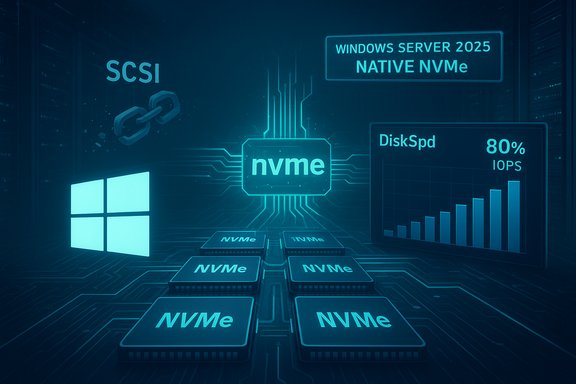
Microsoft’s storage team quietly delivered a significant change to Windows’ I/O plumbing: a native NVMe path that removes the legacy SCSI emulation layer and, when enabled, can produce tangible double‑digit gains in small‑block random read/write performance on many NVMe SSDs — a feature Microsoft shipped for Windows Server 2025 but that enterprising users have already managed to flip on in Windows 11 with mixed results.

Futuristic data-center circuit with multiple NVMe chips and a Windows Server 2025 native NVMe display.Background / Overview​

For more than a decade, Windows has often presented NVMe SSDs to higher layers of the OS through a SCSI‑style abstraction. That approach simplified compatibility across diverse storage types but introduced translation overhead, global locking and serialization points that can throttle performance as NVMe controllers and PCIe lanes scale. Microsoft’s native NVMe path in Windows Server 2025 is a deliberate redesign: it exposes NVMe semantics directly to the kernel via a native class driver (commonly observed as nvmedisk.sys or the updated StorNVMe plumbing), avoiding the translation step and enabling better per‑core queueing and lower kernel overhead. Microsoft published lab microbenchmarks showing large uplifts for engineered workloads — up to roughly 80% higher IOPS on targeted 4K random read tests and roughly 45% fewer CPU cycles per I/O — using a DiskSpd harness and enterprise hardware. Those numbers are engineering upper bounds for server testbeds and are reproducible under similar conditions, but they are not a guarantee for all consumer systems or all SSD models. Because much of Windows’ kernel and driver code is shared across Server and Client SKUs, the native NVMe components are already present in recent Windows 11 builds. Community members discovered registry FeatureManagement overrides that can force Windows 11 to prefer Microsoft’s native NVMe class driver for eligible devices — producing measurable gains in certain benchmarks, especially in random 4K workloads. These community methods are unsupported and carry real compatibility and recovery risks.

What “native NVMe” actually changes (technical primer)​

NVMe vs SCSI emulation — the core difference​

NVMe was designed for PCIe‑attached flash with features that include:
  • Multiple submission/completion queues (thousands possible) and per‑core queueing.
  • Low per‑command overhead and high parallelism.
  • Optimized doorbell semantics that map well to modern multi‑core CPUs.
The legacy Windows approach funneled NVMe through a SCSI‑oriented model, which added translation steps, extra context switches and locking points. When drives and workloads are capable of tens or hundreds of thousands of IOPS, the OS software stack — not the drive — can become the bottleneck. The native path aligns the OS I/O plumbing to NVMe semantics, reducing per‑I/O CPU cost and improving tail latencies under concurrent workloads.

The implementation and the driver names​

When enabled, the native path surfaces as Microsoft’s NVMe class driver (seen in Device Manager as nvmedisk.sys or related StorNVMe components), and devices may be presented under different Device Manager categories (for example, “Storage disks” rather than the legacy SCSI “Disk drives”). Microsoft’s server guidance documents the supported FeatureManagement toggle used on Server 2025 and provides the DiskSpd command line to reproduce their lab runs.

Benchmarks: what testing shows on Windows 11​

Microsoft’s lab numbers (server context)​

Microsoft’s DiskSpd microbenchmarks, run on enterprise testbeds and selected NVMe devices, reported:
  • Up to ~80% higher IOPS on targeted 4K random read tests versus the legacy path.
  • Roughly ~45% fewer CPU cycles per I/O in the scenarios measured.
These are synthetic, high‑concurrency workloads designed to stress the kernel I/O path, and they serve to show the headroom a native path can unlock on server‑scale hardware.

Community and editorial testing on Windows 11 (consumer context)​

Independent outlets and community testers replicated the server components inside Windows 11 by using registry overrides and reported a range of results:
  • Many consumer PCIe 4.0/Gen4 SSDs show single‑digit to mid‑teens percent gains in random 4K workloads or total AS SSD/CrystalDiskMark scores.
  • Some handheld or tightly‑constrained platforms with very fast Gen‑5 SSDs reported dramatic uplifts in particular random write test runs (single reported case showed up to an ~85% increase in a CrystalDiskMark random‑write metric), though these are outliers tied to specific hardware/firmware/test conditions.
  • Sequential throughput (large file read/write) generally shows minimal change, because sequential speeds are usually bottlenecked by PCIe link/NAND characteristics rather than the OS storage stack.
Notable editorial coverage and reproduced tests include results from Tom’s Hardware, PC Gamer and NotebookCheck, which corroborate the pattern: largest gains in small‑block random I/O; modest or negligible gains in sequential throughput; and wide variance by model, firmware and driver stack.

How enthusiasts are enabling the native driver on Windows 11 (what the community did)​

Official Server method (supported)​

Microsoft’s documented, supported toggle for Windows Server 2025 is a FeatureManagement override applied after installing the servicing update that carries the native NVMe components. The vendor example command published for Server is:
reg add HKEY_LOCAL_MACHINE\SYSTEM\CurrentControlSet\Policies\Microsoft\FeatureManagement\Overrides /v 1176759950 /t REG_DWORD /d 1 /f
Microsoft recommends staged validation and firmware/driver updates before enabling the feature on production servers.

Community client method (unsupported)​

Because the same native components exist in certain Windows 11 servicing builds, community researchers circulated a set of undocumented FeatureManagement DWORDs that, when added, can cause Windows 11 to prefer nvmedisk.sys for eligible NVMe devices. Commonly reported client toggles include a set of three FeatureManagement override DWORDs that are community‑sourced (not published by Microsoft). After reboot, Device Manager may show the NVMe driver as nvmedisk.sys or report devices under “Storage disks.”
Important: these community registry values are unsupported, not documented by Microsoft for client SKUs, and have produced compatibility problems in some environments.

Real‑world risks, compatibility headaches and observed side effects​

Even though the performance upside is real for many workloads, the kernel‑level nature of this change introduces multiple practical hazards that have been reported by early testers and editors:
  • Third‑party SSD utilities and vendor dashboards may fail to recognize or may duplicate drives after switching presentation, blocking firmware updates or drive management tasks.
  • Backup, imaging, and licensing systems that bind to specific disk identifiers can break if disk IDs or device paths change after the toggle.
  • Systems using vendor‑supplied NVMe drivers (Samsung, Intel/Solidigm, Western Digital, etc. or controller features like Intel/AMD VMD may not benefit — and forcing the change can sometimes produce worse results or instability.
  • Some community reports warn about interactions with BitLocker, broken Safe Mode behavior, and other edge‑case regressions that make recovery harder; one community post explicitly cautioned against trying the trick on systems with BitLocker enabled.
  • Large servicing updates that deliver the native NVMe change have historically required careful validation: unrelated regressions in cumulative updates can surface after broad servicing rolls, which underscores the need to validate the entire image, not just the NVMe behavior.
These are not theoretical: the early rush of experiments produced reports of devices becoming inaccessible, vendor firmware utilities failing to detect drives, and boot/recovery complications. The overall message from administrators and cautious outlets is clear: treat enabling native NVMe on client PCs as a platform migration — not a quick tweak — and validate thoroughly.

Who benefits, who shouldn’t touch it (practical guidance)​

Winners​

  • Server and virtualization hosts with high concurrency and many small I/Os: the native path can significantly reduce CPU per‑I/O and improve tail latency, enabling higher VM density or faster DB transactions.
  • Workstations and developer machines that run server‑like workloads (local databases, build servers, virtualized testbeds) and handhelds with fast NVMe storage where storage latency is a real bottleneck.

Not recommended / avoid​

  • Systems using vendor NVMe drivers or platform controller stacks (VMD, RAID, RST) — the toggle may have no effect or may interfere with vendor tooling.
  • Machines with BitLocker, critical backup or imaging workflows that depend on stable disk identifiers, or any production desktop where unexpected device renaming or tool failures would be disruptive.
  • Users who are not comfortable creating full disk images, recovery media or testing rollback scenarios. Early community experiments confirm that recovery can be non‑trivial in some failure modes.

Step‑by‑step checklist for safe validation (recommended)​

  • Create a full disk image (raw image) and make recovery media. Confirm the recovery media boots and can access the image.
  • Update motherboard BIOS/UEFI and SSD firmware to the latest versions from the vendor.
  • Ensure you are using the Microsoft in‑box NVMe driver (not a vendor driver) if you intend to test the Windows native path; otherwise the toggle may do nothing.
  • Update Windows to the latest cumulative release that contains the native NVMe components (Server guidance points to the servicing LCU that introduced the feature).
  • Reproduce a baseline: run DiskSpd or realistic application workloads, AS SSD and CrystalDiskMark before any change and record results.
  • If testing the community client toggle, add the community FeatureManagement override DWORDs (note: these values are undocumented and unsupported for client SKUs). Reboot and verify driver/presentation in Device Manager.
  • Re-run the same benchmarks and, critically, run application‑level tests (VM boot times, database queries, editor/project load times) because synthetic gains may not translate equally to real workflows.
  • If any tool, vendor utility or backup system fails to recognize the drive post‑toggle, rollback immediately and file a vendor/OS support ticket if necessary.

Why Microsoft shipped it to Server first — and what that means for Windows 11​

Microsoft deliberately implemented native NVMe for Windows Server 2025 as a supported, opt‑in feature; the company published the diskspd invocation, hardware list and a documented enablement mechanism aimed at administrators who can validate at scale. Server operators value predictable, measurable performance and controlled rollouts — a scenario where staged deployment, telemetry and device‑fleet validation are standard practice. The Server‑first approach reflects a conservative rollout model: roll out to controlled enterprise environments first, gather telemetry, resolve interoperability issues with vendor drivers and management tools, then expand to mainstream consumer SKUs when ready. Because client and server binaries share a codebase, the components exist in Windows 11 builds and adventurous users discovered ways to enable them. However, until Microsoft publishes a supported client delivery plan, enabling the feature on desktops carries the caveats documented above. Expect Microsoft to accelerate client rollouts once vendor compatibility and servicing stability are confirmed.

Strengths, caveats and the net value proposition​

Notable strengths​

  • Real, measurable gains in the precise scenarios that have long mattered for storage — small‑block random reads and writes under concurrency. These gains are meaningful for databases, virtualization, and systems where storage latency directly affects responsiveness.
  • Reduced CPU overhead per I/O, which can free cycles for applications on heavily loaded hosts.
  • A modernized OS path that aligns Windows with NVMe’s architectural strengths rather than forcing NVMe into legacy abstractions. This lays groundwork for future NVMe‑centric enhancements.

Practical caveats / risks​

  • Compatibility with vendor drivers and management tooling is the central operational risk. Many vendor utilities expect the old SCSI presentation; changing the device presentation can break tooling and workflows.
  • Unpredictable edge cases such as altered disk IDs, issues with BitLocker, Safe Mode failures, and broken firmware update paths have been reported by early adopters. These can require a full OS restore if not prepared.
  • Wide variance in consumer outcomes: expect anything from negligible change to double‑digit gains to occasional pathological regressions depending on hardware, firmware and topology.

Final recommendations for enthusiasts, admins and everyday users​

  • Administrators and labs: treat the native NVMe path as a platform migration. Test using the published DiskSpd harness, validate telemetry, coordinate with SSD vendors for firmware/driver compatibility, and stage rollouts progressively.
  • Enthusiasts who like to tinker: proceed only if you have complete backups, tested recovery media, and are comfortable reimaging if tools or boot behavior break. Expect to see the largest, most consistent wins on platforms that were previously held back by the SCSI translation path and that are currently using the Microsoft in‑box NVMe driver.
  • Everyday users and gamers: the practical benefit for typical desktop workloads will often be modest. Wait for Microsoft’s supported client rollout and vendor‑validated driver updates for a safer, lower‑risk path to better NVMe performance.

Conclusion​

The native NVMe path in Windows Server 2025 is a meaningful modernization of Windows’ storage stack with clear technical justification and demonstrable performance benefits in the scenarios it targets. Community experiments that surface the same driver path inside Windows 11 show useful, real‑world uplifts — most pronounced in random 4K workloads — but they also expose the non‑trivial compatibility and recovery risks of toggling kernel‑level storage semantics on client systems. For administrators, the path forward is clear: validate in lab, coordinate with vendors, and stage the rollout. For consumer users, the safest course is patience and preparation: let Microsoft and SSD vendors finish the compatibility work and then migrate when the feature is supported for client Windows. The performance upside is convincing; the operational risk is what determines the right timing to adopt it.
Source: Wccftech With Native NVMe Driver, NVMe SSDs Deliver Double-Digit Gains In Random Read/Write On Windows 11
 

Back
Top