

A seasoned Linux user who spent eight years distro‑hopping — from Ubuntu and Arch to Fedora and NixOS, living in KDE and editing in Neovim — recently wiped that investment and made Windows 11 their day‑to‑day OS. That single, candid migration matters because it punctures a persistent narrative: that desktop Linux is the obvious refuge for power users who reject Windows. The reason this person switched wasn’t that Windows became a love letter to freedom; it was that Windows 11 stopped being the source of daily friction in the spots that matter most to real workflows. What follows is a careful, sourced look at why a devoted Linux power user left eight years of distros for Windows 11, what technical realities underlie that choice, and what it means for enthusiasts weighing compatibility, control, and convenience.
For years the desktop debate framed Linux as the principled alternative to Windows: greater control, transparency, and fewer vendor nudges. At the same time, critics pointed to Windows 11 as increasingly opinionated — heavier on cloud ties, AI features, and UI changes some see as intrusive. Community threads capture both sides: resentment of Microsoft’s direction and a counterpoint that Windows “just works” in ways Linux often doesn’t. The anecdote at the center of this piece — a power user named by the community as toxyxd13 — sums up that tension: Linux offered control, but intermittent, unpredictable failures in everyday workflows pushed them back to Windows 11. Community discussions and forum reports make the same point: for many users the deciding factor is friction, not ideology. es the technical claims from that personal account, cross‑references them with independent sources, and analyzes where each platform currently excels or lags. Where claims are anecdotal or reflect rapid ecosystem change, I flag them and show the public evidence you can use to make your own choice.
Contrast that with ence this user described: a one‑time setup cost (debloating, custom policies, install tooling), followed by a stable base where the day‑to‑day tasks “just work.” The migration wasn’t naive optimism about Windows; it was a pragmatic prioritization of less friction over maximum control.
Important nuance: WSL is not a perfect substitute for bare‑metal Linux. It’s a managed virtual environment with a kernel tailored and packaged by Microsoft; for workloads needing direct device passthrough or the exact behavior of a full Linux host, a native install or full VM remains more faithful. But for most development tasks, WSL2’s real kernel and WSLg’s GUI support do the heavy lifting.
Why this matters: for a power user who wants to script a faithful, minimal desktop — install portable tools, manage PATH, and keep the system registry untouched — Scoop’s model reduces a class of “mystery changes” and gives reproducibility that feels familiar to seasoned Linux users.
The upshot: for players who depend on particular competitive multiplayer titles protected by kernel‑level anti‑cheat agents (examples include Riot Vanguard, some Activision/Blizzard protections, and publisher‑specific models), Windows remains the safer, supported environment. For many single‑player and a growing number of multiplayer games, Proton is excellent — but the last mile (developer opt‑in and kernel‑level agent parity) is still the gating factor.
That said, the hazards are real. A move to Windows means accepting platform decisions, telemetry trade‑offs, and an environment that will occasionally introduce unwanted UI/feature changes. Linux remains the right home for users who need determinism, full control over the stack, and an ecosystem where vendor nudges and hidden telemetry are minimal by design.
If you value the lowest daily friction across mixed tasks (dev, gaming, media, peripherals), Windows 11 — especially with WSL and user‑space package tooling — is a defensible choice. If you prize control, auditability, and the freedom to tinker without vendor direction, a well‑chosen Linux distribution and an immutable/update strategy remain the superior answer.
Either way, the broader lesson is practical and non‑ideological: pick the OS that minimizes interruptions for the work you actually do. For one long‑time Linux power user, that choice was Windows 11 — and their story is a useful reminder that operating‑system decisions are personal, pragmatic, and often driven by the mundane details of daily workflow.
Conclusion
The switch of a committed Linux power user to Windows 11 does not mean Linux lost a war of principles. It means Windows 11 reduced real, repetitive friction in the specific ways that matter to at least one experienced person: predictable app provisioning, dependable hardware and driver behavior, and the presence of a reliable Linux safety net via WSL. Those are measurable, verifiable changes — not miracles — and they explain why a user might trade some control for a steadier day‑to‑day experience. If you’re debating a similar move, inventory your daily pain points first: they’re the only reliable guide to whether you’ll be happier with Windows 11 or a Linux desktop.
Source: Windows Central Why one Linux power user abandoned 8 years of distros for Windows 11
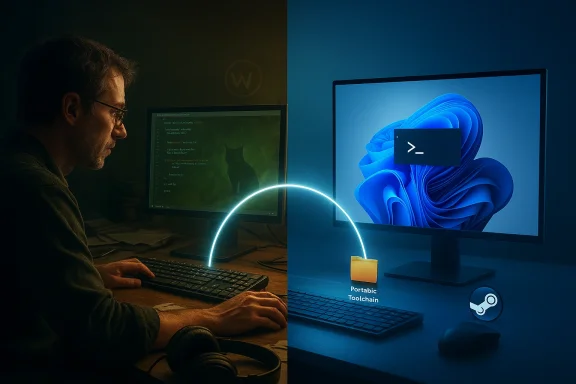 Background / Overview
For years the desktop debate framed Linux as the principled alternative to Windows: greater control, transparency, and fewer vendor nudges. At the same time, critics pointed to Windows 11 as increasingly opinionated — heavier on cloud ties, AI features, and UI changes some see as intrusive. Community threads capture both sides: resentment of Microsoft’s direction and a counterpoint that Windows “just works” in ways Linux often doesn’t. The anecdote at the center of this piece — a power user named by the community as toxyxd13 — sums up that tension: Linux offered control, but intermittent, unpredictable failures in everyday workflows pushed them back to Windows 11. Community discussions and forum reports make the same point: for many users the deciding factor is friction, not ideology. es the technical claims from that personal account, cross‑references them with independent sources, and analyzes where each platform currently excels or lags. Where claims are anecdotal or reflect rapid ecosystem change, I flag them and show the public evidence you can use to make your own choice.Why a long‑term Linux power user left: reducing everyday friction
What the user described is a pragmatic calculus: spending hours debugging the OS — whether audio routing broke, screen sharing stopped working, or a compositor update regressed — compounds into real productivity loss. The decisive factors in their write‑up were not dramatic showstoppers but a steady accumulation of low‑level friction: inconsistent capture and sharing workflows across Wayland compositors; game titles blocked by anti‑cheat; and the absence of a single, predictable tooling story for installing and managing desktop apps. In short: Linux often works beautifully until it doesn’t, and when it fails it frequently demands system‑level debugging. Forum threads reiterate the same theme: the Linux desktop is close but still feels “almost there” for long, mixed workloads.Contrast that with ence this user described: a one‑time setup cost (debloating, custom policies, install tooling), followed by a stable base where the day‑to‑day tasks “just work.” The migration wasn’t naive optimism about Windows; it was a pragmatic prioritization of less friction over maximum control.
The technical turning points: WSL, package managers, and app ecosystems
WSL: a safety net, not a replacement
A recurring theme in the account is WSL as a safety net. Windows Subsystem for Linux (WSL) — especially WSL2 and WSLg — gives a managed, Microsoft‑packaged Linux kernel that runs in a lightweight VM and integrates deeply with the Windows desktop. That reality means you can run most Linux tooling, shells, dev environments, and GUI Linux apps without abandoning Windows. Microsoft’s public repositories and documentation confirm WSL runs a Microsoft‑packaged Linux kernel and ships WSLg to host GUI Linux applications on the Windows desktop, which gives a seamless developer experience. For many developers that eliminates the last pragmatic reason to keep a separate Linux desktop.Important nuance: WSL is not a perfect substitute for bare‑metal Linux. It’s a managed virtual environment with a kernel tailored and packaged by Microsoft; for workloads needing direct device passthrough or the exact behavior of a full Linux host, a native install or full VM remains more faithful. But for most development tasks, WSL2’s real kernel and WSLg’s GUI support do the heavy lifting.
Package management: why Scoop felt like “homebrew for Windows”
On a practical level this user found Scoop more congenial than winget at first — and the reasons are technical and predictable. Scoop targets user‑space, installs apps into a single, configurable directory in your user profile, and uses a shim system so executables appear on PATH without altering machine‑wide registry keys or installer side effects. That model mimics the “single directory + shims” philosophy that macOS homebrew users know well. By contrast, winget (the Windows Package Manager) operates more like a software‑discovery and installer orchestrator tied to the Windows installer model and Microsoft Store workflows; it often invokes the native installer rather than extracting and managing portable binaries in a single location. Scoop’s GitHub discussions and community comparisons document the difference: Scoop is intentionally portable and user‑space oriented; winget is a native, store‑integrated package manager with different design trade‑offs.Why this matters: for a power user who wants to script a faithful, minimal desktop — install portable tools, manage PATH, and keep the system registry untouched — Scoop’s model reduces a class of “mystery changes” and gives reproducibility that feels familiar to seasoned Linux users.
Gaming: Proton made huge strides, but anti‑cheat is the hard wall
A major migration consideration for many users — especially gamers who also tinker — is whether Steam + Proton can replace native Windows gaming. Proton and Valve’s Steam Play closed a lot of distance: many AAA and indie titles run well under Proton, and companies like Epic and BattlEye have invested in Linux compatibility layers. Valve and anti‑cheat vendors have actively worked to make EAC and BattlEye functional with Proton/SteamOS, but it’s not a universal fix. The technical reality is still that some modern anti‑cheat systems rely on Windows kernel‑level drivers and attestation models that don’t map cleanly to a Linux host or a translation layer. Where vendors and studios opt in, Proton can run anti‑cheat titles; where vendors don’t, titles remain effectively blocked. Coverage across gaming press and developer communications documents both the progress and the remaining gaps.The upshot: for players who depend on particular competitive multiplayer titles protected by kernel‑level anti‑cheat agents (examples include Riot Vanguard, some Activision/Blizzard protections, and publisher‑specific models), Windows remains the safer, supported environment. For many single‑player and a growing number of multiplayer games, Proton is excellent — but the last mile (developer opt‑in and kernel‑level agent parity) is still the gating factor.
Wayland migration: modern architecture, messy transition
The Wayland vs X11 transition is another structural friction point the user noted. Wayland is architecturally cleaner and more secure than X11: it scopes input and display access through the compositor and encourages modern features like per‑application screen capture mediated by portals and PipeWire. That security model is beneficial — but it also changes long‑standing assumptions:- Screen capture, streaming, and input routing are now mediated by compositor‑specific stacks (xdg‑desktop‑portal + PipeWire), producing inconsistent experiences across GNOME, KDE, Sway and other compositors.
- Some capture and streaming workflows that used global X11 hooks must be reworked, and implementations across compositors have been uneven.
- Where toolchains and portals are installed and configured correctly, experience can be good; where they’re not, users encounter black screens, broken capture, and brittle workflows.
Daily frfeatures: where each platform wins
Windows 11 strengths (practical)
- Compatibility: Broad hardware and peripheral support across a huge device ecosystem; impulse hardware purchases are more likely to “just work.” Community experience threads and coverage reflect this consistent practical advantage.
- Integrated recovery and provisioning tooling: Native package manager (winget), system recovery, and enterprise provisioning features make Windows straightforward for many mixed workloads. Official Microsoft winget docs show how Windows favors fast, scripted installs and import/export of installed apps for reprovisioning.
- WSL safety net: A real Linux kernel inside Windows for dev tooling, plus GUI Linux app support via WSLg, reduces the need to keep a separate Linux install.
- Lower everyday friction for mixed workloads: For users who mix productivity apps, games, media capture, and device drivers, Windows often minimizes the “interruptions” that break flow.
Linux strengths (principled)
- Control and transparency: Package and system internals are visible and modifiable; immutable/atomic update models (rpm‑ostree/ostree variants) offer rollback and deterministic updates not matched by Windows.
- No vendor nudging or built‑in ads: Distros don’t ship with integrated marketing prompts or AI agents pushing services into the UI.
- Customization and scripting parity: For people who want to craft specialized environments, Linux provides unmatched flexibility and low‑level control.
Risks and trade‑offs thewitching to Windows 11 as a former Linux power user brings new compromises:
- Reduced transparency and layered telemetry: Many Linux users are uncomfortable with Microsoft’s telemetry and service integrations. The user who switched still dislikes these things but found them acceptable tradeoffs for reduced friction. Community posts highlight persistent unease about Microsoft’s AI push and account nudges.
- Linux‑native tools missing: Utilities like journalctl, dmesg, and native init/log stacks aren’t available natively; debugging kernel and driver issues remains harder than on a Linux host.
- Long‑term lock‑in and shifting defaults: Microsoft’s policy and UI updates can reintroduce friction; the one‑time debloat/install is only a partial hedge if the company’s direction creates new annoyances.
- Anti‑cheat and enterprise software nuance: Some Windows‑only kernel drivers remain critical for certain apps; conversely some enterprise software (or custom workflows) may not behave identically.
Practical guidance for power users considering the same move
If you’re a Linux power user thinking of switching to Windows for the same reasons, consider a staged plan that keeps options open:- Back up your entire Linux environment and take disk images before making changes. Preserve dotfiles, package lists, and configs.
- Script your Windows reprovisioning. Use a mix of tools:
- winget for official and Store‑backed installs and JSON import/export of app lists.
- Scoop for portable, user‑profile installs and reproducible developer tooling where you want to avoid registry clutter. Community docs and the Scoop repo discuss the shim+single‑dir model.
- Install and configure WSL2 and WSLg as your on‑demand Linux environment. Use it for shells, container dev, and GUI Linux apps you rely on. Microsoft’s WSL repos and docs explain how the system works and how updates are shipped.
- Validate your game library and pro apps. If you rely on specific multiplayer titles or enterprise apps, check anti‑cheat and vendor support before committing. Publisher opt‑in decisions and kernel‑level agent requirements are the critical gating variables.
- Keep a rescue Linux USB or secondary machine for low‑level debugging. Even if you use WSL for most tasks, native Linux remains important for kernel debugging, firmware updates, and some hardware tools.
What this migration tells the community
This single power‑user switch is a useful data point because it reframes the debate from ideology to ergonomics. It tells us:- The modern Windows 11 desktop now bundles a pragmatic developer story (WSL + good package tooling) that reduces the “need” to run a full Linux desktop for many workflows. This is verified by WSL’s architecture and Microsoft’s developer tooling commitments.
- Linux still excels where control, determinism, and transparency are non‑negotiable. But the Linux desktop’s remaining friction points — Wayland transition edges, inconsistent capture/streaming, and anti‑cheat policy gaps — are real and materially affect some users. Community and technical analyses document these pain points.
- For many users, the trade‑off favors the environment that spends less time asking you to debug the OS. For this Linux power user, Windows 11’s daily convenience outweighed Linux’s ideological appeal.
Final analysis: strengths, hazards, and a pragmatic path forward
Windows 11 has not “won” by becoming perfect or principled; it has steadily closed the pragmatic feature gaps that mattered to power users. WSL brings real Linux compatibility, winget and Scoop offer repeatable provisioning models, and driver/compatibility coverage reduces random interruptions. These are the sorts of engineering improvements that compound into a smoother day‑to‑day experience — precisely what drove the migration in these notes. Microsoft’s documentation and public source repositories reflect that the company has invested heavily to make developer workflows frictionless.That said, the hazards are real. A move to Windows means accepting platform decisions, telemetry trade‑offs, and an environment that will occasionally introduce unwanted UI/feature changes. Linux remains the right home for users who need determinism, full control over the stack, and an ecosystem where vendor nudges and hidden telemetry are minimal by design.
If you value the lowest daily friction across mixed tasks (dev, gaming, media, peripherals), Windows 11 — especially with WSL and user‑space package tooling — is a defensible choice. If you prize control, auditability, and the freedom to tinker without vendor direction, a well‑chosen Linux distribution and an immutable/update strategy remain the superior answer.
Either way, the broader lesson is practical and non‑ideological: pick the OS that minimizes interruptions for the work you actually do. For one long‑time Linux power user, that choice was Windows 11 — and their story is a useful reminder that operating‑system decisions are personal, pragmatic, and often driven by the mundane details of daily workflow.
Conclusion
The switch of a committed Linux power user to Windows 11 does not mean Linux lost a war of principles. It means Windows 11 reduced real, repetitive friction in the specific ways that matter to at least one experienced person: predictable app provisioning, dependable hardware and driver behavior, and the presence of a reliable Linux safety net via WSL. Those are measurable, verifiable changes — not miracles — and they explain why a user might trade some control for a steadier day‑to‑day experience. If you’re debating a similar move, inventory your daily pain points first: they’re the only reliable guide to whether you’ll be happier with Windows 11 or a Linux desktop.
Source: Windows Central Why one Linux power user abandoned 8 years of distros for Windows 11
