

When a Windows feature update last made me feel genuinely excited it was the Windows 10 Creators Update (version 1703) in April 2017 — an update that bundled fresh, visible features (Paint 3D, Game Mode, an improved Game Bar and a built‑in Night Light) into the OS and felt like a meaningful step forward rather than incremental housekeeping.
What the XDA writer who recently switched to Linux discovered — and what too many Windows users quietly suspect — is that the emotional cadence of an operating system matters. Updates can feel like a string of neat improvements, or they can feel like maintenance notices, security patches and forced UI changes. The difference often comes down to the project's development model, update cadence, and how visible the work is to users. This feature digs into that contrast: why Linux (and the KDE/Fedora combo the XDA author embraced) can feel thrilling again, what makes that model work, and what Windows users should weigh before swapping ecosystems.
Windows feature updates since 2017 have been a mix of usefulness, polish, and controversy — but the cadence and visibility of innovation have left some people underwhelmed. The Creators Update (version 1703) was notable because it packaged consumer-facing features that were easy to point at and use, which amplified the sense of forward motion.
By contrast, many modern Linux desktop projects operate in a more fluid, public, and rapidly iterating environment. That difference is one reason why a Windows-to-Linux switch can feel like trading a long, steady drumbeat of maintenance for a rolling parade of small, exciting drops. The XDA author’s experience with Fedora Kinoite + KDE Plasma captures that mood: shorter visible cycles for desktop improvements, weekly developer writing (e.g., “This Week in Plasma”), and a community that publishes what it’s working on in near‑real time.
But this is not a universal truth about Linux — distributions and desktop projects span a wide spectrum: from ultra‑stable, slowly changing releases (Debian Stable) to semi‑rolling or rolling releases (Arch, openSUSE Tumbleweed) and immutable OSTree models (Fedora Kinoite / Silverblue) that change the update experience entirely. Choose wisely, and you can have either the slow, “set it and forget it” Linux or the fast, constantly evolving one.
At the same time, the Linux world is not a monolith. If you pick Debian Stable or another LTS‑oriented distro, you get the opposite emotional effect: calm, slowly moving, and predictable updates designed to power systems for years. Debian explicitly commits to roughly five years of security support for stable releases (three years regular plus two years under the LTS team), which is exactly the model many enterprise and conservative users depend on.
If what you crave is frequent visible improvement and the excitement evolve in near‑real time, Linux — when chosen and configured correctly — can absolutely deliver that feeling much sooner than modern Windows feature cadence. If you require long, vendor-backed stability and compatibility guarantees, Windows or conservative Linux choices remain the right answer.
But excitement is a choice, not a guarantee. Linux offers many ways to manage the update tempo — from sedate, multi‑year stability to near‑constant churn — and each has real technical tradeoffs. If you’re thinking of switching platforms because you miss the sense of progress, try the exploratory steps above; validate the hardware and apps that matter to you; and decide whether you want the thrill of new features or the assurance of long‑term support.
Either way, the larger takeaway is healthy: modern desktop ecosystems are more diverse than ever. If Windows stopped thrilling you, a well‑chosen Linux distribution can very plausibly rekindle that feeling — but do it with your eyes open about the tradeoffs. The update parade can be joyful; just be sure it’s the right parade for your work and your machine.
Source: XDA I waited years for Windows updates to get exciting. Linux did it in six months
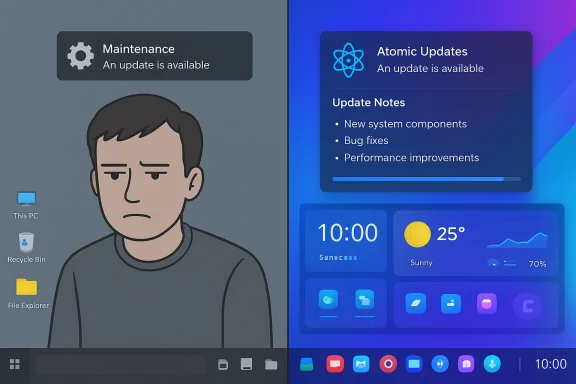
What the XDA writer who recently switched to Linux discovered — and what too many Windows users quietly suspect — is that the emotional cadence of an operating system matters. Updates can feel like a string of neat improvements, or they can feel like maintenance notices, security patches and forced UI changes. The difference often comes down to the project's development model, update cadence, and how visible the work is to users. This feature digs into that contrast: why Linux (and the KDE/Fedora combo the XDA author embraced) can feel thrilling again, what makes that model work, and what Windows users should weigh before swapping ecosystems.
 Background / Overview
Windows feature updates since 2017 have been a mix of usefulness, polish, and controversy — but the cadence and visibility of innovation have left some people underwhelmed. The Creators Update (version 1703) was notable because it packaged consumer-facing features that were easy to point at and use, which amplified the sense of forward motion.By contrast, many modern Linux desktop projects operate in a more fluid, public, and rapidly iterating environment. That difference is one reason why a Windows-to-Linux switch can feel like trading a long, steady drumbeat of maintenance for a rolling parade of small, exciting drops. The XDA author’s experience with Fedora Kinoite + KDE Plasma captures that mood: shorter visible cycles for desktop improvements, weekly developer writing (e.g., “This Week in Plasma”), and a community that publishes what it’s working on in near‑real time.
But this is not a universal truth about Linux — distributions and desktop projects span a wide spectrum: from ultra‑stable, slowly changing releases (Debian Stable) to semi‑rolling or rolling releases (Arch, openSUSE Tumbleweed) and immutable OSTree models (Fedora Kinoite / Silverblue) that change the update experience entirely. Choose wisely, and you can have either the slow, “set it and forget it” Linux or the fast, constantly evolving one.
Why the Windows experience felt stale — and why that matters
The Windows update ecosystem serves an enormous installed base with very diverse hardware and software requirements. That scale forces tradeoffs:- Conservativism and compatibility: Microsoft must avoid regressions that impact millions of devices. This tends to slow the cadence of experimental user-facing changes and push many improvements into larger, less frequent feature updates rather than continuous trickle releases.
- Centralized decision-making: Feature roadmaps and UX changes are controlled by Microsoft product teams. The average user sees changes only after they’ve been through internal design, testing, and staged rollouts.
- Security and servicing priorities: A large proportion of Microsoft’s engineering attention goes into security servicing, platform stability, API guarantees and enterprise upgrade pathways rather than visible consumer features.
What the XDA author experienced: Fedora + KDE as a joy loop
The XDA piece describes moving to Fedora Kinoite with KDE Plasma and rediscovering the fun of updates. That particular combo explains a lot of the appeal:- Fedora Kinoite is an OSTree/immutable desktop variant that keeps the base system in a single atomic image; updates are applied atomically and take effect on reboot. That model makes updates feel safe and fast: you apply an update, reboot, and you either have the new world or you rollback. Fedora explicitly markets Kinoite’s model as reliable, atomic and safe, with each Fedora release getting approximately a year of updates and the atomic model keeping a fallback snapshot available.
- KDE Plasma development is highly visible to the community. The project’s weekly development notes (“This Week in Plasma”) summarize what landed, what’s planned, and what’s being polished — and were, until recently, published on a weekly cadence. Those notes make the roadmap and incremental work visible to users in a way that Microsoft does not replicate.
- The Plasma project’s release rhythm — roughly three releases per year for Plasma itself combined with frequent bug‑fix releases — means users of distributions that package new Plasma builds quickly see a steady flow of polish and features. The recent Plasma 6.6 release and the very active 6.7 development cycle illustrate that pace: 6.6 landed in February 2026 and 6.7 was already being planned with feature merges shortly thereafter.
How Linux update models differ — a practical primer
Not all Linux distributions behave the same. If you’re comparing experiences, these are the archetypes you’ll encounter:- Immutable/OSTree (Fedora Kinoite / Silverblue)
- System image updates are applied atomically and take effect after a reboot. Reverts are straightforward. This model favors reliability, and it can make feature adoption feel fast and risk‑limited.
- Fixed‑release, conservatively updated (Debian Stable)
- Debian Stable focuses on security and bug fixes; new features are conservative and infrequent. Debian releases occur roughly every two years; each stable release receives about three years of regular security maintenance followed by two years under the LTS team, yielding approximately five years of security support. This model is ideal for systems that must remain predictable for years.
- Rolling / semi‑rolling (Arch Linux, openSUSE Tumbleweed)
- Packages are continuously updated; users get the latest upstream as soon as packagers publish them. This is for users who want immediacy and are comfortable troubleshooting breakages.
- Hybrid / curated (Ubuntu, Fedora Workstation)
- A steady cadence with periodic new releases (Ubuntu: every 6 months; Fedora: roughly every 6 months). But desktop stacks (GNOME/KDE) can be backported or refreshed by maintainers to provide a more modern experience than Debian Stable while still being manageable.
The strengths that make Linux updates feel exciting
- Transparency and discoverability
- Many Linux projects publish development blogs, weekly summaries and public issue trackers. KDE’s “This Week in Plasma” is a standout example: it recaps new features, merges and upcoming plans, letting users see the pipeline. That transparency makes progress feel tangible.
- Community‑driven innovation
- Volunteers and companies contribute in visible increments. Small teams can merge feature work frequently, and distributions like Fedora or KDE neon can package those changes quickly. The result is a visible parade of incremental improvements rather than a single monolithic update once a year.
- Fast feedback loop
- When features land in upstream repositories, users can test them immediately in rolling or fast‑moving distros, report issues, and see fixes appear in subsequent updates. This creates a satisfying “improve‑test‑repeat” feeling for power users and contributors.
- Design diversity and optionality
- Want a new widget, a redesigned settings page, or a compositing tweak? Desktop environments like KDE encourage experimentation, with users able to pick the features they like and ignore or roll back the ones they don’t.
The trade-offs and risks — don’t fall for the hype without checking reality
Fast, visible updates bring excitement — but they also carry risk. Here’s what to weigh:- Stability vs bleeding edge: A rolling or fast cadence increases the chance of regressions. If you rely on the machine for critical work, an immuedora Kinoite) or using a stable LTS distro mitigates risk. Fedora’s atomic updates are designed to be safe, but you still need to reboot to switch between system versions.
- Application compatibility: Some applications (especially proprietary ones) are less frequently packaged promptly for new desktop or library versions. While Flatpak eases this problem for GUI apps by decoupling runtimes, compatibility with niche or corporate software can remain a blocker.
- Distribution packaging delays: Even if KDE merges a feature, your distribution might not ship it immediately. The XDA author’s experience (saying updates arrive within a week at most) is realistic in some distros and desktop stacks, but it’s not universal — real times vary by package and distro maintainers’ policies. Treat any single anecdote as subjective; verify for the distro you consider.
- Security and support lifecycle: Picking Debian Stable gives you a predictable five‑year security envelope (3 years of regular support + 2 years LTS) — perfect for server or long‑lived workstation deployments. Fast desktop cycles do not automatically equate to better security; they simply change the profile of what is updated and when.
- Visibility can hide governance issues: Weekly developer posts are great for transparency, but they are also dependent on volunteers. Nate Graham’s “This Week in Plasma” cadence has fluctuated when contributors’ availability changed — a reminder that open projects depend on people, and that schedule changes are possible.
Real-world migration and practical steps
If you’re intrigued by the XDA author’s experience and want to test ractical, low‑risk paths — ordered from least to most commitment:- Try it in a VM (quickest, safest)
- Install a lightweight VM and boot a KDE‑based distro (KDE neon, Fedora Kinoite, KDE spin of Ubuntu). See how new releases and weekly blog posts map to visible changes.
- Live USB / non‑destructive test drive
- Use a Live USB to evaluate hardware support (GPU, Wi‑Fi, touchpads). Many distros let you run the desktop with no install.
- Dual‑boot or side‑by‑side install (medium commitment)
- If you need Windows for certain apps (e.g., Adobe Creative Cloud or specific enterprise software), dual‑boot or keep a secondary Windows machine. Remember to test UEFI/secure boot and backup Windows before altering partitions.
- Gradual shift using WSL or virtualization (low complexity)
- For many developers and everyday users, Windows Subsystem for Linux (WSL) lets you enjoy Linux tooling inside Windows. Microsoft has improved WSL and continues to add user‑friendly features, making it a pragmatic middle ground.
- Full switch (highest commitment)
- Back up everything, verify drivers (GPU, Wi‑Fi) and confirm that essential apps have Linux alternatives or run under Wine/Proton/Flatpak/containers.
- Backup your Windows system image and user data.
- Confirm driver availability for networking and GPU.
- Test critical applications in the new OS (via VM or trial install).
- Plan for recovery (a tested Windows rescue USB or image).
- If you rely on corporate apps, consult IT for compatibility policies.
Who should consider switching — and who should not
- Consider trying Linux if:
- You crave more visible, frequent desktop improvements and like experimenting.
- You’re comfortable troubleshooting or have time to tinker when things break.
- Your workflow is either cross‑platform or relies on tools available on Linux (development stacks, open‑source software, gaming via Proton/Steam where supported).
- Consider staying on Windows if:
- You depend on Windows‑only professional software with no Linux equivalent.
- Your priority is absolute stability and vendor support guarantees for long periods (enterprise desktops tied to corporate images).
- You don’t want to deal with drivers or hardware quirks that occasionally affect niche devices.
Verdict: excitement vs. guarantees — choose your axis
The XDA piece captures a genuine, repeatable experience: if you pick the right Linux distribution and desktop (e.g., Fedora Kinoite + KDE Plasma), updates are not only frequent but also visible, discoverable, and fun — thanks to atomic OS models, weekly upstream dev writing and a healthy cadence of Plasma releases. Fedora’s Kinoite variant specifically markets atomic, rollback‑friendly updates and a developer‑friendly environment, which helps make frequent updates low risk.At the same time, the Linux world is not a monolith. If you pick Debian Stable or another LTS‑oriented distro, you get the opposite emotional effect: calm, slowly moving, and predictable updates designed to power systems for years. Debian explicitly commits to roughly five years of security support for stable releases (three years regular plus two years under the LTS team), which is exactly the model many enterprise and conservative users depend on.
If what you crave is frequent visible improvement and the excitement evolve in near‑real time, Linux — when chosen and configured correctly — can absolutely deliver that feeling much sooner than modern Windows feature cadence. If you require long, vendor-backed stability and compatibility guarantees, Windows or conservative Linux choices remain the right answer.
Quick recommendations (if you want to follow the XDA path)
- For a fun, frequent update experience: try Fedora Kinoite (KDE) or KDE neon. Fedora Kinoite offers OSTree atomic updates; KDE neon packages the latest Plasma on a stable Ubuntu LTS base, giving a balance of freshness and stability.
- For rolling excitement: try Arch or openSUSE Tumbleweed — both push upstream quickly but expect more hands‑on management.
- For rock‑solid, long‑support desktops: choose Debian Stable or Ubuntu LTS and accept a slower feature cadence with long security windows.
- If you want a safe intermediate: dual‑boot or keep Windows in a VM for apps that don’t have Linux replacements. WSL remains a strong option for developer workflows that need Linux tools without leaving Windows.
Final thoughts
Software update rhythms shape how we experience our computers. The XDA author’s joy in mid‑2025 isn’t accidental: it’s the product of a development model that makes progress visible, a distribution model that makes updates safe, and a community that talks about its work publicly. That combination is a powerful antidote to the sense of stagnation many users felt after the big Windows feature updates of the late 2010s.But excitement is a choice, not a guarantee. Linux offers many ways to manage the update tempo — from sedate, multi‑year stability to near‑constant churn — and each has real technical tradeoffs. If you’re thinking of switching platforms because you miss the sense of progress, try the exploratory steps above; validate the hardware and apps that matter to you; and decide whether you want the thrill of new features or the assurance of long‑term support.
Either way, the larger takeaway is healthy: modern desktop ecosystems are more diverse than ever. If Windows stopped thrilling you, a well‑chosen Linux distribution can very plausibly rekindle that feeling — but do it with your eyes open about the tradeoffs. The update parade can be joyful; just be sure it’s the right parade for your work and your machine.
Source: XDA I waited years for Windows updates to get exciting. Linux did it in six months
