

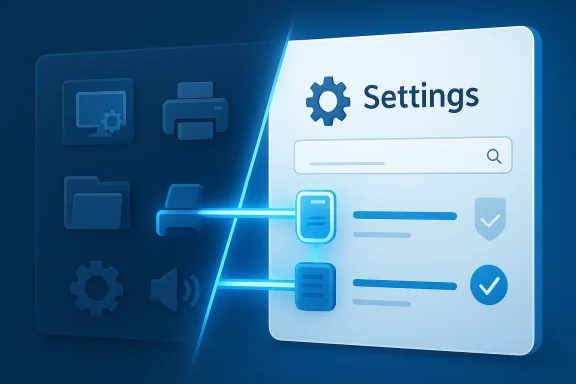
Microsoft is still trying to retire the classic Control Panel, but the latest signal from its design leadership makes one thing clear: this transition is not a simple UI swap. The company wants a cleaner, more coherent Settings app experience in Windows 11, yet it must preserve decades of compatibility with printers, network hardware, drivers, and enterprise workflows that still depend on legacy configuration paths. That tension is why the migration has dragged on for years and why Microsoft is proceeding carefully rather than ripping out the old shell overnight. Windows latest coverage quoted Microsoft saying it is still “working our way through migrating all the old control panel controls into the modern Settings apps,” with special caution around network and printer devices and drivers.
The Control Panel is one of the oldest living parts of Windows, and its endurance says as much about Microsoft’s ecosystem as it does about the product itself. It has survived because Windows has always been more than one thing: a consumer OS, an enterprise endpoint platform, a workstation environment, and a compatibility layer for old software and hardware. That breadth is also why Microsoft has struggled to replace it cleanly. Every setting that looks trivial on the surface may actually be tied to an older management API, a third-party driver package, or a business-critical admin workflow.
Microsoft has been trying to centralize system configuration inside Settings since the Windows 8 era, and that effort accelerated in Windows 10 and Windows 11. The goal has always been straightforward: one consistent place for configuration, one visual language, and fewer split-brain experiences where the same kind of task can be done in two different interfaces. Yet Windows has never been a clean-sheet operating system. When a feature spans consumer machines, corporate fleets, specialized peripherals, and OEM-customized hardware, “just move it” becomes a much harder instruction than it sounds.
That is especially true for printers, network adapters, and device drivers. These are not abstract settings panels; they are operational touchpoints where a broken option can become an outage ticket. Windows Latest reported that Microsoft’s own design leadership acknowledged the company is moving carefully because it needs to avoid breaking “network and printer devices & drivers” during the migration. In practical terms, that means the old interface remains not because Microsoft loves it, but because removing it too early would create more support pain than product gain.
This also fits a broader Windows 11 pattern. Microsoft has been modernizing the shell while gradually restoring or reworking functions that users expected to retain. Recent Windows 11 coverage in the forum archive shows Microsoft moving toward more user control in update behavior, more shell flexibility, and a more consistent visual language, but the company keeps colliding with the same reality: legacy depth matters. Windows can be made prettier quickly; making it simpler without breaking the installed base takes years.
Microsoft’s design comment suggests the company understands that reality. The issue is not whether the Settings app is better in the abstract; the issue is whether it can fully replicate the reliability and specificity that legacy tools still offer in edge cases. That is why the migration is not driven by aesthetics alone. It is a compatibility and support project, and those are always slower than visual redesigns.
That caution is warranted because hardware ecosystems age unevenly. Some devices are current, some are OEM-tuned, and some are hanging on because an enterprise still depends on them. If the modern interface exposes only a partial version of a setting, users may think the feature is gone when in fact the underlying capability is still embedded in the old path. That ambiguity is exactly the kind of thing that leads to frustrated support calls.
This is where the company’s public messaging matters. By acknowledging the migration is underway but incomplete, Microsoft avoids promising a clean replacement before the system is actually ready. That honesty is useful because Windows users have long memories. They remember the times Microsoft removed functionality too early, then spent years backfilling trust through incremental fixes and documentation updates.
That does not mean Settings cannot eventually absorb these tools. It means Microsoft has to preserve equivalent power, not merely duplicate labels. The difference is subtle but decisive. A replacement that is easier to navigate but less capable is not really a replacement; it is a redesign with hidden regressions.
Printer management is a good example. In a consumer home, a printer problem is frustrating. In an office, manufacturing site, school, or public-sector environment, it can stop work. That is why Microsoft cannot treat printer migration as a purely cosmetic exercise. The company needs to preserve the operational trust that users have in the current toolchain, even as it gradually updates the UI layer.
The result is that a feature can be technically ready in the OS but operationally unsafe to retire. Microsoft’s careful language implies that the Settings app may already cover many common cases, while the classic interface remains as a safety net for problematic edge cases. That is a sensible transition strategy, even if it frustrates users who want a cleaner Windows 11 experience now.
This approach also reduces backlash. Windows users are unusually sensitive to removals because the operating system has changed so much over time. Features that disappear without a clear replacement tend to become symbols of product arrogance, even if the intent was simplification. Microsoft seems to have learned that lesson the hard way.
There is also a reputational upside. A polished replacement that works on day one is ideal, but a cautious rollout that avoids outages is often more valuable in the long run. For Windows, trust is a technical feature. Once broken, it is expensive to rebuild.
Enterprise customers are naturally more conservative because their tolerance for surprises is low. A broken print workflow or unstable network setting can affect an entire department. Consumers are more forgiving if the new UI looks better, but they still become impatient if a familiar function vanishes or becomes harder to reach. That puts Microsoft in a difficult position: simplify without alienating the people who rely on Windows’ depth.
That layered strategy makes sense in enterprise settings. A hard cutover would be more elegant from a product-design perspective but riskier from an operational one. In the short term, Microsoft may have to tolerate the awkwardness of dual surfaces because the alternative could be much worse.
The forum archive also reflects a broader Windows 11 theme of “restoration” rather than pure innovation. Microsoft has been reintroducing user control in the taskbar, reducing update hostility, and trying to make the shell feel less rigid. That context matters because the Control Panel transition is not happening in isolation. It is part of a larger attempt to make Windows 11 feel more complete and less like a collection of partially modernized pieces.
It is a reminder that Windows is not a static product. It is an ecosystem with memory. Every removed feature has a constituency, even if that constituency is small. Microsoft’s challenge is to modernize in a way that feels additive rather than punitive.
At the same time, Microsoft cannot leave the platform frozen in time. Rival desktop ecosystems offer different trade-offs: macOS emphasizes a more controlled, opinionated experience, while Linux desktops often deliver extreme flexibility with more complexity. Windows has historically sat in the middle. The company’s job is to keep that balance intact while removing the ugliest remnants of the old split UI.
If the company can replace Control Panel without removing the sense of control that made Windows attractive in the first place, it will be protecting one of its most important advantages. If it fails, it risks turning modernization into a story about loss. That is a much harder narrative to reverse.
The more interesting question is not whether Control Panel will vanish, but what Microsoft does to make Settings genuinely complete before that day arrives. If the company can preserve advanced capability, maintain peripheral reliability, and keep enterprise admins confident, the transition will eventually feel inevitable rather than controversial. If not, Control Panel will keep hanging around as a reminder that Windows modernization is always harder than the slide deck suggests.
Source: Windows Report https://windowsreport.com/microsoft-says-control-panel-replacement-is-underway-but-not-simple/
 Background
The Control Panel is one of the oldest living parts of Windows, and its endurance says as much about Microsoft’s ecosystem as it does about the product itself. It has survived because Windows has always been more than one thing: a consumer OS, an enterprise endpoint platform, a workstation environment, and a compatibility layer for old software and hardware. That breadth is also why Microsoft has struggled to replace it cleanly. Every setting that looks trivial on the surface may actually be tied to an older management API, a third-party driver package, or a business-critical admin workflow.Microsoft has been trying to centralize system configuration inside Settings since the Windows 8 era, and that effort accelerated in Windows 10 and Windows 11. The goal has always been straightforward: one consistent place for configuration, one visual language, and fewer split-brain experiences where the same kind of task can be done in two different interfaces. Yet Windows has never been a clean-sheet operating system. When a feature spans consumer machines, corporate fleets, specialized peripherals, and OEM-customized hardware, “just move it” becomes a much harder instruction than it sounds.
That is especially true for printers, network adapters, and device drivers. These are not abstract settings panels; they are operational touchpoints where a broken option can become an outage ticket. Windows Latest reported that Microsoft’s own design leadership acknowledged the company is moving carefully because it needs to avoid breaking “network and printer devices & drivers” during the migration. In practical terms, that means the old interface remains not because Microsoft loves it, but because removing it too early would create more support pain than product gain.
This also fits a broader Windows 11 pattern. Microsoft has been modernizing the shell while gradually restoring or reworking functions that users expected to retain. Recent Windows 11 coverage in the forum archive shows Microsoft moving toward more user control in update behavior, more shell flexibility, and a more consistent visual language, but the company keeps colliding with the same reality: legacy depth matters. Windows can be made prettier quickly; making it simpler without breaking the installed base takes years.
Why Control Panel Still Exists
The easiest mistake to make is to treat Control Panel as a relic that should have disappeared by now. In reality, it is more like a compatibility vault. It still exposes certain advanced behaviors more directly than Settings, and in some cases it does so with fewer layers of abstraction. That matters for administrators and power users who are troubleshooting a stubborn device or dealing with a machine that sits outside the happy path of mainstream consumer usage.Microsoft’s design comment suggests the company understands that reality. The issue is not whether the Settings app is better in the abstract; the issue is whether it can fully replicate the reliability and specificity that legacy tools still offer in edge cases. That is why the migration is not driven by aesthetics alone. It is a compatibility and support project, and those are always slower than visual redesigns.
The Compatibility Problem
The biggest blocker is not the look and feel of the UI. It is the dependency graph behind it. Printers and network devices often rely on older pathways that were never designed to be remapped overnight into a modern settings architecture. When Microsoft says it is being careful, it is signaling that a failed migration could turn into broken printing, lost device discovery, or support nightmares across managed fleets.That caution is warranted because hardware ecosystems age unevenly. Some devices are current, some are OEM-tuned, and some are hanging on because an enterprise still depends on them. If the modern interface exposes only a partial version of a setting, users may think the feature is gone when in fact the underlying capability is still embedded in the old path. That ambiguity is exactly the kind of thing that leads to frustrated support calls.
- Legacy UI survives when the replacement is incomplete.
- Printers and networking are high-risk migration areas.
- Driver compatibility is often the hidden blocker.
- Enterprises care more about continuity than novelty.
- A broken setting can become a costly helpdesk incident.
Settings Has Improved, but Not Enough
The Settings app is much better than it was a few Windows releases ago, but it still does not replicate the full depth of Control Panel. That gap is most obvious in advanced troubleshooting and low-level device configuration, where the legacy interface can still feel more direct and more mature. Microsoft is modernizing the obvious stuff first, but the hard part is the long tail of specialized functionality that users only notice when something goes wrong.This is where the company’s public messaging matters. By acknowledging the migration is underway but incomplete, Microsoft avoids promising a clean replacement before the system is actually ready. That honesty is useful because Windows users have long memories. They remember the times Microsoft removed functionality too early, then spent years backfilling trust through incremental fixes and documentation updates.
Advanced Settings Still Matter
A modern settings UI can look polished and still fail users if it obscures the exact control they need. In network and device work, precision beats presentation. Advanced users often want the shortest path to a specific adapter property, printer port, or device detail, not a more attractive overview page that hides the important knob behind layers of clicks.That does not mean Settings cannot eventually absorb these tools. It means Microsoft has to preserve equivalent power, not merely duplicate labels. The difference is subtle but decisive. A replacement that is easier to navigate but less capable is not really a replacement; it is a redesign with hidden regressions.
- Settings must match Control Panel’s depth, not just its categories.
- Advanced users value directness over polish.
- Device troubleshooting needs precise controls.
- Hidden regressions are worse than visible limitations.
- Migration success depends on feature parity, not branding.
Printers, Networks, and Driver Risk
If there is one area where Microsoft cannot afford mistakes, it is drivers. The company’s design caution makes sense because drivers are where modern UI plans meet old hardware reality. A printer driver from an OEM, a network stack from an enterprise image, or a specialized USB device can all depend on assumptions that were built around legacy management surfaces. Breaking those assumptions could create real-world downtime, not just annoyance.Printer management is a good example. In a consumer home, a printer problem is frustrating. In an office, manufacturing site, school, or public-sector environment, it can stop work. That is why Microsoft cannot treat printer migration as a purely cosmetic exercise. The company needs to preserve the operational trust that users have in the current toolchain, even as it gradually updates the UI layer.
Why Hardware Compatibility Slows Microsoft Down
Windows is uniquely exposed to hardware diversity. Microsoft does not control the full stack the way Apple does, and that has long been both Windows’ strength and its curse. The platform can run on an enormous range of devices, but that flexibility means it must respect a huge matrix of legacy behavior.The result is that a feature can be technically ready in the OS but operationally unsafe to retire. Microsoft’s careful language implies that the Settings app may already cover many common cases, while the classic interface remains as a safety net for problematic edge cases. That is a sensible transition strategy, even if it frustrates users who want a cleaner Windows 11 experience now.
- Driver ecosystems are the hardest part of Windows modernization.
- Printer reliability has direct business impact.
- Network settings can expose legacy dependencies.
- Microsoft must support OEM and enterprise variation.
- Gradual migration is safer than a hard cutover.
What Microsoft Gains by Moving Slowly
A slow migration is not a sign of indecision; it is often a sign of platform maturity. Microsoft is trying to avoid the classic trap of modernization projects that look successful in demo builds but collapse when exposed to the real world. If the company gets this right, Windows 11 gains a cleaner interface without sacrificing the invisible reliability that keeps the OS usable for everyone from casual users to enterprise admins.This approach also reduces backlash. Windows users are unusually sensitive to removals because the operating system has changed so much over time. Features that disappear without a clear replacement tend to become symbols of product arrogance, even if the intent was simplification. Microsoft seems to have learned that lesson the hard way.
Why Incrementalism Is Rational
Incremental migration gives Microsoft time to observe telemetry, collect feedback, and adjust the transition path. It also gives third-party hardware vendors time to catch up. In an ecosystem as diverse as Windows, that staggered approach is often the only way to preserve stability while still pushing the platform forward.There is also a reputational upside. A polished replacement that works on day one is ideal, but a cautious rollout that avoids outages is often more valuable in the long run. For Windows, trust is a technical feature. Once broken, it is expensive to rebuild.
- Slower transitions reduce support risk.
- Telemetry can reveal hidden compatibility issues.
- Vendors get time to adapt drivers and tooling.
- Users experience fewer sudden regressions.
- Trust is easier to preserve than to repair.
Enterprise vs. Consumer Impact
The Control Panel story lands differently depending on who is using the PC. For consumers, the main question is convenience: can I find the setting I need without hunting through old and new interfaces? For enterprises, the question is much sharper: will this change break fleet behavior, policy management, or peripheral support? Microsoft has to satisfy both groups, and those priorities are not always aligned.Enterprise customers are naturally more conservative because their tolerance for surprises is low. A broken print workflow or unstable network setting can affect an entire department. Consumers are more forgiving if the new UI looks better, but they still become impatient if a familiar function vanishes or becomes harder to reach. That puts Microsoft in a difficult position: simplify without alienating the people who rely on Windows’ depth.
The Two Windows Problem
Windows 11 already feels like two operating systems living side by side: one modern, one legacy. That split is most obvious when a task sends users from the polished Settings app into old-style dialogs or buried utilities. Microsoft’s long-term goal is clearly to remove that discontinuity, but the forum archive shows the company has been modernizing in layers, not with a single dramatic replacement.That layered strategy makes sense in enterprise settings. A hard cutover would be more elegant from a product-design perspective but riskier from an operational one. In the short term, Microsoft may have to tolerate the awkwardness of dual surfaces because the alternative could be much worse.
- Consumers want ease and consistency.
- Enterprises want stability and policy reliability.
- Legacy dialogs persist because they still work.
- A single UI is better only if it is complete.
- Dual interfaces are messy, but often safer.
Historical Context: Windows Has Been Here Before
This is not the first time Microsoft has tried to modernize a core Windows surface while preserving backward compatibility. The company has repeatedly learned that replacing old UI is easy only when the old UI is not deeply embedded in workflows. The taskbar, Start menu, Update behavior, and now Control Panel all prove the same lesson: the more central a surface is to habit and administration, the more dangerous it is to change too fast.The forum archive also reflects a broader Windows 11 theme of “restoration” rather than pure innovation. Microsoft has been reintroducing user control in the taskbar, reducing update hostility, and trying to make the shell feel less rigid. That context matters because the Control Panel transition is not happening in isolation. It is part of a larger attempt to make Windows 11 feel more complete and less like a collection of partially modernized pieces.
The Pattern Behind the Pattern
Microsoft often ships modernization first, then restores usability after backlash, then polishes the experience again. That cycle is visible in taskbar changes, Start menu tweaks, and update scheduling refinements. The Control Panel move appears to be following the same trajectory: remove duplication eventually, but only after the replacement reaches a level of confidence that makes the old path unnecessary.It is a reminder that Windows is not a static product. It is an ecosystem with memory. Every removed feature has a constituency, even if that constituency is small. Microsoft’s challenge is to modernize in a way that feels additive rather than punitive.
The Competitive Angle
Microsoft’s Control Panel migration has implications beyond the UI itself. Windows remains the default desktop operating system for much of the business world, and part of that dominance comes from its reputation for breadth and configurability. If Microsoft modernizes the OS in a way that reduces that flexibility, it risks making Windows feel less like the universal tool it has long been.At the same time, Microsoft cannot leave the platform frozen in time. Rival desktop ecosystems offer different trade-offs: macOS emphasizes a more controlled, opinionated experience, while Linux desktops often deliver extreme flexibility with more complexity. Windows has historically sat in the middle. The company’s job is to keep that balance intact while removing the ugliest remnants of the old split UI.
Why This Matters to Power Users
Power users and IT professionals are not just a niche audience. They are influencers of platform perception. When they complain about missing controls, inconsistent interfaces, or broken legacy paths, those critiques often shape wider opinion about Windows quality. Microsoft knows this, which is why the return of more flexible taskbar behavior and the gradual cleanup of Settings have been so carefully watched.If the company can replace Control Panel without removing the sense of control that made Windows attractive in the first place, it will be protecting one of its most important advantages. If it fails, it risks turning modernization into a story about loss. That is a much harder narrative to reverse.
- Flexibility remains a Windows selling point.
- Power users influence broader sentiment.
- Linux and macOS frame user expectations differently.
- Losing control can feel like losing identity.
- Platform modernization must not become platform simplification to the point of weakness.
Strengths and Opportunities
Microsoft’s current approach has real strengths. It recognizes that modern UX is only valuable if it survives contact with the messy reality of hardware diversity, corporate deployments, and user habit. The company is also showing signs that it understands the emotional side of platform design: users do not just want more polished surfaces, they want fewer unpleasant surprises and less friction in daily work.- The migration is being handled cautiously rather than recklessly.
- Microsoft is acknowledging printer and network driver complexity.
- A unified Settings app would eventually simplify support and training.
- Incremental cleanup can reduce confusion for new users.
- Enterprises may benefit from better long-term consistency.
- Power users could gain a more coherent system over time.
- The transition creates an opportunity to rationalize legacy dependencies.
Risks and Concerns
The biggest risk is that Microsoft underestimates how many hidden dependencies still point at Control Panel. A rushed retirement would produce exactly the kind of breakage that makes users skeptical of Windows changes in the first place. There is also a more subtle risk: if Settings remains incomplete for too long, the company could end up with a confusing half-transition that satisfies nobody.- Legacy dependencies may be deeper than Microsoft expects.
- Printer failures would be highly visible and damaging.
- Network regressions could hit both consumers and enterprises.
- A partial replacement may create user confusion.
- Too much delay could make the transition feel stalled.
- Advanced troubleshooting may remain fragmented.
- Microsoft could lose credibility if “modernization” feels like subtraction.
Looking Ahead
The next phase will likely be gradual rather than dramatic. Microsoft will continue moving individual settings, dialogs, and management surfaces into the modern app model, while keeping the legacy interface alive wherever the risk profile is too high. That means users should expect a long tail of overlap, not a single retirement date for Control Panel.The more interesting question is not whether Control Panel will vanish, but what Microsoft does to make Settings genuinely complete before that day arrives. If the company can preserve advanced capability, maintain peripheral reliability, and keep enterprise admins confident, the transition will eventually feel inevitable rather than controversial. If not, Control Panel will keep hanging around as a reminder that Windows modernization is always harder than the slide deck suggests.
What to Watch
- Whether more Control Panel categories move into Settings in future Windows 11 builds.
- Whether Microsoft publicly defines any areas that will remain legacy-only for longer.
- How printer and network management behave in Insider releases.
- Whether enterprise administrators report fewer or more support issues after each migration step.
- Whether Microsoft uses the same cautious strategy for other legacy surfaces.
Source: Windows Report https://windowsreport.com/microsoft-says-control-panel-replacement-is-underway-but-not-simple/
