

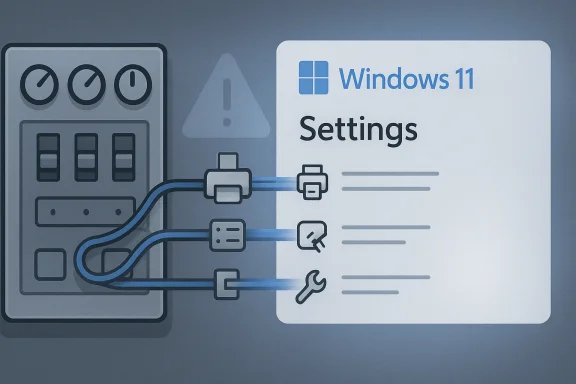
Microsoft is still trying to do something Windows users have been waiting on for years: retire the Control Panel without breaking the enormous pile of legacy hardware, drivers, and management workflows that still depend on it. The latest signal comes from Microsoft design leadership, who say the company is carefully migrating old controls into the Windows 11 Settings app because printer and network ecosystems are too varied to rush. That caution is not just corporate hedging; it reflects a real technical problem that sits at the intersection of backwards compatibility, device support, and user experience. In other words, the Control Panel is not merely old — it is woven into the plumbing of Windows itself.
For decades, the Control Panel has been the central place where Windows users changed deep system settings, adjusted hardware behavior, and configured everything from printers to power plans. It became so familiar that many power users learned to trust it more than any newer interface, partly because it exposed the most complete set of options and partly because it was stable in the old-school Windows sense: ugly, yes, but dependable. The modern Settings app, by contrast, arrived as a cleaner and more touch-friendly front end, but it took years to catch up in feature coverage and still remains incomplete in some important areas. Microsoft has repeatedly admitted, implicitly and explicitly, that the transition has been incremental rather than abrupt.
That slow pace makes sense once you look at the hardware reality behind Windows. Windows remains the operating system that supports the broadest spread of PCs, peripherals, and niche devices on the planet, including old printers, USB adapters, specialty scanners, and business-class drivers that organizations expect to keep working for years. Microsoft’s own printer guidance still points users to Windows Update and manufacturer software, but it also acknowledges older paths for installing and updating drivers when newer ones are unavailable. The company’s print ecosystem is also changing under the hood, with a staged end-of-servicing plan for third-party printer drivers that extends through 2027, underscoring how long these transitions can take.
This is why the Control Panel remains stubbornly alive even in Windows 11. The core problem is not nostalgia; it is dependency. Printer Properties, Device Manager, and various network and legacy hardware workflows still route users into the old interface because the replacement experience does not yet match the depth or granularity of the original. Microsoft has modernized parts of the settings stack, but it has not finished rebuilding the whole tower. That gap creates the exact tension users feel every day: a sleek new UI on top of an ecosystem that still needs old-school control.
At the same time, Microsoft has been signaling that it wants Windows 11 to feel less fragmented. Recent updates have improved the Settings app’s design language, added dark mode support to more dialogs, and made other pages feel more coherent. The company’s broader messaging around Windows now emphasizes security, transparency, and consistency across core experiences. That makes the Control Panel stand out even more as a relic — but also as a necessary one, at least for now.
The more interesting answer is that some settings are not just “old” — they are embedded in complex, device-specific behaviors. Network adapters, print queues, driver packages, and management tools can all expose details that were historically designed around the Control Panel’s structure. The Settings app can surface common paths, but it often abstracts away the very controls that power users and IT departments need when troubleshooting something messy. In that sense, the Control Panel is less a user interface than a compatibility layer for the whole Windows hardware heritage.
The Control Panel also survives because it is still the most direct path to several advanced tools. Device Manager remains a prime example: it is the place many users still go to roll back a driver, disable hardware, or inspect device status at a deep level. Microsoft may eventually fold those functions into Settings, but the current Bluetooth & devices page does not yet offer the same level of precision or familiarity for complex troubleshooting.
The company has also been steadily reshaping the Settings app itself to make that migration believable. Recent Windows 11 updates have improved the structure of the About page, refreshed account dialogs, and refined pen-related options, while keeping the design language aligned with modern Windows visuals. These are not headline-grabbing changes, but they matter because they fill in the dull, foundational gaps that once justified keeping users in the Control Panel.
The same logic applies to features like dark mode consistency. If system dialogs still feel stitched together from different eras, users infer that the operating system is fragmented underneath the surface. Microsoft’s recent push to bring more dialogs and settings pages into the modern visual language is therefore about more than aesthetics. It is about signaling that the platform can now absorb old capabilities without losing coherence.
Microsoft is clearly pushing the print stack toward a more standardized future. Its modern print platform guidance emphasizes a simpler and more secure experience that reduces reliance on vendor-installed drivers, and its printer driver end-of-servicing roadmap shows that Windows is steadily preferring inbox and class-driver approaches. But that shift is staged over years, not months, because printing remains one of the most compatibility-sensitive parts of the Windows ecosystem.
Microsoft’s move toward Mopria, the Microsoft IPP Class Driver, and protected-print-style models is strategically sound, but it also means old habits will break. That is good for standardization and security, yet potentially painful for users whose workflow depends on legacy printer software. The company is not just redesigning a menu; it is reshaping an entire print culture.
The modern experience may be cleaner for everyday users, but power users often want predictable entry points that expose everything at once. The Control Panel and its associated dialogs have long provided that, even if their design is old-fashioned. When Microsoft hides too much behind simplified screens, it risks making Windows easier for beginners while making it harder for everyone else to solve nonstandard problems.
That is why the statement from Microsoft design leadership matters: it is an acknowledgment that migration is not just about moving buttons. It is about preserving troubleshooting pathways that have been battle-tested for years. In Windows, “advanced” often means “necessary,” and the company knows it cannot confuse the two.
This is also where Microsoft’s broader Windows strategy becomes visible. The company wants a streamlined, modern interface, but it cannot sacrifice the controls that keep machines recoverable when hardware goes sideways. That means driver management will likely be one of the last holdouts in the transition away from Control Panel, because the cost of getting it wrong is measured in broken peripherals and wasted support calls.
Microsoft’s challenge is that the two audiences overlap only partially. The same interface must satisfy a home user who wants their scanner to work and a technician who needs exact control over a finicky network adapter. That is why the Control Panel is still alive — not because it is elegant, but because it remains operationally useful.
Yet that same inconsistency is part of why some users still trust it. The interface may be ancient, but its behavior is predictable, and predictability is often more valuable than polish. Microsoft’s effort to unify the visual and functional experience in Settings is therefore not just about making Windows prettier; it is about making the OS feel internally coherent.
Microsoft knows this, which is why the migration has to preserve granular control rather than just translate old menus into prettier ones. A modern Windows interface that cannot handle edge cases would be a regression, not an improvement. The company’s challenge is to modernize without infantilizing the platform.
The flip side is that competitors can market simplicity. A cleaner control surface and a more curated device ecosystem reduce support complexity, even if they constrain choice. Microsoft has to do the opposite: preserve the openness that made Windows dominant while slowly sanding down the rough edges.
That tension is probably unavoidable. The real competitive question is whether Microsoft can turn the transition into an advantage by making Settings feel as powerful as Control Panel without sacrificing compatibility. If it succeeds, Windows 11 becomes easier to recommend to mainstream users and easier to support in businesses. If it fails, Control Panel may end up living on far longer than Microsoft intended.
What matters next is whether Microsoft can finish the tricky parts: printers, driver management, network diagnostics, and other workflows that historically depended on the old structure. Those are the areas where users will judge whether Settings is truly ready to inherit Windows’ legacy. If those gaps close, Control Panel can finally fade into history; if they do not, it will remain the safety net underneath Microsoft’s modernization story.
Source: www.windowslatest.com Microsoft explains why it still can’t fully kill Control Panel in Windows 11
 Background
For decades, the Control Panel has been the central place where Windows users changed deep system settings, adjusted hardware behavior, and configured everything from printers to power plans. It became so familiar that many power users learned to trust it more than any newer interface, partly because it exposed the most complete set of options and partly because it was stable in the old-school Windows sense: ugly, yes, but dependable. The modern Settings app, by contrast, arrived as a cleaner and more touch-friendly front end, but it took years to catch up in feature coverage and still remains incomplete in some important areas. Microsoft has repeatedly admitted, implicitly and explicitly, that the transition has been incremental rather than abrupt.That slow pace makes sense once you look at the hardware reality behind Windows. Windows remains the operating system that supports the broadest spread of PCs, peripherals, and niche devices on the planet, including old printers, USB adapters, specialty scanners, and business-class drivers that organizations expect to keep working for years. Microsoft’s own printer guidance still points users to Windows Update and manufacturer software, but it also acknowledges older paths for installing and updating drivers when newer ones are unavailable. The company’s print ecosystem is also changing under the hood, with a staged end-of-servicing plan for third-party printer drivers that extends through 2027, underscoring how long these transitions can take.
This is why the Control Panel remains stubbornly alive even in Windows 11. The core problem is not nostalgia; it is dependency. Printer Properties, Device Manager, and various network and legacy hardware workflows still route users into the old interface because the replacement experience does not yet match the depth or granularity of the original. Microsoft has modernized parts of the settings stack, but it has not finished rebuilding the whole tower. That gap creates the exact tension users feel every day: a sleek new UI on top of an ecosystem that still needs old-school control.
At the same time, Microsoft has been signaling that it wants Windows 11 to feel less fragmented. Recent updates have improved the Settings app’s design language, added dark mode support to more dialogs, and made other pages feel more coherent. The company’s broader messaging around Windows now emphasizes security, transparency, and consistency across core experiences. That makes the Control Panel stand out even more as a relic — but also as a necessary one, at least for now.
Why Control Panel Still Exists
The shortest answer is that Windows is burdened by compatibility, and compatibility is one of Microsoft’s greatest strengths. The platform still has to support decades of accumulated hardware, drivers, and enterprise workflows, and those systems cannot be broken just because the UI layer has been redesigned. Microsoft’s own printer documentation and driver timelines make clear that it is still managing a multiyear migration, not a clean break. That is exactly why the company says it is proceeding carefully.The more interesting answer is that some settings are not just “old” — they are embedded in complex, device-specific behaviors. Network adapters, print queues, driver packages, and management tools can all expose details that were historically designed around the Control Panel’s structure. The Settings app can surface common paths, but it often abstracts away the very controls that power users and IT departments need when troubleshooting something messy. In that sense, the Control Panel is less a user interface than a compatibility layer for the whole Windows hardware heritage.
The Legacy Problem
Windows’ strength has always been that it lets old and new coexist, but that blessing becomes a burden during interface modernization. A clean rewrite is never just a visual project; it can change assumptions about APIs, workflows, and device handshakes. That is why Microsoft’s migration story is necessarily conservative, even when the UX looks overdue for a rewrite. A rushed transition would risk breaking real machines used by real people, and Windows cannot afford that kind of trust loss.The Control Panel also survives because it is still the most direct path to several advanced tools. Device Manager remains a prime example: it is the place many users still go to roll back a driver, disable hardware, or inspect device status at a deep level. Microsoft may eventually fold those functions into Settings, but the current Bluetooth & devices page does not yet offer the same level of precision or familiarity for complex troubleshooting.
- Windows supports a vast range of older hardware.
- Printer and network devices often rely on legacy workflows.
- Enterprise IT needs deterministic, repeatable management paths.
- A modern interface cannot break older drivers without fallout.
- The Control Panel still exposes granular tools power users expect.
Microsoft’s Migration Strategy
Microsoft’s message, as relayed through design leadership, is not that the Control Panel is immortal. It is that the company is moving function by function, with an emphasis on avoiding regressions. That is a very Microsoft answer: it promises eventual consolidation, but only after testing the compatibility surface area exhaustively. This is especially important for printing and networking, two domains where user frustration can escalate fast if a small settings change causes a large outage.The company has also been steadily reshaping the Settings app itself to make that migration believable. Recent Windows 11 updates have improved the structure of the About page, refreshed account dialogs, and refined pen-related options, while keeping the design language aligned with modern Windows visuals. These are not headline-grabbing changes, but they matter because they fill in the dull, foundational gaps that once justified keeping users in the Control Panel.
Small Changes, Big Meaning
A refreshed dialog box or a better-organized Settings page may look minor, but these updates are how Microsoft earns trust during a migration. Users will not abandon the old interface unless the new one proves that it can handle both convenience and complexity. That means small design changes are not cosmetic fluff; they are proof points in a long deprecation plan.The same logic applies to features like dark mode consistency. If system dialogs still feel stitched together from different eras, users infer that the operating system is fragmented underneath the surface. Microsoft’s recent push to bring more dialogs and settings pages into the modern visual language is therefore about more than aesthetics. It is about signaling that the platform can now absorb old capabilities without losing coherence.
- Incremental migration reduces breakage risk.
- Visual consistency helps users trust the new workflow.
- Hidden complexity still exists in printers and drivers.
- Microsoft is modernizing core pages before removing old ones.
- The company appears to be prioritizing reliability over speed.
Printers: The Hardest Migration
If there is one category that explains why Control Panel is still hanging on, it is printers. Printing is a maze of vendor drivers, class drivers, device-specific features, spooler behaviors, and legacy enterprise expectations. Microsoft’s own documentation now steers many users toward Windows Update or manufacturer downloads, but it also acknowledges fallback methods when those options fail. That alone tells you how messy the ecosystem remains.Microsoft is clearly pushing the print stack toward a more standardized future. Its modern print platform guidance emphasizes a simpler and more secure experience that reduces reliance on vendor-installed drivers, and its printer driver end-of-servicing roadmap shows that Windows is steadily preferring inbox and class-driver approaches. But that shift is staged over years, not months, because printing remains one of the most compatibility-sensitive parts of the Windows ecosystem.
Why Printer Properties Matter
Many users still go to Control Panel because that is where Printer Properties lives in the form they know. In practice, that interface can expose settings and management paths that the modern Settings page either hides or simplifies. For office deployments, shared printers, and model-specific quirks, those details are not optional.Microsoft’s move toward Mopria, the Microsoft IPP Class Driver, and protected-print-style models is strategically sound, but it also means old habits will break. That is good for standardization and security, yet potentially painful for users whose workflow depends on legacy printer software. The company is not just redesigning a menu; it is reshaping an entire print culture.
- Printer workflows depend on old and new driver models.
- Manufacturer-specific utilities still matter for advanced setups.
- Standardization improves security but can remove niche features.
- Control Panel remains common for manual printer configuration.
- Microsoft is phasing driver dependencies out slowly by design.
Network Settings and the Power User Gap
Networking is the other big reason the Control Panel lingers. While the Settings app handles many common network tasks, it still does not fully replace the depth of the classic network dialogs for people who need to inspect adapter properties, diagnose edge cases, or manage unusual configurations. That gap is not about interface preference; it is about how Windows presents control over low-level system behavior.The modern experience may be cleaner for everyday users, but power users often want predictable entry points that expose everything at once. The Control Panel and its associated dialogs have long provided that, even if their design is old-fashioned. When Microsoft hides too much behind simplified screens, it risks making Windows easier for beginners while making it harder for everyone else to solve nonstandard problems.
Why Simplification Can Backfire
A simplified network page can reduce confusion for casual users, but it can also turn a quick fix into a scavenger hunt. Windows has to serve both audiences, and that is a delicate balancing act. If Microsoft collapses too much into friendly toggles, it may end up pushing advanced users into command-line tools or legacy dialogs anyway.That is why the statement from Microsoft design leadership matters: it is an acknowledgment that migration is not just about moving buttons. It is about preserving troubleshooting pathways that have been battle-tested for years. In Windows, “advanced” often means “necessary,” and the company knows it cannot confuse the two.
- Common network tasks are already easier in Settings.
- Advanced diagnostics still benefit from old dialogs.
- Power users need direct access, not just friendly summaries.
- Simplification can reduce discoverability of deeper controls.
- Microsoft is trying to avoid forcing users into workarounds.
Device Manager and Driver Survival
Device Manager is the clearest example of why the Control Panel era cannot simply be declared over. It is still one of the most practical places to manually install, update, roll back, and uninstall drivers, and it remains a core troubleshooting tool in both consumer and enterprise contexts. Settings can surface device categories, but it does not yet replace the detailed management model that IT teams rely on.This is also where Microsoft’s broader Windows strategy becomes visible. The company wants a streamlined, modern interface, but it cannot sacrifice the controls that keep machines recoverable when hardware goes sideways. That means driver management will likely be one of the last holdouts in the transition away from Control Panel, because the cost of getting it wrong is measured in broken peripherals and wasted support calls.
Enterprise vs. Consumer Impact
For consumers, the pain point is usually convenience. A printer not showing up, a Bluetooth adapter misbehaving, or a USB device needing a rollback can become a frustrating detour through layers of settings that feel less direct than before. For enterprises, the issue is scale: a UI change that makes device recovery less obvious can slow help desk operations and increase downtime.Microsoft’s challenge is that the two audiences overlap only partially. The same interface must satisfy a home user who wants their scanner to work and a technician who needs exact control over a finicky network adapter. That is why the Control Panel is still alive — not because it is elegant, but because it remains operationally useful.
- Device Manager remains central to driver troubleshooting.
- Consumer issues often expose enterprise-grade complexity.
- Recovery workflows need precision, not just simplicity.
- Settings can handle basics, but not yet all edge cases.
- Microsoft must preserve supportability during the transition.
The UI and UX Argument
There is also a less technical but still important reason users keep talking about Control Panel: it represents consistency. For years, Windows 11 has been criticized for design inconsistencies, overlapping surfaces, and a sense that parts of the OS were modernized at different speeds. The Control Panel stands out because it is so visibly different, which makes it a symbol of the broader Windows fragmentation problem.Yet that same inconsistency is part of why some users still trust it. The interface may be ancient, but its behavior is predictable, and predictability is often more valuable than polish. Microsoft’s effort to unify the visual and functional experience in Settings is therefore not just about making Windows prettier; it is about making the OS feel internally coherent.
Why Nostalgia Isn’t the Whole Story
It is easy to say people cling to Control Panel out of habit, and habit certainly matters. But nostalgia alone does not explain why certain system administrators, technicians, and experienced users still rely on it. The real reason is that it often surfaces the exact control they need, when they need it, with less guesswork.Microsoft knows this, which is why the migration has to preserve granular control rather than just translate old menus into prettier ones. A modern Windows interface that cannot handle edge cases would be a regression, not an improvement. The company’s challenge is to modernize without infantilizing the platform.
- Consistency builds trust.
- Familiar layouts can outperform prettier ones.
- Advanced users need directness over decoration.
- UI modernization must not hide necessary functionality.
- Windows must stay both modern and deeply configurable.
Competitive and Market Implications
Microsoft’s slow retirement of Control Panel says something important about the Windows market: compatibility remains a competitive advantage. Apple can afford to push harder on deprecation because its hardware matrix is narrower and its ecosystem is more controlled, while Windows still serves a sprawling universe of devices and vendors. That means Microsoft’s conservatism is not weakness so much as market reality.The flip side is that competitors can market simplicity. A cleaner control surface and a more curated device ecosystem reduce support complexity, even if they constrain choice. Microsoft has to do the opposite: preserve the openness that made Windows dominant while slowly sanding down the rough edges.
The Windows Identity Problem
This transition also exposes a core Windows identity issue. The platform is both consumer software and industrial-grade infrastructure, which means it can never be optimized for just one use case. Every time Microsoft removes a legacy control, it risks alienating users who have built their workflows around the old one. Every time it leaves legacy tools in place, it reinforces the criticism that Windows is messy.That tension is probably unavoidable. The real competitive question is whether Microsoft can turn the transition into an advantage by making Settings feel as powerful as Control Panel without sacrificing compatibility. If it succeeds, Windows 11 becomes easier to recommend to mainstream users and easier to support in businesses. If it fails, Control Panel may end up living on far longer than Microsoft intended.
- Windows’ breadth is a competitive strength.
- Simplicity is easier to market than compatibility.
- Legacy support helps retain enterprise loyalty.
- Modernization pressure is not the same as modernization speed.
- Microsoft’s challenge is preserving power without preserving clutter.
Strengths and Opportunities
Microsoft’s gradual approach may frustrate users who want the Control Panel gone yesterday, but it also gives the company a chance to get the migration right. The upside is a more coherent Windows 11 experience that still respects the realities of old hardware and serious troubleshooting. If Microsoft executes well, it can reduce visual fragmentation without forcing support teams into chaos.- Better visual consistency across system dialogs.
- Fewer legacy UI islands scattered through Windows.
- A more approachable experience for new users.
- Reduced reliance on deprecated printer drivers over time.
- Improved security through modern print and settings models.
- Stronger alignment between consumer and enterprise UI paths.
- Opportunity to make Settings the true control center of Windows.
Risks and Concerns
The biggest risk is breaking workflows that are invisible to Microsoft until they fail in the field. Printers, adapters, scanners, and niche devices tend to reveal their importance only when a company employee cannot print a contract or a home user cannot get online. If the transition moves too quickly, the result could be support pain that outweighs the benefits of a cleaner interface.- Hidden dependency chains in legacy drivers.
- Enterprise tools losing familiar management entry points.
- Printer feature regression during driver transitions.
- Confusion if Settings is incomplete but Control Panel is reduced.
- Increased support burden during the overlap period.
- Fragmentation if some features never fully migrate.
- User distrust if Windows changes without clear continuity.
Looking Ahead
The most likely outcome is not a dramatic “kill switch” for Control Panel, but a slow shrinking of its footprint as more settings pages mature. Microsoft appears to be treating this as a long compatibility migration, not a product launch, which is the right instinct for a platform this large. The company will probably keep moving individual controls as the Settings app absorbs enough advanced functionality to make the old interface unnecessary for most users.What matters next is whether Microsoft can finish the tricky parts: printers, driver management, network diagnostics, and other workflows that historically depended on the old structure. Those are the areas where users will judge whether Settings is truly ready to inherit Windows’ legacy. If those gaps close, Control Panel can finally fade into history; if they do not, it will remain the safety net underneath Microsoft’s modernization story.
- More Control Panel pages should migrate into Settings.
- Printer and driver tools will be the hardest holdouts.
- Microsoft will likely keep legacy paths as fallback options.
- Enterprise validation will shape the speed of change.
- Visual consistency updates will continue to signal progress.
Source: www.windowslatest.com Microsoft explains why it still can’t fully kill Control Panel in Windows 11
Last edited:
