

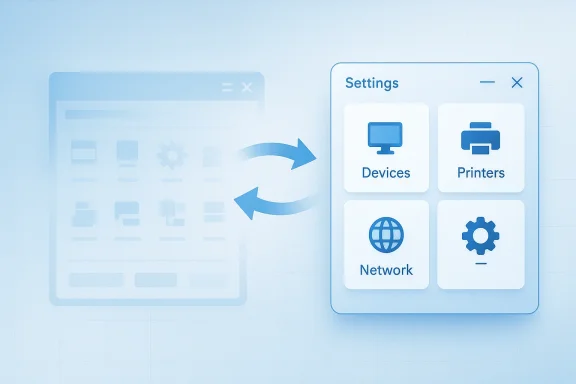
Windows 11 is not about to snap its fingers and make the Control Panel disappear overnight, but Microsoft has now made the long-term direction unmistakably clear: the old desktop control surface is being gradually replaced by Settings. That message is not coming from rumor alone. In a Microsoft Community answer, support staff explicitly said that “in the future, the Control Panel will be gradually replaced by UWP Settings,” while also acknowledging that both interfaces will coexist for a period during the transition (learn.microsoft.com). The practical result is a familiar Windows paradox: the old world is still there, but it is being routed, re-routed, and slowly hollowed out around the edges.
For Windows veterans, the Control Panel is more than an app. It is a symbol of an operating system that once exposed everything from printers and power plans to network adapters and device properties in a single, sprawling administrative hub. Microsoft has been trying to modernize that experience for years, first by layering in a touch-friendly Settings app and then by moving individual pages, wizards, and submenus over one by one. The process has been uneven, partly because Windows itself is uneven: a patchwork of modern shell components, legacy Win32 surfaces, and decades of backwards compatibility.
That is why the transition has never felt clean. Some tasks already live in Settings, some still bounce users back into Control Panel, and some involve a frustrating handoff between the two. Microsoft’s own support answer confirms that this coexistence is not a bug so much as a transitional state, and the company is aware that users still encounter redirects when they click into devices, system information, or tools that were historically anchored in Control Panel (learn.microsoft.com).
This is also why headlines about Control Panel’s “death” tend to overstate the immediate reality. Microsoft has not published a public hard stop date for the old interface in the material surfaced here, and the migration is clearly being treated as a careful, feature-by-feature project rather than a one-day switch-off. The reason is obvious: Windows has to keep working for consumers, enterprises, OEMs, and admins who depend on obscure corners of the platform that may not have a polished Settings equivalent yet.
The result is that Control Panel occupies a strange twilight zone in Windows 11. It is still accessible, still needed for certain workflows, and still a native part of the system. But it is also visibly being reduced to a compatibility layer for older administrative tasks, with Microsoft nudging users toward the newer interface wherever possible. That makes the story less about a dramatic disappearance and more about a slow transfer of authority.
There is also a broader design lesson underneath the migration. Microsoft has spent much of the Windows 11 era trying to make the platform feel more modern, more consistent, and less intimidating to casual users. The problem is that a lot of Windows power comes from the old complexity. Every time Microsoft removes a legacy surface, it has to decide whether the new design is merely prettier or genuinely more capable. That tension defines the whole Control Panel transition.
That is the least glamorous but most realistic way to modernize Windows. A clean rewrite would be simpler in theory, but Windows is not a clean-room product. It is an operating system that has to preserve decades of device support, administrative workflows, and vendor compatibility. In that environment, “replacement” often means “redirecting, rehosting, and slowly retiring,” not ripping out the old and starting fresh.
In other words, this is not Microsoft saying “we might someday like Settings better.” It is Microsoft acknowledging a real transition already in progress. For users, that distinction is critical. It means the question is not whether Control Panel is being phased out, but how long the phase-out will take and which tasks will be the last to move.
For users, that means the current headlines should be read cautiously. The old interface is unquestionably on borrowed time, but the borrowing period may be measured in years, not months. That is a very Windows-like way to retire something: first deprecate it in practice, then slowly make it less necessary, and only later stop talking about it at all.
This is why the device and printer examples matter so much. If Microsoft moves those areas too quickly, it risks creating a new class of support issues where users can no longer reach a setting that used to be one click away. Those are the kinds of regressions that destroy confidence in a migration effort, especially in business environments where repeatability matters more than visual polish.
That single concern explains a lot about why Control Panel has survived. It is the safety net for the parts of Windows that are not glamorous enough to be fully redesigned, but too important to lose. That is the essence of Windows compatibility: a feature persists not because it is elegant, but because it is still useful to someone somewhere.
That is a good match for many consumers. It is less ideal for power users who want exact, direct access to advanced options without additional layers. As a result, Settings can feel friendlier while also feeling less efficient. The migration only works if Microsoft preserves the speed and depth that advanced users need.
But simplification always has a cost. Every setting that is hidden behind better prose or deeper navigation may become easier for beginners and more annoying for experts. That is the tradeoff Microsoft has been navigating since the Windows 8 era, and it has never fully solved it. The newer interface may be cleaner, but it only succeeds if it remains powerful enough for serious users.
That said, the best-case scenario is not just “same controls, different screens.” It is a settings experience that is better organized without becoming less capable. If Microsoft gets that balance right, the old Control Panel will not be missed by anyone except historians and those who enjoy clicking through 12 layers of legacy dialog boxes.
The company’s promise to migrate carefully is encouraging, but careful does not always mean complete. The real test is whether the replacement is functionally equal or merely visually improved. Many Windows users have lived through enough redesigns to know that those are not the same thing.
That is why Microsoft’s gradual approach is sensible. In enterprise IT, abrupt transitions create support debt. A slow migration may be tedious, but it is less disruptive than a hard cutover that breaks workflows in the middle of a budget year.
If the new Settings app can preserve that feeling, Control Panel will fade quietly. If it cannot, then users will keep treating the old interface as the “real” Windows control surface for as long as it remains available.
That is why the old Control Panel route matters so much. It often exposes legacy tabs and dialogs that are still necessary because the underlying hardware ecosystem has not fully caught up to the newer UX layer. A modern Settings page can’t just be prettier; it must be equally trustworthy.
That makes the transition harder than it looks. You cannot remove the old front end until the back end has enough parity to stand on its own. If the new interface is missing even one key administrative path, the old one stays alive.
This is the real reason the Control Panel survives. It is not beloved because it is modern. It survives because it is dependable enough that Microsoft cannot afford to lose it until the replacement is unquestionably ready.
But consumers are also the most likely to notice annoying redirects. If a basic operation sends them from one screen to another and then back again, they will interpret that as bad design rather than transitional necessity. That perception can matter more than technical correctness.
That is why Microsoft’s gradual approach is so important. Enterprises do not want a surprise interface cutover that breaks training guides or automation scripts. They want a long runway, consistent policy support, and clear documentation of what moves where and when.
Only when the transition reaches parity will the support burden start to fall. Until then, the two-interface era remains a practical headache for users and administrators alike.
The other concern is trust. Windows users, especially power users and IT teams, are sensitive to UI changes that appear to prioritize aesthetics over control. If Microsoft pushes the transition too aggressively, it could reinforce the idea that Windows is being simplified for Microsoft’s convenience rather than improved for the user’s benefit.
The more interesting strategic question is what this means for Windows identity. If Microsoft succeeds, Windows 11 becomes a more unified platform that feels modern without abandoning compatibility. If it fails, users will remember the transition as another example of Microsoft making the system look cleaner while making it harder to use.
What happens next will tell us whether Microsoft is finally building a Windows that respects both simplicity and power, or merely repainting the same old complexity in a fresher shade of blue.
Source: Gamereactor UK Windows 11 is about to get rid of the Control Panel
 Background
For Windows veterans, the Control Panel is more than an app. It is a symbol of an operating system that once exposed everything from printers and power plans to network adapters and device properties in a single, sprawling administrative hub. Microsoft has been trying to modernize that experience for years, first by layering in a touch-friendly Settings app and then by moving individual pages, wizards, and submenus over one by one. The process has been uneven, partly because Windows itself is uneven: a patchwork of modern shell components, legacy Win32 surfaces, and decades of backwards compatibility.That is why the transition has never felt clean. Some tasks already live in Settings, some still bounce users back into Control Panel, and some involve a frustrating handoff between the two. Microsoft’s own support answer confirms that this coexistence is not a bug so much as a transitional state, and the company is aware that users still encounter redirects when they click into devices, system information, or tools that were historically anchored in Control Panel (learn.microsoft.com).
This is also why headlines about Control Panel’s “death” tend to overstate the immediate reality. Microsoft has not published a public hard stop date for the old interface in the material surfaced here, and the migration is clearly being treated as a careful, feature-by-feature project rather than a one-day switch-off. The reason is obvious: Windows has to keep working for consumers, enterprises, OEMs, and admins who depend on obscure corners of the platform that may not have a polished Settings equivalent yet.
The result is that Control Panel occupies a strange twilight zone in Windows 11. It is still accessible, still needed for certain workflows, and still a native part of the system. But it is also visibly being reduced to a compatibility layer for older administrative tasks, with Microsoft nudging users toward the newer interface wherever possible. That makes the story less about a dramatic disappearance and more about a slow transfer of authority.
There is also a broader design lesson underneath the migration. Microsoft has spent much of the Windows 11 era trying to make the platform feel more modern, more consistent, and less intimidating to casual users. The problem is that a lot of Windows power comes from the old complexity. Every time Microsoft removes a legacy surface, it has to decide whether the new design is merely prettier or genuinely more capable. That tension defines the whole Control Panel transition.
What Microsoft Has Actually Said
The most important part of the current discussion is what Microsoft has said plainly, not what third-party reporting has inferred. In the Microsoft Community response, the company’s representative did not promise an immediate removal; instead, they described a gradual replacement process in which Settings and Control Panel would coexist for some time. That wording matters because it signals a long migration path, not a sudden platform rupture (learn.microsoft.com).A gradual replacement, not a cliff edge
The phrase “gradually replaced” is doing a lot of work. It implies an ongoing engineering effort to move old modules into modern UI frameworks while avoiding the sort of breakage that would trigger support nightmares for printers, peripherals, and system tools. The same answer explicitly points to coexistence during the improvement period, which means Microsoft expects users to keep seeing both surfaces as the transition unfolds (learn.microsoft.com).That is the least glamorous but most realistic way to modernize Windows. A clean rewrite would be simpler in theory, but Windows is not a clean-room product. It is an operating system that has to preserve decades of device support, administrative workflows, and vendor compatibility. In that environment, “replacement” often means “redirecting, rehosting, and slowly retiring,” not ripping out the old and starting fresh.
Why the wording matters
The Microsoft answer is also important because it is support-facing, not marketing-facing. Support teams generally do not choose their language casually when describing product direction. If they say a feature will be gradually replaced, that usually reflects the engineering reality users should expect, even if the pace remains uncertain. That gives the statement more weight than a casual social post or a speculative blog rumor.In other words, this is not Microsoft saying “we might someday like Settings better.” It is Microsoft acknowledging a real transition already in progress. For users, that distinction is critical. It means the question is not whether Control Panel is being phased out, but how long the phase-out will take and which tasks will be the last to move.
- Microsoft has said Control Panel will be gradually replaced.
- Coexistence between Settings and Control Panel is expected during the transition.
- The migration is being treated as a careful improvement process, not a hard cutoff.
- The goal is to reduce user confusion while avoiding breaking older tools and devices.
- The old interface is still present because Windows still needs it.
The uncertainty is part of the story
What Microsoft has not said is just as revealing. There is no public deadline in the surfaced material, no “Control Panel end-of-life” date, and no claim that every remaining control is ready to move today. That omission is a sign that Microsoft knows the last mile will be the hardest one.For users, that means the current headlines should be read cautiously. The old interface is unquestionably on borrowed time, but the borrowing period may be measured in years, not months. That is a very Windows-like way to retire something: first deprecate it in practice, then slowly make it less necessary, and only later stop talking about it at all.
Why Control Panel Has Survived So Long
Control Panel has lasted because it is deeply entangled with the parts of Windows that are hardest to modernize. Drivers, printer stacks, advanced network settings, and device properties are not simple checkbox pages. They are places where the operating system meets messy reality: hardware vendors, legacy APIs, admin tools, and specialized deployment scenarios. Microsoft has to preserve those relationships even while it changes the presentation layer.The Win32 problem
The old Control Panel is tied to Win32 and to decades of compatibility logic that still matter in the real world. That means it is more than a visual shell; it is a gateway to functionality that many administrators and OEMs still rely on. Moving such features into Settings is not a matter of copying a button from one screen to another. It often requires rethinking how the feature is exposed, how it is managed, and what dependencies it brings along.This is why the device and printer examples matter so much. If Microsoft moves those areas too quickly, it risks creating a new class of support issues where users can no longer reach a setting that used to be one click away. Those are the kinds of regressions that destroy confidence in a migration effort, especially in business environments where repeatability matters more than visual polish.
Hardware is where modernity gets messy
Devices and printers sound mundane, but they are one of the most difficult places to modernize. Every vendor has quirks, every driver family behaves differently, and every enterprise has at least a few old peripherals that are somehow essential. Microsoft’s support answer acknowledges this reality by focusing on not breaking network and printer devices and drivers during the transition (learn.microsoft.com).That single concern explains a lot about why Control Panel has survived. It is the safety net for the parts of Windows that are not glamorous enough to be fully redesigned, but too important to lose. That is the essence of Windows compatibility: a feature persists not because it is elegant, but because it is still useful to someone somewhere.
The migration problem in practical terms
A platform like Windows cannot simply replace old UI with new UI and call it finished. It has to answer a series of unsexy questions.- Can the new page expose the same functionality?
- Can enterprise admins script it reliably?
- Can the hardware ecosystem support it?
- Can support engineers troubleshoot it under pressure?
- Can it handle edge cases the old interface already knows how to survive?
Settings Is Not Just a New Coat of Paint
It is tempting to think of Settings as a visual refresh of Control Panel, but that understates the shift. Microsoft has been trying to turn Settings into the primary user-facing control surface for Windows, one that is more consistent with the rest of the modern shell and more suitable for touch, hybrid devices, and simplified onboarding. In theory, that creates a cleaner experience. In practice, it also creates a different philosophy of control.A different model of user interaction
Control Panel was built for breadth and specificity. Settings is built for accessibility, discoverability, and a more guided journey. That may sound like a minor UI distinction, but it changes how users think about the OS. Control Panel assumes you know what you are looking for. Settings assumes the OS should help you find it.That is a good match for many consumers. It is less ideal for power users who want exact, direct access to advanced options without additional layers. As a result, Settings can feel friendlier while also feeling less efficient. The migration only works if Microsoft preserves the speed and depth that advanced users need.
The modern Windows tradeoff
Microsoft has spent years trying to make Windows easier to approach, especially for people who do not want to understand the difference between device properties, hardware manager layers, and legacy applets. Settings helps with that. It presents Windows as a coherent product experience rather than a museum of system tools.But simplification always has a cost. Every setting that is hidden behind better prose or deeper navigation may become easier for beginners and more annoying for experts. That is the tradeoff Microsoft has been navigating since the Windows 8 era, and it has never fully solved it. The newer interface may be cleaner, but it only succeeds if it remains powerful enough for serious users.
Why the user experience still feels fragmented
The biggest flaw in the transition is fragmentation. A user clicks one thing in Settings, gets redirected to Control Panel, changes a value there, and then gets sent back. That handoff can feel like the operating system is arguing with itself. Microsoft’s own support reply indirectly admits that this coexistence is part of the current state of play (learn.microsoft.com).- Settings is the modernized face of Windows.
- Control Panel is the legacy compatibility layer.
- Many workflows still involve both.
- Redirects can make the OS feel inconsistent.
- The transition is only successful if it eventually becomes seamless.
What This Means for Power Users
For power users, the disappearance of Control Panel is not necessarily bad news, but it is not automatically good news either. What matters is whether the replacement preserves control, depth, and speed. A prettier interface that hides crucial options is not a win; it is a redesign that shifts frustration from one place to another.Better could mean more direct
If Microsoft moves the right features into Settings, the result could be a net improvement. A modern interface can be faster to navigate, easier to search, and less visually cluttered. It can also feel more consistent across device types, which is increasingly important in a Windows ecosystem that spans laptops, tablets, desktops, and hybrid machines.That said, the best-case scenario is not just “same controls, different screens.” It is a settings experience that is better organized without becoming less capable. If Microsoft gets that balance right, the old Control Panel will not be missed by anyone except historians and those who enjoy clicking through 12 layers of legacy dialog boxes.
But advanced users have real concerns
Advanced users have reason to be skeptical because Windows has often treated “modernization” as a synonym for reduced scope. When a feature is moved, the new version may initially expose only the common cases, leaving advanced options behind or burying them deeper than before. That is especially frustrating for IT staff who need predictable access rather than guided hand-holding.The company’s promise to migrate carefully is encouraging, but careful does not always mean complete. The real test is whether the replacement is functionally equal or merely visually improved. Many Windows users have lived through enough redesigns to know that those are not the same thing.
Enterprise users will judge the details
Enterprises care less about nostalgia and more about whether the operating system remains manageable at scale. Group policy, remote support, imaging workflows, printer deployment, and device administration all depend on stable control paths. If Settings becomes the only front door, it has to be scriptable, consistent, and dependable.That is why Microsoft’s gradual approach is sensible. In enterprise IT, abrupt transitions create support debt. A slow migration may be tedious, but it is less disruptive than a hard cutover that breaks workflows in the middle of a budget year.
- Power users want speed as much as elegance.
- Enterprises want predictability more than novelty.
- A modern interface must still support advanced workflows.
- Hidden controls are a regression if they reduce efficiency.
- The best migration is one users barely notice because it just works.
The nostalgia factor is real, but secondary
It is easy to romanticize Control Panel as if it were perfect. It was not. It was cluttered, inconsistent, and intimidating for many people. But it was also direct, and that directness is part of why some users still prefer it. Microsoft is trying to replace not just a UI, but a feeling of control.If the new Settings app can preserve that feeling, Control Panel will fade quietly. If it cannot, then users will keep treating the old interface as the “real” Windows control surface for as long as it remains available.
The Hardware and Driver Angle
The most technically delicate part of this migration is the hardware layer. Printers, network adapters, device drivers, and system properties are exactly the kind of settings that must survive any UI transition. Microsoft’s support answer explicitly references not breaking “network and printer devices & drivers” during the process, which is a good clue that these are among the most sensitive components in the migration pipeline (learn.microsoft.com).Devices and printers are never just devices and printers
In a home environment, printers are annoying. In an enterprise, they can be critical infrastructure. Network devices are even more complicated because they involve connectivity, permissions, security profiles, and vendor-specific software. A migration that appears clean on the surface can still fail in the field if one obscure driver property or control path is lost.That is why the old Control Panel route matters so much. It often exposes legacy tabs and dialogs that are still necessary because the underlying hardware ecosystem has not fully caught up to the newer UX layer. A modern Settings page can’t just be prettier; it must be equally trustworthy.
The device manager reality
One reason the old interface lingers is Device Manager, which remains central to troubleshooting hardware. Even when users do not directly interact with Control Panel, they often land there indirectly because a device property or advanced management function is still anchored in older system architecture. Windows has layers upon layers of access points, and the newer shell has not flattened them all.That makes the transition harder than it looks. You cannot remove the old front end until the back end has enough parity to stand on its own. If the new interface is missing even one key administrative path, the old one stays alive.
Compatibility over elegance
Microsoft’s task is not to build a more beautiful desktop and hope compatibility follows. It has to maintain compatibility first and then make the desktop look better around it. That priority explains why the migration moves slowly and why it will likely continue to do so for some time.- Printer and driver settings are high-risk migration targets.
- Device management often depends on legacy dialogs.
- Enterprise deployments need stable admin paths.
- Hardware vendors may lag behind UI changes.
- Compatibility wins over visual consistency almost every time.
The hidden cost of moving too fast
If Microsoft rushed this transition, the company would create an avoidable support crisis. Users would blame Windows for broken printing, missing device options, or inaccessible system properties. Enterprises would respond by delaying updates, locking down versions, or building workarounds. In that sense, slow migration is not indecision; it is risk management.This is the real reason the Control Panel survives. It is not beloved because it is modern. It survives because it is dependable enough that Microsoft cannot afford to lose it until the replacement is unquestionably ready.
Consumer Impact Versus Enterprise Impact
The Control Panel transition will land very differently depending on who is using Windows 11. Home users will mostly notice the interface changes, redirects, and occasional missing shortcut. Enterprise customers will care much more about policy, supportability, and whether the new world can be standardized across fleets.For consumers, this is mostly about convenience
Most home users already live inside Settings most of the time, so the disappearance of Control Panel will not be a dramatic event. They may even welcome it if the result is less confusion and fewer old-fashioned dialog boxes. For this audience, Microsoft’s challenge is to make the new interface feel simpler without making common tasks harder to find.But consumers are also the most likely to notice annoying redirects. If a basic operation sends them from one screen to another and then back again, they will interpret that as bad design rather than transitional necessity. That perception can matter more than technical correctness.
For enterprises, the issue is control
Corporate environments are where this migration becomes serious. IT departments need standardized controls, documentation, and predictable behavior across versions. They also need a way to manage devices that may still depend on older administrative surfaces, especially in mixed hardware environments.That is why Microsoft’s gradual approach is so important. Enterprises do not want a surprise interface cutover that breaks training guides or automation scripts. They want a long runway, consistent policy support, and clear documentation of what moves where and when.
Different audiences, different tolerance levels
Home users are more tolerant of inconsistency if the overall experience feels modern. Enterprises are less tolerant of inconsistency if the OS becomes harder to govern. Microsoft has to satisfy both, which is one reason the transition has dragged on. The company cannot simply choose one audience and ignore the other.- Consumers want clarity.
- Enterprises want stability.
- Consumers dislike confusing redirects.
- Enterprises dislike unexpected breakage.
- Microsoft has to support both without fragmenting the platform further.
The support burden may actually increase first
Ironically, the migration could create more support questions before it reduces them. Users will ask where a setting went, why a shortcut no longer opens the same page, or why an old menu item now lands in a different app. That is normal during a long transition, but it still costs time and goodwill.Only when the transition reaches parity will the support burden start to fall. Until then, the two-interface era remains a practical headache for users and administrators alike.
Strengths and Opportunities
The upside of Microsoft’s approach is that it can finally make Windows feel more coherent if the company finishes the job properly. A single, well-designed Settings app could remove a lot of the legacy confusion that has accumulated over the years, especially for mainstream users who never needed the full sprawl of Control Panel in the first place. It also gives Microsoft a chance to present Windows 11 as a more modern, touch-friendly, and consistent platform without pretending that legacy compatibility is trivial.- Cleaner user experience for mainstream consumers.
- Better discoverability if the replacement is well organized.
- Reduced interface duplication across Windows.
- More consistent design language across the OS.
- Opportunity to modernize search and navigation inside settings.
- Potentially better support for touch and hybrid devices.
- A chance to retire old clutter that many users never used.
Risks and Concerns
The biggest risk is that Microsoft could remove the familiar front door before the replacement truly matches it. If Settings lacks depth, the move becomes a downgrade disguised as modernization. There is also the danger that users will keep encountering redirects and half-finished migrations long after the company has started calling the old panel obsolete, which would make Windows feel less polished rather than more.The other concern is trust. Windows users, especially power users and IT teams, are sensitive to UI changes that appear to prioritize aesthetics over control. If Microsoft pushes the transition too aggressively, it could reinforce the idea that Windows is being simplified for Microsoft’s convenience rather than improved for the user’s benefit.
- Feature gaps in Settings could frustrate advanced users.
- Redirect fatigue may make the OS feel inconsistent.
- Support teams may face more transitional confusion.
- Enterprise workflows could be disrupted if parity is incomplete.
- Hardware and driver edge cases may lag behind the new UI.
- Perception risk is high if users think control is being removed.
- Migration fatigue could make future redesigns harder to sell.
Looking Ahead
The next phase of this transition will not be marked by a single dramatic announcement so much as a steady series of small removals, redirects, and parity improvements. Microsoft has already signaled that coexistence will continue during the migration, which means users should expect a long tail rather than a sudden cutoff (learn.microsoft.com). The key question is whether the remaining Control Panel functions move fast enough that users stop needing the old interface for everyday work.The more interesting strategic question is what this means for Windows identity. If Microsoft succeeds, Windows 11 becomes a more unified platform that feels modern without abandoning compatibility. If it fails, users will remember the transition as another example of Microsoft making the system look cleaner while making it harder to use.
- Watch for more settings pages to move from Control Panel into Settings.
- Watch for fewer redirects between old and new interfaces.
- Watch for enterprise policy updates that clarify the migration path.
- Watch for printer, device, and network tools to be the last holdouts.
- Watch for Microsoft to keep emphasizing careful transition over abrupt removal.
What happens next will tell us whether Microsoft is finally building a Windows that respects both simplicity and power, or merely repainting the same old complexity in a fresher shade of blue.
Source: Gamereactor UK Windows 11 is about to get rid of the Control Panel
Last edited:
