

Windows 11’s long-running split-brain problem is finally nearing a conclusion. Microsoft now says it is actively consolidating the last major Control Panel settings into the modern Settings app, while also promising visible improvements to File Explorer, the Start menu, and the broader shell experience over the coming months. The timing matters: after years of criticism that Windows 11 has looked polished on the surface but felt inconsistent underneath, Microsoft appears to be shifting from feature churn to UI cleanup, reliability work, and performance tuning.
The headline here is not that Microsoft has suddenly discovered the Control Panel is old. That realization has been public for years. What has changed is the tone: Microsoft is now talking like a company that sees the end state clearly, even if the migration itself still has plenty of work left to do. The modern Settings app is being positioned as the single destination for routine configuration, while the legacy Control Panel is increasingly treated as a compatibility layer rather than a primary interface.
That shift has been slow because Windows is not a clean-slate operating system. It is a sprawling platform with decades of accumulated behaviors, applets, drivers, printer workflows, admin tools, and enterprise dependencies. Microsoft has already migrated many common tasks over the years, but the remainder tends to be the stuff power users, IT admins, and device vendors still depend on. That is why the transition has taken so long: the hard part is not removing old UI, it is preserving trust while moving the underlying control surfaces.
Microsoft’s recent Windows quality messaging makes the direction even clearer. In March 2026, the company said it was focusing on performance, reliability, and craft, promising improvements to Windows responsiveness, app launch times, and File Explorer fundamentals. It specifically called out faster Start menu behavior, more efficient memory use, and lower latency in file operations and search. That reads less like a one-off feature update and more like a platform reset.
There is also a strategic reason for the timing. Windows 11 has been criticized for inconsistencies across dark mode, dialog styling, file management, and settings navigation. Microsoft is now trying to unify those experiences while modernizing the UI stack itself. The company has been pushing more surfaces toward WinUI 3, and it has been making incremental improvements in search, File Explorer reliability, and Start menu responsiveness across Insider builds.
The practical reality is that Windows administrators often need predictability more than elegance. A clean-looking interface is not enough if it hides or changes options they have used for years. That is especially true in environments with legacy hardware, scripted deployments, or specialized printers and peripherals. If Microsoft removes the wrong applet too soon, it risks creating support issues that ripple far beyond consumer desktops.
That does not mean enterprises prefer the Control Panel. In fact, many would welcome a single, standardized management layer. But enterprise-friendly does not mean enterprise-simple. Administrators need time to test feature parity, validate scripts, and ensure that third-party management tools still behave as expected. The migration therefore has to be gradual, or the cost of change becomes the story instead of the UI improvement.
What makes this important is that Microsoft is pairing the settings migration with broader shell work. File Explorer is being modernized for speed and reliability, the Start menu is getting performance improvements and cleaner search behavior, and even the classic Command Prompt is being nudged toward modern features associated with Windows Terminal. In other words, this is not just about one deprecated control surface. It is a coordinated refresh of Windows’ most visible everyday components.
The downside is that consistency can be harder to achieve than it sounds. If Microsoft migrates settings piecemeal, users may still encounter a patchwork of old and new experiences for months or years. That is why the company’s emphasis on clarity and compatibility matters: it suggests that the migration will be judged not just by whether it lands, but by whether it feels coherent when it lands.
Microsoft says it is working to reduce latency, improve reliability, and make core interactions more responsive. It specifically mentioned faster file search, better navigation, improved context menus, and quicker startup behavior. It also tied the Start menu to broader framework changes, including more use of WinUI 3, which should help reduce overhead in some core experiences.
Microsoft has already been shipping smaller fixes in this area, including improvements to launch times, context menus, and crash behavior in Insider builds. That suggests the company is not only redesigning the shell but also grinding through reliability debt that accumulated over multiple Windows releases. This is the kind of work that rarely headlines a keynote but often determines whether users stay satisfied.
Microsoft says the Settings pages are being redesigned for improved clarity and better dark mode support. It is also updating account dialogs and other small system surfaces. These changes matter because Windows is full of modal windows, legacy prompts, and hybrid UI elements that can easily break the illusion of modernity if they are not updated together.
That explains why the migration is taking time. If Microsoft were merely replacing one menu with another, the job would be easy. Instead, it has to reconcile years of shell evolution, app compatibility, and localized behavior while making sure the result does not feel like a half-finished migration. In a platform this old, polish is often the last mile of engineering.
This matters to developers and administrators because command-line environments are where legacy and modern Windows overlap most visibly. If the console layer improves, it reinforces the idea that Windows is not just polishing consumer UI, but also updating the tools power users actually rely on. That can help bridge the gap between the old shell and the new one.
What feels different now is that Microsoft’s message is broader than a single deprecation note. It is coupling the Control Panel migration with a formal quality push across the OS. That makes the strategy more believable because it frames the work as part of a larger Windows 11 refinement cycle, not as an isolated cleanup task.
A second credibility test is performance. Users will not celebrate the disappearance of Control Panel if Explorer remains slow or the Start menu still stumbles under load. Microsoft understands this, which is why it has tied the interface migration to core responsiveness work. The company is trying to sell not just change, but relief.
The more interesting question is not whether Control Panel disappears someday. It is whether users will stop caring because the Settings app becomes truly complete, fast, and dependable. If Microsoft gets that right, the retirement of Control Panel will feel less like the death of a classic and more like the quiet end of a compatibility era. That would be a rare Windows transition worth celebrating.
Source: TechSpot https://www.techspot.com/news/111981-microsoft-engineer-confirms-plans-kill-off-windows-control.html
 Overview
The headline here is not that Microsoft has suddenly discovered the Control Panel is old. That realization has been public for years. What has changed is the tone: Microsoft is now talking like a company that sees the end state clearly, even if the migration itself still has plenty of work left to do. The modern Settings app is being positioned as the single destination for routine configuration, while the legacy Control Panel is increasingly treated as a compatibility layer rather than a primary interface.That shift has been slow because Windows is not a clean-slate operating system. It is a sprawling platform with decades of accumulated behaviors, applets, drivers, printer workflows, admin tools, and enterprise dependencies. Microsoft has already migrated many common tasks over the years, but the remainder tends to be the stuff power users, IT admins, and device vendors still depend on. That is why the transition has taken so long: the hard part is not removing old UI, it is preserving trust while moving the underlying control surfaces.
Microsoft’s recent Windows quality messaging makes the direction even clearer. In March 2026, the company said it was focusing on performance, reliability, and craft, promising improvements to Windows responsiveness, app launch times, and File Explorer fundamentals. It specifically called out faster Start menu behavior, more efficient memory use, and lower latency in file operations and search. That reads less like a one-off feature update and more like a platform reset.
There is also a strategic reason for the timing. Windows 11 has been criticized for inconsistencies across dark mode, dialog styling, file management, and settings navigation. Microsoft is now trying to unify those experiences while modernizing the UI stack itself. The company has been pushing more surfaces toward WinUI 3, and it has been making incremental improvements in search, File Explorer reliability, and Start menu responsiveness across Insider builds.
Why the Control Panel Still Exists
The Control Panel remains on life support because it still exposes capabilities that have not been fully re-created elsewhere. That includes deep device configuration, certain driver-related options, classic network settings, and older printer management flows that businesses still rely on. Microsoft has repeatedly acknowledged that some of those settings exist in the old UI simply because the Settings app does not yet provide complete coverage.The practical reality is that Windows administrators often need predictability more than elegance. A clean-looking interface is not enough if it hides or changes options they have used for years. That is especially true in environments with legacy hardware, scripted deployments, or specialized printers and peripherals. If Microsoft removes the wrong applet too soon, it risks creating support issues that ripple far beyond consumer desktops.
The enterprise dependency problem
Enterprise IT is the biggest reason the Control Panel has survived this long. The platform still contains policy references, printer restrictions, and compatibility hooks that show how much of Windows management is built around long-established paths. Microsoft Learn documentation still documents Windows policy settings tied to classic administrative workflows, which underscores how much of the operating system’s management model remains interwoven with older conventions.That does not mean enterprises prefer the Control Panel. In fact, many would welcome a single, standardized management layer. But enterprise-friendly does not mean enterprise-simple. Administrators need time to test feature parity, validate scripts, and ensure that third-party management tools still behave as expected. The migration therefore has to be gradual, or the cost of change becomes the story instead of the UI improvement.
Consumer convenience versus admin control
For consumers, the split between Control Panel and Settings has always felt awkward. Users can often find a task in one place only to discover the real setting lives in the other. The result is friction, not power. Microsoft’s new push is designed to reduce that friction, but the company must be careful not to oversimplify the interface to the point where troubleshooting becomes harder.- Better clarity for casual users
- Fewer duplicate paths to the same setting
- Less confusion when following support instructions
- More consistent dark mode behavior
- Reduced maintenance burden for Microsoft
- Cleaner documentation over time
- Lower risk of conflicting UI states
What Microsoft Is Actually Changing
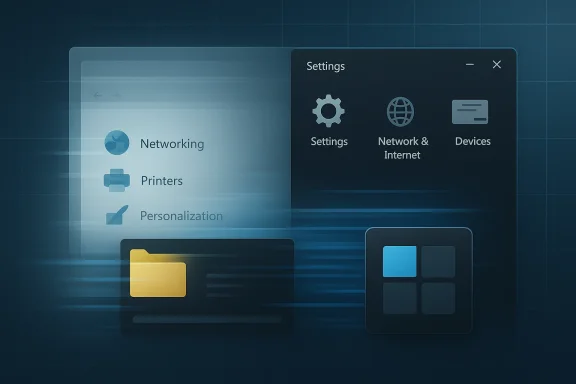
The immediate message from Microsoft is not “everything is being removed tomorrow.” It is that the company is consolidating the remaining settings and reworking the visual presentation so the Settings app becomes the default place for routine configuration. That includes common tasks such as networking, printers, and personalization, along with improved layout clarity and more coherent dark mode support.What makes this important is that Microsoft is pairing the settings migration with broader shell work. File Explorer is being modernized for speed and reliability, the Start menu is getting performance improvements and cleaner search behavior, and even the classic Command Prompt is being nudged toward modern features associated with Windows Terminal. In other words, this is not just about one deprecated control surface. It is a coordinated refresh of Windows’ most visible everyday components.
A UI cleanup with technical consequences
These changes may look cosmetic to casual users, but they have technical consequences. A better-organized Settings app reduces the number of legacy entry points Microsoft has to support, document, test, and localize. It also creates a cleaner path for modern frameworks and shared UI components, which is one reason Microsoft keeps emphasizing WinUI 3 and latency reduction.The downside is that consistency can be harder to achieve than it sounds. If Microsoft migrates settings piecemeal, users may still encounter a patchwork of old and new experiences for months or years. That is why the company’s emphasis on clarity and compatibility matters: it suggests that the migration will be judged not just by whether it lands, but by whether it feels coherent when it lands.
- Unified navigation should reduce user confusion
- Dark mode parity is becoming a priority
- Legacy dialogs are being redesigned for clarity
- Power users still need full feature coverage
- Microsoft wants fewer UI transitions between surfaces
- The shell is being tuned for speed, not just appearance
File Explorer and Start Menu: The Bigger Story
The Control Panel story would be significant even on its own, but Microsoft’s emphasis on File Explorer and the Start menu may matter more in day-to-day perception. These are the surfaces people touch constantly. When they feel slow or unreliable, the entire OS feels dated, no matter how polished the rest of the UI may be. That is why Microsoft’s performance work here is so strategically important.Microsoft says it is working to reduce latency, improve reliability, and make core interactions more responsive. It specifically mentioned faster file search, better navigation, improved context menus, and quicker startup behavior. It also tied the Start menu to broader framework changes, including more use of WinUI 3, which should help reduce overhead in some core experiences.
Why Explorer performance matters so much
File Explorer is one of those Windows components that users only notice when it misbehaves. If it lags, freezes, or takes too long to open, users blame the whole operating system. Microsoft’s own messaging now treats Explorer as a priority surface, which is a meaningful admission after years in which many users felt the app had not kept pace with modern expectations.Microsoft has already been shipping smaller fixes in this area, including improvements to launch times, context menus, and crash behavior in Insider builds. That suggests the company is not only redesigning the shell but also grinding through reliability debt that accumulated over multiple Windows releases. This is the kind of work that rarely headlines a keynote but often determines whether users stay satisfied.
Start menu as a performance test
The Start menu has become a symbol of Windows 11’s tension between modern design and practical usability. Microsoft has continued to refine it, but users often judge it on speed, search quality, and whether the layout gets in the way. When Microsoft says it is improving responsiveness and search indexing, it is really acknowledging that the Start menu is still one of the most important proof points for the operating system’s overall polish.- Faster launch behavior should reduce perceived lag
- Better search improves everyday discoverability
- More stable rendering helps trust the shell
- Cleaner UI transitions make Windows feel less fragmented
- Search consistency matters across Start, Settings, and Explorer
- Performance fixes often matter more than new features
Dark Mode, Dialogs, and Visual Consistency
One of the more telling parts of Microsoft’s current plan is its repeated attention to dark mode compatibility. That might sound like a small cosmetic concern, but it is actually a proxy for how complete the platform feels. If parts of Windows ignore the active theme or still surface old dialogs, users interpret that as neglect.Microsoft says the Settings pages are being redesigned for improved clarity and better dark mode support. It is also updating account dialogs and other small system surfaces. These changes matter because Windows is full of modal windows, legacy prompts, and hybrid UI elements that can easily break the illusion of modernity if they are not updated together.
The hidden complexity of visual unification
The hardest part of visual consistency is not the obvious screens. It is the edge cases: printer dialogs, account prompts, device settings, and other surfaces that may only be opened occasionally but still define the system’s quality. Microsoft appears to understand that these are the places where users still encounter old Windows habits.That explains why the migration is taking time. If Microsoft were merely replacing one menu with another, the job would be easy. Instead, it has to reconcile years of shell evolution, app compatibility, and localized behavior while making sure the result does not feel like a half-finished migration. In a platform this old, polish is often the last mile of engineering.
- Dark mode parity improves perceived quality
- Dialog redesign can remove visual fragmentation
- Updated account windows reduce legacy feel
- Inconsistent theming damages trust quickly
- Older settings surfaces tend to linger longest
- Visual cleanup signals platform maturity
The Command Prompt and the Terminal Era
Microsoft’s comment about modernizing the classic Command Prompt is another small but telling sign. The company has spent years building Windows Terminal into the preferred command-line experience, and the old console is increasingly expected to borrow from that modernization rather than remain frozen in place. That is a familiar Microsoft pattern: preserve compatibility, but move the user experience forward where possible.This matters to developers and administrators because command-line environments are where legacy and modern Windows overlap most visibly. If the console layer improves, it reinforces the idea that Windows is not just polishing consumer UI, but also updating the tools power users actually rely on. That can help bridge the gap between the old shell and the new one.
Developer and admin implications
For developers, a more capable terminal experience lowers friction and makes Windows feel less like a compromise platform. For admins, it improves the chances that old workflows can coexist with new ones without constant context switching. In both cases, the goal is not novelty; it is operational consistency.- Terminal modernization helps the developer story
- Command-line consistency reduces workflow friction
- Compatibility remains essential during transition
- New features can arrive without breaking old habits
- Windows benefits when power tools feel first-class
Why This Feels Different From Earlier Promises
Microsoft has talked about moving away from Control Panel for years, so skepticism is reasonable. In the past, the company has occasionally sounded like it was close to finishing the transition, only for the legacy tools to stick around much longer than expected. That history makes any fresh “near future” claim feel like a promise that should be tested against actual shipping behavior.What feels different now is that Microsoft’s message is broader than a single deprecation note. It is coupling the Control Panel migration with a formal quality push across the OS. That makes the strategy more believable because it frames the work as part of a larger Windows 11 refinement cycle, not as an isolated cleanup task.
The credibility test
The real test will be whether users notice fewer dead ends, fewer duplicated settings, and fewer theme mismatches. If Microsoft ships a smoother Settings app but leaves key functions stranded in old dialogs, the story will remain incomplete. If, however, it steadily removes the need to cross back into Control Panel, the transition will finally start to look irreversible.A second credibility test is performance. Users will not celebrate the disappearance of Control Panel if Explorer remains slow or the Start menu still stumbles under load. Microsoft understands this, which is why it has tied the interface migration to core responsiveness work. The company is trying to sell not just change, but relief.
- Past promises created understandable skepticism
- Broad quality work makes the plan more credible
- Users will judge outcomes, not messaging
- Performance is inseparable from perceived modernization
- Missing feature parity would undermine the effort
Strengths and Opportunities
Microsoft’s plan has a real upside if it executes cleanly. A single settings destination, better shell responsiveness, and improved visual consistency could make Windows 11 easier to recommend to both casual users and IT departments. The opportunity is not just aesthetic polish; it is reducing the amount of cognitive overhead Windows currently imposes on users who simply want to configure a PC and move on.- Unified settings should make support and troubleshooting easier
- Better dark mode support improves perceived quality immediately
- Explorer performance gains affect daily workflow more than flashy features
- Start menu refinements can improve search and launch speed
- Less legacy UI fragmentation reduces confusion for new users
- More coherent design language helps Windows 11 feel finished
- Power-user features can still be preserved if migration is careful
Risks and Concerns
The biggest risk is that Microsoft could overpromise the completeness of the migration while leaving critical edge cases behind. That would create a more confusing hybrid state, where users are told the old path is gone but still need it for specific tasks. There is also a risk that performance work will not be as visible as hoped, leaving users with incremental improvements rather than the dramatic cleanup they want.- Feature gaps could frustrate power users
- Legacy printer and driver workflows may be hard to replicate
- Partial migrations can make Windows feel even more inconsistent
- Visual changes without speed gains may disappoint users
- Enterprise testing cycles could slow down final removal
- Support burden may rise if older workflows break unexpectedly
- Dark mode fixes may not solve deeper shell inconsistency
Looking Ahead
The next few months will tell us whether Microsoft is simply continuing a long migration or finally pushing it over the finish line. The company’s April-focused improvements, combined with its 2026 quality push, suggest a steady cadence rather than a one-time reveal. That is probably the right approach for Windows, even if it lacks the drama of a dramatic deprecation announcement.The more interesting question is not whether Control Panel disappears someday. It is whether users will stop caring because the Settings app becomes truly complete, fast, and dependable. If Microsoft gets that right, the retirement of Control Panel will feel less like the death of a classic and more like the quiet end of a compatibility era. That would be a rare Windows transition worth celebrating.
- Watch for more Control Panel options to move into Settings
- Watch for File Explorer fixes that affect launch and search
- Watch for Start menu responsiveness and indexing improvements
- Watch for dark mode parity in dialogs and system pages
- Watch for enterprise guidance on legacy settings parity
Source: TechSpot https://www.techspot.com/news/111981-microsoft-engineer-confirms-plans-kill-off-windows-control.html
Last edited:
