

When small, focused utilities solve real problems better than heavyweight suites, they deserve more than a blog post — they deserve first-class treatment inside the OS itself; How-To Geek’s recent roundup arguing that three tiny open‑source apps — yt‑dlp, Microsoft PowerToys, and KSnip — should ship or be tightly integrated with Windows 11 makes that case plainly and usefully.
Windows has always shipped a baseline set of utilities that cover basic use cases: a calculator, a screenshot tool, a simple media player and file manager. Over decades, power users have relied on a small ecosystem of free and open‑source apps to restore missing capabilities or dramatically improve productivity. The trio highlighted by How‑To Geek represents three distinct categories where lightweight tools outperform or extend built‑in choices:
If Microsoft wants to keep Windows accessible to both mainstream and power users, the right pattern is modular adoption: ship the high‑value, low‑risk pieces as optional features (with enterprise controls), continue to support a healthy third‑party ecosystem, and provide secure system APIs that let well‑audited tools expose advanced functionality without compromising platform integrity. That approach preserves choice while making power easy and safe for everyone.
Source: How-To Geek These lightweight open-source apps should be built into Windows 11
 Background / Overview
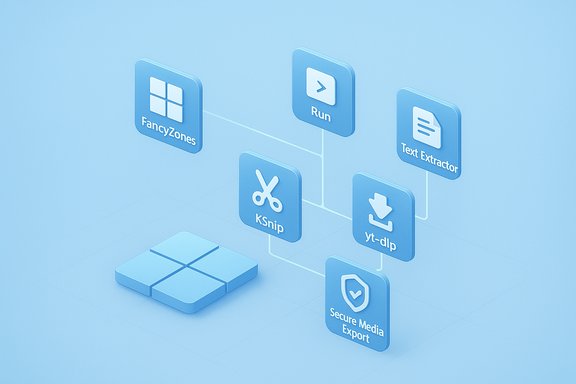
Windows has always shipped a baseline set of utilities that cover basic use cases: a calculator, a screenshot tool, a simple media player and file manager. Over decades, power users have relied on a small ecosystem of free and open‑source apps to restore missing capabilities or dramatically improve productivity. The trio highlighted by How‑To Geek represents three distinct categories where lightweight tools outperform or extend built‑in choices:- command‑line multimedia downloading and conversion (yt‑dlp),
- modular system productivity utilities (Microsoft PowerToys),
- focused screenshot capture and annotation (KSnip).
Why “tiny” apps matter: the productivity case
Modern workflows reward specialization. An app that does one thing extremely well—launching quickly, staying out of the way, and providing predictable, scriptable behavior—often beats a monolithic suite that tries to satisfy everyone and becomes bloated.- Lightweight apps reduce attack surface, boot impact, and user cognitive load.
- Being open‑source brings transparency, auditability, and community‑driven fixes.
- Small footprint + scriptability = the perfect fit for enterprise imaging, automation, and power‑user toolchains.
yt‑dlp — a command‑line Swiss Army knife for media
What it is and what it does
yt‑dlp is a fast, actively maintained command‑line downloader and post‑processor derived from the youtube‑dl lineage. It supports complex format selection, playlist downloads, live streams, partial downloads, SponsorBlock integration, and advanced post‑processing via FFmpeg. The official project describes support for “thousands of sites” and ships a comprehensive supported‑sites list in the repository. Independent packaging and documentation pages similarly describe yt‑dlp as supporting well over a thousand extractors, and different community references have reported counts in the 1,000–1,700+ range depending on when the snapshot was taken. The exact number fluctuates because extractors are continuously added, merged, or removed as sites change their front ends. This makes a precise, static site count misleading unless checked in real time on the project’s supported‑sites manifest.Verified technical capabilities
- Cross‑platform binaries for Windows, macOS, and Linux are provided, and Windows users commonly run the standalone yt‑dlp.exe to avoid Python dependency issues.
- Advanced download options include format selection (-f), merging video+audio with FFmpeg, concurrent fragment downloading, partial downloads (time ranges and chapters), and playlist handling. The README documents these options exhaustively.
- Integration with browser cookies for authenticated downloads, batch processing through URL lists, and a self‑update mechanism (-U) are standard. Community guides show winget/pip/standalone install paths for Windows.
Strengths
- Speed and control: targeted format selection and ability to stream to FFmpeg make large conversions efficient.
- Coverage: a huge extractor list lets users download from sites that otherwise offer no clean offline option.
- Scriptability: all operations can be automated in shells, scheduled tasks, or GUI front‑ends, enabling reproducible workflows.
- Privacy: local downloads avoid third‑party conversion sites that are often ad‑heavy or tracker‑filled.
Real risks and caveats
- Legal and ToS considerations: downloading content can violate site terms or content licenses. The tool is neutral technology; responsibility for lawful usage rests with the user.
- Fragility vs. site updates: extractors break when sites change. Active maintenance mitigates this, but users may need the latest nightly builds to keep pace. Community threads report periods where rapid site changes required frequent updates or switching to nightly builds.
- Malware and fake builds: always download official binaries from the repository or use package managers with verified sources.
- Anti‑cheat / enterprise policies: using automated downloaders in corporate environments may conflict with acceptable‑use policies.
Practical suggestion for Microsoft
Windows could adopt the best parts of yt‑dlp’s model without shipping a full downloader: provide a secure, sandboxed “media export” API that third‑party apps (and a vetted Microsoft‑maintained converter) can call to perform conversions and offline saves. That would give users a safe pathway for legitimate offline use while centralizing security review and telemetry controls.Microsoft PowerToys — the modular productivity toolbox
What PowerToys is today
PowerToys is an official Microsoft‑hosted, open‑source suite of small utilities that target frequently requested OS features: FancyZones (advanced window tiling), PowerToys Run (Spotlight‑style launcher), PowerRename, Image Resizer, Keyboard Manager, Text Extractor (OCR), Peek (preview), and more. Microsoft documents FancyZones and other utilities in its Learn portal and maintains the project on GitHub. Recent development shows Microsoft actively evolving PowerToys: features such as Workspaces (saved app layouts), hotkey conflict detection, and improved accessibility options have been added or previewed in 2024–2025 releases. These additions illustrate PowerToys’ role as a rapid‑iteration sink for OS‑level quality‑of‑life features.Key features that justify bundling or closer integration
- FancyZones: robust, customizable window layouts that surpass built‑in Snap Layouts by letting users design arbitrary grids, multi‑monitor templates, and keyboard shortcuts for zone assignment. FancyZones is a clear productivity multiplier for developers, designers, and traders who use multi‑window workflows.
- PowerToys Run: a low‑latency launcher with plugin support for calculations, symbolic searches, and file launching — a direct productivity win over slower built‑in search.
- Text Extractor: on‑device OCR to copy text out of images and video frames — valuable for documentation workflows and privacy‑sensitive tasks.
Strengths
- Official stewardship: because Microsoft maintains the repo, PowerToys enjoys a higher trust bar than unknown third‑party tools.
- Modularity: users enable only needed modules, minimizing background overhead and reducing risk to stability.
- Rapid experimentation: PowerToys acts as a testbed for UX features Microsoft could later fold into Windows itself.
- Enterprise distribution: PowerToys is scriptable and deployable (winget, MSIX), which makes it simple for IT to manage.
Risks and considerations
- Bloat creep: bundling every PowerToys module into core Windows would increase the OS footprint and complicate servicing. The right pattern is optional components or a curated “power user” optional feature set in Settings.
- Hotkey collisions and system conflicts: with many modules relying on global shortcuts, the app is a source of keyboard conflicts. Recent updates introduce conflict detection, but system‑level management is needed to avoid surprising behavior.
- Accessibility and maintainability: pushing PowerToys features into Windows requires Microsoft to own long‑term compatibility and accessibility testing across Insider rings and enterprise images.
Practical recommendation for Microsoft
Ship a subset of PowerToys as optional, attestable Windows components (e.g., FancyZones, Run, Text Extractor) that are disabled by default and available via Settings → Optional features or the Microsoft Store. Expose Group Policy/Intune controls for enterprises and continue distribution through GitHub for power users who want bleeding‑edge updates. This provides choice without inflating the default image.KSnip — focused capture and annotation with cross‑platform polish
What KSnip offers
KSnip is a Qt‑based, cross‑platform screenshot and annotation tool that runs on Windows, Linux (multiple Wayland/X11 modes), and macOS. Its feature set includes multiple capture modes, a tabbed editor, annotations (arrows, text, shapes), blur/pixelate obfuscation, filename wildcards, plugins (OCR), and direct upload support for Imgur and FTP. KSnip’s upstream README lists these capabilities and binaries for the major platforms. The How‑To Geek summary that prompted this discussion emphasizes KSnip’s tabbed workflow and built‑in upload options, which materially speed documentation and multi‑screenshot workflows compared with the stock Snipping Tool.Strengths
- Cross‑platform parity: authors and support staff who work across macOS, Windows, and Linux get a single consistent tool.
- Tabbed workflow: automatic tabs for each screenshot avoid repetitive open/save cycles; ideal for tutorial writers and technical documentation.
- Built‑in obfuscation and annotation: blur/pixelate, arrows, and text reduce the need to open Photoshop or other editors for simple edits.
- Direct upload automation: Imgur and FTP uploads let teams centralize images for publication workflows without manual sync steps.
Risks and caveats
- Plugin trust and security: any plugin (e.g., for OCR) adds maintenance and potential privacy vectors; KSnip’s plugin model requires users to vet plugin sources.
- Wayland restrictions: on some Linux Wayland compositors, non‑portal screenshots require compositor support or will be restricted — an issue documented in the project README. Those specifics matter more for Linux users than for Windows.
- Duplicative OS features: Windows 11 has gained screenshot and quick edit features, so Microsoft needs to assess overlap before integrating KSnip‑like functionality wholesale.
Practical recommendation for Microsoft
Rather than merging KSnip directly into Windows, Microsoft should iterate on the existing Snipping Tool with two priorities: tabbed capture (or a temporary clipboard history for screenshots) and richer, non‑destructive annotation tools (blur/pixelate, stickers, and quick export/upload options). If a cross‑platform, open‑source codebase fits, Microsoft could sponsor interoperability (e.g., a WinUI front end that talks to the existing KSnip backend) or adopt select UX patterns.Security, licensing, and deployment considerations across the three apps
- Licensing and auditability
- All three projects are open source (yt‑dlp uses an Unlicense/public domain style approach; KSnip is GPL‑3.0; PowerToys is MIT/OSS under Microsoft stewardship). Open licenses simplify corporate adoption but require compatibility checks for redistributed binaries inside enterprise images.
- Update channels and supply‑chain safety
- PowerToys benefits from Microsoft’s infrastructure (Microsoft Store, GitHub). yt‑dlp and KSnip rely on GitHub releases; enterprises must pin vetted versions and use internal update policies to avoid accidental regressions or supply‑chain attacks.
- Legal compliance and acceptable use
- yt‑dlp specifically raises the greatest legal concern because downloading content may be prohibited by site terms or copyright law. Organizations should restrict usage to lawful, permitted content and consider blocking unsigned or unapproved downloader tools on managed devices.
- Anti‑cheat and kernel‑level conflicts
- Any tool that injects code or modifies window behavior (PowerToys modules that hook into Explorer or UI processes) must be tested against anti‑cheat and virtualization (WVD, Citrix) environments. Microsoft should provide an enterprise compatibility matrix before wider bundling.
How Microsoft could responsibly “build these into Windows”
Microsoft already uses a hybrid model for certain capabilities: small features live in Settings, experimental tools iterate in PowerToys, and enterprise features are exposed via Group Policy or Intune. A practical, low‑risk plan to elevate the best of these small apps:- Optional feature bundles (recommended)
- Create an “Advanced Productivity” optional feature in Settings that users can enable at install or later. This bundle would include:
- FancyZones‑style advanced tiling (official implementation)
- A vetted, privacy‑first launcher (PowerToys Run‑equivalent)
- A richer annotation and screenshot editor (KSnip‑inspired)
- Keep modules disabled by default to avoid bloat.
- App sandboxing and attestation
- Provide a sandboxed API for multimedia exports (for example, a system service that performs format conversions securely), letting third‑party tools request conversions without exposing credentials or browser cookies.
- Enterprise controls
- Expose explicit Group Policy and Intune controls to allow or block downloader tools like yt‑dlp, or to limit their network access. Offer a vetted, Microsoft‑maintained downloader for enterprises that need local media exports for LMS or archival workflows, with strict telemetry and license checks.
- Community contribution paths
- Offer an “OS features by request” program where open‑source projects can propose hardened modules; Microsoft engineers can assist upstream to stabilize and integrate upstream components under an overt compatibility SLA.
Final verdict — what to adopt, what to leave standalone
- Adopt (or expose as optional, supported components): the best PowerToys modules (FancyZones, Run, Text Extractor) because they are low risk, high ROI, and already maintained under Microsoft’s stewardship.
- Learn from KSnip’s UX: tabbed capture and native blur/pixelate should be part of the built‑in Snipping Tool without forcing Windows to bundle the entire project. KSnip remains an excellent cross‑platform alternative for users who need immediate parity across OSes.
- Treat yt‑dlp as an advanced third‑party tool: the underlying technical achievement is impressive and legitimate for many personal or archival scenarios, but its legal and policy implications make it unsuitable for unconditional bundling in a mainstream consumer image. Microsoft could, however, build safe, auditable export APIs and an optional, vetted media export tool for enterprise scenarios.
Practical day‑one checklist for Windows power users
- Install PowerToys from the Microsoft Store or winget and enable only the modules you need (FancyZones, Run, Text Extractor).
- Use KSnip for documentation workflows that must span Windows, macOS, and Linux, and enable Imgur/FTP upload only from trusted networks.
- If you need robust downloads and conversions, install yt‑dlp + FFmpeg and pin versions via winget or a corporate package cache; avoid ad‑filled web converters. Check yt‑dlp’s supported‑sites manifest before relying on a specific extractor.
Closing analysis: small apps, big impact
The How‑To Geek recommendation that these lightweight, open‑source tools “should be built into Windows 11” is less a literal plea to ship their code and more an argument for Windows to embrace the small, battle‑tested features these projects provide: reliable tiling and workspace tools, quick and powerful capture/annotation, and a secure path for legitimate offline media exports. Each app represents a clear productivity vector, but each also highlights a different integration challenge—licensing, telemetry and update trust, legal risk, and OS stability.If Microsoft wants to keep Windows accessible to both mainstream and power users, the right pattern is modular adoption: ship the high‑value, low‑risk pieces as optional features (with enterprise controls), continue to support a healthy third‑party ecosystem, and provide secure system APIs that let well‑audited tools expose advanced functionality without compromising platform integrity. That approach preserves choice while making power easy and safe for everyone.
Source: How-To Geek These lightweight open-source apps should be built into Windows 11
