

Windows 10’s longevity isn’t an accident — it’s the product of a deliberate balance between familiarity, compatibility, and a pragmatic security model that many users and organizations still trust, even as Microsoft pushes forward with Windows 11 and a new Copilot-driven ecosystem. What reads like nostalgia is often a rational choice: users who “shop Windows 10” or search for ways to continue using it are responding to clear technical trade-offs, lifecycle timelines, and real-world workflows. The practical calculus — can my hardware run Windows 11? will my key apps and peripherals still work? — still favors staying put for a meaningful portion of the installed base, and that reality drove market behaviour during the Windows 10 sunset period.
Windows 10 shipped in 2015 and grew into a stable, widely supported platform across consumer, enterprise, education, and gaming segments. Microsoft’s official lifecycle ended free mainstream updates for Windows 10 on October 14, 2025 — a hard milestone that fundamentally changed upgrade decisions for millions of devices. Microsoft’s lifecycle and support documentation confirm that date and outline upgrade and Extended Security Update (ESU) options for users who need more time to migrate. That official end-of-support deadline created three distinct choices for Windows 10 users:
At scale, these choices affect supply chains and OEM strategies. Vendors with clear upgrade pathways, TPM-enabled SKUs, and strong trade-in narratives captured more of the replacement demand. For smaller organizations and individual buyers, Apple’s integrated model — where hardware and software are guaranteed to work together — looked attractive against the technical uncertainty of upgrading older PCs to Windows 11. Industry commentary from Q3–Q4 refresh cycles underscores this nuance.
For users who care about minimal friction, broad software compatibility, and a familiar interface, Windows 10 represented a rational, risk-managed decision to stay. For those ready to adopt modern security foundations and AI-driven features, moving to Windows 11 and Copilot-enabled PCs made sense — if the hardware and application stack supported it.
Ultimately, the practical guidance remains the same: inventory your environment, test critical applications, and choose the path (upgrade, ESU, or replacement) that aligns with your security posture, cost constraints, and long-term productivity goals. The EOL moment was an inflection, not the end of the story — and the best outcomes come from measured planning rather than a rushed reaction to prompts or deadlines.
Source: The Ritz Herald Understanding Why Several Users Continue to Prefer Shopping for Windows 10 | The Ritz Herald
 Background / Overview
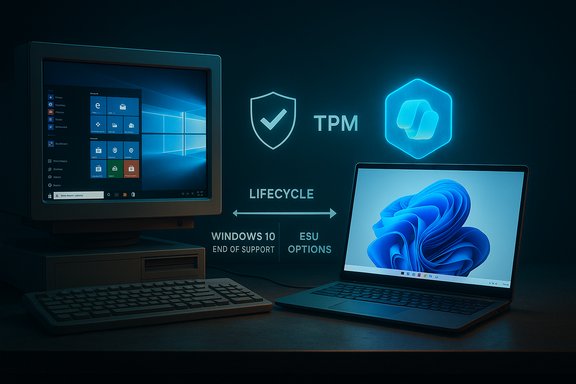
Windows 10 shipped in 2015 and grew into a stable, widely supported platform across consumer, enterprise, education, and gaming segments. Microsoft’s official lifecycle ended free mainstream updates for Windows 10 on October 14, 2025 — a hard milestone that fundamentally changed upgrade decisions for millions of devices. Microsoft’s lifecycle and support documentation confirm that date and outline upgrade and Extended Security Update (ESU) options for users who need more time to migrate. That official end-of-support deadline created three distinct choices for Windows 10 users:- Upgrade to Windows 11 on compatible hardware.
- Buy a new Windows 11 PC (or pick an alternative platform).
- Enroll eligible devices in Microsoft’s consumer ESU program (a paid, temporary bridge).
Why Windows 10 still draws buyers and holdouts
Windows 10’s continued popularity stems from several technical and psychological factors that interact in practical ways. These drivers are consistent across home users, IT administrators, and specialized verticals.1. Compatibility with legacy hardware and software
Windows 10 runs on a far wider range of older hardware than Windows 11 does out of the box. Microsoft’s Windows 11 system requirements — which include a UEFI, Secure Boot-capable system and TPM 2.0 — leave many otherwise functional machines ineligible for a supported upgrade. For users whose CPU generation, firmware, or TPM support fail the checks, replacing hardware is often the only fully supported path. Microsoft’s official Windows 11 requirements explicitly list TPM 2.0, UEFI/Secure Boot, and DirectX 12–compatible graphics as baseline prerequisites. That gap pushed some buyers to either buy a new device (including Macs, where hardware compatibility is not in question) or remain on Windows 10 and pay to extend security support. The market reaction around the Windows 10 EOL demonstrated that compatibility friction is a major purchase driver — summarized in industry snapshots and community reports.2. Familiarity, low-friction workflows, and customization
Windows 10’s user interface and settings have been refined over years; many users built workflows, hotkeys, and third-party toolchains around the OS. The Start Menu, Task View, Snap Assist, and virtual desktops are mature features in Windows 10 and are central to productivity for power users. These multitasking conveniences — dragging to snap windows, keyboard shortcuts, and multiple desktops — are practical usability anchors that users don’t want to relearn if their current setup is working. Microsoft documentation and community guides describe these features in detail and show their persistence across Windows releases. Customization is another factor: Windows 10 historically allowed deeper taskbar and Start Menu tweaks, local-account workflows, and more flexible update controls than Windows 11’s initial releases. For individuals and IT admins who prize predictable environments and scriptable configurations, the maturity of Windows 10 reduces upgrade risk.3. Security baseline plus predictable lifecycle options
“Reliability” for many buyers means a known security posture. Windows 10 bundled important integrated protections — Microsoft Defender Antivirus, BitLocker device encryption, Windows Hello biometrics — giving most users a defensible security stack without immediate third‑party purchases. BitLocker and Windows Hello provide device encryption and biometric sign-in respectively, and Microsoft’s docs and support pages explain how these features work across Windows 10 and Windows 11. Crucially, Microsoft offered a consumer ESU option — a one-year bridge with a $30 enrollment or equivalent Microsoft Rewards redemption — so users unwilling or unable to upgrade immediately could obtain critical security updates for a controlled period. Microsoft’s ESU pages and support guidance describe the pricing and enrollment models that shaped many purchase decisions near the EOL deadline.4. Strong ecosystem and support channels
Windows 10’s large installed base created a rich community and commercial support ecosystem: OEM drivers, ISV compatibility testing, forums, and third-party tools. Community-sourced solutions — from driver workarounds to migration checklists — reduce the friction of staying with or leaving Windows 10, and they often make sticking with the older OS the least costly option for certain user groups. Community discussions and archived posts document this dynamic repeatedly.Technical strengths users still cite
Windows 10’s enduring technical appeal is not mystical; it’s practical and demonstrable.- Mature graphics and gaming support. Windows 10 supports DirectX 12, which brought big gains to gaming and GPU utilization when it arrived. While DirectX 12 Ultimate and newer features became more tightly coupled with Windows 11 over time, baseline DirectX 12 support remains a strong foundation for gaming and content creation on Windows 10 machines. Microsoft and independent guides document DirectX distribution across Windows versions.
- Integrated security stack. Microsoft Defender Antivirus (built into Windows 10) continues to provide real‑time protection and receives ongoing security intelligence updates. Microsoft confirmed a window of extended defender intelligence updates after the OS EOL, and guidance reflects that Defender will receive signature and intelligence updates for a defined period even after core OS support ends — though Defender alone is not an adequate substitute for OS hotfixes.
- Device encryption and identity. BitLocker and Windows Hello are built-in capabilities that tie encryption and authentication to TPM and OS-level controls, enabling enterprise-grade security patterns without additional licensing for many use cases. Microsoft documentation provides detailed management and policy guidance for both.
- Multitasking tools and window management. Snap Assist, Task View, and virtual desktops are core productivity features that many users rely upon day-to-day. Microsoft and multiple tech outlets describe how these features improve workflow and why they're valued by users who “don’t want to relearn everything.”
Where the “shop Windows 10” behavior meets market forces
The EOL forced an economic decision-point: upgrade hardware, buy a consumer ESU, or adopt a different OS. Industry trackers and community reports showed a short-term refresh wave: some users purchased new Windows 11 systems, but a measurable slice opted for MacBooks or other platforms because of perceived lower friction and predictable hardware integration. Analysts and vendor data framed this as a procurement and migration story more than a pure platform rejection. The marketplace responded: OEM promotions, trade-in offers, and educational discounts influenced choices and softened replacement costs.At scale, these choices affect supply chains and OEM strategies. Vendors with clear upgrade pathways, TPM-enabled SKUs, and strong trade-in narratives captured more of the replacement demand. For smaller organizations and individual buyers, Apple’s integrated model — where hardware and software are guaranteed to work together — looked attractive against the technical uncertainty of upgrading older PCs to Windows 11. Industry commentary from Q3–Q4 refresh cycles underscores this nuance.
Security trade-offs and real risks
Staying on Windows 10 past its supported lifecycle is a deliberate trade-off — and it carries measurable risks.- OS-level vulnerabilities will stop being fixed for non-ESU machines after the EOL date. That means zero-days discovered in Windows code will not receive Microsoft patches for unsupported devices. Microsoft’s lifecycle pages and security guidance make this explicit.
- Microsoft will continue security intelligence updates for Microsoft Defender through a defined window (with public guidance referencing continuity until 2028 for defender intelligence), but signature updates cannot substitute for kernel- or OS-level patches that close newly discovered exploitation vectors. Security teams and Microsoft’s own Q&A emphasize that Defender alone is insufficient to mitigate the lack of OS updates.
- Third-party ISVs and hardware vendors may stop supporting Windows 10 in new drivers and app versions, creating compatibility gaps over time. The practical result is increasing operational friction for users who delay migration indefinitely. Microsoft guidance for Office and Microsoft 365 app support also clarifies timelines for app-based compatibility and support.
The UX argument: comfort vs. capability
The UX case for staying with Windows 10 is both emotional and functional.- Emotional: long-term users are accustomed to muscle memory, custom themes, and extension toolchains that are not always portable. That “it just works” feeling yields real productivity value.
- Functional: systems with legacy peripherals, industry-specific applications, or tightly controlled endpoint management may not have straightforward upgrade paths. For many businesses, an OS migration triggers an IT project with budgets, testing cycles, and training costs.
Practical guidance for shoppers and IT buyers
- Inventory and eligibility check.
- Run the PC Health Check or check firmware for TPM 2.0 and Secure Boot. Microsoft provides step-by-step guidance for enabling TPM where it exists but is disabled. If your PC meets Windows 11 requirements, the path to a free upgrade is typically straightforward.
- Evaluate critical applications and peripherals.
- Test legacy apps in a staging environment or on a virtual machine before mass migration. Some ISVs released updated compatibility statements; others did not.
- Determine risk tolerance.
- If your device cannot be upgraded and you handle sensitive data, enroll in ESU or replace hardware. Microsoft’s consumer ESU program and enterprise options provide clear enrollment paths and costs.
- Consider alternatives where appropriate.
- Linux distributions, ChromeOS Flex, or macOS are viable for specific workloads, but they may not support Windows-only line-of-business applications or certain anti-cheat/game drivers without additional work. Community reports and distro adoption metrics illustrate trial spikes but show that sustained migration requires readiness across drivers and ISVs.
- Plan staged rollouts for organizations.
- Use imaging, driver testing, and user training. Preserve rollback plans and data backups; ensure BitLocker recovery keys are recorded before making firmware changes or repartitioning drives. Microsoft’s BitLocker guidance and Intune policies explain common enterprise patterns.
Strengths and limitations of the “stay on Windows 10” approach
Strengths
- Predictability: Known behaviour, long‑tested drivers, and established admin tooling.
- Lower immediate cost: If hardware is serviceable, staying saves replacement expenses.
- Rich ecosystem: Compatibility for older enterprise applications and peripherals remains strong.
Limitations and risks
- Security exposure increases over time without OS-level patches.
- App and driver support will erode; new software targets modern platforms first.
- Consumer ESU is temporary; it buys time rather than providing a permanent solution. Microsoft’s own guidance frames ESU as a bridge to full migration.
What the data and community chatter reveal
Community reports and aggregated telemetry (from market trackers and vendor inventories) painted a consistent narrative: Windows 10 retained a big share of active devices at sunset, many devices were ineligible for Windows 11 due to TPM/CPU gating, and the EOL created a measurable replacement cycle. The real-world evidence shows nuance: some buyers chose Macs (for lower friction), some upgraded to Windows 11–compatible PCs, and some extended Windows 10 life via ESU or alternate OS migrations. These patterns were discussed across forums, industry analyses, and vendor reports — a mosaic that lines up with the practical guidance above.Critical analysis: strengths, strategic implications, and risks for Microsoft and users
Microsoft’s strategy — to transition users toward Windows 11 and Copilot-enabled PCs while offering a short-term paid ESU — was predictable from a platform governance perspective. The company created a security baseline (TPM 2.0 + Secure Boot) intended to raise the bar for firmware-level protections and to enable newer platform security services. That approach is defensible from a security-first standpoint, but it created friction:- Positives for Microsoft and partners:
- Accelerates hardware refresh cycles and OEM demand for modern, secure PCs.
- Aligns future platform security and AI features with hardware that supports them.
- Risks/negatives:
- Frustrates users with otherwise functional older hardware.
- Creates a window of negative sentiment that competitors can exploit (notably Apple and some Linux distributions saw momentary interest).
- Introduces privacy and telemetry concerns around Copilot and shopping/assistant features, which must be managed transparently.
Bottom line and conclusion
Windows 10 wasn’t merely kept alive by nostalgia; it remained useful because it solved real problems reliably — compatibility, customization, and predictable security behaviour. The “shop Windows 10” impulse was often buyers seeking a known-good outcome in the face of hardware gating and migration costs. Microsoft’s end-of-support timeline and ESU options gave users and organizations a structured set of choices, but those choices carried consequential trade-offs that the market responded to in visible ways.For users who care about minimal friction, broad software compatibility, and a familiar interface, Windows 10 represented a rational, risk-managed decision to stay. For those ready to adopt modern security foundations and AI-driven features, moving to Windows 11 and Copilot-enabled PCs made sense — if the hardware and application stack supported it.
Ultimately, the practical guidance remains the same: inventory your environment, test critical applications, and choose the path (upgrade, ESU, or replacement) that aligns with your security posture, cost constraints, and long-term productivity goals. The EOL moment was an inflection, not the end of the story — and the best outcomes come from measured planning rather than a rushed reaction to prompts or deadlines.
Source: The Ritz Herald Understanding Why Several Users Continue to Prefer Shopping for Windows 10 | The Ritz Herald
