

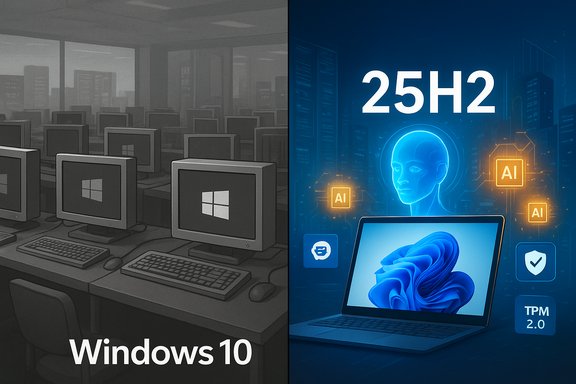
Microsoft’s 2025 refresh of Windows 11 landed with a thud rather than a parade: adoption crossed the symbolic majority mark, but the real picture is one of partial consolidation, persistent fragmentation, and a migration campaign that still hasn’t convinced a very large installed base to switch. StatCounter’s late‑2025 snapshots put Windows 11 at roughly 53.7% of active Windows desktop usage versus 42.7% for Windows 10, a lead that looks headline‑worthy until you dig into the context and the hardware, enterprise, and usability realities behind those numbers.
Background: the promise and the deadline
Microsoft’s strategy in 2025 was simple and urgent: make Windows 11 the platform for future security, AI features, and update cadence — and then make the cost of staying on Windows 10 economically and operationally higher by ending mainstream support on October 14, 2025. The end‑of‑support date is authoritative: Microsoft’s lifecycle pages and guidance made the deadline explicit and spelled out the migration options, including the Extended Security Updates (ESU) program and recommendations to upgrade eligible devices to Windows 11. That hard deadline was intended to force migration planning — across consumers, small businesses, and enterprises — but deadlines don’t erase practical constraints. Millions of Windows 10 devices are simply ineligible for Windows 11 because of hardware prerequisites (notably TPM 2.0, Secure Boot, and a limited set of supported CPU families), and a sizable portion of users prefer stability over change when “it just works.” The result is a simmering collision between Microsoft’s product roadmap and reality on the ground.Overview: what Microsoft shipped in 2025
25H2 and the “platform” approach
The focal point of Microsoft’s 2025 refresh was the Windows 11 25H2 update — a lightweight enablement package and platform hardening release intended to steer Windows 11 toward an AI‑first future while removing legacy cruft and resetting servicing baselines. Rather than a visual revolution, 25H2 emphasized:- Platform resiliency and security engineering improvements
- Removal of some legacy in‑box components
- A staged rollout model that keeps feature delivery continuous rather than tied to major yearly events
- Preparatory plumbing for tighter Copilot integration and on‑device AI agents
The Copilot and AI focus
2025 was the year Microsoft leaned into Copilot and Copilot+ PC branding. New integrations blurred the line between OS functions and AI assistants — search, contextual recall, and assistant‑driven workflows were surfaced throughout the shell. Some of these AI gains arrived in preview/Insider channels first, underpinning future stable‑channel rollouts and new hardware tie‑ins for Copilot+ PCs that advertise NPUs and other accelerators. The roadmap’s message was clear: Windows 11 is the vehicle for on‑device AI.The adoption story: numbers, nuance, and what they mean
Surface stats — impressive, but incomplete
The simple headline — Windows 11 is now the most‑used Windows desktop OS — is true by many web‑usage measures and is reflected in several trackers and press reports that put Windows 11 over the 50% mark in mid‑2025 and at ~53.7% by late‑2025. Multiple outlets independently reported StatCounter’s November 2025 figures showing that split. But two caveats matter:- StatCounter’s measure is web‑activity weighted, not an absolute installed‑base inventory. It samples pageviews across its panel and therefore reflects active web usage patterns, which can over‑ or under‑represent specific segments (gaming, consumer browsing, geographic variance).
- Behind the headline sits a very large number of devices that remain on Windows 10 for practical reasons — either eligibility barriers or deliberate risk‑management choices by enterprises and risk‑averse consumers. Estimates from industry reporting repeatedly place the Windows 10 population in the hundreds of millions, even as Windows 11’s installed base surpasses half of active web traffic. Forbes and multiple trade outlets cited the scale of the migration challenge, noting there are around 700 million Windows PCs still needing decisions (and tens to hundreds of millions that cannot upgrade without hardware replacements).
Regional and segment differences
Adoption is heterogenous. North America and some consumer markets show faster uptake, while enterprise fleets, public sector, and regions with longer hardware refresh cycles lag. That explains why StatCounter can show a global majority for Windows 11 while the installed base measured in corporate asset lists still contains vast Windows 10 footprints. Microsoft’s own ESU offerings and commercial migration guidance acknowledged this multi‑speed reality.Stability and quality: patched, but still fragile
2025 was as much a year of fixes as it was of features. Microsoft’s servicing teams delivered several important targeted updates intended to reduce upgrade failures and improve recovery reliability — notably a series of Safe OS (WinRE) dynamic updates and Setup dynamic updates released in December 2025 to refresh the Windows Recovery Environment and setup binaries. These dynamic updates are deliberately surgical and in some cases irreversible when integrated into a WinRE image, so they require testing in enterprise imaging pipelines.Yet the cadence of fixes produced high‑visibility regressions as well. A recurring pattern emerged: ship refinements, close one problem, and — in a few cases — introduce new nuisances or user‑visible bugs. The most meme‑worthy example of late 2025 was a preview/servicing patch that made the password sign‑in icon invisible on the lock screen. The icon could still be clicked — but users without PIN or Windows Hello became confused and irritated by the workaround. That incident crystallized the perception among some users that updates still carry UX regressions that are hard to excuse given Microsoft’s scale. Why this matters operationally:
- For enterprises, even small regressions in sign‑in flows or recovery components can translate to help‑desk spikes and measurable downtime.
- For consumers, high‑visibility quirks erode trust and give holdouts an easy reason to delay upgrades.
- For imaging teams, irreversible changes to WinRE require updated golden images and tested rollback strategies.
The hardware compatibility cliff: a gating factor for success
One of the clearest constraints on adoption is hardware eligibility. Windows 11’s baseline — TPM 2.0, UEFI Secure Boot, and a supported CPU list — left a meaningful proportion of Windows 10 PCs unable to upgrade in place. Industry estimates in 2025 suggested hundreds of millions of PCs would need either firmware updates (where possible) or hardware replacement to meet the Windows 11 prerequisite set. Microsoft’s tooling (PC Health Check) and BIOS‑level toggles can help some users, but many are effectively locked out without new hardware. The consequences:- A forced hardware refresh cycle that is costly for consumers and for organizations with large inventories.
- A secondary market effect: some holdouts opted for MacBooks or Chromebooks instead of upgrading to Windows 11, particularly when cost or lifecycle timing favored switching platforms. Market shipment reports in 2025 showed a refresh bump that partly benefited Apple’s Mac lineup.
Enterprise migration, ESU economics, and the procurement wave
For IT leaders, 2025 was triage and planning. The options were clear: upgrade eligible devices in place to Windows 11, buy ESU coverage for a time‑boxed period, or accelerate hardware refresh programs that align with Copilot+ and AI‑ready device procurement.Key operational facts:
- Extended Security Updates are available as a temporary, paid bridge for Windows 10 devices that cannot immediately migrate, but ESU pricing and multi‑year costs make it a limited path. Microsoft documented consumer and enterprise ESU options and guidance well in its lifecycle materials.
- Procurement windows tightened: October 14, 2025 created a procurement deadline that translated into a Q3–Q4 refresh spike for many vendors. Analysts tracked positive shipment growth in late 2025 driven in part by this calendar‑driven replacement wave.
- Migration is not just technical — it’s a business decision informed by cost‑benefit, application compatibility testing, and risk tolerance. Many organizations chose a phased migration, balancing ESU purchases for legacy systems while refreshing mission‑critical endpoints early.
Windows 12: rumor mill and expectations
Expectations about Windows 12 were pervasive throughout 2025, but official signals were limited. Microsoft repeatedly signposted a focus on extending Windows 11’s lifecycle and on making Copilot and on‑device AI central to the platform’s evolution, which implied the company was comfortable squeezing more life out of Windows 11 rather than rushing a disruptive new major version. Insider builds and preview updates in late 2025 deepened AI integrations and added protocols for agent‑to‑app interactions — important steps regardless of what the next major release is called.The bottom line on Windows 12: the roadmap is speculative in public reporting. There are credible signals that Microsoft will continue to evolve the platform around AI and device‑level accelerators, but any definitive Windows 12 timeline remained unconfirmed at year‑end and should be treated as rumor until Microsoft publishes a formal announcement. Treat Windows 12 talk as a marketing and product‑development narrative, not a delivery schedule.
Strengths of the 2025 refresh
- Security posture improvement. Windows 11’s hardware‑backed security model (TPM, Secure Boot) and continuous servicing model allowed Microsoft to push greater baseline protections — important when threat actors continue to target endpoints. The end‑of‑support mechanics and ESU options gave organizations clear choices to preserve security while migrating.
- AI integration and future proofing. Copilot and agent frameworks embed new interaction models into the OS. For users and organizations looking to adopt on‑device AI workflows, Windows 11 delivered a usable platform and an ecosystem of Copilot+ hardware partners. These moves position Windows to take advantage of NPU‑driven capabilities on newer devices.
- Operational improvements under the hood. Microsoft’s targeted dynamic updates to WinRE and setup components reduce the incidence of setup and recovery failures in the long term — important for imaging teams and help desks when the changes are carefully tested and deployed.
Weaknesses and risks
- Fragmented adoption and continued Windows 10 presence. The persistence of Windows 10 on a large installed base suggests Microsoft’s messaging and upgrade mechanics were necessary but insufficient to force rapid migration. That fragmentation raises support and compatibility complexity for ISVs and enterprises.
- Hardware gating creates inequality. The hardware requirements for full Windows 11 experiences created a two‑tiered reality: those who can upgrade to unlock AI features and those who cannot without spending on new devices. That contributes to environmental and economic concerns around device replacement cycles and digital divides.
- Update regressions and user trust erosion. High‑profile bugs (the invisible password icon, occasional WinRE regressions seen in earlier emergency fixes) feed narratives that Microsoft still ships user‑visible regressions in service updates, undermining confidence in frequent, automatic updates. That perception matters when many holdouts prize stability over novelty.
- Unclear value for some users. For many workplaces and users, Windows 11’s incremental UX changes and AI promises haven’t yet translated to compelling day‑to‑day benefits that justify device replacement costs or migration overhead. That slows organic adoption and increases reliance on regulatory or lifecycle deadlines to create change.
Practical guidance for IT and power users
- Audit and segment your estate now: identify upgrade‑eligible devices, VMs, and those that require hardware replacement.
- Prioritize mission‑critical endpoints for controlled pilot upgrades to validate application compatibility and recovery workflows.
- Test and inject Safe OS/WinRE dynamic updates in lab images before pushing them broadly; build rollback strategies and updated PXE/USB rescue media.
- Evaluate ESU as a tactical bridge only — calculate multi‑year ESU costs versus a phased refresh program.
- If considering migration to Copilot+ hardware, weigh tangible productivity gains today against vendor lock‑in and TCO over 3–5 years.
- These steps are practical, technical, and cost‑driven — the right mix depends on organizational risk tolerance and procurement cycles.
Verdict: was 2025 a “successful” refresh?
Success depends on what metric you use.- If the target was getting Windows 11 to a majority of active web‑using desktops, Microsoft succeeded — Windows 11 cleared the 50% mark in 2025 and moved into a global lead on many usage trackers.
- If the goal was a smooth, near‑total migration from Windows 10, the year fell short. A stubbornly large Windows 10 installed base remains, practical hardware barriers locked out many users, and a sequence of visible bugs and required emergency fixes undercut the narrative of a polished platform that was “ready.” For many observers, the 2025 effort solidified Windows 11 rather than perfected it — Microsoft patched, re‑patched, nudged, and in some cases annoyed users until migration became an inevitability rather than an eagerly adopted improvement.
Final note: watch the plumbing, not just the headlines
The 2025 Windows 11 story is a reminder that platform transitions are not just marketing exercises or checklist achievements. They are a complex interplay of hardware eligibility, enterprise procurement cycles, security imperatives, and user sentiment. Microsoft can and did move the needle: Windows 11 became the platform for post‑Windows‑10 security and AI innovation. But the world’s PC estate is big, messy, and slow to change — and for many organizations and users, stability remains the single most persuasive feature.As Microsoft closes the Windows 10 chapter and continues to refine Windows 11 (and the rumoured next major version), the practical measures that will define long‑term success are not only adoption percentages but reduced support burdens, fewer recovery‑time incidents, and AI features that deliver tangible day‑to‑day value without compromising privacy or reliability. The refresh was real; the victory is partial; the work is ongoing.
Source: IT Brief New Zealand https://itbrief.co.nz/story/has-2025-seen-a-successful-refresh-to-windows-11/
