

Windows 11 has finally pulled ahead of Windows 10 in headline market-share figures — but the victory is both narrower and more complicated than it looks. StatCounter’s recent desktop dataset shows Windows 11 as the plurality desktop Windows version, while a huge, stubborn base of Windows 10 machines remains active around the world. The story behind those numbers is a mix of measurement nuance, corporate inertia, hardware limits and deliberate choices by Microsoft that have extended Windows 10’s life far beyond what many assumed. The result is a migration that’s underway but far from complete, with major implications for consumers, IT departments, and PC OEMs.
Windows version tracking is often presented as a simple race: new OS launched, old OS fades. In reality, adoption curves are driven by many factors — what metric you use, which devices you count, corporate upgrade cycles, hardware compatibility, and the incentives Microsoft and OEMs apply.
For journalists and IT leaders, the right story is nuanced: Windows 11 has edged ahead in headline metrics, but Windows 10 remains a massive, operational reality — in homes, small businesses and many corporate fleets. The migration is real and accelerating, but it’s neither universal nor instantaneous. The practical outcome for most users will be a prolonged transition where security planning, firmware checks (TPM/Secure Boot), and deliberate lifecycle management matter more than sensational headline counts.
Source: KnowTechie Windows 11 Is Ahead, but Is Windows 10 Still King?
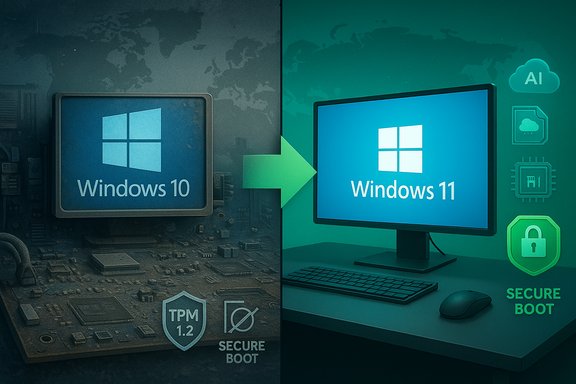 Background / Overview
Windows version tracking is often presented as a simple race: new OS launched, old OS fades. In reality, adoption curves are driven by many factors — what metric you use, which devices you count, corporate upgrade cycles, hardware compatibility, and the incentives Microsoft and OEMs apply.- StatCounter’s desktop pageview-weighted metric shows Windows 11 at roughly the majority/plurality mark in recent months, nudging past Windows 10 on that measurement.
- Vendor telemetry and industry calls (notably Dell’s Q3 2025 remarks) point to a very large installed base split between machines that can’t run Windows 11 at all and those that can but haven’t been upgraded. Those numbers have been widely cited — and should be read as vendor estimates rather than audited census figures.
- Microsoft formally ended mainstream support for Windows 10 on October 14, 2025, then offered a one‑year Extended Security Updates (ESU) bridge for consumers — available via several enrollment paths including a free option tied to the Windows Backup/OneDrive flow, Microsoft Rewards redemption, or a paid purchase. That policy materially softened the immediate upgrade pressure for many users.
The Numbers: What the trackers and vendors say
StatCounter’s signal — pageviews, not installed devices
StatCounter’s public “Desktop Windows Version Market Share Worldwide” is the figure most outlets now quote: recent snapshots put Windows 11 in the low‑to‑mid 50% range of desktop Windows pageviews, with Windows 10 sitting in the low‑40s. That’s the basis for the “Windows 11 is ahead” headlines. But StatCounter measures web traffic samples, not an inventory of every installed PC, which makes it directional rather than a perfect installed‑base census. The difference matters because device usage patterns — where people browse from, which devices are active online — can skew the metric. Key takeaway: StatCounter shows a milestone, but it’s a measurement of active web traffic by OS more than a device census.Vendor telemetry: Dell’s 1.5 billion framing
On Dell’s Q3 2025 earnings call, Jeff (Jeffrey) Clarke described the installed Windows base Dell tracks as roughly 1.5 billion devices, and he broke that down into:- About 500 million devices that can’t run Windows 11 because of age/hardware limitations (TPM, CPU family, Secure Boot and so on).
- About 500 million devices that can run Windows 11 but have not been upgraded.
How “nearly one billion” Windows 10 users appears in coverage
Several outlets have reported that almost a billion PCs remained on Windows 10 during and after Microsoft’s transition messaging. Those estimates are consistent with combining StatCounter proportions against rough global PC install base figures and vendor telemetry. However, that “nearly one billion” phrase is a high‑level aggregation (not an exact audit) and should be described as an estimate when used in planning or analysis.Why half can’t upgrade: the hardware reality
Windows 11 introduced stricter hardware baselines when it launched, and those requirements are the simplest explanation for why many devices can’t make the jump.The hard minimums — what matters
Microsoft’s consumer guidance lists the minimums to run Windows 11:- 64‑bit CPU on Microsoft’s approved list (1 GHz or faster, 2+ cores)
- TPM 2.0 (Trusted Platform Module) enabled
- UEFI firmware with Secure Boot capability
- 4 GB RAM and 64 GB storage minimums (practical upgrades generally need more)
- DirectX 12 / WDDM 2.x compatible GPU and 720p+ display
Practical implications
- Many corporate fleets were bought in bulk and will follow scheduled refresh cycles; pushing every machine to Windows 11 overnight would be expensive and disruptive.
- Home users with older hardware face either enabling dormant platform features (TPM/fTPM) if present, buying TPM modules for some desktops, or replacing the device entirely.
- Microsoft’s requirements were a deliberate security baseline tradeoff: better hardware‑rooted protections at the cost of excluding older devices.
Why the other half won’t upgrade (yet)
Even among machines that can run Windows 11, many remain on Windows 10. The reasons are behavioral, technical, and economic.- User inertia — “If it ain’t broke, don’t fix it.” For many individuals the benefits of Windows 11 don’t justify an upgrade hassle.
- App compatibility — Some business apps, printers, virtualization tools, and custom workflows still certify on Windows 10 first. IT teams prefer a phased program.
- Perceived marginal value — For users who mainly browse, stream and run Office, Windows 11’s cosmetic and some productivity enhancements feel incremental.
- ESU as a safety valve — Microsoft’s decision to offer a consumer ESU path through October 13, 2026 (free via Windows Backup/OneDrive sync or Microsoft Rewards redemption, or a one‑time paid option) effectively reduces the short‑term urgency for many households. That policy gave holdouts breathing room and removed some of the forced urgency that would otherwise drive faster migration.
What Microsoft’s ESU program really means
Microsoft’s consumer ESU offering is an unusual — and consequential — policy decision for a major platform retirement.- The program covers security updates only (no new features).
- Enrollment routes included: syncing settings via Windows Backup to OneDrive (free), redeeming 1,000 Microsoft Rewards points (free), or paying a one‑time fee (~$30 USD) to extend updates through October 13, 2026. A Microsoft Account is required for enrollment and some regional exceptions (EEA) were later applied.
- It softens the upgrade cliff for consumers, reducing alarm and immediate replacement demand.
- It gives IT shops more runway for coordinated migration planning without exposing users to unpatched systems.
- It alters the economics for OEMs: some customers will wait for ESU rather than buying immediate replacements, while others will still be driven by new AI‑centric hardware marketing.
Corporate migration reality: slow, deliberate, expensive
Enterprises rarely move as fast as consumer headlines suggest. The corporate world’s migration hesitance comes down to:- Hardware refresh cycles that are budgeted annually or multi‑yearly.
- Application compatibility testing for mission‑critical software.
- User retraining and change management costs for large fleets.
- Risk tolerance: many IT leaders prefer stability and incremental pilot programs over mass upgrades.
Strengths, risks and unresolved questions
Strengths of Microsoft’s approach and Windows 11 adoption trajectory
- Security baseline: Windows 11’s hardware requirements enforce a more consistent platform for modern security features like virtualization‑based protections and TPM‑anchored identity. That provides a real security benefit over legacy hardware.
- OEM opportunity: The split between “can’t upgrade” and “can upgrade but haven’t” creates a large refreshable market for new AI‑enabled PCs and NPU‑equipped devices — a growth vector OEMs are actively targeting. Dell and other vendors are positioning for that refresh cycle.
- Measured migration: The ESU program reduces the risk of mass‑breakage and gives administrators the time to plan safer migrations.
Risks and potential downsides
- Fragmentation and security exposure: A long tail of Windows 10 devices increases attack surface and creates heterogenous defense postures across consumers and SMBs. ESU is a bridge, not a permanent fix.
- Two‑tier user experience: Requiring cloud backup or Microsoft ecosystem ties for free ESU (outside certain regions) created controversy and privacy concerns; Microsoft later adjusted regional policy under regulatory pressure. This created inconsistent treatment of users globally.
- Measurement confusion: Relying on pageview metrics to call the “winner” obscures the installed‑base reality; a StatCounter lead is meaningful but not the final word for device counts or enterprise installations.
- Unsupported installs and warranty issues: Workarounds and registry hacks to install Windows 11 on unsupported hardware exist and are tempting for enthusiasts, but Microsoft explicitly warns that unsupported installs may be ineligible for updates and warranties. That creates risk for users who “force” the upgrade.
Unverifiable or vendor‑estimated claims (flagged)
- Dell’s 1.5B installed‑base split is an internally useful estimate and reported in earnings‑call transcription. It’s credible vendor telemetry but not an independently audited global device census; treat it as an informed commercial estimate rather than definitive proof.
- The “nearly one billion on Windows 10” phrasing used in coverage aggregates multiple datasets and assumptions; it’s a reasonable estimate but dependent on how you count active devices vs. web‑active devices. Flag it as an estimate when using it for planning.
Practical guidance: what to do (for consumers and IT)
For consumers (home users)
- Check compatibility
- Run Microsoft’s PC Health Check or check Settings > Update & Security to see whether TPM and Secure Boot are enabled. If TPM is present but disabled, enabling it in firmware often clears the barrier.
- Consider the ESU bridge only as a stopgap
- If your device is vital and not replaceable now, ESU can buy time, but plan to migrate to a supported platform before the ESU window ends.
- Think about alternatives for older hardware
- Lightweight Linux distributions or Chromebooks may be lower‑cost choices for very old devices; for many everyday tasks they are good substitutes until hardware is refreshed.
For IT and procurement teams
- Inventory and segment devices
- Prioritize mission‑critical systems and those with strict compatibility requirements for testing.
- Pilot at scale, then adopt staged roll‑outs
- Test with representative workloads and critical apps; use phased scheduling aligned with refresh budgets.
- Evaluate ESU use strategically
- ESU can be part of a staged migration plan, but budget for the replacement cycle and avoid relying on ESU long term.
The bigger picture: platforms, measurement and the PC market
This migration isn’t just about Windows 10 vs Windows 11. It reflects deeper market dynamics:- Measurement matters: Pageview‑weighted market shares (StatCounter) will lead headlines faster than installed‑base counts or enterprise inventory metrics. Journalists, CIOs, and procurement teams should be clear which metric they’re citing.
- Hardware lifecycle timing: PC refresh cycles, corporate procurement timing and the emergence of AI‑optimized hardware (NPUs, larger models running locally) will shape whether users migrate when Microsoft prefers or when budgets allow. Dell and OEMs see a big refresh opportunity but also face customers choosing ESU or delay.
- Policy choices have consequences: Microsoft’s decision to tie a free ESU path to cloud backup or Rewards redemption (with later regional carve‑outs) influenced migration velocity and provoked regulatory and consumer scrutiny. That’s a reminder that product lifecycle policy is as strategic as product design.
Conclusion — Who’s really “king”?
Windows 11’s lead in popular pageview metrics is a real milestone — and it marks a significant shift in active usage patterns online. But the crown is conditional. A very large, global Windows 10 installed base remains active; many devices are blocked by hardware requirements and many others are simply not moving because the immediate risk of staying on Windows 10 has been reduced by Microsoft’s ESU bridge.For journalists and IT leaders, the right story is nuanced: Windows 11 has edged ahead in headline metrics, but Windows 10 remains a massive, operational reality — in homes, small businesses and many corporate fleets. The migration is real and accelerating, but it’s neither universal nor instantaneous. The practical outcome for most users will be a prolonged transition where security planning, firmware checks (TPM/Secure Boot), and deliberate lifecycle management matter more than sensational headline counts.
Quick action checklist (one page)
- For curious consumers: run PC Health Check, enable TPM in UEFI if present, and back up before any OS upgrade.
- For risk‑averse households: ESU enrollment can buy time — but plan hardware replacement before ESU ends.
- For IT: inventory, pilot, stage, and budget — ESU is a bridge, not a migration strategy.
Source: KnowTechie Windows 11 Is Ahead, but Is Windows 10 Still King?
