

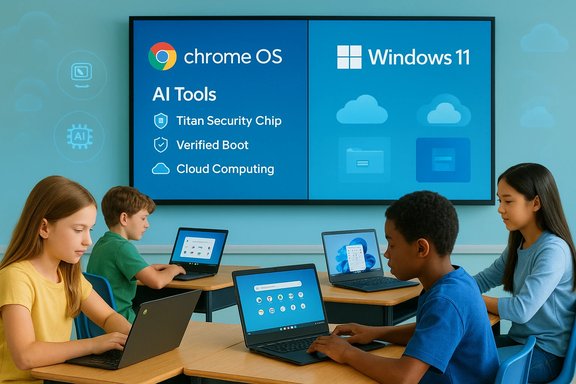
Chrome OS’s momentum is real — especially in education and low-cost hardware — but the case that it will topple Windows across consumers, enterprises, and power users is far from proven, and Microsoft has clear, defensible advantages that keep it comfortably in the fight for the foreseeable future.
Background
The debate that BetaNews and other outlets have been having — that Chrome OS presents a credible mass-market alternative to Windows — rests on three converging facts: Google has steadily improved Chrome OS (and introduced Chrome OS Flex for repurposed PCs), Chromebook shipments have rebounded thanks to education tenders and refreshed product lines, and Microsoft’s Windows 10 end-of-support calendar created a headlinle to pitch migration paths. Microsoft’s formal lifecycle position is clear: Windows 10 reached end of support on October 14, 2025. After that date, Microsoft stopped shipping routine security and feature updates for consumer editions of Windows 10 and pointed users to upgrade to Windows 11 or enroll in short-term Extended Security Updates (ESU). That deadline is a hard pivot point for many organizations and consumers weighing whether to upgrade, replace, or repurpose machines. At the same time, Google doubled down on a two-pronged strategy: (1) push Chromebook Plus hardware with integrated AI features and stronger hardware security, and (2) promote Chrome OS Flex as a free recycling/repurposing path for older PCs and Macs. Those moves gave Chrome OS a timely product narrative and a concrete playbook for districts, small businesses, and budget-conscious consumers.Where Chrome OS is genuinely strong
Education and procurement economics
- Chromebooks remain a dominant procurement choice in many school systems worldwide, and industry shipment data shows strong, education‑driven demand across 2024–2025. Vendor shipment tallies for H1 2025 indicate millions of Chromebook units moved globally, and analysts attribute much of that growth to school refresh programs and targeted public funding. For districts buying at scale, Chromebook pricing, remote manageability, and low-touch maintenance are compelling.
- The economics are straightforward: lower device cost + centralized management + cloud-based apps = lower total cost of ownership for many education scenarios. That combination is an unusually high-value wedge for Google in classrooms where Windows legacy apps are rarely requirepeed, and predictable updates
- Chrome OS’s lightweight architecture delivers fast boot times, consistent performance on modest hardware, and staged, largely background updates that reduce user friction compared with Windows feature-update cycles. For non‑technical users who primarily use web apps, the user experience often “just works.” This simplicity is a major reason many individuals and institutions prefer Chromebooks.
Security architecture that reduces certain risks
- Chromebooks use features like Verified Boot, sandboxing, and hardware-backed keys (on certified devices with Titan chips) that reduce exposure to many traditional file‑based malware threats. Google’s marketing point that Chromebooks have had no documented classic virus outbreaks is a reflection of those architectural choices and of telemetry that shows a lower incidence of traditional malware in the Chrome OS fleet. However, that assertion is a promotional shorthand and needs context (see the security caveats section below).
AI and feature differentiation in premium SKUs
- Google’s Chromebook Plus line bundles on-device and cloud AI features — Gemini integration, Magic Editor for Photos, and bundled AI subscriptions in promotional windows — along with hardware features like the Titan C2 chip in many new models. Those OEM + Google packages improve the value proposition for productivity and creative use cases that do not require native Windows software.
Why Microsoft still doesn’t need to panic — yet
1) Market scale and the Windows installed base
- Chrome OS has momentum in pockets (notably education) but remains a small share of the overall desktop installed base. Even when shipments spike in a given quarter, the sheer volume of Windows devices — and the depth of Windows software dependencies in enterprises — creates a high inertia barrier against wholesale displacement. Independent market trackers show Chromebook shipment growth but still modest global desktop market share relative to Windows. Google’s gains are meaningful and growing in targeted segments, but they are not the same as aterprise collapse of Windows.
2) Windows’s unmatched application ecosystem
- Windows remains the dominant platform for heavy desktop workloads: professional creative suites (native Adobe and similar apps), engineering and CAD tools, custom line‑of‑business software, Windows‑only legacy applications, and AAA gaming. For users who need any of the above, a Chromebook or Flex conversion is a non-starter without virtualization or cloud-hosted Windows instances. That constraint limits Chrome OS’s realistic reach.
3) Enterprise control, management, and compliance
- Large IT organizations value Windows for predictable enterprise tooling, heavy investment in management stacks, compatibility with specialized peripherals, and deep vendor ecosystems. Even organizations that adopt Chromebooks often do so as a complement to Windows fleets (frontline workers, kiosks, BYOD/education endpoints), not as a wholesale replacement. Chrome OS Flex helps repurpose hardware, but Flex’s variability on uncertified devices raises support and compliance questions for sensitive or regulated environments.
4) Microsoft’s tactical counters
- Microsoft’s product strategy includes cloud-first offerings (Windows 365 Cloud PCs) and thin-client endpoints like Windows 365 Link, which position Microsoft to win customers who prefer the simplicity of a managed device but still require a Windows desktop experience. Windows 365 Link is a direct product-level response to the “cloud PC” and thin-client narrative and demonstrates Microsoft’s ability to push its own managed endpoint story into the market.
Technical realities and limits that slow Chrome OS’s rise
Chrome OS Flex is not the same as Chrome OS
- Chrome OS Flex is useful for refurbishing older laptops and offering a stable, browser-first environment on generic Intel/AMD PCs. But Flex intentionally omits some capabilities that matter for real-world parity:
- No Google Play / Android app support on Flex, so many mobile‑centric workflows break.
- No Google security chip and no Google-managed firmware updates on Flex installs — that reduces hardware-rooted protections that are present on retail Chromebooks.
- Variable driver/firmware support on non‑certified hardware leads to inconsistent battery life, sleep/resume reliability, and peripheral compatibility.
- The result is that Flex is excellent for cost-conscious repurposing and kiosk or guest scenarios, but it’s not a drop‑in replacement for all Windows use cases.
Hardware fragmentation vs. curated Chromebook experience
- Chromebooks run on controlled hardware platforms with vendor‑validated drivers and (on premium models) custom security chips. Generic Flex installs inherit the limitations of the OEM firmware and drivers and rarely match the integrated experience of certified Chromebooks. That difference matters when IT teams budget for predictable lifecycle support.
App compatibility and performance ceilings
- Even with Android and Linux support, Chrome OS can struggle with demanding native Windows workloads or GPU‑accelerated applications. Cloud streaming and virtualization can bridge some gaps, but those approaches require robust networks, enterprise-grade subscriptions, and sometimes additional licensing — not universal drop-in replacements for local Windows performance.
Security reality check — marketing vs. the threat landscape
Google’s claim that Chromebooks have “never had a virus” (or similar shorthand) is technically anchored in Chrome OS design and telemetry, and the architecture does reduce many traditional attack vectors on consumer devices. But security is multi-dimensional:- Browser extension and supply‑chain attacks have proven to be a realistic, cross-platform threat. Compromised Chrome/Chromium extensions and their update channels have been used to exfiltrate data and push malicious payloads, affecting users across OSes. These vectors can affect Chrome OS users when extensions or web apps are abused. Recent security reporting and advisories highlight extension-based campaigns and Chromium engine vulnerabilities that were actively addressed by urgent patches.
- Chrome OS Flex’s lack of Google-managed firmware updates and the absence of a hardware security chip on many refurbished devices means certain firmware or boot‑level attacks are more plausible than on certified Chromebooks. In short: Chrome OS reduces many endemic risks, but it does not eliminate phishing, account compromise, malicious web content, or supply-chain threats. Claims of ald be seen as marketing rather than a technical guarantee.
Microsoft’s strategic posture and why it matters
Cloud and hybrid endpoints: Windows 365 and Link
- Microsoft’s Windows 365 Cloud PC and the Windows 365 Link device show a deliberate pivot to a cloud-firswhere the OS and apps live centrally and endpoints act as secure access appliances. That approach preserves Windows-native application compatibility while offering much of the simplicity and manageability that buyers like about Chromebooks or thin clients. For enterprises prioritizing legacy app compatibility but desiring lower endpoint management overhead, Microsoft’s cloud PC story is compelling.
Windows for power users, creators, and gamers
- Windows still dominates where raw compute, peripheral diversity, native creative tools (full Adobe suite, DAWs, professional video/3D apps), and gaming ecosystems are required. Microsoft continues to invest in features (driver model updates, GPU ecosystems, gaming services) and in enterprise-grade security and management that are intrinsic to Windows’s long-standing value proposition.
Incremental wins and mixed fleets
- The most realistic scenario over the next several years is a continued coexistence model: Chromebooks expand further in education and thin-client deployments; Chrome OS Flex grows as a repurposing option; Windows remains entrenched for professional, enterprise, and gaming use. Successful organizations will adopt a mixed‑fleet approach, deploying each OS where it best fits specific workflows.
Practical implications: what consumers and IT teams should do now
For consumers and home users
- If your workflow is web-first (email, documents, streaming, social, light photo editing), a Chromebook or a Chromebook Plus can be a lower-cost, low-maintenance choice that offers a strong experience.
- If you rely on native Windows apps (gaming, professional creative or engineering software), stick with Windows and consider modern Windows 11 hardware or use cloud-hosted Windows 365 bargains only if your network supports it reliably.
- If you own an older Windows 10 machine that won’t upgrade to Windows 11, Chrome OS Flex is a practical repurpose option — but verify peripheral/driver compatibility and accept some feature tradeoffs (no Play Store on Flex).
For IT leaders and procurement teams
- Inventory critical apps and peripherals. If critical workflows depend on native Windows apps, plan for virtualization or staged refreshes rather than wholesale OS replacement.
- Pilot Chrome OS and Flex devices in low‑risk groups (classrooms, kiosks, guest access) before wide deployment.
- Evaluate lifecycle guarantees and Auto Update Expiration (AUE) for Chromebooks you buy; confirmed long update windows matter for TCO.
- If considering Windows 365/Link, model the total cost (cloud PC licensing + Link endpoints + bandwidth) against device refresh and management savings.
Risks and open questions that could change the calculus
- Vendor economics and third-party software support: If major ISVs start prioritizing web-native and cross-platform delivery models more aggressively, Chrome OS’s viability expands. Conversely, if ISVs continue to require Windows-specific features, Chromebooks remain complementary.
- Chromium and browser support lifecycles: Browser engine and extension ecosystems are the real chokepoints for large‑scale platform shifts. If Chromium maintainers adjust platform support strategies, that could materially impact the practical lifespan of older Windows installations and the utility of Chrome‑based clients.
- Security incidents and supply-chain compromises: Large extension or cloud-app supply-chain compromises that affect Chromium could undermine the perceived safety advantage of Chrome OS if they lead to high-profile breaches. Recent incidents already show that extensions and browser-focused supply chains are attractive targets.
Conclusion
Chrome OS is not a marketing mirage — it has real strengths that make it the best choice for a wide set of users and institutions: affordability, manageability, speed, and a low‑maintenance security posture on certified hardware. Google’s push with Chromebook Plus and Chrome OS Flex is strategic and timely, especially around the Windows 10 end-of‑support inflection point. Yet the vastness of the Windows ecosystem, the depth of Windows-only applications, enterprise controls, and Microsoft’s ability to counter with cloud-hosted Windows experiences and managed endpoints mean Microsoft does not need to panic. The realistic near-term battlefield will be mixed fleets and workload-specific choices rather than an outright winner-takes-all displacement. Organizations and individuals should match devices to tasks: use Chromebooks where the web-first model is a fit; use Windows where native power, compatibility, and specialized tools are required; and consider cloud PCs for hybrid scenarios that demand managed Windows without local hardware overhead.Finally, marketing headlines — from either side — should be read with healthy skepticism. Claims like “never had a virus” or “Windows is doomed” compress complex technical realities into slogans. The prudent approach is a measured one: validate critical software dependencies, pilot any migration, and align device strategy with the specific needs of users, security teams, and budgets. The operating system landscape will continue to evolve; right now, Chrome OS is an important and growing player, but it is not yet a full replacement for Windows across the full spectrum of computing needs.
Source: BetaNews
