

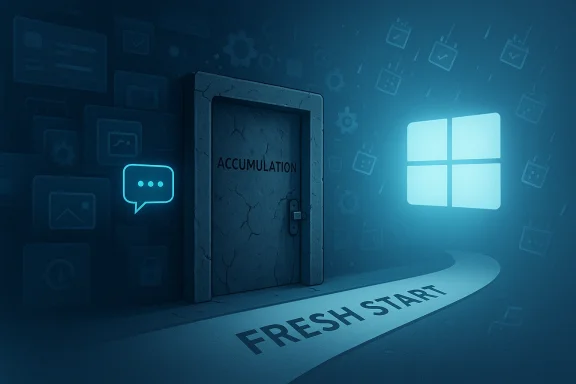
Windows 11 is not broken in a single dramatic way. It is failing by accumulation, one awkward design choice, one AI prompt, one background process, and one half-finished fix at a time. Microsoft’s own recent Windows 11 pushes show a company trying to smooth over obvious pain points while still loading the platform with more Copilot-era ambition. That tension is why the argument for a clean break and a new Windows version, perhaps Windows 12, keeps getting louder.
Windows has survived far worse reputational eras than the one it is in now. Windows Vista became a cautionary tale about bloat and hardware demands, while Windows 8 alienated desktop users with a touch-first redesign that felt disconnected from how most people actually worked. Microsoft later recovered with Windows 7 and then Windows 10, which many users treated as the last “good” Windows before the modern churn began.
Windows 11 arrived with a polished visual refresh and a promise of modern security, but it also introduced friction from day one. Microsoft tightened hardware requirements, pushed TPM 2.0, and drew a hard line on older PCs, which instantly made the upgrade feel less like an evolution and more like a gatekeeping exercise. That move was defensible from a security perspective, but it also created a broad base of users who felt excluded before they had even installed the OS.
At the same time, Microsoft began turning Windows into a platform that constantly advertises Microsoft services back to the user. That was not new in principle, but the cadence changed. Windows 11 started to feel increasingly like a delivery layer for Microsoft 365, OneDrive, Edge, Copilot, and other first-party products rather than a neutral operating system. The criticism is not that Windows should never include integration; it is that the integration often arrives before the user has asked for it.
The shift intensified once Microsoft moved into its full-throated AI phase. Copilot became a strategic umbrella across the company, and Windows became one of the main places where that strategy had to show up. In practice, that has meant new AI features landing inside the OS, sometimes as helpful tools, sometimes as features that users actively distrust, and sometimes as both. The result is a platform that increasingly asks for patience while still being judged on everyday reliability.
Microsoft’s own support timeline adds pressure to the situation. Windows 10 reached end of support on October 14, 2025, according to Microsoft’s support and lifecycle pages, which means the company has effectively moved the ecosystem’s center of gravity onto Windows 11 even as complaints about Windows 11 continue. That leaves users, enterprises, and PC makers with a difficult reality: the old comfort zone is gone, but the new default still does not feel universally loved.
What many users are reacting to is not a single bug or a single interface change. It is the sense that Windows has drifted away from being a stable, boring utility and toward being an always-evolving platform for experimentation. That may excite developers and product managers, but it wears on ordinary users who want the PC to disappear into the background. Stability is a feature, and Windows 11 often feels as if it has not fully absorbed that lesson.
That is why so many reactions to Windows 11 sound less like technical criticism and more like exhaustion. Users are not only evaluating what the OS does today; they are also judging the likelihood that tomorrow’s update will change the rules again. When a platform constantly introduces new layers of abstraction, the perception of control erodes.
That does not mean a new version automatically solves anything. But it does create a psychological break from the accumulated baggage of Windows 11. If Microsoft is going to persuade users that it has changed, a new version is often easier to sell than a never-ending stream of cumulative adjustments.
Microsoft later introduced more security and privacy architecture around Recall, including local processing, Windows Hello protections, and virtualization-based security measures. Those changes were real and important, but they arrived after the public had already formed a strong opinion. Once a feature becomes synonymous with mistrust, technical fixes can improve the design without repairing the reputation.
The problem was never just whether Recall could be secured. It was whether users wanted that kind of feature on their machines at all. Many users view the best assistant as one that waits silently in the corner, not one that catalogues everything they do so it can perhaps help later.
That distinction matters even more for enterprise customers. Organizations might be able to disable or manage Recall through policy, but consumer trust is a different battlefield. Once a feature becomes a meme for privacy risk, it stops being judged on feature merits and starts being judged as a statement of corporate priorities.
That distinction matters because operating systems are supposed to feel foundational. When the layer beneath your applications starts behaving like a product demo for the company’s broader AI roadmap, users notice. They may not mind optional AI tools, but they object to an OS that behaves as though every surface must be an opportunity for engagement.
The challenge is that the strategy can easily outrun the product experience. If AI becomes the answer to every design question, it can start to feel like ideological overreach. Users do not necessarily want a smarter OS if the tradeoff is a noisier one.
Microsoft’s recent efforts to improve setup and system behavior are useful, but they also reveal how much UX debt the platform has accumulated. Letting users skip some updates during initial setup is a quality-of-life win, but the fact that this sort of change still needs to be highlighted as a breakthrough says a lot about the baseline experience. In a mature OS, that kind of relief should feel ordinary, not newsworthy.
That does not mean Microsoft is uniquely bad at updates; every major OS vendor has update problems. The difference is that Windows is the default PC platform for a vast range of hardware, software, and enterprise configurations. That scale makes every bug feel more personal and every regression more visible.
A new version number would not magically solve quality issues, but it could allow Microsoft to draw a line under a period of bad associations. Fresh branding can buy patience, and patience is something Windows 11 is rapidly spending.
Microsoft’s official Windows 10 support timeline has made the enterprise conversation even more important. The company has been clear that Windows 10 reached end of support on October 14, 2025, while Microsoft 365 Apps on Windows 10 receive security updates through October 10, 2028. That gives organizations time, but it also means the transition window has a shelf life.
Consumers do not have that luxury. They see the same setup flow, the same default prompts, the same service integrations, and the same push toward Microsoft accounts without the tooling to tame them. That gap explains why enterprise acceptance of Windows 11 cannot be used as proof that the product feels good to ordinary users.
Historically, Microsoft has used major version shifts to change the conversation. Windows 7 rehabilitated the brand after Vista. Windows 10 was presented as a unifying platform after Windows 8’s missteps. A hypothetical Windows 12 would carry similar expectations: a chance to simplify, refocus, and stop apologizing through patches. The symbolic value is enormous.
It would also need to simplify the settings and reduce the feeling that every surface is an opportunity for upselling. Users might accept some AI assistance if the product felt calmer overall. They are less likely to embrace it if it remains wrapped in clutter.
The problem is that these improvements often feel tactical rather than philosophical. They reduce pain at the margins but do not resolve the larger question of what kind of product Windows is supposed to be in the AI era. That question matters because the next major Windows release will likely be judged less by individual features than by whether it changes the overall mood.
Still, there is a difference between good maintenance and vision. Microsoft appears strong on the first and less convincing on the second. The company may know how to patch the machine; it is less certain about how to redefine it.
The most important test over the next year is whether Microsoft can prove that optionality, restraint, and speed can coexist. If it can, Windows 11 may yet recover some goodwill. If it cannot, then the call for a new release will only get louder, and Windows 12 will continue to serve as shorthand for everything users wish the company would stop doing.
Source: Gizmodo There's No Saving Windows 11. It's Time for Windows 12
 Background
Windows has survived far worse reputational eras than the one it is in now. Windows Vista became a cautionary tale about bloat and hardware demands, while Windows 8 alienated desktop users with a touch-first redesign that felt disconnected from how most people actually worked. Microsoft later recovered with Windows 7 and then Windows 10, which many users treated as the last “good” Windows before the modern churn began.Windows 11 arrived with a polished visual refresh and a promise of modern security, but it also introduced friction from day one. Microsoft tightened hardware requirements, pushed TPM 2.0, and drew a hard line on older PCs, which instantly made the upgrade feel less like an evolution and more like a gatekeeping exercise. That move was defensible from a security perspective, but it also created a broad base of users who felt excluded before they had even installed the OS.
At the same time, Microsoft began turning Windows into a platform that constantly advertises Microsoft services back to the user. That was not new in principle, but the cadence changed. Windows 11 started to feel increasingly like a delivery layer for Microsoft 365, OneDrive, Edge, Copilot, and other first-party products rather than a neutral operating system. The criticism is not that Windows should never include integration; it is that the integration often arrives before the user has asked for it.
The shift intensified once Microsoft moved into its full-throated AI phase. Copilot became a strategic umbrella across the company, and Windows became one of the main places where that strategy had to show up. In practice, that has meant new AI features landing inside the OS, sometimes as helpful tools, sometimes as features that users actively distrust, and sometimes as both. The result is a platform that increasingly asks for patience while still being judged on everyday reliability.
Microsoft’s own support timeline adds pressure to the situation. Windows 10 reached end of support on October 14, 2025, according to Microsoft’s support and lifecycle pages, which means the company has effectively moved the ecosystem’s center of gravity onto Windows 11 even as complaints about Windows 11 continue. That leaves users, enterprises, and PC makers with a difficult reality: the old comfort zone is gone, but the new default still does not feel universally loved.
The Case Against “Fixing” Windows 11
The core complaint about Windows 11 is not that it lacks fixes. It is that the fixes feel reactive, partial, and too often buried under new complexity. Microsoft has recently worked on quality-of-life improvements such as reducing setup friction, improving File Explorer responsiveness, and experimenting with more flexible taskbar behavior in Insider builds. Those are sensible changes, but they also read like repairs to a house whose foundation is still being remodeled.What many users are reacting to is not a single bug or a single interface change. It is the sense that Windows has drifted away from being a stable, boring utility and toward being an always-evolving platform for experimentation. That may excite developers and product managers, but it wears on ordinary users who want the PC to disappear into the background. Stability is a feature, and Windows 11 often feels as if it has not fully absorbed that lesson.
When polish becomes friction
Microsoft can improve individual pieces of the experience and still fail to restore trust in the whole. A faster File Explorer matters, but it does not erase memory of inconsistent updates, changing settings locations, or sudden feature rollouts that alter workflows. The deeper issue is that every improvement can be accompanied by one more thing the user did not ask for.That is why so many reactions to Windows 11 sound less like technical criticism and more like exhaustion. Users are not only evaluating what the OS does today; they are also judging the likelihood that tomorrow’s update will change the rules again. When a platform constantly introduces new layers of abstraction, the perception of control erodes.
- Useful fixes do not always offset feature clutter.
- Faster launch times do not cancel out interface fatigue.
- A prettier shell does not matter if the user feels powerless.
- Incremental repair can look like avoidance of a bigger redesign.
- Trust declines when updates feel unpredictable.
Why Windows 12 becomes the emotional release valve
This is where the idea of Windows 12 gains symbolic power. People do not just want a new build number; they want a clean narrative reset. A new major release suggests Microsoft has learned enough to stop layering patches on top of a controversial identity and start over with a clearer philosophy.That does not mean a new version automatically solves anything. But it does create a psychological break from the accumulated baggage of Windows 11. If Microsoft is going to persuade users that it has changed, a new version is often easier to sell than a never-ending stream of cumulative adjustments.
Recall Became the Damage Amplifier
Few Windows 11 features have generated as much suspicion as Recall. Microsoft framed the feature as a local, AI-assisted way to help people find things they had seen or done on their PC, but the concept immediately raised alarms because it involved taking and indexing screenshots of activity. For many users, the idea was not “helpful memory”; it was “continuous surveillance with a friendly name.”Microsoft later introduced more security and privacy architecture around Recall, including local processing, Windows Hello protections, and virtualization-based security measures. Those changes were real and important, but they arrived after the public had already formed a strong opinion. Once a feature becomes synonymous with mistrust, technical fixes can improve the design without repairing the reputation.
Why the idea was doomed to be controversial
Recall collided with a broader anxiety about what modern PCs are becoming. People already accept that phones, browsers, and cloud services collect data in the background. But a desktop operating system that snapshots content by design feels different, especially when it sits at the center of work, finance, personal messaging, and family life.The problem was never just whether Recall could be secured. It was whether users wanted that kind of feature on their machines at all. Many users view the best assistant as one that waits silently in the corner, not one that catalogues everything they do so it can perhaps help later.
- The feature was conceptually invasive to many users.
- The security architecture was too late to shape first impressions.
- The benefit was unclear for most mainstream workflows.
- The trust burden was higher than Microsoft anticipated.
- The backlash became a proxy for broader Windows 11 fatigue.
Security patches do not equal social permission
The irony is that Microsoft’s later Recall work shows the company understood the technical severity of the concern. But product trust is not rebuilt by engineering alone. Users also need to believe the company respects the boundary between helpful assistance and intrusive monitoring.That distinction matters even more for enterprise customers. Organizations might be able to disable or manage Recall through policy, but consumer trust is a different battlefield. Once a feature becomes a meme for privacy risk, it stops being judged on feature merits and starts being judged as a statement of corporate priorities.
The AI Problem Is Bigger Than One Feature
The complaint about Copilot in Windows is not that AI exists in the operating system. It is that AI has become the organizing principle for too many design decisions. Microsoft appears to want Copilot to be everywhere, and that ambition creates the impression that the OS is being shaped around the assistant instead of the assistant being shaped around the OS.That distinction matters because operating systems are supposed to feel foundational. When the layer beneath your applications starts behaving like a product demo for the company’s broader AI roadmap, users notice. They may not mind optional AI tools, but they object to an OS that behaves as though every surface must be an opportunity for engagement.
Copilot as strategy, not just software
Microsoft has signaled across official blogs and events that Windows is central to its AI future. The company’s Windows and devices leadership has stressed that Copilot should be integrated in useful, well-crafted ways, while Windows developer messaging has described broader platform investments in local AI and security foundations. That is a coherent strategy, but coherence does not guarantee user enthusiasm.The challenge is that the strategy can easily outrun the product experience. If AI becomes the answer to every design question, it can start to feel like ideological overreach. Users do not necessarily want a smarter OS if the tradeoff is a noisier one.
Background services and the cost of “helpfulness”
The user criticism also includes performance and resource concerns. Windows Latest reported that the Copilot app’s browser-based implementation can consume substantial memory in the background, which reinforces a broader pattern people have been noticing: convenience features often arrive with hidden overhead. Even when individual reports vary by configuration, the perception of constant background weight is hard to shake once it forms. That feeling matters as much as benchmark charts because everyday users experience Windows through responsiveness, not white papers.- AI features can add cognitive clutter.
- Background services can create performance resentment.
- “Helpful” prompts can feel like marketing disguised as utility.
- Every extra integration raises security and privacy questions.
- Users want choice, not forced enthusiasm.
Windows 11’s Update Culture Has Become the Message
One reason the “Windows 12” argument keeps resurfacing is that Windows 11’s update culture has become part of the brand. The OS no longer simply receives occasional improvements; it constantly evolves in ways that can be difficult for users to predict. Microsoft has also had to issue many fixes, workarounds, and preview changes to address problems that earlier updates introduced, creating the impression of a system that moves fast but stabilizes slowly.Microsoft’s recent efforts to improve setup and system behavior are useful, but they also reveal how much UX debt the platform has accumulated. Letting users skip some updates during initial setup is a quality-of-life win, but the fact that this sort of change still needs to be highlighted as a breakthrough says a lot about the baseline experience. In a mature OS, that kind of relief should feel ordinary, not newsworthy.
Windows Update has become a trust test
Windows Update is supposed to be routine infrastructure. Instead, for many users, it feels like a lottery in which the ticket is whether this month’s patch will behave. Microsoft’s own support ecosystem has had to field repeated issues across major and preview releases, including messages, regressions, and emergency fixes around Windows 10 as support ended and Windows 11 took over more of the spotlight.That does not mean Microsoft is uniquely bad at updates; every major OS vendor has update problems. The difference is that Windows is the default PC platform for a vast range of hardware, software, and enterprise configurations. That scale makes every bug feel more personal and every regression more visible.
Why “just one more patch” is not enough
There is a point where a product’s problems become architectural rather than cosmetic. When users expect friction from every patch cycle, they stop treating patches as maintenance and start treating them as risk. That psychology is hard to reverse with incremental improvements.A new version number would not magically solve quality issues, but it could allow Microsoft to draw a line under a period of bad associations. Fresh branding can buy patience, and patience is something Windows 11 is rapidly spending.
Enterprise Reality Versus Consumer Perception
Enterprises and consumers do not experience Windows 11 in the same way, and that divergence matters. Businesses care deeply about manageability, policy control, compliance, and lifecycle planning, while consumers care more about visual clutter, annoyance, and how often the OS tries to upsell them. Windows 11 can be strategically sound for one audience and emotionally exhausting for another.Microsoft’s official Windows 10 support timeline has made the enterprise conversation even more important. The company has been clear that Windows 10 reached end of support on October 14, 2025, while Microsoft 365 Apps on Windows 10 receive security updates through October 10, 2028. That gives organizations time, but it also means the transition window has a shelf life.
Why enterprises tolerate what consumers resent
Large organizations often accept a certain amount of operating system complexity because they can control it centrally. They can deploy policies, block features, manage enrollment, and standardize images. For them, Windows 11’s quirks are an IT problem, not a personal annoyance.Consumers do not have that luxury. They see the same setup flow, the same default prompts, the same service integrations, and the same push toward Microsoft accounts without the tooling to tame them. That gap explains why enterprise acceptance of Windows 11 cannot be used as proof that the product feels good to ordinary users.
A split-screen market
The broader market is split between business pragmatism and consumer sentiment. Microsoft can point to its roadmap, its support policies, and its management stack, and those things matter. But brand loyalty at the consumer level is built on feel, and the “feel” of Windows 11 is still contested.- Enterprises want policy control.
- Consumers want frictionless simplicity.
- IT wants predictable servicing.
- Users want fewer pop-ups.
- Microsoft wants AI differentiation.
The “Windows 12” Argument Is Really a Product Philosophy Argument
People saying “it’s time for Windows 12” are not just asking for a new number in the settings page. They are asking Microsoft to admit that the current philosophy has gone too far and needs a reset. That is an argument about identity, not just code. It says Windows should once again feel like an operating system first and a platform for strategic messaging second.Historically, Microsoft has used major version shifts to change the conversation. Windows 7 rehabilitated the brand after Vista. Windows 10 was presented as a unifying platform after Windows 8’s missteps. A hypothetical Windows 12 would carry similar expectations: a chance to simplify, refocus, and stop apologizing through patches. The symbolic value is enormous.
What a reset would have to include
A meaningful reset would not just rename Windows 11 with a higher number. It would need to make hard calls about default experiences, mandatory integrations, and feature density. It would need to decide which Copilot features are truly core and which ones should remain strictly optional.It would also need to simplify the settings and reduce the feeling that every surface is an opportunity for upselling. Users might accept some AI assistance if the product felt calmer overall. They are less likely to embrace it if it remains wrapped in clutter.
The risk of a cosmetic sequel
The danger is that Windows 12 could end up being Windows 11 with a fresh coat of paint and a new round of promises. That would be worse than staying the course, because it would burn the credibility of the reset itself. If Microsoft goes that route, it will need to show visible restraint from day one.What Microsoft Has Actually Improved
The fair critique of Windows 11 should not pretend nothing has gotten better. Microsoft has worked on setup, responsiveness, and insider-friendly controls, and those changes matter. The company has also continued to evolve the security architecture around features like Recall rather than simply ignoring criticism.The problem is that these improvements often feel tactical rather than philosophical. They reduce pain at the margins but do not resolve the larger question of what kind of product Windows is supposed to be in the AI era. That question matters because the next major Windows release will likely be judged less by individual features than by whether it changes the overall mood.
Incremental fixes are still real fixes
Users should not dismiss every improvement because they are frustrated with the bigger picture. Faster startup behavior, better setup flows, and refined interface options can improve daily use in measurable ways. They are worth having.Still, there is a difference between good maintenance and vision. Microsoft appears strong on the first and less convincing on the second. The company may know how to patch the machine; it is less certain about how to redefine it.
- Better setup flows reduce first-run pain.
- File Explorer improvements help daily productivity.
- More flexible taskbar options improve personalization.
- Security hardening around Recall is necessary, not optional.
- Quality fixes are valuable, but they do not erase strategic drift.
Strengths and Opportunities
Microsoft still has real advantages here. Windows remains the dominant desktop platform, the PC ecosystem is massive, and the company has enough engineering reach to improve usability if it decides that restraint matters as much as ambition. If Microsoft wants to earn back trust, it has a path forward, but it needs to be disciplined, not merely busy.- Windows still has unmatched ecosystem scale.
- Enterprise management tools give Microsoft leverage.
- Security improvements can still restore some confidence.
- A cleaner product story could reduce consumer fatigue.
- A major reset could create a new marketing narrative.
- Better opt-in controls would help Microsoft look more respectful.
- Hardware partners would benefit from a clearer platform direction.
Risks and Concerns
The biggest risk is that Microsoft confuses activity with progress. A fast stream of updates, AI launches, and interface tweaks can create the appearance of momentum while leaving users feeling more overloaded than supported. If the company keeps adding layers without subtracting enough, the backlash will deepen. That is the central danger.- Feature creep can keep outrunning usability.
- AI overexposure may further alienate cautious users.
- Security-sensitive tools can keep generating trust issues.
- Consumers may increasingly see Windows as advertising plus OS.
- Enterprises may accept Windows 11 while consumers quietly disengage.
- A premature Windows 12 could become a rebranding exercise instead of a reset.
- Repeated update regressions could harden the view that Windows is too unstable to trust.
Looking Ahead
Microsoft does not need to abandon Windows 11 overnight, but it does need to decide whether it wants Windows to feel calm again. The company’s recent updates suggest it knows some of the pain points, yet its overall direction still leans heavily into AI-first identity and continuous change. That may be strategically logical, but logic is not the same as user affection.The most important test over the next year is whether Microsoft can prove that optionality, restraint, and speed can coexist. If it can, Windows 11 may yet recover some goodwill. If it cannot, then the call for a new release will only get louder, and Windows 12 will continue to serve as shorthand for everything users wish the company would stop doing.
- Microsoft must prove AI can be optional in practice, not just in messaging.
- Update quality has to improve enough that patches feel routine again.
- The company should reduce promotional clutter inside the OS.
- Any future major release needs a coherent design philosophy.
- Security features must be credible, understandable, and easy to disable if desired.
- Microsoft needs to show that Windows is still a platform for users, not just a showcase for strategy.
Source: Gizmodo There's No Saving Windows 11. It's Time for Windows 12
