

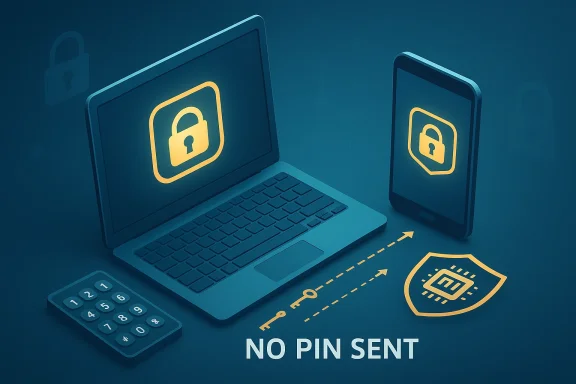
Windows Hello PINs are safer than many people assume, but the reason has less to do with the four digits you type and more to do with the cryptography underneath them. Microsoft’s own documentation says a Hello PIN is tied to the device, never sent to the server, and backed by TPM hardware that protects the key material and resists brute-force guessing. In other words, the PIN is not really a miniature password; it is a local unlock step for a device-bound credential.
That distinction matters because it changes the attack surface. Passwords are shared secrets that can be stolen, reused, phished, intercepted, or exposed in breaches, while Windows Hello is designed around asymmetric keys and local verification. That makes the PIN part of a hardware-backed authentication flow rather than a reusable secret floating around the internet.
Still, the headline “PIN is safer than a password” needs context. It is true under the assumptions Microsoft designed for—especially when the device has a TPM 2.0 chip and Windows is using the modern Hello stack—but it is not a universal claim about every PIN on every system. On older or misconfigured machines, the security story can change quickly, and that is where many readers get the wrong impression.
The basic confusion around Windows Hello PINs comes from the word “PIN” itself. In everyday life, a PIN is usually a short numeric code that unlocks a bank card or an account, and those codes are often weak enough to be guessed or shoulder-surfed. That mental model is not what Microsoft means when it talks about Windows Hello, which is why the feature sounds simplistic even when the security design is actually sophisticated.
Windows Hello evolved as part of Microsoft’s broader passwordless push. The goal was to reduce reliance on passwords, which remain vulnerable to phishing, credential stuffing, and reuse across services. Microsoft’s current guidance treats Hello PINs and biometrics as part of a credential system built on cryptographic keys rather than shared secrets, and that is the foundational reason the approach can be stronger than a password.
The practical shift is also about usability. A password may need to be long, unique, and frequently changed, while a Hello PIN is only used locally to unlock the key stored on the device. That makes the user experience feel simpler, but the simplicity is backed by an authentication design that does not depend on the PIN traveling across the network.
The result is a subtle but crucial difference in threat model. If a password leaks, it can be replayed from anywhere; if a Hello PIN is stolen, it is only useful on the specific device where it was enrolled. That device binding is what makes the security model feel counterintuitive at first.
This matters beyond Windows itself. The same principles now show up in passkeys, which are also built around cryptographic key pairs and device-bound or synced authenticators. The industry trend is clear: shared secrets are out, and device-protected keys are in.
That means the server never receives the PIN, and the network never carries it. Instead, the client signs an authentication challenge using the key stored on the device, which is exactly why a Hello PIN is not vulnerable in the same way a password is. A password can be intercepted or harvested; a PIN that never leaves the machine cannot be replayed as a reusable secret.
The device binding also changes how an attacker thinks. They are no longer trying to break a remote login form from anywhere on the internet; they need the physical machine and the right local conditions. That narrows the attack surface significantly, which is why Windows Hello is often described as more secure than local passwords.
This also explains why phishing is far less effective against Hello than against passwords. A fake site can trick a user into typing a password, but it cannot meaningfully replay a Hello PIN because the PIN is only a local unlock step for a key on a specific machine. The attack simply does not map cleanly to the protocol.
This is why Microsoft often treats biometrics and PIN as complementary rather than competing methods. The user gets flexibility, while the cryptographic underpinnings remain consistent. In practice, that is one of the strongest arguments for Windows Hello’s design.
The TPM is also what makes brute-force attacks much less attractive. Microsoft says the hardware includes anti-hammering protections that lock out repeated incorrect guesses, which is a major difference from a traditional PIN stored as software on disk. In a modern Hello setup, the attacker is fighting the hardware, not just the password prompt.
This is why Windows Hello can tolerate short PINs better than ordinary password systems can tolerate short passwords. The threat is not just the length of the code; it is the presence of device-enforced controls around the code. Security, in this case, is systemic, not merely lexical.
The important implication is that an attacker who compromises a service does not automatically compromise your Windows Hello credential. Since the private key never lives in the same way a password database entry does, the blast radius of a breach is smaller. That is one of the strongest arguments for modern hardware-backed identity systems.
In practical terms, this means enterprise and consumer users benefit differently. For consumers, the protection mostly reduces common remote attacks; for enterprises, the hardware binding is part of a larger authentication policy that can meet higher assurance expectations. The same technology, in other words, serves two security goals at once.
Older systems, especially some Windows 10 configurations, were more permissive. That flexibility created edge cases where a PIN could exist without the same hardware backing, and then the feature was much closer to a software-stored secret than a protected authenticator. In those cases, the security value of the PIN could drop dramatically.
The requirement also lowers ambiguity for users. On a Windows 11 machine, there is less need to wonder whether your PIN is stored in a secure chip or merely handled in software. That clarity is part of the value proposition, even if most users never think about it directly.
That is why older hardware deserves special scrutiny. Users may see the same “PIN” prompt and assume the same protection exists, when in reality the implementation can be materially weaker. This is one of those cases where the label hides the architecture.
Local accounts are more nuanced. The PIN may still be device-specific, but the broader identity and recovery model is not always as robust as the Microsoft-account or Entra stack. That means the benefits can remain real while the overall security posture is less elegant than Microsoft’s full cloud-backed story.
That does not mean the account is password-free in every imaginable recovery scenario. It means the everyday sign-in path can rely on a stronger local authenticator while reducing exposure to remote theft. For most users, that is exactly the tradeoff they want.
Enterprises care about revocation, compliance, and phishing resistance, and Hello fits those concerns better than passwords do. If the credential is device-bound and hardware-backed, the enterprise can reduce the risk associated with password theft and credential stuffing. That is a measurable operational win, not just a theoretical one.
That distinction is important for readers who use a local account simply out of habit. In that situation, Windows Hello can still be better than a reused password, but the full value of the ecosystem is not always being used. Good security and best security are not always the same thing.
This is not a minor detail. Password theft remains one of the most common entry points for account compromise, and attackers increasingly rely on user deception rather than raw technical exploitation. If the credential cannot be typed into a fake page and replayed elsewhere, the attacker’s easiest path disappears.
NIST’s current guidance also reinforces the idea that phishing resistance depends on cryptographic authenticators and local operations, not merely on the secrecy of a code. The lesson is simple: the mechanism matters more than the length of the string.
As more services move toward passkeys, Windows Hello users will find the concept less unusual. What once felt like an odd Microsoft-specific trick is now broadly aligned with the direction of the identity industry. That convergence is a strong sign that the PIN model was ahead of its time, not merely quirky.
There is also a psychological benefit. Many users resent passwords because they are both annoying and fragile, so they either reuse them or choose weak ones. Windows Hello sidesteps that human problem by making the daily sign-in flow faster while still improving underlying security.
That is why Hello feels like a convenience feature even when it is doing serious security work. Good security often disappears into the experience, and that is arguably the best possible outcome. If users stop noticing the mechanism, the mechanism is probably doing its job.
Consumers should also remember that no sign-in method is magic. A compromised device, weak recovery setup, or poor endpoint hygiene can still create risk. Hello reduces common credential threats, but it does not erase the need for sensible device security.
For IT teams, the benefit is not just fewer help-desk tickets. It is also better control over authentication assurance, device enrollment, and key protection. When credentials are bound to hardware, the enterprise can design access policies around stronger trust anchors.
Device-bound credentials also reduce the damage from database breaches. Even if a cloud service is compromised, the Hello PIN itself is not a shared secret floating through the ecosystem. That lowers exposure and simplifies some breach-response scenarios.
Enterprises also need to think about recovery. If a user loses a device, resets a TPM, or gets locked out by anti-hammering, the organization needs a clean remediation path. Passwordless security only works when the fallback process is equally considered.
If Windows Security shows security processor details and the TPM management console reports that the TPM is ready for use, that is a strong signal that your device has the hardware the Hello model expects. In Windows 11, TPM 2.0 is the baseline, which simplifies the story considerably.
Troubleshooting also exposes an important truth: the elegance of Hello depends on the stack beneath it. If the TPM is disabled, missing, or not behaving as expected, the user experience can degrade quickly. That makes verification part of responsible use, not just an optional power-user exercise.
The broader opportunity is that Microsoft can keep pushing the ecosystem toward passwordless sign-in as passkeys and FIDO-based authentication become mainstream. The more users and organizations accept device-bound credentials, the less valuable passwords become as an attack target. That is good news for everyone except attackers.
Another risk is user complacency. People may hear “secure” and stop caring about device hygiene, recovery options, or whether their TPM is active. Security claims are only useful when users understand the conditions attached to them.
Over time, the line between Windows Hello PINs and passkeys will continue to blur in the public mind, even if the implementations remain distinct. What users will remember is not the protocol name, but the experience: unlock locally, authenticate securely, and stop typing passwords everywhere. That is the future Microsoft has been building toward for years.
Source: MakeUseOf I did the research and that simple Windows Hello PIN is indeed safer than a password
That distinction matters because it changes the attack surface. Passwords are shared secrets that can be stolen, reused, phished, intercepted, or exposed in breaches, while Windows Hello is designed around asymmetric keys and local verification. That makes the PIN part of a hardware-backed authentication flow rather than a reusable secret floating around the internet.
Still, the headline “PIN is safer than a password” needs context. It is true under the assumptions Microsoft designed for—especially when the device has a TPM 2.0 chip and Windows is using the modern Hello stack—but it is not a universal claim about every PIN on every system. On older or misconfigured machines, the security story can change quickly, and that is where many readers get the wrong impression.
 Background
The basic confusion around Windows Hello PINs comes from the word “PIN” itself. In everyday life, a PIN is usually a short numeric code that unlocks a bank card or an account, and those codes are often weak enough to be guessed or shoulder-surfed. That mental model is not what Microsoft means when it talks about Windows Hello, which is why the feature sounds simplistic even when the security design is actually sophisticated.Windows Hello evolved as part of Microsoft’s broader passwordless push. The goal was to reduce reliance on passwords, which remain vulnerable to phishing, credential stuffing, and reuse across services. Microsoft’s current guidance treats Hello PINs and biometrics as part of a credential system built on cryptographic keys rather than shared secrets, and that is the foundational reason the approach can be stronger than a password.
The practical shift is also about usability. A password may need to be long, unique, and frequently changed, while a Hello PIN is only used locally to unlock the key stored on the device. That makes the user experience feel simpler, but the simplicity is backed by an authentication design that does not depend on the PIN traveling across the network.
Why the terminology trips people up
The average user hears “PIN” and assumes “weaker password.” That assumption is understandable, because most legacy PINs are just secrets that are entered and verified in a straightforward way. Windows Hello’s PIN is different: it is the activation factor for a cryptographic credential, not the credential itself.The result is a subtle but crucial difference in threat model. If a password leaks, it can be replayed from anywhere; if a Hello PIN is stolen, it is only useful on the specific device where it was enrolled. That device binding is what makes the security model feel counterintuitive at first.
The broader move away from passwords
Windows Hello fits into the wider industry migration toward passwordless authentication. FIDO and Microsoft both frame modern credentials as cryptographic keys that are resistant to phishing and credential theft, with local user verification used to unlock access. That architecture is increasingly the norm for high-assurance sign-in systems.This matters beyond Windows itself. The same principles now show up in passkeys, which are also built around cryptographic key pairs and device-bound or synced authenticators. The industry trend is clear: shared secrets are out, and device-protected keys are in.
How Windows Hello PIN Authentication Works
At a high level, the Windows Hello PIN is a local unlock mechanism for a private key. When the PIN is created, Windows establishes a trust relationship with the identity provider and generates an asymmetric key pair. When you enter the PIN, you are not sending the PIN to Microsoft or a website; you are authorizing the device to use the private key on your behalf.That means the server never receives the PIN, and the network never carries it. Instead, the client signs an authentication challenge using the key stored on the device, which is exactly why a Hello PIN is not vulnerable in the same way a password is. A password can be intercepted or harvested; a PIN that never leaves the machine cannot be replayed as a reusable secret.
Device-bound by design
Microsoft describes the PIN as tied to the specific device on which it was set up. That means if someone learns the PIN but does not have the device, the credential is effectively useless. This is a major shift from passwords, which are often portable across devices and services.The device binding also changes how an attacker thinks. They are no longer trying to break a remote login form from anywhere on the internet; they need the physical machine and the right local conditions. That narrows the attack surface significantly, which is why Windows Hello is often described as more secure than local passwords.
Why the server never sees the secret
A central point in Microsoft’s explanation is that the Hello PIN is not stored on the server. The server only sees the result of the authentication flow, not the PIN that unlocked the key on the device. That design minimizes the damage from server-side compromise because there is no reusable PIN database to steal.This also explains why phishing is far less effective against Hello than against passwords. A fake site can trick a user into typing a password, but it cannot meaningfully replay a Hello PIN because the PIN is only a local unlock step for a key on a specific machine. The attack simply does not map cleanly to the protocol.
What changes with biometrics
Hello biometrics use the same overall philosophy: the biometric match unlocks the same device-bound credential workflow. Microsoft’s Windows Hello documentation positions biometrics and PIN as two ways to satisfy local user verification, after which the cryptographic key can be used. That means the security strength comes from the hardware-backed key system, not from the biometric itself as a standalone secret.This is why Microsoft often treats biometrics and PIN as complementary rather than competing methods. The user gets flexibility, while the cryptographic underpinnings remain consistent. In practice, that is one of the strongest arguments for Windows Hello’s design.
The TPM Is the Real Security Anchor
The TPM, or Trusted Platform Module, is the hardware component that gives Windows Hello much of its strength. Microsoft describes it as a secure crypto-processor designed to carry out cryptographic operations, protect key material, and resist tampering. Without that hardware trust anchor, the security story becomes much weaker.The TPM is also what makes brute-force attacks much less attractive. Microsoft says the hardware includes anti-hammering protections that lock out repeated incorrect guesses, which is a major difference from a traditional PIN stored as software on disk. In a modern Hello setup, the attacker is fighting the hardware, not just the password prompt.
Anti-hammering in plain English
Anti-hammering means repeated bad guesses are limited at the hardware level. That matters because a four-digit PIN sounds weak until you realize the hardware may not let an attacker try all 10,000 combinations. The TPM slows or stops the guessing game long before the attacker gets to the finish line.This is why Windows Hello can tolerate short PINs better than ordinary password systems can tolerate short passwords. The threat is not just the length of the code; it is the presence of device-enforced controls around the code. Security, in this case, is systemic, not merely lexical.
What the TPM actually stores
The TPM stores the key material used for authentication, and that material is not meant to be exported in a usable form. Microsoft and FIDO both emphasize that cryptographic keys are generated and used locally, then protected by the device’s secure hardware. That design blocks a whole class of extraction attacks.The important implication is that an attacker who compromises a service does not automatically compromise your Windows Hello credential. Since the private key never lives in the same way a password database entry does, the blast radius of a breach is smaller. That is one of the strongest arguments for modern hardware-backed identity systems.
What if someone steals the device?
Physical theft does not make Hello invincible, but it does raise the attacker’s cost sharply. Microsoft notes that an attacker would still need to bypass biometrics or guess the PIN before the TPM locks the device. That makes theft a very different category of threat from phishing or remote compromise.In practical terms, this means enterprise and consumer users benefit differently. For consumers, the protection mostly reduces common remote attacks; for enterprises, the hardware binding is part of a larger authentication policy that can meet higher assurance expectations. The same technology, in other words, serves two security goals at once.
Windows 11 vs. Older Windows Versions
Windows 11’s TPM 2.0 requirement is one of the key reasons the Hello PIN story is easier to trust on newer PCs. Microsoft’s platform and security guidance consistently centers TPM-backed keys and hardware-bound authentication, which means the current Windows 11 baseline is more aligned with the intended security model.Older systems, especially some Windows 10 configurations, were more permissive. That flexibility created edge cases where a PIN could exist without the same hardware backing, and then the feature was much closer to a software-stored secret than a protected authenticator. In those cases, the security value of the PIN could drop dramatically.
Why TPM 2.0 changed the conversation
TPM 2.0 matters because it standardizes the hardware trust layer that Hello relies on. When that layer is present and active, the credential is not just “shorter than a password”; it is structurally different from a password. That difference is what makes Microsoft’s security claims credible.The requirement also lowers ambiguity for users. On a Windows 11 machine, there is less need to wonder whether your PIN is stored in a secure chip or merely handled in software. That clarity is part of the value proposition, even if most users never think about it directly.
Where older systems can go wrong
If a system lacks TPM-backed protection, the PIN is no longer anchored to hardware in the same way. That leaves more room for extraction, replay, or brute-force attempts against software-stored material. The difference is not subtle; it is the difference between a locked vault and a file on disk.That is why older hardware deserves special scrutiny. Users may see the same “PIN” prompt and assume the same protection exists, when in reality the implementation can be materially weaker. This is one of those cases where the label hides the architecture.
A quick practical takeaway
If you use Windows 11 on a recent PC, the odds are good that your Hello PIN is hardware-backed. If you are on older hardware or an unusual enterprise configuration, it is worth checking rather than assuming. Security assumptions age badly when the hardware underneath them changes.Microsoft Account, Entra ID, and Local Account Differences
Not all Windows sign-in setups are identical, and that distinction matters. Microsoft account and Entra ID scenarios are where Windows Hello’s asymmetric-key model is most clearly framed as a stronger alternative to passwords. In those environments, the PIN unlocks a credential tied to the account identity and device in a way that is very different from a local password prompt.Local accounts are more nuanced. The PIN may still be device-specific, but the broader identity and recovery model is not always as robust as the Microsoft-account or Entra stack. That means the benefits can remain real while the overall security posture is less elegant than Microsoft’s full cloud-backed story.
Microsoft accounts: strongest alignment with Hello
For Microsoft account users, Hello behaves like a strong device-bound sign-in method. Microsoft emphasizes that the PIN is local and that the cryptographic key is what matters, not the PIN itself. This is where the feature’s “more secure than a password” claim is easiest to support.That does not mean the account is password-free in every imaginable recovery scenario. It means the everyday sign-in path can rely on a stronger local authenticator while reducing exposure to remote theft. For most users, that is exactly the tradeoff they want.
Entra ID: enterprise-grade implications
Entra ID environments elevate the discussion from convenience to governance. Microsoft frames Windows Hello for Business as part of a broader move toward passwordless security in managed environments, where hardware-backed keys and user verification can support higher assurance. That makes the PIN not just a login shortcut, but part of the enterprise identity stack.Enterprises care about revocation, compliance, and phishing resistance, and Hello fits those concerns better than passwords do. If the credential is device-bound and hardware-backed, the enterprise can reduce the risk associated with password theft and credential stuffing. That is a measurable operational win, not just a theoretical one.
Local accounts: useful, but less decisive
Local accounts still benefit from a PIN workflow when the hardware and OS are aligned correctly. But because there is no cloud identity provider in the same way there is with Microsoft or Entra accounts, the setup is often less compelling as a security modernization strategy. The improvement may be real, but it is less obviously transformative.That distinction is important for readers who use a local account simply out of habit. In that situation, Windows Hello can still be better than a reused password, but the full value of the ecosystem is not always being used. Good security and best security are not always the same thing.
Phishing Resistance and Why It Matters
The biggest reason Windows Hello PINs outperform passwords is phishing resistance. Microsoft’s and NIST’s modern guidance both emphasize that cryptographic authenticators are fundamentally harder to phish than shared secrets. A PIN that never leaves the device is simply not a good target for a fake login page.This is not a minor detail. Password theft remains one of the most common entry points for account compromise, and attackers increasingly rely on user deception rather than raw technical exploitation. If the credential cannot be typed into a fake page and replayed elsewhere, the attacker’s easiest path disappears.
Why brute force is a different problem here
Brute force against a password database is one thing; brute force against a TPM-protected local authenticator is another. Microsoft says the hardware imposes anti-hammering controls, which limit the usefulness of repeated guessing. That changes the economics of attack.NIST’s current guidance also reinforces the idea that phishing resistance depends on cryptographic authenticators and local operations, not merely on the secrecy of a code. The lesson is simple: the mechanism matters more than the length of the string.
Why this is bigger than Windows
Windows Hello is part of a larger identity shift that includes passkeys and other FIDO-based systems. The common thread is that the secret is no longer shared in the old password sense, and user verification happens locally on a trusted device. That model is increasingly the security baseline for modern platforms.As more services move toward passkeys, Windows Hello users will find the concept less unusual. What once felt like an odd Microsoft-specific trick is now broadly aligned with the direction of the identity industry. That convergence is a strong sign that the PIN model was ahead of its time, not merely quirky.
Consumer Impact
For consumers, the biggest win is that security gets better without becoming dramatically harder to use. A PIN is easier to remember than a long password, but the real advantage is that the credential is not being reused everywhere else. That combination of convenience and reduced attack surface is rare in security design.There is also a psychological benefit. Many users resent passwords because they are both annoying and fragile, so they either reuse them or choose weak ones. Windows Hello sidesteps that human problem by making the daily sign-in flow faster while still improving underlying security.
Everyday advantages for home users
The everyday consumer sees this as fewer typing errors and less password fatigue. The device simply asks for something local, familiar, and short, and the user gets access quickly. Under the hood, though, the system is doing the heavier cryptographic lifting.That is why Hello feels like a convenience feature even when it is doing serious security work. Good security often disappears into the experience, and that is arguably the best possible outcome. If users stop noticing the mechanism, the mechanism is probably doing its job.
What consumers should actually care about
The key question is not “Is the PIN short?” It is “Is the PIN hardware-backed?” If the answer is yes, the feature is doing what Microsoft intended. If the answer is no, the user should treat the setup with more caution than the marketing suggests.Consumers should also remember that no sign-in method is magic. A compromised device, weak recovery setup, or poor endpoint hygiene can still create risk. Hello reduces common credential threats, but it does not erase the need for sensible device security.
Enterprise Impact
Enterprises have more to gain from Windows Hello than consumers do, because password theft at scale is a business problem. Microsoft positions Windows Hello for Business as part of a passwordless future that reduces risk from phishing and credential theft while improving user productivity. That is a rare alignment of security and operations.For IT teams, the benefit is not just fewer help-desk tickets. It is also better control over authentication assurance, device enrollment, and key protection. When credentials are bound to hardware, the enterprise can design access policies around stronger trust anchors.
Why compliance teams care
Compliance teams care because passwords are increasingly viewed as a weak assurance factor. NIST’s guidance explicitly states that passwords are not phishing-resistant, while cryptographic authenticators can support stronger assurance levels. That puts Windows Hello squarely in the conversation for modern identity governance.Device-bound credentials also reduce the damage from database breaches. Even if a cloud service is compromised, the Hello PIN itself is not a shared secret floating through the ecosystem. That lowers exposure and simplifies some breach-response scenarios.
The policy challenge
The challenge for IT is that not every environment is homogeneous. Legacy PCs, local accounts, remote access workflows, and mixed device fleets can all complicate deployment. A strong Windows Hello program requires policy discipline, not just enabling a setting and hoping for the best.Enterprises also need to think about recovery. If a user loses a device, resets a TPM, or gets locked out by anti-hammering, the organization needs a clean remediation path. Passwordless security only works when the fallback process is equally considered.
Verification and Troubleshooting
Users do not need to become TPM engineers to benefit from Hello, but they should know how to confirm whether their setup is hardware-backed. Microsoft provides multiple ways to check, including Windows Security and the TPM management console. That is useful because visual trust is not the same as technical trust.If Windows Security shows security processor details and the TPM management console reports that the TPM is ready for use, that is a strong signal that your device has the hardware the Hello model expects. In Windows 11, TPM 2.0 is the baseline, which simplifies the story considerably.
Practical checks users can perform
- Open Windows Security and look under Device security for security processor details.
- Run tpm.msc and confirm the TPM reports it is ready for use.
- Check the specification version and confirm it is TPM 2.0 on Windows 11.
- If the PIN seems software-backed, reset the PIN after ensuring TPM is enabled in BIOS or UEFI.
- Use the account recovery paths Microsoft provides if the device is locked or the PIN stops working.
When a PIN problem is not really a PIN problem
Sometimes the issue is account state rather than the credential itself. Microsoft notes that Hello can fail or become unavailable because the device, TPM, or account relationship has changed. That is one more reason to think of the PIN as a local unlock layer, not a standalone password replacement.Troubleshooting also exposes an important truth: the elegance of Hello depends on the stack beneath it. If the TPM is disabled, missing, or not behaving as expected, the user experience can degrade quickly. That makes verification part of responsible use, not just an optional power-user exercise.
Strengths and Opportunities
Windows Hello’s best quality is that it improves security without asking users to master a more complex secret. The PIN is short, local, and easy to enter, but the actual security comes from the hardware-backed key model. That makes it a rare usability win in a field that often sacrifices one goal for the other.The broader opportunity is that Microsoft can keep pushing the ecosystem toward passwordless sign-in as passkeys and FIDO-based authentication become mainstream. The more users and organizations accept device-bound credentials, the less valuable passwords become as an attack target. That is good news for everyone except attackers.
- Reduces password reuse and password fatigue
- Limits phishing and replay attacks
- Keeps secrets off servers
- Works well with modern TPM 2.0 hardware
- Aligns with passkey and FIDO industry trends
- Improves sign-in speed for users
- Supports stronger enterprise identity policies
Strategic upside for Microsoft
Microsoft also benefits because Hello reinforces its platform story. A secure, convenient sign-in system helps Windows 11 look more modern than legacy password-centric operating systems. That matters in an era when security features are increasingly part of product differentiation.Risks and Concerns
The biggest risk is overgeneralization. Saying “a PIN is safer than a password” is true only in the context of a properly configured, hardware-backed Windows Hello implementation. On older systems or misconfigured setups, that sentence can become misleading very quickly.Another risk is user complacency. People may hear “secure” and stop caring about device hygiene, recovery options, or whether their TPM is active. Security claims are only useful when users understand the conditions attached to them.
- Older hardware may not provide the same protection
- Software-backed PINs are weaker than hardware-backed ones
- Physical theft still matters
- Recovery workflows can become a weak point
- Users may misunderstand the protection model
- Local accounts may not get the full benefit
- Misconfigured TPM settings can undermine confidence
The hidden danger of “it just works”
The smoother a security feature is, the easier it is for people to assume it is universally safe. That is a problem because Hello’s strength depends on a chain of trust that includes the TPM, the OS, and the account model. If any link weakens, the whole story changes.Looking Ahead
The future of Windows sign-in is clearly moving away from passwords and toward device-bound cryptographic credentials. Microsoft, NIST, and the FIDO Alliance are all aligned on the basic direction: stronger authentication, less phishable secret material, and more local verification. That is a major architectural shift, not a cosmetic one.Over time, the line between Windows Hello PINs and passkeys will continue to blur in the public mind, even if the implementations remain distinct. What users will remember is not the protocol name, but the experience: unlock locally, authenticate securely, and stop typing passwords everywhere. That is the future Microsoft has been building toward for years.
What to watch next
- Wider adoption of TPM-backed Windows 11 hardware
- More enterprise rollout of Windows Hello for Business
- Continued passkey expansion across web services
- Better recovery and device replacement flows
- Stronger consumer understanding of device-bound authentication
Source: MakeUseOf I did the research and that simple Windows Hello PIN is indeed safer than a password
