

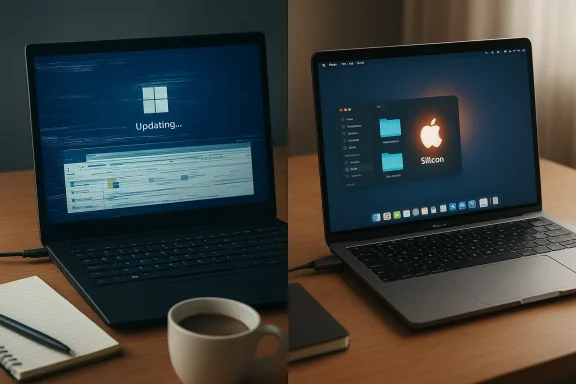
For many long-time Windows users the past 18 months have felt like a slow-motion erosion of trust: once-reliable workflows interrupted by buggy updates, a growing sense that stability and predictability were being traded for experimental AI features, and, increasingly, a willingness to consider a switch to macOS not as an indulgence but as a pragmatic choice. A recent set of commentaries and inside voices — including a candid post from a Microsoft product manager — have crystallized a larger trend: for a notable subset of users, macOS now feels like the less frictional, more dependable platform.
Windows has dominated the desktop market for decades by offering unmatched hardware variety, backwards compatibility, and a platform for specialized software (especially games and enterprise apps). But dominance doesn't immunize a platform from user dissatisfaction. Over the last year the Windows update cadence and experimental feature rollouts have invited vocal criticism from power users, admins, and consumer press alike. Those criticisms have focused on update-induced regressions, flaky UI behaviors, and the perception that feature velocity has outpaced quality controls.
At the same time Apple's Mac lineup — driven by successive Apple Silicon generations — has continued to improve performance-per-watt and ecosystem integration. For professionals, creatives, and many remote workers, that combination of reliability, battery life, and ecosystem convenience has made the idea of switching less radical. Industry benchmarks and battery tests show Apple Silicon machines running at levels previously unattainable for mainstream laptop form factors, while third-party virtualization tools have matured enough to ease compatibility concerns for many Windows-dependent workloads.
Other highly visible regressions compounded the problem. Users reported jarring white flashes when opening File Explorer in dark mode, context menu orientation bugs, and occasionally broken or missing UI elements following patches. The cumulative effect — frequent visible, user-facing regressions combined with a rapid update cadence — undermined confidence for a subset of users who rely on predictable machines for daily work.
Windows-centered outlets and community forums documented mounting frustration with what some described as an overloaded update strategy and insufficient testing for widely distributed changes. Those editorials argued for a reorientation toward slower, better-tested feature rollouts and clearer opt-out mechanisms for users who prioritize stability over novelty.
Caveat: performance metrics vary by exact SKU, thermal design, and workloads. A high-core-count M-series chip in a Mac Studio is not meaningfully comparable to the efficiency-focused M-series found in thin MacBooks; readers should compare specific models against their workloads. The published benchmark charts reflect aggregate results but are not a substitute for workload-specific testing.
At the same time, Windows still holds decisive advantages in gaming, hardware variety, and legacy enterprise compatibility. The sensible takeaway is not "one OS to rule them all" but rather a pragmatic reassessment: choose the platform that reduces daily friction for your specific work and be realistic about the migration costs. For many professionals fed up with intermittent regressions and update-driven headaches, macOS has moved from a premium curiosity to a practical alternative — and that change is likely to shape procurement and user-choice conversations for the next several years.
Source: The Mac Observer Windows 11 Users Are Finally Realizing macOS is a Better Choice: As a Long Time Windows User, I’ve Never Disliked It More and I Love Using macOS
 Background
Windows has dominated the desktop market for decades by offering unmatched hardware variety, backwards compatibility, and a platform for specialized software (especially games and enterprise apps). But dominance doesn't immunize a platform from user dissatisfaction. Over the last year the Windows update cadence and experimental feature rollouts have invited vocal criticism from power users, admins, and consumer press alike. Those criticisms have focused on update-induced regressions, flaky UI behaviors, and the perception that feature velocity has outpaced quality controls. At the same time Apple's Mac lineup — driven by successive Apple Silicon generations — has continued to improve performance-per-watt and ecosystem integration. For professionals, creatives, and many remote workers, that combination of reliability, battery life, and ecosystem convenience has made the idea of switching less radical. Industry benchmarks and battery tests show Apple Silicon machines running at levels previously unattainable for mainstream laptop form factors, while third-party virtualization tools have matured enough to ease compatibility concerns for many Windows-dependent workloads.
Why a Microsoft manager saying “I prefer macOS” matters
When someone employed by Microsoft — a product manager working inside the Windows ecosystem — openly describes macOS as their preferred daily environment, the anecdote isn't merely gossip; it is a signal about comparative ergonomics and developer workflows.- First, it shows that even those who are most familiar with Windows' inner workings can encounter friction severe enough that macOS feels preferable for real work. The manager explained that their workflow is anchored on a MacBook issued by Microsoft, with remote access back to Microsoft services when needed.
- Second, the account highlights the power of third-party macOS utilities (like Raycast) and the modern developer toolchain on macOS as real productivity multipliers. Those toolchains can reframe the daily cost of using one OS over another.
Windows 11’s recent quality problem: what went wrong
Across multiple independent reports and vendor advisories, a pattern emerges: several Windows 11 updates in the 24H2/25H2 era introduced regressions that impacted core shell components — notably File Explorer, the Start menu, and other XAML-dependent UI pieces. On certain systems, those components crashed after cumulative updates, and in virtualized environments the issue could prevent basic shell initialization altogether. Microsoft acknowledged the problem and offered workarounds for enterprise or VDI setups, but the public-facing perception was clear: an essential user surface regressed after patches.Other highly visible regressions compounded the problem. Users reported jarring white flashes when opening File Explorer in dark mode, context menu orientation bugs, and occasionally broken or missing UI elements following patches. The cumulative effect — frequent visible, user-facing regressions combined with a rapid update cadence — undermined confidence for a subset of users who rely on predictable machines for daily work.
Windows-centered outlets and community forums documented mounting frustration with what some described as an overloaded update strategy and insufficient testing for widely distributed changes. Those editorials argued for a reorientation toward slower, better-tested feature rollouts and clearer opt-out mechanisms for users who prioritize stability over novelty.
Why macOS is becoming attractive: stability, integration, and predictability
For people deciding whether to switch, the choice typically rests on three pillars: can I do my work? am I more productive? and will the device just work when I need it to? On those axes, several factors make macOS compelling.- Hardware–software integration: Apple controls both macOS and the silicon on modern Macs, enabling aggressive co-engineering that pays dividends in stability and consistent firmware/software interactions. Many users experience fewer random driver or firmware problems compared to the heterogeneous Windows laptop ecosystem. This isn’t theoretical — it’s reflected in everyday recovery tasks and update outcomes.
- Ecosystem continuity: If you own an iPhone, iPad, or Apple Watch, macOS features like Handoff, Universal Clipboard, AirDrop, and Continuity Camera reduce friction across devices in ways Windows does not match as tightly. That convenience compounds daily.
- Backup and recovery: Tools such as Time Machine give many end users a straightforward path to full-system restores. While Windows has made improvements, the perceived complexity of Windows recovery paths remains a point of anxiety for less technical users.
Apple Silicon: the performance and battery argument
One of the decisive technical shifts that enabled mass macOS migration talk is Apple Silicon. Over successive M-series generations, Apple has pushed the performance envelope while drastically improving battery life.- Benchmarks collected across Apple’s M-series family show very high single- and multi-core scores in industry-standard tests, with higher-end M4/M3 Ultra configurations delivering desktop-class multi-core performance in studio-class machines. These numbers matter because they drive real-world workloads — compiling code, rendering, batch media processing — faster and cooler than prior Intel-based Macs.
- Battery testing in comparative reviews places Apple’s recent MacBook Pro and MacBook Air entries at or near the top of mainstream laptop endurance charts, with long runtimes under mixed-use conditions. Longer battery life translates directly into fewer interruptions for mobile professionals and higher perceived reliability in remote or travel scenarios.
Caveat: performance metrics vary by exact SKU, thermal design, and workloads. A high-core-count M-series chip in a Mac Studio is not meaningfully comparable to the efficiency-focused M-series found in thin MacBooks; readers should compare specific models against their workloads. The published benchmark charts reflect aggregate results but are not a substitute for workload-specific testing.
Running Windows on a Mac — practical compatibility
A central objection to moving to macOS has always been compatibility: I need Windows apps X, Y, and Z. Today that objection is much less categorical.- Parallels Desktop and similar virtualization tools now offer robust Windows-on-Mac experiences, including support for the official Windows on Arm distributions on Apple silicon. Parallels has continued to iterate on compatibility and management tooling, making Windows VMs an accessible option for many knowledge workers and developers.
- There are still limitations: some legacy x86 applications behave differently under emulated environments, nested virtualization remains a pain point, and GPU/3D acceleration consistency can vary compared to a native PC install. Enterprises that rely on Hyper-V, WSL2, or hardware-specific drivers might encounter constraints that make a full migration impractical. Parallels documentation and vendor knowledge bases enumerate these caveats.
The user experience differential: macOS ergonomics vs Windows 11’s modern UX
The migration conversation often boils down to subtlety: Which OS gets out of your way? macOS and Windows approach that differently.- macOS tends to favor convention and consistency: menu bar rules, predictable windowing behaviors, and a relatively stable set of user-facing workflows. That predictability is often the catalyst for the “it just works” perception.
- Windows 11 has invested heavily in innovation — Snap Layouts, improved touch support, gaming integration (DirectStorage, Game Pass), and richer multitasking. These features deliver real value, but the UX gains have sometimes been offset by inconsistent rollouts, controlled feature rollouts (CFR), and occasional regressions. For users who prize a steady environment, that inconsistency is painfully noticeable.
Counterpoints: where Windows still outclasses macOS
This is not an exercise in conversion therapy. Windows remains indispensable in many domains, and the platform retains clear, objective advantages.- Gaming: Windows is the undisputed leader for gaming with broader AAA support, driver optimization, and native ecosystem features like Game Pass and DirectX. Mac gaming has improved but remains a niche relative to Windows.
- Hardware choice and upgradability: Windows PCs span price points and form factors that Apple doesn't touch — desktops with multi-GPU configurations, user-upgradeable workstations, and affordable ultraportables. For power users who build or heavily customize systems, Windows is still the superior choice.
- Enterprise management and legacy software: Many organizations still have Windows-first line-of-business applications, domain integrations, and deployment tooling that are not trivially reproduced in macOS environments. For these shops, the total cost of migration is daunting.
The economics and logistics of switching
Migrating between ecosystems has non-technical costs: software licensing, retraining, peripheral compatibility, and procurement.- Hardware cost: Macs are priced at a premium for given hardware specs, though the total cost of ownership calculus changes if you factor in durability, resale value, and reduced maintenance time.
- Software parity: Many productivity suites are cross-platform, but niche or industry-specific tools may require Windows VMs or subscription costs to maintain equivalent functionality.
- Peripherals: Printers, scanners, and specialized devices sometimes require different driver support; enterprises must plan for these transitions.
- IT and management: Enterprises need new device management profiles, Apple Business Manager integrations, and updated security policies.
Risks and cautionary notes
While macOS presents a lower-friction option for a subset of users, there are important caveats.- Vendor lock-in: The Apple ecosystem is sticky. AirDrop, Handoff, and other conveniences make life easier — but they also raise the switching cost if you ever want to leave the ecosystem later. Be conscious of that trade-off.
- Emulation and compatibility limits: Running Windows under Parallels or similar virtualization software is excellent for many tasks, but it is not a panacea for every piece of enterprise software or gaming workload. Prioritize testing mission-critical apps on your intended setup before committing.
- Security model differences: macOS benefits from certain structural protections, but no platform is immune. Organizations must maintain strong patch discipline, endpoint detection, and backup policies regardless of operating system choice.
- Cost and procurement friction: Small businesses and schools operating on tight budgets may find Mac hardware less accessible than commodity Windows laptops.
Practical advice for Windows users considering a move
If you’re a Windows user contemplating macOS, here’s a pragmatic checklist:- Inventory your apps: Identify mission-critical Windows apps. Test them under Parallels or cross-platform equivalents.
- Pilot hardware: Try an Apple laptop on a short-term lease or loan. Measure battery life, real-world performance, and peripheral compatibility.
- Verify virtualization needs: If your workflow depends on virtualization (Hyper-V, Docker with nested virtualization, VBS-enabled tooling), confirm those scenarios are supported on Parallels or find doable workarounds.
- Plan backups and recovery: Learn Time Machine, APFS snapshots, and macOS restore workflows to replicate your safety net.
- Consider phased migration: Move teams or roles most likely to benefit first — designers, writers, mobile developers — then expand based on results.
What Microsoft could do to stem the tide
The growing chatter about switching is not simply a marketing problem; it is a product-quality problem that Microsoft can address with operational changes.- Prioritize stability over velocity for core shell components. A slower, staged feature rollout with clearer opt-out controls would reduce user-facing regressions.
- Improve transparency around Controlled Feature Rollouts so users and admins understand when changes will reach their machines and what the rollback paths are.
- Continue investing in cross-platform developer tools and remote-cloud workflows that let developers use macOS as their daily machine without sacrificing access to Windows-only infrastructure.
- Make enterprise recovery and repair paths clearer and more consistent across hardware variations.
Conclusion
The conversation about whether macOS is "better" than Windows 11 will never be reducible to a single verdict — the right choice depends on software needs, budget, and personal taste. But the shift we have seen this year is real: a growing number of users and even some Windows insiders are publicly acknowledging that, for certain workflows, macOS offers a lower-friction, more predictable experience. That shift is supported by measurable hardware gains in Apple Silicon, polished ecosystem integrations, and a virtualization landscape that eases compatibility concerns.At the same time, Windows still holds decisive advantages in gaming, hardware variety, and legacy enterprise compatibility. The sensible takeaway is not "one OS to rule them all" but rather a pragmatic reassessment: choose the platform that reduces daily friction for your specific work and be realistic about the migration costs. For many professionals fed up with intermittent regressions and update-driven headaches, macOS has moved from a premium curiosity to a practical alternative — and that change is likely to shape procurement and user-choice conversations for the next several years.
Source: The Mac Observer Windows 11 Users Are Finally Realizing macOS is a Better Choice: As a Long Time Windows User, I’ve Never Disliked It More and I Love Using macOS
