
Win11Debloat 06.24.2026 arrived on June 24, 2026 as a new release of Raphire’s open-source PowerShell utility for Windows 10 and Windows 11, removing legacy custom app-list support while adding safer previews, policy warnings, telemetry-task cleanup, and fixes for Copilot removal. The update is less interesting as another “debloat” checklist than as a signal of where Windows customization is heading. Microsoft keeps adding experiences that blur the line between operating system, assistant, advertising surface, and cloud-service launcher; community tools are responding by becoming more like policy engines than one-off uninstall scripts.
That tension is now familiar to anyone who administers or merely owns a Windows 11 PC. The operating system is more capable than ever, but it is also more opinionated than ever about what belongs in the shell, the Settings app, the browser, the lock screen, and the Start menu. Win11Debloat’s latest release lands squarely in that argument: not by inventing a new way to strip Windows down, but by making the stripping-down process more auditable, reversible, and deployable.
Win11Debloat began life in the familiar tradition of Windows cleanup scripts: remove bundled apps, turn off annoyances, flip privacy settings, and put the desktop back into a shape that feels less like a retail kiosk. That category has always lived in a gray zone. For every useful tweak, there is a horror story involving a registry file from a random forum post, a broken Store app, or an overzealous “optimizer” that disables something Windows later expects to exist.
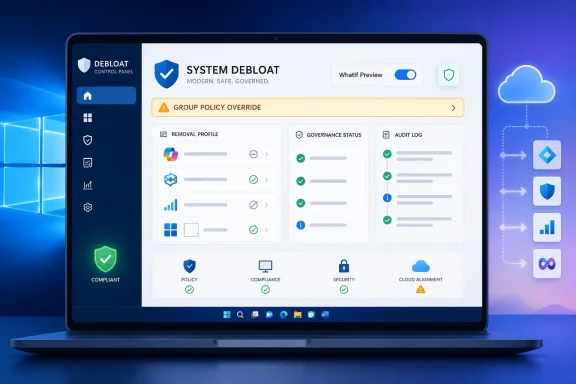
The 06.24.2026 release shows the project trying to move beyond that old reputation. The headline changes are not just more things to disable, but better guardrails around how changes are selected, previewed, and applied. A new warning for Group Policy overrides matters because many of the people most tempted to automate Windows cleanup are also the people managing machines where policy already defines the desired state.
That distinction is important. A home user may experience Windows “bloat” as Xbox apps, Microsoft 365 prompts, or a lock-screen feed they never asked for. An admin sees something different: drift. A Windows image is deployed in a known state, then consumer-facing surfaces reappear, app packages return, Edge settings mutate, or new AI entry points arrive through feature updates.
Win11Debloat is therefore not just chasing clutter. It is chasing Windows’ habit of reasserting product strategy through defaults.
That may annoy long-time users who built their own processes around the old file format. But it is also the kind of cleanup open-source tools need when they become popular enough to be used in real provisioning flows. Legacy modes tend to become undocumented contracts, and undocumented contracts become support burdens.
The changelog suggests the maintainers are deliberately pruning those branches. Sunset app entries such as Fitbit, Shazam, Twitter, Viber, Wunderlist, XING, and Plex have been dropped. The app-removal logic has been cleaned up. WinGet uninstall failures are now detected by exit code rather than by parsing English-language text, a small change that says a lot about maturity.
That last fix is the sort of thing casual users may skim past. Administrators should not. If a script decides success or failure by reading localized output text, it is brittle by design. Exit-code detection is the boring improvement that makes a tool more predictable across regions, languages, and deployment contexts.
That is not merely aesthetic housekeeping. Microsoft’s modern Windows strategy treats the desktop as a distribution surface for services. Edge is not just a browser. The Settings app is not just configuration. The lock screen is not just a lock screen. Start, Search, Widgets, File Explorer, Paint, Notepad, and Copilot-adjacent shell surfaces are now candidates for cloud-connected assistance, recommendations, and upsell.
Users who object to that strategy are not necessarily rejecting Windows as an operating system. Many are rejecting the idea that an operating system should keep introducing new attention surfaces after the device is purchased and configured. Win11Debloat’s popularity reflects that distinction.
The new release’s AI-related controls are especially telling. The script advertises options to disable and remove Copilot, disable Recall, disable Click to Do, prevent the Windows AI Fabric service from starting automatically, and disable AI features in Edge, Paint, and Notepad. Whether every user needs those toggles is beside the point. Their presence shows that AI is now part of the same customization debate once occupied by Candy Crush tiles and news widgets.
But the trust issue did not vanish just because the implementation changed. For many organizations, a feature that periodically captures screen activity is not merely a user preference. It is a compliance question, a legal discovery question, a data retention question, and a help-desk question waiting to happen.
That is why a tool offering a Recall disablement option finds an audience even if Recall is not universally available on every Windows 11 device. It lets admins and power users express intent: this class of functionality does not belong on this machine, or at least not without explicit review.
Click to Do falls into the same bucket. Microsoft presents it as an AI action layer that can operate on what is visible on screen, including in Recall-related contexts. For some users, that is convenience. For others, it is another ambient feature that must be understood, governed, and documented before it appears in a regulated workflow.
A script that blindly writes registry values can create the illusion of control while fighting the actual management plane. The result is familiar: a setting appears changed, then reverts; a user interface shows one thing while policy enforces another; or a technician spends time troubleshooting a machine that is behaving exactly as Intune, Group Policy, or Windows Update told it to behave.
By surfacing policy conflicts, Win11Debloat is inching toward the world administrators actually live in. The ideal tool does not merely apply tweaks. It tells you when a tweak is irrelevant, blocked, unsafe, redundant, or likely to be overwritten.
The new WhatIf dry-run previews support the same philosophy. Preview mode is not glamorous, but it is how a script graduates from “run this on my gaming laptop” to “maybe test this in audit mode before imaging a fleet.” If a cleanup tool cannot show its work before it touches a system, it should not be near production endpoints.
A script that looks like a raw console hack invites one kind of user. A structured GUI with backup, restore, presets, and warnings invites another. That expansion is powerful, but risky. The easier a debloating tool becomes, the more likely it is to be run by someone who does not understand the consequences of removing a package, disabling a service, or changing a privacy setting that another app expects.
The project’s answer appears to be layered access. Power users and administrators still get command-line workflows, audit-mode support, and the ability to target other users. Less technical users get a guided interface. The important part is that both paths increasingly share the same underlying feature definitions rather than diverging into separate worlds.
That convergence is healthy. Windows customization has too often been split between pretty utilities that hide too much and scripts that assume the operator already knows everything. Win11Debloat is trying to occupy the middle: visible enough for normal users, deterministic enough for administrators.
Those are not edge cases for administrators. They are daily realities. Windows has per-user state, provisioned app packages, default-user templates, machine-wide policy, Store-mediated app identities, WinGet behavior, and shell features that may behave differently depending on whether a user has logged in before. A debloat tool that only works for the currently logged-in user is useful; one that understands other users and deployment phases is more interesting.
The release also surfaces runspace errors in GUI mode instead of swallowing them. That is another maturity marker. Silent failure is poison for trust. If a script says it disabled something, but an exception disappeared behind the interface, the user is worse off than before because they now have false confidence.
The same applies to the fix for unsafe-removal confirmation behavior. Treating a dismissed warning as a decline is exactly what cautious software should do. A cleanup tool’s default should be restraint, especially when the requested action could remove components that are difficult to restore or that Windows may partially depend on later.
The examples are not hard to find. Windows exposes advertising ID controls and recommendation settings because personalization and offers are built into the experience. The Start menu has become a battleground over recommended content. Edge is deeply integrated and aggressively promoted. The Settings app can become a place to market Microsoft 365. Copilot, Recall, Click to Do, and other AI features bring a new layer of intelligence, but also a new layer of user suspicion.
Some of these features are useful. Some are harmless if disabled. Some may be strategic necessities for Microsoft as it competes in AI and cloud services. But bundling them into the operating system changes the emotional contract with users. When the shell becomes a marketing and AI surface, people will look for a way to restore the shell to being a shell.
That is the political economy of debloating. It is not only about CPU cycles or disk space. It is about ownership.
The project’s reversibility claims help, and most removed Store apps can generally be restored through Microsoft’s app distribution channels. But “reversible” does not mean “consequence-free.” A machine used for Windows Insider testing, Microsoft 365 integration, Copilot+ PC features, Store-delivered workflows, or enterprise policy validation may need precisely the components a home user wants removed.
The right way to treat Win11Debloat is not as a magic performance button. It is a configuration tool. That means understanding each change, testing it against the way the machine is actually used, and keeping a record of what was applied.
For administrators, the bar is higher. Forking or pinning a known release, reviewing the source, testing against a pilot group, and aligning changes with policy management are not optional niceties. They are the difference between endpoint hygiene and endpoint folklore.
That is what governance looks like in a community tool. Not bureaucracy, but repeatability. Not “trust me,” but “show me what will happen before it happens.”
The irony is that Microsoft’s own management stack already offers many of the official ways to control Windows experiences. Group Policy, Intune, Settings Catalog entries, provisioning packages, AppLocker, WDAC, Store controls, and enterprise images all exist for a reason. But they are not equally accessible to home users, small shops, hobbyists, or technicians rebuilding machines one at a time.
Win11Debloat fills the gap between “click through Settings for an hour” and “build a full enterprise management plane.” That is why this release matters. It is not replacing official management. It is packaging intent for the users Microsoft’s management story does not fully serve.
That tension is now familiar to anyone who administers or merely owns a Windows 11 PC. The operating system is more capable than ever, but it is also more opinionated than ever about what belongs in the shell, the Settings app, the browser, the lock screen, and the Start menu. Win11Debloat’s latest release lands squarely in that argument: not by inventing a new way to strip Windows down, but by making the stripping-down process more auditable, reversible, and deployable.
 The Script Is Becoming a Control Panel for Microsoft’s Control Panel
Win11Debloat began life in the familiar tradition of Windows cleanup scripts: remove bundled apps, turn off annoyances, flip privacy settings, and put the desktop back into a shape that feels less like a retail kiosk. That category has always lived in a gray zone. For every useful tweak, there is a horror story involving a registry file from a random forum post, a broken Store app, or an overzealous “optimizer” that disables something Windows later expects to exist.The 06.24.2026 release shows the project trying to move beyond that old reputation. The headline changes are not just more things to disable, but better guardrails around how changes are selected, previewed, and applied. A new warning for Group Policy overrides matters because many of the people most tempted to automate Windows cleanup are also the people managing machines where policy already defines the desired state.
That distinction is important. A home user may experience Windows “bloat” as Xbox apps, Microsoft 365 prompts, or a lock-screen feed they never asked for. An admin sees something different: drift. A Windows image is deployed in a known state, then consumer-facing surfaces reappear, app packages return, Edge settings mutate, or new AI entry points arrive through feature updates.
Win11Debloat is therefore not just chasing clutter. It is chasing Windows’ habit of reasserting product strategy through defaults.
The 06.24 Release Trades Old Flexibility for Cleaner Automation
The most disruptive change in this release is the removal of the legacy app list generator and CustomAppsList file support. That affects users relying on older command-line workflows, including the-RemoveAppsCustom and -RunAppsListGenerator parameters. In exchange, the project is pushing users toward newer app-removal methods and a more structured internal model.That may annoy long-time users who built their own processes around the old file format. But it is also the kind of cleanup open-source tools need when they become popular enough to be used in real provisioning flows. Legacy modes tend to become undocumented contracts, and undocumented contracts become support burdens.
The changelog suggests the maintainers are deliberately pruning those branches. Sunset app entries such as Fitbit, Shazam, Twitter, Viber, Wunderlist, XING, and Plex have been dropped. The app-removal logic has been cleaned up. WinGet uninstall failures are now detected by exit code rather than by parsing English-language text, a small change that says a lot about maturity.
That last fix is the sort of thing casual users may skim past. Administrators should not. If a script decides success or failure by reading localized output text, it is brittle by design. Exit-code detection is the boring improvement that makes a tool more predictable across regions, languages, and deployment contexts.
“Debloat” Now Means “Turn Off the Product Roadmap”
The feature list also captures how the meaning of “debloating” has changed. A decade ago, Windows cleanup mostly meant removing OEM trialware, games, toolbars, and vendor utilities. In Windows 11, the target has expanded to include telemetry settings, suggestions, activity tracking, Microsoft account nudges, Microsoft 365 promotions, Edge experiences, Copilot, Recall, Click to Do, AI features in inbox apps, and the surrounding services that make those features light up.That is not merely aesthetic housekeeping. Microsoft’s modern Windows strategy treats the desktop as a distribution surface for services. Edge is not just a browser. The Settings app is not just configuration. The lock screen is not just a lock screen. Start, Search, Widgets, File Explorer, Paint, Notepad, and Copilot-adjacent shell surfaces are now candidates for cloud-connected assistance, recommendations, and upsell.
Users who object to that strategy are not necessarily rejecting Windows as an operating system. Many are rejecting the idea that an operating system should keep introducing new attention surfaces after the device is purchased and configured. Win11Debloat’s popularity reflects that distinction.
The new release’s AI-related controls are especially telling. The script advertises options to disable and remove Copilot, disable Recall, disable Click to Do, prevent the Windows AI Fabric service from starting automatically, and disable AI features in Edge, Paint, and Notepad. Whether every user needs those toggles is beside the point. Their presence shows that AI is now part of the same customization debate once occupied by Candy Crush tiles and news widgets.
Recall Made Privacy a Deployment Problem
Recall remains the clearest example of why community tools are moving from annoyance removal to risk management. Microsoft has framed Recall as an opt-in, on-device memory feature for Copilot+ PCs, with snapshots stored locally and controls for filtering content. The company has also added security and privacy changes since the feature’s original unveiling, after intense criticism from researchers and users.But the trust issue did not vanish just because the implementation changed. For many organizations, a feature that periodically captures screen activity is not merely a user preference. It is a compliance question, a legal discovery question, a data retention question, and a help-desk question waiting to happen.
That is why a tool offering a Recall disablement option finds an audience even if Recall is not universally available on every Windows 11 device. It lets admins and power users express intent: this class of functionality does not belong on this machine, or at least not without explicit review.
Click to Do falls into the same bucket. Microsoft presents it as an AI action layer that can operate on what is visible on screen, including in Recall-related contexts. For some users, that is convenience. For others, it is another ambient feature that must be understood, governed, and documented before it appears in a regulated workflow.
The GPO Warning Is the Most Enterprise Feature in the Changelog
The new Group Policy override warning may be the least flashy item in the release, but it is arguably the most serious. It acknowledges a reality that many tweak tools ignore: Windows settings are not all equal. Some are preferences. Some are policy-controlled. Some are enforced by MDM. Some are rewritten by feature updates. Some are per-user. Some live in the default profile. Some only matter when a component is provisioned for future users.A script that blindly writes registry values can create the illusion of control while fighting the actual management plane. The result is familiar: a setting appears changed, then reverts; a user interface shows one thing while policy enforces another; or a technician spends time troubleshooting a machine that is behaving exactly as Intune, Group Policy, or Windows Update told it to behave.
By surfacing policy conflicts, Win11Debloat is inching toward the world administrators actually live in. The ideal tool does not merely apply tweaks. It tells you when a tweak is irrelevant, blocked, unsafe, redundant, or likely to be overwritten.
The new WhatIf dry-run previews support the same philosophy. Preview mode is not glamorous, but it is how a script graduates from “run this on my gaming laptop” to “maybe test this in audit mode before imaging a fleet.” If a cleanup tool cannot show its work before it touches a system, it should not be near production endpoints.
The GUI Era Did Not Kill the Command Line
Earlier 2026 releases pushed Win11Debloat toward a graphical interface, giving less technical users a safer path through a growing catalog of tweaks. The 06.24 update continues refining that interface with styling changes intended to better match Windows Fluent design, simplified window management, and updated minimum window sizes. Those sound cosmetic, but they matter because trust in tools like this is visual as well as technical.A script that looks like a raw console hack invites one kind of user. A structured GUI with backup, restore, presets, and warnings invites another. That expansion is powerful, but risky. The easier a debloating tool becomes, the more likely it is to be run by someone who does not understand the consequences of removing a package, disabling a service, or changing a privacy setting that another app expects.
The project’s answer appears to be layered access. Power users and administrators still get command-line workflows, audit-mode support, and the ability to target other users. Less technical users get a guided interface. The important part is that both paths increasingly share the same underlying feature definitions rather than diverging into separate worlds.
That convergence is healthy. Windows customization has too often been split between pretty utilities that hide too much and scripts that assume the operator already knows everything. Win11Debloat is trying to occupy the middle: visible enough for normal users, deterministic enough for administrators.
The Fixes Tell a Story About Real-World Messiness
The fixes in this release are a reminder that Windows is not a clean abstraction. The script now avoids treating “AllUsers” or “CurrentUser” as a username at startup. It fixes Start menu app layouts not being set correctly for all users when running the script against another user. It fixes Store suggestions not being disabled correctly in that same cross-user scenario.Those are not edge cases for administrators. They are daily realities. Windows has per-user state, provisioned app packages, default-user templates, machine-wide policy, Store-mediated app identities, WinGet behavior, and shell features that may behave differently depending on whether a user has logged in before. A debloat tool that only works for the currently logged-in user is useful; one that understands other users and deployment phases is more interesting.
The release also surfaces runspace errors in GUI mode instead of swallowing them. That is another maturity marker. Silent failure is poison for trust. If a script says it disabled something, but an exception disappeared behind the interface, the user is worse off than before because they now have false confidence.
The same applies to the fix for unsafe-removal confirmation behavior. Treating a dismissed warning as a decline is exactly what cautious software should do. A cleanup tool’s default should be restraint, especially when the requested action could remove components that are difficult to restore or that Windows may partially depend on later.
Microsoft Created the Market for This Tool
It would be easy to dismiss Win11Debloat as part of the eternal Windows tweaking culture, where every release generates scripts promising to make the OS faster, cleaner, and less annoying. That would miss the reason this category keeps resurfacing. Microsoft created a recurring demand for these tools by making Windows feel less like a neutral platform and more like a managed storefront.The examples are not hard to find. Windows exposes advertising ID controls and recommendation settings because personalization and offers are built into the experience. The Start menu has become a battleground over recommended content. Edge is deeply integrated and aggressively promoted. The Settings app can become a place to market Microsoft 365. Copilot, Recall, Click to Do, and other AI features bring a new layer of intelligence, but also a new layer of user suspicion.
Some of these features are useful. Some are harmless if disabled. Some may be strategic necessities for Microsoft as it competes in AI and cloud services. But bundling them into the operating system changes the emotional contract with users. When the shell becomes a marketing and AI surface, people will look for a way to restore the shell to being a shell.
That is the political economy of debloating. It is not only about CPU cycles or disk space. It is about ownership.
The Risk Is Not That Win11Debloat Exists; It Is That People May Use It Blindly
None of this means every Windows user should run Win11Debloat. That needs to be said plainly. Tools that change system settings at scale can fix annoyances, but they can also create support problems, especially when run without backups, documentation, or testing.The project’s reversibility claims help, and most removed Store apps can generally be restored through Microsoft’s app distribution channels. But “reversible” does not mean “consequence-free.” A machine used for Windows Insider testing, Microsoft 365 integration, Copilot+ PC features, Store-delivered workflows, or enterprise policy validation may need precisely the components a home user wants removed.
The right way to treat Win11Debloat is not as a magic performance button. It is a configuration tool. That means understanding each change, testing it against the way the machine is actually used, and keeping a record of what was applied.
For administrators, the bar is higher. Forking or pinning a known release, reviewing the source, testing against a pilot group, and aligning changes with policy management are not optional niceties. They are the difference between endpoint hygiene and endpoint folklore.
The 06.24.2026 Release Draws a Line Between Tweaking and Governance
This release is useful because it makes the project less romantic. It removes old app-list machinery. It improves failure detection. It warns about policy conflicts. It adds dry-run previews. It fixes cross-user behavior. It cleans up GUI execution and app-removal logic.That is what governance looks like in a community tool. Not bureaucracy, but repeatability. Not “trust me,” but “show me what will happen before it happens.”
The irony is that Microsoft’s own management stack already offers many of the official ways to control Windows experiences. Group Policy, Intune, Settings Catalog entries, provisioning packages, AppLocker, WDAC, Store controls, and enterprise images all exist for a reason. But they are not equally accessible to home users, small shops, hobbyists, or technicians rebuilding machines one at a time.
Win11Debloat fills the gap between “click through Settings for an hour” and “build a full enterprise management plane.” That is why this release matters. It is not replacing official management. It is packaging intent for the users Microsoft’s management story does not fully serve.
The Windows Cleanup Script Has Grown Up Because Windows Wouldn’t Sit Still
The practical read of Win11Debloat 06.24.2026 is straightforward: the project is becoming safer and more structured while keeping pace with Microsoft’s expanding set of built-in experiences. That makes it more useful, but also more deserving of caution.- Win11Debloat 06.24.2026 removes the old CustomAppsList workflow and legacy app list generator, so existing automation that depends on those methods needs to be reviewed before updating.
- The new Group Policy override warning and WhatIf previews make the tool more suitable for cautious testing, especially on managed or semi-managed systems.
- The release expands and refines controls around telemetry tasks, Copilot, Recall, Click to Do, AI services, and AI features in built-in apps.
- Several fixes target real deployment problems, including cross-user Start menu behavior, Store suggestion settings, GUI error visibility, and WinGet failure detection.
- The safest use of the tool is as a documented configuration layer, not as a one-click cure for every Windows annoyance.
- Administrators should test and pin versions rather than pulling the latest script into provisioning workflows without review.
References
- Primary source: Neowin
Published: Thu, 25 Jun 2026 03:26:59 GMT
Loading…
www.neowin.net - Related coverage: techspot.com
Win11Debloat Download | TechSpot
Download Win11Debloat - If you're trying to debloat Windows 10 or 11, try Win11Debloat, an open-source and easy-to-use one-line tool.www.techspot.com - Related coverage: newreleases.io
Raphire/Win11Debloat 2026.05.10 on GitHub
New release Raphire/Win11Debloat version 2026.05.10 Release 2026.05.10 on GitHub. newreleases.io
- Official source: hellogithub.com
Loading…
hellogithub.com - Related coverage: deepwiki.com
Raphire/Win11Debloat | DeepWiki
This page describes the purpose, capabilities, and high-level architecture of Win11Debloat. For installation and execution instructions, see $1. For a complete parameter reference, see $1. For detailedeepwiki.com - Related coverage: gitgenius.co
Loading…
www.gitgenius.co
- Related coverage: ossinsight.io
Loading…
ossinsight.io - Related coverage: githublb.vercel.app
Loading…
githublb.vercel.app - Related coverage: windowscentral.com
Loading…
www.windowscentral.com - Related coverage: tomshardware.com
Microsoft launches Recall to Windows 11 general availability — Click to Do and Improved Search also coming | Tom's Hardware
It's been a long road, but the long-awaited — and maligned — AI feature is finally here.www.tomshardware.com