

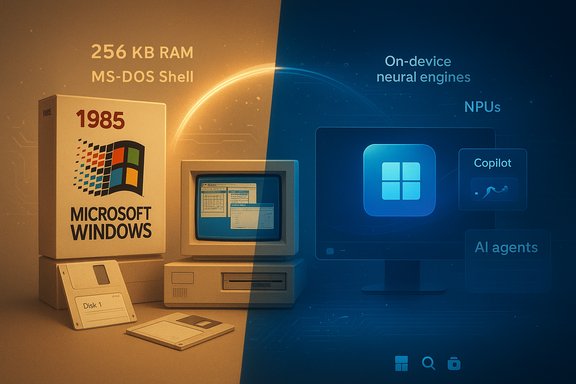
On November 20, 1985, a boxed copy of Windows 1.0 left the factory and quietly began a forty-year story that transformed personal computing from a command-line craft into an expectations-setting platform — and that same platform is now being reimagined as an AI-native workspace where silicon, services and agents reshape what a desktop does for users. The journey from a single floppy disk and 256 KB of RAM to on‑device neural engines and Copilot assistants is not simply an exercise in incremental improvements; it’s a study in trade‑offs: compatibility versus innovation, scale versus privacy, and reach versus fragmentation. The arc is verifiable in contemporary product histories and recent industry reporting, and the implications for users, enterprises and OEMs are profound.
Key architectural themes:
Source: fakti.bg From a floppy disk dream with 256 KB of RAM to the futuristic world of artificial intelligence
 Background
The very small beginnings: what Windows 1.0 actually was
When Microsoft shipped Windows 1.0, it did not ship a modern preemptive multitasking operating system — it shipped a graphical shell layered on top of MS‑DOS. The product introduced tiled windows (overlapping windows came later by design change), mouse-driven interaction, and bundled small apps such as Notepad, Paint, Calculator and MS‑DOS Executive. Minimum hardware documented at launch included an Intel 8088‑class CPU, 256 KB of RAM, and two disk drives (or a hard disk) — a configuration that shaped early UI decisions toward deterministic, tiled layouts to conserve memory and CPU cycles. Those constraints established a theme that defined Windows for decades: make new features compatible with the old.A pattern of incrementalism
Across four decades Microsoft favored incremental platform evolution — adding metaphors, stabilizing APIs and preserving backwards compatibility. This conservative posture produced enormous benefits (a vast software ecosystem and predictable upgrade paths) but also introduced costs (legacy surface area that complicates security, bloat that drives hardware requirements, and an expectation of continuity that slows radical reinvention). The milestones in that cadence are familiar: Windows 2.x and 3.x refined the interface and font support; Windows 95 introduced the Start menu and taskbar and normalized the consumer PC; Windows 2000 and Windows XP consolidated business and consumer needs on a stable NT kernel; and Windows 10/11 shifted distribution, cadence and ultimately the role of the OS itself.Key milestones and what they changed
Windows 1.0 to Windows 3.x — laying the metaphors
The early releases from 1985 to the early 1990s established the vocabulary of the desktop: windows, menus, icons and mouse‑driven controls. Windows 2.0 (1987) introduced overlapping and resizable windows; Windows 3.0/3.1 (early 1990s) added improved icons, TrueType fonts and a more polished Program Manager. Importantly, Windows for Workgroups added peer‑to‑peer networking, a practical first step from stand‑alone machines toward connected computing. Those releases were about making the PC accessible to mainstream users while keeping the developer platform stable.Windows 95 — consumer mainstreaming (August 1995)
Windows 95 formalized the consumer PC experience: the Start menu, Explorer, the taskbar, long file name support and Plug and Play made hardware and software far easier for ordinary users to manage. This release marked a turning point: the PC became an appliance for mass audiences rather than a tool for hobbyists and specialists. The legacy from that moment is visible in every subsequent desktop UI.Windows 2000 and XP — NT stability for all
Windows 2000 introduced a robust NT kernel to consumer expectations, and Windows XP (retail release October 25, 2001) merged the polish of consumer-facing UX with enterprise-class reliability. Windows XP’s longevity — many installations persisted for years beyond Microsoft’s mainstream support window — demonstrated the platform’s reach and the inertia created by widely deployed software. Those releases emphasized stability, manageability and a predictable API surface for ISVs.Vista, 7, 8, 10 — experiments, corrections and new delivery models
The Windows lineage in the 2000s and 2010s saw experimentation and corrections. Windows Vista suffered from performance and driver compatibility issues; Windows 7 restored faith in the platform for millions; Windows 8/8.1 attempted a bold convergence for touch-first devices with the Metro (tile) Start screen and created backlash that Microsoft corrected in later updates. Windows 10 introduced the “Windows as a Service” model, shifting upgrade cadence to a rolling service and making the OS itself a channel for frequent feature additions and telemetry.Windows 11 — a design rethunk and the AI pivot (October 2021)
Windows 11 (broad availability in October 2021) kept the NT kernel but introduced a more significant visual and UX rework and higher baseline hardware requirements. Importantly, the last major chapter is not only visual; it is strategic. Microsoft has been moving to make the OS an agentic workspace — integrating assistants, on‑device model runtimes and hardware co‑design with NPUs (neural processing units). The company’s Copilot integrations, Copilot+ PC program, and emphasis on on‑device accelerators mark an intentional pivot: treat the OS as a context‑aware productivity layer rather than merely a runtime.From GUI metaphors to AI agents: what’s new now
Copilot and the Copilot+ PC initiative
Microsoft’s Copilot family — the conversational and context‑aware assistants built into Windows and Microsoft 365 — is now central to the company’s messaging about the platform’s role. The Copilot+ PC initiative pairs software with a hardware baseline (partner silicon from Qualcomm, Intel and AMD) and specialized on‑device acceleration to deliver lower latency, richer local inference and privacy‑forward features when compared to cloud‑only workflows. Hardware marketing claims (for example, “58% faster on certain tasks versus Apple’s M3”) appear in partner showcases and press materials; these are meaningful as marketing benchmarks but should be validated with independent third‑party testing before being treated as definitive performance facts.Key architectural themes:
- On‑device inference to reduce latency and keep sensitive data local.
- A software layer (Copilot) integrated into the shell to surface contextual assistance.
- Hardware‑software co‑design that treats NPUs and model runtimes as first‑class platform concerns.
Notable AI features in modern Windows
Recent features shown or shipping in Windows 11 builds include:- Copilot integration in the shell and apps for summarization and draft generation.
- Recall (on some Copilot+ PCs): contextual retrieval of past interactions, browsing and document states.
- Clipchamp and generative media tools integrated into the user workflow.
Each of these expands the OS role from passive environment to a proactive assistant that can summarize, generate and fetch contextually relevant content. These are concrete product moves and reflect Microsoft’s strategy to blend cloud models and on‑device capabilities.
The hardware bottom line: NPUs and the 40+ TOPS benchmark
A recurring theme among OEMs and Microsoft’s partners is a performance floor for on‑device AI: a target measured in TOPS (trillions of operations per second). Industry conversations in recent reporting reference a 40+ TOPS threshold for richer local experiences; this is being used by Microsoft and OEMs to define “Copilot+” tiers and to guide silicon design tradeoffs. That threshold is not a universal standard in the same sense as an industry body specification — it’s an empirical performance target for certain classes of tasks and will continue to evolve with more efficient model runtimes. Enterprises and purchasers should consider benchmarked, workload‑specific results rather than raw TOPS numbers alone.Strengths of the current trajectory
Reach and ecosystem leverage
Windows’ greatest asset remains its scale: billions of installed seats, deep ISV relationships and OEM distribution channels make it uniquely positioned to ship AI experiences at planetary scale. That reach lowers the friction for Microsoft to deliver Copilot features broadly and for developers to target a single dominant desktop platform when they combine cloud and local models.Silicon-awareness and better latency for AI
On‑device inference reduces round‑trip latency and can improve privacy by limiting cloud exposure. Paired with model quantization and optimized runtimes, local NPUs can handle a range of tasks efficiently and without constant internet connectivity. For users who prioritize immediacy and data locality, this is a genuine win.Practical productivity gains
When integrated mindfully, Copilot‑style assistants can remove repetitive workflows: summarize meeting notes, draft emails, generate first‑pass documents, and assist with spreadsheet transformations. These are not theoretical luxuries for knowledge workers; they materially shorten common tasks when the assistant’s outputs are correct and verifiable.Risks, trade‑offs and unknowns
Fragmentation and a two‑tier Windows
A central risk is fragmentation: gating advanced AI features behind a Copilot+ hardware fence could create a premium, AI‑enabled Windows experience while leaving the large Windows 10/older device base with degraded capabilities. That fragmentation may complicate enterprise management, application compatibility testing, and security patching strategies — and could accelerate an install base divergence where older devices remain on legacy builds for years.Privacy and telemetry concerns
AI features that index local files, recall browsing sessions, or consume user data for contextual models raise legitimate privacy and compliance questions. If telemetry and data flows are not transparent and auditable, regulatory risk and user distrust follow. The industry conversation demands robust, default‑private settings, fine‑grained enterprise controls and clear revocation paths for model access. Without these guarantees, adoption in regulated sectors will be slow.Vendor claims vs. independent verification
Performance and capability claims made by OEMs or Microsoft during trade events or advertising require independent benchmarking for validation. Statements like “X% faster than competitor Y on certain tasks” are context‑dependent and often tied to synthetic workloads. Buyers should request reproducible benchmarks on their target workloads before using press claims as procurement criteria.Security surface area and new attack vectors
Agentic features that can access files, execute commands, or automate flows create new vectors for exploitation. The OS must harden model invocation paths, ensure privilege separation, and add transparent logging and audit trails. Enterprises will demand these controls before they enable broad agentic features in production environments.Community experiments, optimization and the “Tiny” movement
Tiny11 and extreme optimization exercises
A vibrant part of the PC community has been experimenting with stripped‑down Windows builds (for example, projects known as Tiny11 and exercises by developers like NTDev). These experiments show Windows’ capacity to run in dramatically constrained memory footprints — one well‑publicized experiment ran a trimmed Windows 11 build in Safe Mode on 184 MB of RAM. These are fascinating technical feats that highlight the role of service and feature overhead in modern OS builds, but they are not official or supported configurations for production use. Such experiments prompt useful questions about minimalism, resource efficiency and the potential for lightweight build variants targeted at constrained hardware or emerging markets.What to take from these hacks
The upshot is twofold: first, Windows can be trimmed for extremely niche usage scenarios, which may inspire official “lightweight” options in the future; second, the trade‑offs are stark — usability, security, drivers and reliability all degrade when shipping unsupported, heavily‑modified builds. For most users and organizations, the safer strategy remains to use vendor‑supported editions and validated hardware.Practical guidance for users, IT and OEMs
For consumers
- Evaluate whether Copilot features are relevant to your daily tasks before upgrading hardware solely for AI marketing claims.
- If privacy matters, review default settings and data flows for assistants and on‑device features. Prefer devices and services that offer clear opt‑in and revocation controls.
- For older PCs, consider whether a light reinstall or a supported “lean” SKU from your OEM can extend useful life instead of chasing premium Copilot+ PCs.
For enterprise IT
- Treat October 14, 2025 (and similar lifecycle milestones) as migration planning deadlines: ringed testing, app compatibility validation and staged rollouts are essential to prevent disruption. (Enterprises must plan migration windows and test critical line‑of‑business apps on candidate hardware and OS builds.
- Pilot Copilot experiences in constrained environments and define data governance rules before broad rollout. Ensure you have audit logs and revocation policies for AI model access and local inference.
- Push vendors for transparent, workload‑specific benchmarks and for verifiable security and privacy controls on Copilot features.
For OEMs and silicon partners
- Design around real workload measurements, not just speculative TOPS numbers.
- Make feature parity clear at purchase time; avoid confusing marketing that implies all AI features work identically across hardware tiers.
- Invest in model runtime efficiency and thermal/power tradeoffs that make AI viable on mainstream price points.
Conclusion
The arc from a floppy disk and 256 KB of RAM to a desktop that can host local neural inference and act as an agentic assistant is impressive and instructive. Windows’ long history of incrementalism and compatibility provides both the muscle and the constraint for Microsoft’s latest strategic pivot: to make the OS an AI‑aware platform that blends local models, cloud services and hardware co‑design. That pivot promises productivity gains, lower latency and new user experiences — but it also opens hard questions about fragmentation, privacy, security and the true cost of premium AI tiers. As the ecosystem moves forward, the winners will be those who balance capability with transparency: delivering useful, verifiable, and auditable AI features without leaving the massive installed base behind. The next decade for Windows will be defined less by nostalgia and more by whether the platform can deliver trustworthy, widely accessible AI assistance — and whether that assistance is built on clear, measurable foundations.Source: fakti.bg From a floppy disk dream with 256 KB of RAM to the futuristic world of artificial intelligence
