

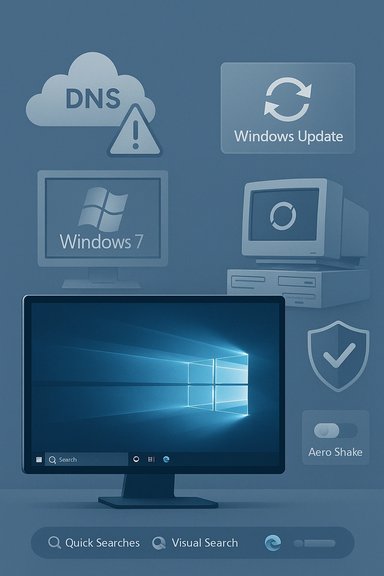
Windows 10’s story in recent coverage is one of steady momentum and stubborn resilience: adoption metrics and corporate milestones show the platform remaining a dominant, pragmatic choice for millions, while legacy holdouts — notably Windows 7 users — continue to cling to familiar environments even as Microsoft nudges the ecosystem with UI changes, new search behavior, and periodic service hiccups. At the same time, a string of smaller but visible incidents — from a widely reported Windows Update connectivity outage to a DLL that triggered false-positive security alerts and a controversial in-OS search tweak that routes web results through Bing and launches Edge — highlights how everyday reliability, platform trust, and default choices still shape user sentiment and migration calculus. This feature unpacks the facts, verifies the technical claims, and weighs the practical implications for IT pros, enthusiasts, and everyday Windows users.
Microsoft’s stated lifecycle and public messaging have informed corporate planning: the company’s mainstream support cutoff for Windows 10 was a formal moment bringing urgency to some organizations and clarifying options such as Extended Security Updates (ESU) for others. Those lifecycle dates are operational realities IT teams must plan around.
Regulatory responses in some regions have already changed specific behaviors (for example, options around default browser prompts and the Microsoft Store under local laws), but those changes are not universal. Where policy or compliance matters, IT teams need to assert explicit configuration baselines rather than relying on out-of-the-box settings.
For IT leaders, the clear guidance is pragmatic preparedness: plan update channels and policies, verify public claims with multiple datasets, and treat default behaviors as configurable policy decisions rather than immutable platform truths. For enthusiasts and ordinary users, the choice between convenience and control will continue to define the migration path: some will upgrade eagerly when new features land, others will stay put until their hardware, applications, or confidence in platform direction align.
The net effect is neither triumph nor collapse; it is a gradual evolution. Windows remains a dominant, working platform in a highly distributed and diverse ecosystem — and the details of defaults, telemetry, and update reliability will continue to shape whether users choose to stay, upgrade, or hold fast.
Source: BetaNews https://betanews.com/article/window...es-surprise-change-to-windows-10-aero-shake/]
 Background
Where Windows 10 stands and why it matters
Windows 10 built its reputation on broad compatibility, incremental improvements, and a “Windows as a Service” update cadence that encouraged incremental adoption rather than disruptive rip-and-replace upgrades. Public trackers and industry commentary repeatedly show Windows 10 remaining a major force across desktop installs for years, supported by both OEM refresh cycles and enterprise migrations. Analysts and retrospective reports note that Windows 10 reached very large device counts—tens to hundreds of millions—during its lifecycle and that Microsoft’s lifecycle dates (including the formal end-of-mainstream support threshold) have been meaningful pivot points for migration planning.Microsoft’s stated lifecycle and public messaging have informed corporate planning: the company’s mainstream support cutoff for Windows 10 was a formal moment bringing urgency to some organizations and clarifying options such as Extended Security Updates (ESU) for others. Those lifecycle dates are operational realities IT teams must plan around.
Different measures, different stories
Market-share trackers use different methodologies (pageview-weighted samples, device telemetry, OEM shipment figures), so a headline that claims “Windows 10 is growing” or “Windows 7 is surging” can both be technically true depending on the dataset cited. That measurement nuance matters: pageview-weighted trackers are sensitive to shifts in browsing patterns, while telemetry from vendors and OEMs tells a different, often broader device-level story. Analysts caution against treating month-to-month swings in one tracker as a definitive industry verdict without smoothing and cross-referencing independent sources.The state of adoption: steady growth, stubborn loyalty
Windows 10’s steady climb
Over the years Windows 10’s adoption exhibited long-term growth driven by enterprise projects, OEM refresh windows, and Microsoft’s persistent servicing model. Industry timelines and company milestones documented steady multi-quarter gains rather than flash spikes. Public tracker headlines that focus on a single month’s variation have repeatedly been shown to amplify short-term noise; broader trend lines still point to Windows 10 as a platform with major installed scale and staying power.- Why this matters: a large installed base means continued ecosystem attention from developers and enterprise tooling vendors.
- Practical impact: for corporate IT, the stability of Windows 10 meant a lower-risk platform for legacy applications and drivers.
Windows 7 users: loyalty, compatibility, and inertia
Despite Windows 10’s growth, a small but persistent group of users remained on Windows 7 well past mainstream support. The reasons are familiar: hardware eligibility for newer OS versions, legacy application dependencies, corporate procurement cycles, and a simple preference for a familiar environment. These are not trivial restraints — for many organizations the cost and risk of validating every critical application on a new OS outweigh the perceived benefit of an aesthetic or incremental feature change.- Enterprise reality: staged deployments, driver validation, and business continuity concerns slow upgrades.
- Consumer reality: older yet serviceable PCs that don’t meet Windows 11’s hardware baseline simply stay on older releases.
Numbers and nuance
Public commentary and historical trackers show that short-term stat swings (for example, a one-month pause in Windows 10’s growth in late 2017) often made headlines but rarely altered the longer-term trend of gradual adoption. When interpreting counts like “800 million devices” or “one billion devices,” it’s essential to check definitions: Microsoft’s device tallies typically include consoles, mixed‑reality devices, and non‑PC endpoints, while tracker services may report browser-based pageview shares. Treat these numbers as directional and confirm the counting methodology before drawing operational conclusions.Recent platform events that matter to users and admins
1) Windows Update connectivity outage — scope and lessons
In a past incident, Windows Update connectivity problems left some users unable to reach the update service and produced “We couldn't connect to the update service” errors. Microsoft traced root causes to an external DNS provider outage and data corruption in DNS entries; the company and community reporting showed a typical pattern: partial impact, DNS propagation delays, and a fix that required downstream servers to refresh cached entries. BetaNews covered this symptom and Microsoft’s guidance at the time. Why this matters:- Windows Update is a critical security and reliability conduit; even short outages disrupt manual update checks and enterprise patching pipelines.
- DNS and supply-chain dependencies illustrate that Windows servicing depends on third-party infrastructure health as much as internal Microsoft services.
- Operational takeaway: IT teams should maintain alternate update channels (WSUS, Windows Update for Business, local caching) and monitor downstream DNS caches after provider incidents.
2) A DLL that triggered security alerts — the WinSqlite3.dll episode
A more recent, higher‑visibility incident involved Microsoft updating a Windows system DLL — WinSqlite3.dll — after broad reports that third‑party security products flagged it as vulnerable due to a purported memory-corruption issue (CVE-2025-6965). Microsoft posted a service alert and pushed an update to resolve the false-positive detections; BleepingComputer documented the update and Microsoft’s remediation timeline, noting the fix was included in updates released January 13, 2026 and later. Key implications:- False positives in security tooling can be disruptive at scale: alerts, quarantines, and blocked services can cascade in enterprise environments.
- The incident demonstrates the need for reliable vendor coordination and clear remediation channels when core platform components trigger third‑party scanners.
- Operational mitigation: security teams should keep an established triage workflow for vendor-confirmed false positives and maintain controlled rollback or allowlist procedures for critical systems.
3) Windows 10 search behavior — Quick Searches, Visual Search, and the Bing/Edge path
Microsoft introduced Quick Searches and a Visual Search option to Windows Search, integrating web results directly into the taskbar search box and routing full web opens into Edge. BetaNews characterized this change as effectively forcing Bing and Edge into the user workflow, because typed queries or screen snips that require a full-page result open Edge as the handler. The feature was described as convenient for quick answers but problematic when users prefer alternative search engines or browsers. Wider context from other reporting shows Microsoft has historically favored steering web actions toward Bing and Edge as part of ecosystem strategy, a point reinforced by regulatory-driven changes in some regions but still visible in platform behavior elsewhere. Those default behaviors influence adoption perceptions and have security, privacy, and UX consequences. Practical considerations:- For power users, the feature adds convenience — quick calculations, snippets, and visual lookups without leaving the desktop.
- For privacy-conscious users and enterprises, the default routing to Bing/Edge is a gate where policy or configuration may be required to maintain preferred search and browser defaults.
- IT policy note: in managed environments, group policy and provisioning scripts remain the principal levers to adjust default handlers and search behaviors.
4) Aero Shake change: disabled by default, toggle in Settings
A small but telling UX tweak: Microsoft updated Windows 10 Insider builds to make the Aero Shake feature (shake a window to minimize others) disabled by default while adding a toggle in Settings → System → Multitasking. BetaNews reported that the setting is now off by default, meaning clean installs will require re-enabling for users who liked the gesture. Why this matters:- Such seemingly minor interaction changes reveal Microsoft’s balancing act between default simplicity and power-user ergonomics.
- Each default change nudges user expectations and migration friction: reinstalling or configuring devices in bulk will require a known baseline policy for such toggles.
5) Weekly app roundups: why curated app lists still matter
BetaNews continues its periodic “Best Windows 10 apps this week” series highlighting new and useful utilities in the Microsoft Store. Those weekly roundups functionally help users discover tools that enhance productivity or provide niche capabilities, and they remind administrators and enthusiasts that the Windows app ecosystem remains active even as the platform migrates. Curated recommendations are especially useful for lightweight deployments or for end users seeking vetted tools. Operational tip: When evaluating store apps for fleet deployment, prioritize well-maintained apps, check update cadence, and test permission models and telemetry behaviors in a controlled environment before broad rollout.Technical verification and cross-referencing
- End-of-support and lifecycle: public lifecycle guidance and long-form industry analysis converge on the message that Microsoft’s official Windows 10 lifecycle dates substantially influence enterprise decisions, and those dates have been widely reported in lifecycle documentation and retrospective analysis. Treat Microsoft lifecycle announcements as primary, and corroborate with organizational ESU planning documents.
- DLL update and remediation date: BleepingComputer’s reporting on the WinSqlite3.dll false-positive and Microsoft’s service alert includes concrete remediation timing: updates released January 13, 2026 and later resolved the issue. That timeline is consistent with vendor bulletins and community reporting.
- Search feature behavior: BetaNews’ hands-on coverage of Quick Searches and Visual Search outlines both the user-visible UX and the routing behavior that launches Edge for deeper results; independent coverage of Microsoft’s broader pattern of default routing to Edge/Bing provides additional context. These two lines of reporting together make a persuasive case that the search change both adds convenience and reinforces Microsoft’s default surface for web results.
- Windows Update outage: BetaNews documented Microsoft’s public explanation that an external DNS provider outage and subsequent propagation delays were the proximate cause for certain customers being unable to connect to Windows Update; this narrative aligns with Microsoft support page advisories of the time and subsequent community troubleshooting.
Critical analysis: strengths, risks, and practical guidance
Strengths in Microsoft’s approach and Windows 10’s legacy
- Stability and compatibility: Windows 10’s conservative UX changes and longstanding driver compatibility made it a safe, low-friction choice for enterprises and power users. That practical reliability helped many organizations avoid disruptive upgrades.
- Continuous servicing model: The Windows-as-a-Service cadence allowed Microsoft to iterate and ship fixes more rapidly than prior boxed releases, smoothing enterprise rollout schedules with smaller, manageable updates.
- Large install base as an ecosystem anchor: A meaningful installed base keeps ISVs and peripheral vendors investing in driver and app support, lowering the business cost of staying on the platform.
Risks and tension points
- Default behaviors and ecosystem capture: In-OS behaviors that route searches to Bing or open links in Edge create friction for users who prefer alternatives. Over time these defaults influence market dynamics and user perceptions of choice. The effective “default gate” is a recurring source of controversy and regulatory attention.
- Operational fragility in dependent services: Windows Update’s reliance on third-party DNS infrastructure revealed an ancillary fragility: a non-Microsoft outage had a measurable impact on patching behavior. That amplifies the need for redundancy in enterprise patching architectures.
- Security workflow complexity from false positives: The WinSqlite3.dll episode underscores how false positives can disrupt incident response. Enterprises must maintain rapid verification processes and coordination channels with vendors when core components are flagged by security scanners.
- Measurement confusion: Conflicting public metrics create rhetorical confusion. IT decision makers must treat headline percentages as signals to investigate—not directives—and always check underlying methodology before acting.
Practical advice for IT teams and enthusiasts
- Maintain multiple update channels: rely on WSUS, Windows Update for Business, or local caching for critical infrastructure to avoid single-point-of-failure exposure.
- Establish a security false-positive triage plan: define who verifies vendor claims, how allowlisting is managed, and the rollback criteria for quarantined components.
- Lock down defaults where policy matters: use group policy or provisioning scripts to set browser and search defaults for managed fleets.
- Test UI/behavioral changes before broad deployment: toggles like Aero Shake or Quick Search integration are small but can have outsized productivity impacts in specialized workflows.
- Treat public tracker numbers with caution: combine several independent datasets and vendor telemetry to form an operationally grounded migration plan.
The user perspective: convenience versus control
Windows continues to reflect a tension between adding convenience features (visual search, quick answers, default browser optimizations) and preserving user control (choice of search provider, browser defaults, and privacy expectations). For many users, the search and visual-snipping features are net positives — faster lookups, instant conversions, and richer desktop workflows. For privacy-minded users and some enterprises, those same conveniences feel like an erosion of choice when defaults favor Microsoft’s own services.Regulatory responses in some regions have already changed specific behaviors (for example, options around default browser prompts and the Microsoft Store under local laws), but those changes are not universal. Where policy or compliance matters, IT teams need to assert explicit configuration baselines rather than relying on out-of-the-box settings.
Conclusion
The recent mosaic of Windows-related reporting — from measured adoption growth and enduring Windows 7 loyalty to the DLL false-positive, Windows Update outages, and in-OS search changes — underscores a simple reality: platform stewardship is as much about operational reliability and predictable defaults as it is about feature velocity. Windows 10’s long tenure demonstrates the value of compatibility and incremental polish. At the same time, episodic service disruptions and controversial default behaviors show how fragile trust can be when users and organizations face unexpected friction.For IT leaders, the clear guidance is pragmatic preparedness: plan update channels and policies, verify public claims with multiple datasets, and treat default behaviors as configurable policy decisions rather than immutable platform truths. For enthusiasts and ordinary users, the choice between convenience and control will continue to define the migration path: some will upgrade eagerly when new features land, others will stay put until their hardware, applications, or confidence in platform direction align.
The net effect is neither triumph nor collapse; it is a gradual evolution. Windows remains a dominant, working platform in a highly distributed and diverse ecosystem — and the details of defaults, telemetry, and update reliability will continue to shape whether users choose to stay, upgrade, or hold fast.
Source: BetaNews https://betanews.com/article/window...es-surprise-change-to-windows-10-aero-shake/]
