

Microsoft's operating system politics, consumer backlash against built‑in AI, and a surge in Linux alternatives have converged into a single, consequential moment for desktop computing: a decade after Windows 10's debut, the platform is being re‑configured across geopolitics, privacy debates, and migration pathways. Three pieces of reporting captured this moment from different angles — Microsoft’s tailored Windows 10 arrangement for Chinese government customers, community and vendor tools designed to excise AI from Windows 11, and the rising appeal of Zorin OS 18 for users looking to abandon the Windows upgrade treadmill — and together they map a technology landscape that IT teams and enthusiasts must navigate with careful trade‑offs. The facts behind each claim are verifiable and, where claims remain contested, this article flags the uncertainties and lays out practical next steps for admins and power users.
Microsoft publicly announced a China‑specific Windows 10 build in May 2017, developed through a joint venture with China Electronics Technology Group (CETC) and branded via the CMIT partnership; that program was explicitly intended to meet Chinese government procurement and cryptographic requirements. The announcement described a Windows 10 Enterprise‑based edition with stripped‑down features (for example, removal of OneDrive), locally managed telemetry and updates, and support for government‑specific encryption modules. This was covered in Microsoft’s Windows Experience blog and contemporaneous reporting. Separately, the infusion of generative and on‑device AI across Windows 11 has inspired a cottage industry of scripts, utilities, and administrative controls aimed at disabling or uninstalling built‑in AI agents such as Copilot, Recall features, and various AI‑driven UI elements. Community scripts (for example, “RemoveWindowsAI”) and formal policy controls appearing in Windows Insider builds show both grassroots and vendor responses to the same user friction: not everyone wants omnipresent AI on the desktop. Independent reporting and hands‑on guides outline ways to turn off, hide, or uninstall varying components. Finally, the retirement of free Windows 10 servicing on October 14, 2025 forced millions of PCs into choices — upgrade to Windows 11 (with stricter hardware and TPM requirements), pay for short‑term Extended Security Updates, or migrate to an alternative OS. Zorin OS 18 positioned itself as a practical migration target for Windows holdouts, offering a Windows‑familiar UI, migration tooling, OneDrive and web‑app continuity, and a long‑term support base tied to an Ubuntu LTS release. Early reviews and community reports show meaningful adoption among users seeking to avoid costly hardware churn.
For WindowsForum readers, the takeaways are actionable: verify software provenance, prefer sanctioned administrative controls over blind “nuke” scripts, and plan migration paths that balance security, functionality, and cost. The tidy world of single‑vendor control is giving way to a more plural, messy reality — one that rewards careful inventorying, rigorous testing, and a deliberate stance on what “control” means for your devices and your users.
Source: BetaNews https://betanews.com/article/micros...vertelemetry=1&renderwebcomponents=1&wcseo=1]
 Background
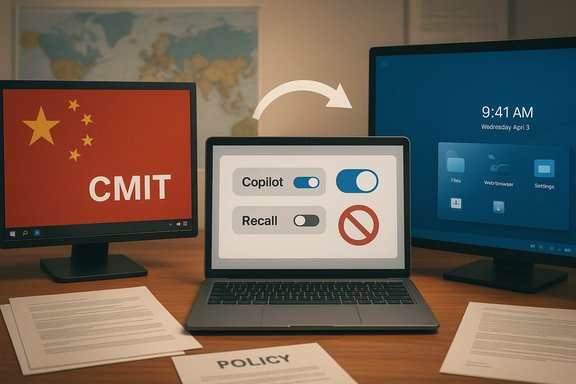
Microsoft publicly announced a China‑specific Windows 10 build in May 2017, developed through a joint venture with China Electronics Technology Group (CETC) and branded via the CMIT partnership; that program was explicitly intended to meet Chinese government procurement and cryptographic requirements. The announcement described a Windows 10 Enterprise‑based edition with stripped‑down features (for example, removal of OneDrive), locally managed telemetry and updates, and support for government‑specific encryption modules. This was covered in Microsoft’s Windows Experience blog and contemporaneous reporting. Separately, the infusion of generative and on‑device AI across Windows 11 has inspired a cottage industry of scripts, utilities, and administrative controls aimed at disabling or uninstalling built‑in AI agents such as Copilot, Recall features, and various AI‑driven UI elements. Community scripts (for example, “RemoveWindowsAI”) and formal policy controls appearing in Windows Insider builds show both grassroots and vendor responses to the same user friction: not everyone wants omnipresent AI on the desktop. Independent reporting and hands‑on guides outline ways to turn off, hide, or uninstall varying components. Finally, the retirement of free Windows 10 servicing on October 14, 2025 forced millions of PCs into choices — upgrade to Windows 11 (with stricter hardware and TPM requirements), pay for short‑term Extended Security Updates, or migrate to an alternative OS. Zorin OS 18 positioned itself as a practical migration target for Windows holdouts, offering a Windows‑familiar UI, migration tooling, OneDrive and web‑app continuity, and a long‑term support base tied to an Ubuntu LTS release. Early reviews and community reports show meaningful adoption among users seeking to avoid costly hardware churn. Microsoft and the China Government Edition: verified facts and enduring questions
What Microsoft announced — the verifiable core
- Microsoft and CETC formed a joint venture, C&M Information Technologies (CMIT), to produce a China‑focused build of Windows 10 intended for government and state‑owned entities. The build was announced on May 23, 2017.
- The China Government Edition was explicitly based on Windows 10 Enterprise and designed to remove consumer‑facing cloud components like OneDrive while giving Chinese authorities local control over telemetry, updates, and the ability to integrate native encryption algorithms. Microsoft framed the work as a compliance and localization exercise.
- OEM partners such as Lenovo were named among initial pre‑install partners for government procurement.
Why the announcement matters — technical and policy implications
- Source visibility and supply‑chain risk: Controlled source‑code review for certification is common for sovereign procurement, but it gives reviewers high‑fidelity visibility into code paths, cryptographic primitives, and potential attack surfaces — accelerating exploit discovery for well‑resourced adversaries. Historical records show Microsoft permitted a controlled code‑review lab in Beijing in 2003, and those arrangements are part of the documented record IT teams need to consider when assessing software supply‑chain risk.
- Data locality vs. vendor control: The China Government Edition’s promise to host updates and telemetry locally and permit local encryption gives purchasers control over data jurisdiction — an explicit trade: local control in exchange for fragmentation of the global update/telemetry model. That can be beneficial for compliance but complicates security patching, forensic clarity, and cross‑jurisdiction incident response.
- Precedent for regional forks: Microsoft’s localized arrangement for China established a template — permit deep customization including alternate crypto and update hosting to satisfy sovereign procurement — that other vendors and governments may seek to replicate, increasing the operational complexity for cross‑border IT estates.
What remains contested or unclear
- While the existence and purpose of the China Government Edition are documented, any direct causal link between those arrangements and specific exploit campaigns is harder to prove openly. Public forensic attributions rarely provide the full technical chain linking controlled code review to a named CVE or attack. Independent reporting highlights plausible risk vectors but does not universally produce definitive, forensic proof of deliberate exploitation tied to the joint venture. Readers should treat strong causal claims as plausible but not conclusively proven in the public record.
The AI backlash: tools, techniques, and the administrator response
What the reporting shows
- A wave of community scripts and GUI utilities now claim to disable or remove Windows 11 AI features rapidly — from uninstalling the Copilot app and hiding the Copilot taskbar button to natural‑language features such as Recall, Studio Effects, and other AI‑driven affordances. Popular community projects include PowerShell‑based scripts with GUI toggles that attempt to automate Registry and Group Policy changes. One such script, “RemoveWindowsAI,” has received attention for its ability to toggle a wide range of AI features.
- Microsoft has also begun exposing more administrative controls. Insider builds now show Group Policy settings enabling admins to remove or block the Copilot app in managed environments under certain constraints (for instance, a policy named RemoveMicrosoftCopilotApp surfaced in preview builds), reflecting pressure from enterprises that want tighter policy control. Coverage of these controls came from industry outlets covering Insider updates.
What’s practical — how to reduce or remove AI features safely
For most power users and admins the safer, maintainable pathways are the built‑in policy and configuration knobs rather than one‑click community wipes:- Use Windows Settings and Taskbar controls to hide Copilot and similar UI elements for end users.
- For Pro/Enterprise/Education SKUs, apply the Group Policy Object that disables Windows Copilot. This is preferable to hacks because it integrates with centralized management and leaves update paths intact.
- For Home SKUs, carefully applied Registry keys can achieve similar results; admins should script registry changes via configuration management tools rather than distribute opaque binaries.
- Where enterprise governance requires hard removal, verify that a given Insider or servicing update supports a Group Policy‑driven uninstallation and confirm the preconditions (for example, some policies only apply if the app hasn't been launched recently).
Risks of “burn it all down” approaches
- Update breakage and future compatibility: Aggressive removal of supposed AI dependencies risks disabling features that later security updates assume are present. That can create brittle configurations that impede patching and recovery.
- False sense of privacy: Some AI features already operate locally; others call cloud services. Blanket removal scripts may not clearly distinguish these — and may themselves require elevated rights, increasing risk exposure if the script is malicious or poorly maintained.
- Supportability: Enterprise support contracts and vendor SLAs may be voided by running unsupported modifications. Organizations should prefer vendor‑sanctioned policy controls wherever possible.
Zorin OS 18: the practical escape route for Windows holdouts
The timing and the pitch
Zorin OS 18 launched into the market precisely when Windows 10 reached end of support (October 14, 2025), and the distro is explicitly positioned as a Windows‑familiar, low‑friction migration target. Its technical base (an Ubuntu LTS) and user‑facing features aim to minimize disruption for users unwilling or unable to meet Windows 11 hardware requirements. Zorin’s documentation and community reporting confirm its positioning as a migration option and note support windows tied to the Ubuntu LTS lifecycle (Zorin’s documentation commits to maintenance for the release series through at least 2029).Key features that matter to migrating Windows users
- Familiar UI and one‑click layout switching: Zorin Appearance offers preconfigured layouts that mimic Windows 10/11, classic Windows, and other paradigms, dramatically reducing the muscle‑memory gap for new users.
- Migration tooling: Zorin bundles utilities to import user files and detect common Windows installers, recommending strategies (native Linux replacements, a Wine/Proton wrapper, or virtualization) for each case.
- Cloud continuity: OneDrive is available through GNOME Online Accounts and can be mounted in Files — not full selective sync parity with Windows, but sufficient for many users who rely primarily on cloud storage.
- Longer maintenance window than unsupported Windows 10: Because Zorin 18 is built on Ubuntu 24.04 LTS, users gain multi‑year security updates without the hardware gating that Windows 11 imposes, a concrete advantage for older hardware.
Limitations and practical caveats
- Application compatibility is not universal. Zorin’s migration assistant and Wine/Proton stacks help, but many proprietary Windows applications (especially niche enterprise or device‑driver‑centric software) will not run natively.
- OneDrive behavior differs. The mount/browse model is not the same as Windows’ Files On‑Demand or selective sync; power users who depend on tight sync semantics need to test workflows before committing.
- Hardware support variability. Although Zorin ships with a modern kernel and drivers, exotic peripherals and certain vendor‑specific features (proprietary GPU/RAID controllers) can be problematic without vendor Linux support.
Cross‑cutting analysis: strengths, trade‑offs, and systemic risks
Strengths surfaced by these stories
- Local control is possible and sometimes necessary. Governments and enterprises legitimately require local encryption and update paths; Microsoft’s China work demonstrates a model (albeit contested) for meeting those needs without abandoning Windows entirely.
- Users and admins have increasing agency. Microsoft’s exposure of policy controls and the emergence of community tooling both reflect real demand for opt‑out mechanisms and administrative governance for AI features.
- Practical alternatives are mature. Distros like Zorin OS 18 are explicitly built to ease migration and offer long support lifetimes for older machines — a credible route for many households and institutions facing hardware refresh costs.
Risks and unresolved problems
- Fragmentation and operational complexity. Localized OS forks, varying AI‑feature configurations, and divergent update channels can dramatically complicate cross‑border incident response, telemetry analysis, and patch management.
- Security trade‑offs of customization. Allowing third parties to supply encryption or update infrastructure introduces trust trade‑offs. Controlled code‑review arrangements can be defensible procurement policy, but they carry supply‑chain consequences that require compensating controls (rigorous audits, multi‑party verification, and hardened incident processes).
- Misinformation and pirated builds. Community discussion around “government” editions of newer releases (for example, Windows 11) shows that pirated or modified builds circulate, and some of these are unsafe or unsupported — users seeking a leaner OS must avoid unofficial images. The archive materials and community advisories warn that alleged “Government Edition” builds in circulation are often pirated modifications and may lack update support.
What IT teams and power users should do now — concrete recommendations
For enterprise IT and security teams
- Inventory: Map devices by OS version, hardware capability (TPM, Secure Boot), and upgrade eligibility to Windows 11. Use that to triage which machines must be retired, patched with ESUs, or migrated to alternative OSes.
- Policy: Adopt Group Policy or MDM controls for Copilot and other AI features where the organization requires them off. Prefer vendor‑provided policy controls to ad‑hoc removal scripts.
- Procurement: If sovereign or sensitive deployments require local cryptography or change in update topology, negotiate strict contractual guarantees, logging and audit access, and independent verification of any third‑party components.
- Testing: Before deploying removal scripts or third‑party debloat tools at scale, create test images and confirm patching, telemetry, and recovery behavior under your standard incident response playbooks.
For home users and Windows power users
- If you dislike AI integration but want stability, start with Windows Settings and the documented Group Policy/Registry steps to disable UI elements and background services, rather than running unvetted community binaries. Trusted how‑to guides from major outlets provide stepwise instructions.
- If you plan to try a one‑click removal script, evaluate the project on GitHub for maintenance history, issue responsiveness, and user reviews; run it in a VM first. The community tools are powerful, but they come with risk.
- If a device is blocked from Windows 11 by TPM or CPU rules and you do not want to buy new hardware, Zorin OS 18 and similar Linux distros are practical alternatives that extend the useful life of hardware while restoring security updates. Test OneDrive and critical applications in a live USB session before committing.
Final assessment
These three developments are facets of the same macro trend: operating systems are no longer just product releases; they are interwoven with geopolitics, privacy expectations, and the ethics of AI at scale. Microsoft’s China Government Edition demonstrates how hardware vendors and platform owners will accommodate sovereign requirements — an unavoidable reality for globally deployed software, but one that increases operational complexity for security practitioners. Community and vendor tools that remove AI from Windows 11 are a symptom of an urgent user demand for more explicit opt‑out mechanisms; the safer route for organizations is centrally managed policy controls, not brittle modification scripts. And the Zorin OS 18 story underscores a market truth that often gets overlooked: when platform vendors impose hardware or feature constraints, viable alternatives will emerge to meet real user needs — and those alternatives are increasingly polished and practical.For WindowsForum readers, the takeaways are actionable: verify software provenance, prefer sanctioned administrative controls over blind “nuke” scripts, and plan migration paths that balance security, functionality, and cost. The tidy world of single‑vendor control is giving way to a more plural, messy reality — one that rewards careful inventorying, rigorous testing, and a deliberate stance on what “control” means for your devices and your users.
Source: BetaNews https://betanews.com/article/micros...vertelemetry=1&renderwebcomponents=1&wcseo=1]
