

Windows 10’s official retirement has not translated into immediate disappearance: roughly one billion personal computers worldwide continue to run the decade-old operating system, and industry telemetry and OEM commentary suggest the Windows 11 migration will be a slow, costly, and politically fraught process that raises real cybersecurity, compliance, environmental, and privacy questions.
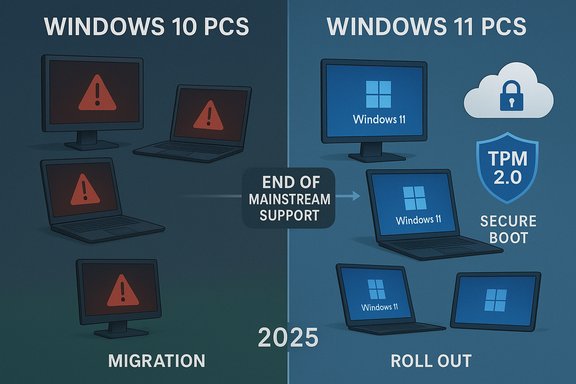
Microsoft formally ended mainstream support for consumer editions of Windows 10 on October 14, 2025. The company offered a time‑boxed bridge—Extended Security Updates (ESU)—to give users more time to migrate, but ESU is explicit in scope: security‑only patches for eligible Windows 10 22H2 devices through October 13, 2026. Enrollment routes include syncing PC Settings with a Microsoft account, redeeming Microsoft Rewards points, or a one‑time paid option; importantly, ESU enrollment requires signing in with a Microsoft account for consumer devices. At the same time, Dell Technologies’ investor commentary in late 2025 reframed the conversation: Dell’s executives estimated a global installed base of about 1.5 billion PCs, and suggested roughly 500 million devices are capable of upgrading to Windows 11 but haven’t, while another 500 million are too old—hardware‑incompatible under Microsoft’s Windows 11 baseline. That two‑way split became the headline shorthand for the “one billion still on Windows 10” narrative. Independent telemetry, particularly web‑page‑weighted trackers such as StatCounter, shows Windows 11 leading on desktop pageviews in late 2025, but that measure does not equal a device‑by‑device census; the two views together describe a fractured but undeniably large Windows 10 tail.
For IT leaders and informed consumers, the immediate tasks are straightforward: inventory devices, triage high‑risk endpoints, enroll mission‑critical systems in ESU where necessary, and build a realistic multi‑year migration program that balances security, cost, and sustainability. The choices made in the next 12–24 months will determine whether this transition becomes an orderly modernization—or an expensive scramble that leaves security gaps, compliance headaches, and environmental regret.
Source: Red Hot Cyber https://www.redhotcyber.com/en/post...on-1-billion-pcs-upgrade-to-windows-11-urged/
 Background / Overview
Microsoft formally ended mainstream support for consumer editions of Windows 10 on October 14, 2025. The company offered a time‑boxed bridge—Extended Security Updates (ESU)—to give users more time to migrate, but ESU is explicit in scope: security‑only patches for eligible Windows 10 22H2 devices through October 13, 2026. Enrollment routes include syncing PC Settings with a Microsoft account, redeeming Microsoft Rewards points, or a one‑time paid option; importantly, ESU enrollment requires signing in with a Microsoft account for consumer devices. At the same time, Dell Technologies’ investor commentary in late 2025 reframed the conversation: Dell’s executives estimated a global installed base of about 1.5 billion PCs, and suggested roughly 500 million devices are capable of upgrading to Windows 11 but haven’t, while another 500 million are too old—hardware‑incompatible under Microsoft’s Windows 11 baseline. That two‑way split became the headline shorthand for the “one billion still on Windows 10” narrative. Independent telemetry, particularly web‑page‑weighted trackers such as StatCounter, shows Windows 11 leading on desktop pageviews in late 2025, but that measure does not equal a device‑by‑device census; the two views together describe a fractured but undeniably large Windows 10 tail. What the numbers actually mean
The three metrics people confuse
- OEM installed‑base estimates — statements from Dell and other manufacturers that combine sales, channel inventory, and telemetry to estimate “active” devices. These provide market color and vendor strategy signals but are not an audited census.
- Web/telemetry trackers — tools like StatCounter measure pageview share from a sample of websites. They are excellent trend indicators of active, browser‑connected devices, and as of November 2025 show Windows 11 at ~53.8% and Windows 10 at ~42.6% of desktop Windows pageviews worldwide. That snapshot demonstrates Windows 11 momentum but does not directly measure every device in the field.
- Enterprise inventories — asset databases inside companies that tell IT what is actually running in a specific environment. These are the only reliable basis for procurement and compliance decisions.
Why Dell’s 1.5B / 500M / 500M framing matters — and why to treat it cautiously
Dell’s investor remarks matter because OEMs see real replacement demand and can corroborate migration friction across many sales channels. Their framing converts abstract percentages into concrete device counts, which matters for forecasting, inventory planning, and the economics of trade‑in programs and “AI PC” refresh campaigns. But those numbers are estimates and should be treated as directional rather than a literal per‑device audit; different measurement methods produce different totals.The security and compliance stakes
Elevated attack surface for holdouts
Once mainstream support ends, unpatched Windows 10 devices accumulate vulnerabilities that attackers can exploit. Signature updates and endpoint protections help, but they do not replace critical OS patches that fix kernel and platform vulnerabilities. In practice:- Unsupported hosts running internet‑facing services or used for banking and email increase risk of remote code execution and privilege escalation.
- Regulated industries (healthcare, finance, government) face compliance and audit risk if they continue to run unsupported OS versions in production.
- Cyber insurance and contractual obligations may require software to remain supported; running Windows 10 post‑EoS without ESU could jeopardize coverage or contractual compliance.
ESU: convenience, but not a cure
Microsoft’s consumer ESU program extends security patching through October 13, 2026 and offers multiple enrollment paths (including a free route if you sync settings to a Microsoft account), but ESU:- Provides security‑only updates (no feature or quality updates).
- Is time‑limited and explicitly temporary.
- Requires a Microsoft account for consumer enrollment, which creates a privacy and logistics friction point for users who prefer local accounts.
Why so many eligible PCs aren’t upgrading
Technical gating items
Windows 11’s baseline raises the platform floor for security and features: UEFI Secure Boot, TPM 2.0, and a whitelist of supported processors are the primary gating factors. Many otherwise functional laptops and desktops lack either the firmware settings or the TPM silicon required under the supported upgrade path, which forces device replacement rather than an in‑place software upgrade.Economic and behavioral inertia
- Upgrading creates help‑desk workload, application validation needs, and user training—real costs that make organizations delay OS migration until a hardware refresh cycle.
- Consumers often follow “if it ain’t broke, don’t fix it.” Where the device still meets the owner’s needs, many will delay purchase of new hardware.
The ESU effect
Microsoft’s ESU program provides breathing room that lowers immediate urgency and may materially slow migration among price‑sensitive households and small businesses—exactly the cohorts that can make or break a rapid adoption curve.The market and environmental side effects
A multi‑year refresh market
OEMs and channel partners see a multi‑year runway of refresh activity: some users will buy new “AI‑capable” or Copilot‑optimized devices immediately, while others will replace devices more slowly. Dell framed this as a trade‑off between near‑term unit growth and long‑term higher‑margin AI PC opportunities. The result will not be a single spike of replacements but a phased, geographically uneven wave that could last several years.E‑waste and sustainability worries
A forced or rushed hardware refresh raises legitimate environmental concerns: millions of functional machines might be retired ahead of their natural end‑of‑life. Industry groups and sustainability advocates have urged OEMs and large buyers to prioritize refurbishment, trade‑in, certified recycling, and repairability to avoid a landfill wave. Policy interventions—extended vendor support, refurbishment incentives, or mandated repairability—would materially change the calculus, but those measures are not yet universal.Alternatives users are actually choosing
The Windows 10 end‑of‑life moment has nudged many users toward alternatives.- Upgrade to Windows 11 — the recommended path for eligible hardware; restores vendor servicing and modern, hardware‑backed security features. Use PC Health Check to validate eligibility.
- Enroll in ESU — a short bridge that reduces immediate risk for those who cannot replace hardware, available through Oct 13, 2026. Enrollment requires a Microsoft account for consumer devices.
- Migrate to Linux or ChromeOS Flex — lightweight, actively maintained Linux distributions and ChromeOS Flex can extend usable life for older devices, especially for web‑centric users. Some distributions have seen notable spikes in downloads after Windows 10’s EoL.
- Cloud/hosted Windows sessions (VDI / Cloud PC) — Windows 365 and Azure Virtual Desktop are options to keep Windows apps while shifting patching responsibilities to the cloud.
- Unsupported hack installs — various community tools and registry workarounds let users install Windows 11 on unsupported hardware, but these approaches can jeopardize update entitlement and driver stability and are best viewed as short‑term stopgaps.
The Zorin OS case: a barometer for migration interest
Zorin OS, a polished Ubuntu‑based distribution aimed at Windows converts, reported a dramatic surge in interest around Windows 10’s end of support. Public statements by the team and coverage by Linux‑friendly outlets described a rapid climb to significant download milestones (hundreds of thousands to a million downloads in weeks), with a very large share of those downloads originating from former Windows users. Those figures are a strong signal that some portion of the Windows 10 population is exploring Linux as a practical alternative—especially on older hardware that cannot run Windows 11. However, downloads are not the same as sustained, system‑wide adoption; compatibility testing, peripheral drivers, and application needs remain barriers that slow enterprise conversions and many consumer transitions.Practical advice for IT managers and home users
Immediate triage (first 30 days)
- Inventory your devices now — identify Windows 10 devices, record model, CPU, TPM presence, and firmware settings.
- Classify each device by risk and business impact (e.g., laptops with sensitive data, point‑of‑sale terminals, kiosks).
- Enroll high‑risk, business‑critical Windows 10 systems in ESU if replacement is not immediate and ESU prerequisites are met. Remember ESU enrollment for consumers requires signing in with a Microsoft account.
Migration runway (30–180 days)
- Pilot Windows 11 on representative hardware and workloads. Validate each line‑of‑business application and peripheral.
- Evaluate cloud or VDI options for legacy app compatibility where endpoint replacement is not feasible.
- Work with OEMs and resellers to set trade‑in, refurbishment, and financing programs to lower the upfront refresh cost.
Longer term (6–24 months)
- Roll out device replacement in waves tied to budgets and risk posture.
- For devices that must remain Windows 10 longer-term, implement network segmentation, strict endpoint controls, and enhanced detection/response.
- Consider migration to alternative OSes (Linux, ChromeOS Flex) for appropriate user segments; pilot and document peripheral compatibility before broad deployment.
Risks and unintended consequences to watch
- Counting errors and policy mismatches — public metrics differ: vendor installed‑base estimates, web trackers, and enterprise inventories can point in different directions. Treat large public soundbites as directional and rely on your internal inventory for decisions.
- ESU as a dependency — ESU is a temporary mitigation, not a permanent fix. Overreliance can create a false sense of security and delay necessary modernization, raising eventual replacement costs.
- Privacy trade‑offs — the consumer ESU enrollment path that offers a free year requires Microsoft account sign‑in. Privacy‑conscious users who refuse account linking may be pushed toward paid ESU, device replacement, or alternate OSes.
- Environmental harm — rushed replacement waves without robust refurbishment and recycling programs risk creating an avoidable e‑waste problem.
- Fragmentation for third‑party vendors — software vendors must now support mixed fleets of Windows 11 and Windows 10 (and potentially Linux and ChromeOS Flex) for a multi‑year period, complicating testing and support.
Critical assessment: strengths, gaps, and the path forward
Notable strengths of Microsoft’s approach
- Clear technical rationale — raising the hardware baseline for Windows 11 buys a more secure foundation: hardware‑backed features like TPM and Secure Boot materially improve resistance to modern classes of attacks when broadly deployed.
- A measured bridge — ESU provides a concrete, time‑boxed option for users who need more time to migrate, reducing immediate risk for many households and small organizations.
Important weaknesses and risks
- The eligibility cliff is blunt — the combination of TPM, Secure Boot, and supported CPU lists created a compatibility threshold that left many functional PCs effectively stranded. The social and environmental consequences of that policy were foreseeable and have been partially realized.
- Messaging and measurement mismatch — Microsoft’s public statements about Windows 11’s reach and OEMs’ installed‑base estimates are technically compatible but present different narratives. That mismatch undermines clear public understanding and complicates procurement planning for large buyers.
- ESU enrollment mechanics — requiring a Microsoft account for the consumer free‑enrollment option creates a practical and privacy trade‑off that will push some users toward paid ESU or alternate OSes rather than remain on Windows and enroll.
What success looks like
A responsible transition will be phased, supported by:- Robust trade‑in and certified refurbishment channels that reduce e‑waste.
- Transparent, auditable telemetry from multiple independent sources to allow IT planners to make evidence‑based decisions.
- Vendor partnerships that help organizations test, validate, and deploy Windows 11 with minimal disruption.
- Clear guidance on privacy choices tied to ESU enrollment so users can make informed decisions.
Conclusion
Windows 10’s retirement is not a single cliff but a prolonged corridor of risk, choice, and cost that will shape PC markets and security postures for years. The headline that “one billion PCs still run Windows 10” captures a genuine and consequential reality—but it’s a shorthand for a complex set of cohorts: machines that can upgrade but haven’t, machines that cannot upgrade without hardware changes, and users who will choose alternatives or paid extensions. OEM estimates, web telemetry, and Microsoft’s lifecycle policies together point to the same strategic truth: successful migration will require planning, funding, and careful execution.For IT leaders and informed consumers, the immediate tasks are straightforward: inventory devices, triage high‑risk endpoints, enroll mission‑critical systems in ESU where necessary, and build a realistic multi‑year migration program that balances security, cost, and sustainability. The choices made in the next 12–24 months will determine whether this transition becomes an orderly modernization—or an expensive scramble that leaves security gaps, compliance headaches, and environmental regret.
Source: Red Hot Cyber https://www.redhotcyber.com/en/post...on-1-billion-pcs-upgrade-to-windows-11-urged/
