

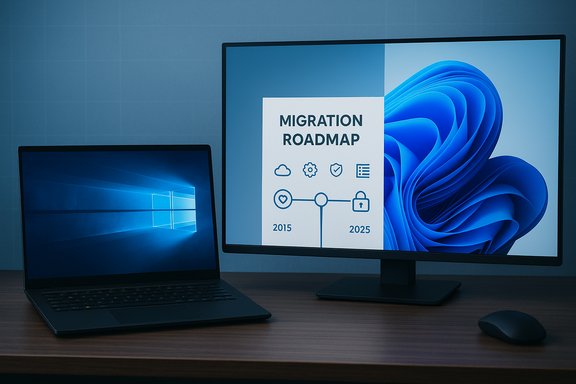
Windows 10 has officially reached the end of its mainstream servicing—but for many users the practical effect will be quietly incremental rather than cataclysmic, leaving a vast installed base to weigh upgrade options, temporary lifelines, and rising security risk as Microsoft shifts attention and engineering resources toward Windows 11 and cloud-first offerings.
Background
Windows 10 arrived in July 2015 as Microsoft’s modern, continuously serviced desktop platform. Ten years of monthly cumulative updates, major feature milestones, and broad enterprise adoption followed. Microsoft set a fixed end-of-support date for the platform: October 14, 2025, when routine OS-level security and quality updates, feature updates, and standard technical support for mainstream Windows 10 editions cease. That official lifecycle notice and the related servicing pages remain the authoritative pivot for planning and risk management. Yet the headline “Windows 10 is dead” is technically inaccurate as an immediate consequence. Devices will still boot and run applications after the cutoff; what changes is that Microsoft will no longer ship the regular vendor-supplied OS patches that repair newly discovered kernel, driver, and platform vulnerabilities for unenrolled systems. Microsoft has also layered several short‑term continuations—most notably a Consumer Extended Security Updates (ESU) bridge and separate, longer timetables for some app- and signature-level protections—to soften the transition while urging migration where feasible.What Microsoft says and what that actually means
The official posture
Microsoft’s lifecycle pages and support notices state the core facts plainly: Windows 10 mainstream support ended on October 14, 2025. After that date Microsoft will stop providing free OS updates and standard technical assistance for affected editions (Home, Pro, Enterprise, Education, and many IoT/LTSC variants). The company’s guidance is to upgrade eligible devices to Windows 11, buy a new device that ships with Windows 11, enroll eligible systems in the Windows 10 Consumer ESU program for a time‑boxed safety net, or replace the device.What continues for a limited time
Microsoft did not abandon every support channel on day one. The company committed to separate servicing windows for particular components:- Consumer ESU: a one‑year, security‑only bridge that provides Critical and Important OS security updates through October 13, 2026 for eligible consumer devices enrolled in the program. Enrollment routes include a free path tied to a Microsoft account + Windows Backup sync, a Microsoft Rewards points redemption path, or a paid one‑time option in many markets. Treat ESU as a tactical bridge, not a long-term support strategy.
- Microsoft 365 Apps security updates: Microsoft will continue to deliver security updates for Microsoft 365 Apps on Windows 10 on a separate cadence into October 2028, giving application-level cover for a subset of threats but not replacing OS-level fixes.
- Microsoft Defender security intelligence (definition) updates and continuing updates for Microsoft Edge/WebView2 on Windows 10 are also scheduled to run beyond the OS cutoff in many cases—helpful, but limited in scope because signature and app updates cannot remediate kernel- or driver-level flaws.
Where Windows 10 stands in the market right now
Adoption statistics show a migration in progress rather than an instant flip. Public telemetry from StatCounter and corroborating reporting place Windows 11 as the most-used Windows desktop version in mid‑2025, but Windows 10 remained a substantial minority in the months around the platform’s formal retirement. For example, StatCounter’s October 2025 snapshot listed Windows 11 at roughly 55% of desktop Windows version share and Windows 10 at about 42% globally—figures that vary by region and tracking methodology. Independent coverage and industry analysis reported similar crossover milestones earlier in 2025, noting that stringent Windows 11 hardware requirements (TPM 2.0, Secure Boot, modern CPUs) slowed adoption and left many viable Windows 10 machines ineligible for an in-place, fully supported upgrade. The net effect: hundreds of millions of PCs remain on Windows 10 into late 2025, so the platform’s end-of-support is a long tail event with real, localized consequences. Important caveat: publicly quoted global device totals (for example, Microsoft’s periodic “devices” metrics) are phrased in different ways across disclosures and should not be treated as precise inventories — treat those round-number device counts as context, not audited figures.Why this matters: risk, compliance, and ecosystem effects
Rising security exposure
When an OS vendor stops shipping patches, newly discovered vulnerabilities remain unpatched for the unenrolled population. Over time that creates an attractive target set for attackers: unpatched kernel, filesystem, and driver bugs often yield high-impact remote code execution or privilege‑escalation pathways. Recent years show that high‑severity Windows flaws are discovered and weaponized rapidly; once vendor patches stop for a major platform, the probability that attackers will focus on unpatched instances increases materially.Compliance and business risk
Many regulatory and contractual standards mandate supported software and up‑to‑date patching. Running unsupported OS instances in regulated environments—finance, healthcare, public sector—can trigger compliance violations, audit failures, or insurance complications. For organizations, extended reliance on ESU can be a pragmatic stopgap but is legally and operationally different from maintaining an actively patched environment.Compatibility and vendor support decline
Hardware vendors and independent software vendors prioritize testing and driver releases for supported OS versions. Over time, drivers, firmware updates, and new application releases will increasingly target Windows 11 and may drop Windows 10 support. That can create functional erosion even when an OS continues to boot.What the consumer-focused lifeline (ESU) actually gets you
Microsoft designed ESU explicitly as a temporary security-only bridge. Key, verified details:- Coverage window: Consumer ESU runs from October 15, 2025 through October 13, 2026 for eligible Windows 10, version 22H2 devices that enroll.
- Scope: Security-only updates (Critical and Important) chosen by Microsoft; no feature updates, no non‑security quality fixes, and no routine technical support.
- Enrollment paths (consumer): Free enrollment available by signing into a Microsoft account and enabling Windows Backup/settings sync; redeem 1,000 Microsoft Rewards points; or pay a one‑time fee (varies by market) that covers up to a limited number of devices per account. Commercial ESU for enterprises is sold via volume licensing with different pricing and multi-year options.
Practical migration paths and trade-offs
1. Upgrade to Windows 11 (preferred if eligible)
- Benefits: Restores full OS vendor servicing, unlocks modern hardware‑backed mitigations (TPM 2.0, virtualization‑based security), and keeps the device in Microsoft’s support and compatibility matrix.
- Requirements: Windows 11’s baseline hardware rules (TPM 2.0, UEFI Secure Boot, supported CPU families) exclude a meaningful portion of older hardware. Use the official PC Health Check or the Windows Update eligibility probe to confirm.
2. Buy a new Windows 11 PC
- Benefits: Fresh hardware, warranty, and often improved performance and power efficiency; enables Windows 11’s AI- and security-first features.
- Trade-offs: Cost, data migration tasks, and the environmental cost of retiring otherwise functional hardware.
3. Enroll in ESU (short‑term bridge)
- Benefits: Buys measured time to plan migration, least disruptive in the short run.
- Trade-offs: Time‑boxed, limited to security-only updates, and requires enrollment mechanics (Microsoft account sync or payment paths). Not a long‑term strategy.
4. Migrate to another OS (Linux distributions, Chromebooks, macOS)
- Benefits: Linux distributions such as Ubuntu, Fedora, and migration-focused options like Zorin OS can rejuvenate older hardware and reduce vendor dependency. Some users already started exploring Linux alternatives in response to the Windows 10 EOL conversation.
- Trade-offs: Application compatibility (native Windows apps and games), driver support for some peripherals, and a learning curve for less technical users.
5. Harden and isolate (if you must remain on Windows 10)
- Steps:
- Use ESU if possible and available.
- Keep Microsoft Defender up to date and run layered endpoint protection.
- Tighten network segmentation and restrict internet access for vulnerable endpoints.
- Minimize attack surface: disable unnecessary services, limit user privileges, and apply strict application whitelisting where feasible.
- Maintain robust backups and an incident response plan.
A pragmatic checklist for households and small businesses
- Confirm whether your device is eligible for the free Windows 11 upgrade using PC Health Check.
- If eligible: plan for an in-place upgrade or a fresh install after backing up files and verifying application compatibility.
- If ineligible and you cannot replace the device immediately: enroll in Consumer ESU or redeem Microsoft Rewards points to gain one year of security-only updates; document the plan and timeline for migration.
- For every scenario: ensure data is backed up to a reliable medium (and consider cloud backups), update all applications (Office, browsers, drivers), and adopt multi-factor authentication for important accounts.
- If considering alternatives (Linux, Chromebooks), test critical applications in a dual‑boot or live environment first.
Strengths of Microsoft’s transition approach—and where it falls short
Strengths
- Clear calendar and official guidance: Microsoft published explicit lifecycle dates and created a documented ESU program to reduce ambiguity. That clarity supports vendor planning and consumer decision-making.
- Layered continuations: By continuing Defender definitions, Edge updates, and Microsoft 365 app security updates for a time, Microsoft reduced immediate catastrophic exposure for many users. These measures are meaningful stopgaps.
- Multiple ESU enrollment routes: The free Microsoft-account path and the Microsoft Rewards redemption option lower friction for many consumers who need a short extension.
Weaknesses and risks
- Perception vs. practice gap: Messaging such as “support has ended” is easy to misinterpret as a hard shutdown, which can either induce panic or a false sense of safety for less technical users. The real risk is gradual and cumulative, and many users will only realize the danger after an incident.
- Hardware-gated upgrade constraints: Windows 11’s security requirements improved baseline protections but created a structural upgrade barrier—forcing many users to buy new hardware when a software-only update would have been preferable. That dynamic drives consumer angst and potential e‑waste.
- Short ESU window: One year of ESU is helpful but insufficient for many large organizations and institutions with long validation cycles, and consumer ESU mechanics create privacy and account-dependency trade-offs. Commercial ESU options exist but are costly for high-volume estates.
What consumers often misunderstand (and what to tell users)
- “My PC will stop working.” False: devices generally continue to operate. The real issue is lack of vendor patching for newly discovered vulnerabilities.
- “Defender updates are enough.” Partial truth: Defender signature updates help against known malware but do not patch kernel-level flaws. Relying solely on signatures is not equivalent to receiving full OS security updates.
- “ESU is permanent.” False: ESU is explicitly time‑boxed and scoped. Use it only to buy migration time and not as a long-term Plan B.
The enterprise perspective: planning and options
Enterprises face additional vectors: compliance, long hardware lifecycles, and software validation cycles. Typical enterprise responses include:- Phased migrations driven by criticality and compatibility testing.
- Commercial ESU purchases for specific device groups where reimaging or hardware replacement is impractical in the short term.
- Cloud pivot (Windows 365 / Azure Virtual Desktop) for legacy app hosting on supported backends while retaining user-facing continuity.
- Tightening compensating controls (network microsegmentation, EDR/EDR Plus, conditional access policies) to reduce exposure while migration proceeds.
A few unverifiable or fragile claims to watch for
- Any headline or press release that claims a specific worldwide device count attributable to Windows 10 usage should be treated cautiously; Microsoft and third-party analytics use different definitions (monthly active devices versus installed base), and those figures shift over time. When a precise device tally is material to your decisions, consult vendor telemetry or enterprise asset inventories rather than headline figures.
- Market-share snapshots vary across trackers and months. Use StatCounter’s live dashboards if you need up-to-the-minute version splits rather than static articles or press summaries.
Final verdict: “Windows 10 is dead” is a useful headline but a poor operational summary
The shorthand “Windows 10 is dead” captures the milestone but obscures the reality: Microsoft’s formal vendor support ended on October 14, 2025, which materially changes the security and compliance calculus for consumers and businesses. For many users the device will still work for months or years, but the absence of OS-level vendor patches raises steadily increasing risk. Microsoft’s ESU program, continued Defender and Microsoft 365 app servicing, and the marketplace’s migration tools create a layered, pragmatic transition — yet they are stopgaps rather than long-term solutions.What matters now is concrete planning: check upgrade eligibility, determine whether ESU enrollment is warranted, inventory and prioritize devices by risk and business criticality, and execute migrations in measured phases. The headline grabs attention; the operational reality demands discipline.
Quick action checklist (one page you can use now)
- Run PC Health Check to confirm Windows 11 eligibility.
- Back up files and system images to a separate device or cloud service.
- If eligible, schedule an upgrade to Windows 11 and test key apps.
- If ineligible, enroll in Consumer ESU or document a migration timeline and compensating controls.
- Harden remaining Windows 10 endpoints: ensure Defender is current, enable MFA, limit privileges, and segment the network.
- For organizations, evaluate commercial ESU vs. immediate hardware refresh vs. cloud options; prioritize devices by data sensitivity and regulatory exposure.
Windows 10’s formal support period has closed, but the platform’s functional life is an extended transition. The pragmatic approach—verify eligibility, use ESU only as a bridge, and migrate with an evidence-driven timeline—keeps systems safe without panic. The era of vendor patches may be ending for Windows 10, but the practical work of migration, mitigation, and sensible risk management is only beginning.
Source: ConsumerAffairs Windows 10 is dead, although you'd hardly know it
