

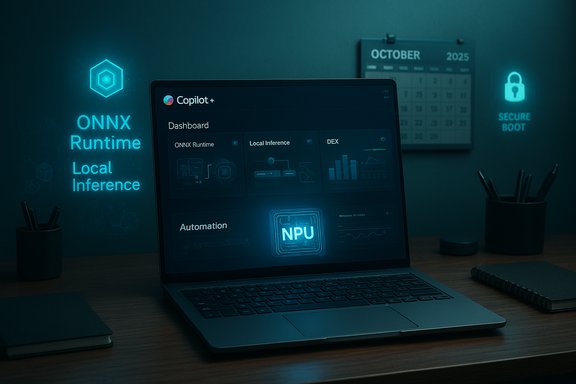
The end of mainstream support for Windows 10 on October 14, 2025 reshaped the PC market and the decisions facing IT teams, consumers and PC makers, turning what had been a slow-moving migration into a year-long rush: a surge of PC refresh purchases, an industry-wide debate about hardware lifecycles and drivers, and a fresh emphasis on local AI acceleration in the form of Neural Processing Units (NPUs) and Microsoft’s Copilot+ certification for Windows 11 machines.
Microsoft set an immovable deadline for Windows 10’s lifecycle, and that deadline forced a cascade of commercial and technical decisions across enterprise IT and the consumer market. The company’s approach was unambiguous: Windows 11 is the present and future of the Windows platform, and it carries stricter hardware and security prerequisites — most notably a requirement for TPM 2.0 and Secure Boot — that rule out many older machines from a supported upgrade path.
At the same time, the 2025 PC market saw a confluence of unrelated but reinforcing factors: geopolitical tariff threats that accelerated shipments into the US, consumer reluctance to upgrade without clear incentives, and a nascent market for “AI PCs” equipped with on-device NN accelerators. Those forces explain why 2025 felt like a unique turning point for end-user computing rather than a standard OS lifecycle event.
The consumer ESU program offered several enrolment routes — including a free route tied to cloud settings backup or reward-point redemption, and a one-time paid option — and it runs through October 13, 2026. For enterprises, Microsoft continued to sell ESU subscriptions through established volume licensing channels, but at a clear cost and with limited scope: ESU delivers only critical and important security updates; it does not return feature fixes, performance enhancements, or full technical support.
OEMs demonstrated concrete uses: noise cancelling and microphone beamforming for conference calls, improved video background rendering, low-latency transcription and local summarisation, and features such as Windows Recall and Click-to-Do. Yet for many organisations the key question remained: do those features justify replacing perfectly adequate Windows 10 hardware today?
The strategic implication for IT leaders was to treat AI-capable PCs as a targeted investment rather than a universal replacement; identify roles and user groups that would extract measurable productivity gains from local AI features and prioritise them during refresh cycles.
Key developer benefits include:
This distinction matters because some vendor messaging blurred the lines: users can personalise and run models locally, but expecting full-scale training or large-scale fine-tuning on consumer NPUs is unrealistic for most organisations today. Lightweight personalization techniques (for example, small adapter-based updates or on-device prompt engineering) are possible, but they are not the same as re-training a model on proprietary data with tens or hundreds of gigabytes of compute.
The consequence: organisations could consider local, offline model hosting to preserve privacy and reduce recurring API costs. For some use cases — secure summarisation of internal documents, on-device assistants, or offline knowledge search — local models became a practical alternative.
Toyota piloted DEX tooling and rapidly scaled from a 100-user pilot to tens of thousands of endpoints. The company combined real-time telemetry with automation and a conversational virtual assistant layer to reduce helpdesk friction, proactively remediate issues, and automate routine software requests. The result: measurable reductions in helpdesk tickets, faster problem resolution and improvements in worker experience.
The lesson for IT leaders is practical: invest in observation, automation and self-healing before (or alongside) large hardware refreshes. DEX tools let organisations squeeze more life and security from existing assets while focusing costly refresh dollars on workgroups that truly need new hardware for AI or performance reasons.
That dynamic is not merely theoretical. Warranty fraud has driven real-world losses for major vendors and, more worryingly, the commoditisation of hardware knowledge that could accelerate supply-chain attacks if monetisation or geopolitical factors change incentives.
Windows 10’s end of support accelerated decisions that had been simmering for years. It forced organisations to reconcile legacy software with modern security practices, pushed OEMs to market AI-capable hardware, and revitalised debate about local versus cloud AI. The winners will be those who applied a disciplined, risk-based approach: using ESU only as a bridge, investing in proactive DEX tooling to extend device viability where sensible, and targeting AI PC purchases to roles that extract clear productivity value from on-device inferencing. The rest will have paid more than they expected — in money, effort, or avoidable risk.
Source: Computer Weekly Top 10 end user computing stories of 2025 | Computer Weekly
 Background
Microsoft set an immovable deadline for Windows 10’s lifecycle, and that deadline forced a cascade of commercial and technical decisions across enterprise IT and the consumer market. The company’s approach was unambiguous: Windows 11 is the present and future of the Windows platform, and it carries stricter hardware and security prerequisites — most notably a requirement for TPM 2.0 and Secure Boot — that rule out many older machines from a supported upgrade path.At the same time, the 2025 PC market saw a confluence of unrelated but reinforcing factors: geopolitical tariff threats that accelerated shipments into the US, consumer reluctance to upgrade without clear incentives, and a nascent market for “AI PCs” equipped with on-device NN accelerators. Those forces explain why 2025 felt like a unique turning point for end-user computing rather than a standard OS lifecycle event.
Windows 10 end of support: what happened and why it matters
The cut-off and the interim lifeline
On October 14, 2025, Microsoft officially ended mainstream updates and technical support for Windows 10. For many organisations and households, this meant the end of routine security patches and feature updates for the most widely deployed desktop OS in history. To bridge the gap for users who could not immediately migrate, Microsoft deployed a one-year Extended Security Update (ESU) programme for consumers, together with paid ESU options for commercial customers.The consumer ESU program offered several enrolment routes — including a free route tied to cloud settings backup or reward-point redemption, and a one-time paid option — and it runs through October 13, 2026. For enterprises, Microsoft continued to sell ESU subscriptions through established volume licensing channels, but at a clear cost and with limited scope: ESU delivers only critical and important security updates; it does not return feature fixes, performance enhancements, or full technical support.
Why Microsoft drew a line
Two intertwined reasons explain Microsoft’s inflexibility:- Security baseline enforcement. Windows 11’s requirement for TPM 2.0 and Secure Boot is not cosmetic. Those features underpin core protections — disk encryption integration, measured boot, and hardware-backed credentials — that Microsoft sees as essential as the platform embraces AI and cloud-connected services. Continuing full support for older hardware that lacks this baseline would, from Microsoft’s perspective, meaningfully degrade the security posture of the Windows ecosystem.
- Driver and supply-chain complexity. Supporting legacy device drivers indefinitely increases the attack surface and multiplies Microsoft’s coordination burden with OEMs and independent hardware vendors. Microsoft’s driver-signing and Secure Boot policies mean that, over time, older peripheral drivers will cease to receive new signed updates; they may continue to function in legacy form, but they will not be maintained and that creates risk for corporate IT.
Practical impact for organisations
For IT teams the end of support meant immediate, concrete decisions:- Prioritise migration for high-risk endpoints and those running legacy software.
- Budget for one of three approaches: replace hardware with Windows 11–capable Copilot+/NPU-equipped PCs, upgrade eligible machines, or buy ESU coverage as a stop-gap.
- Consider alternative architectures such as VDI/Cloud PCs (Windows 365 / Azure Virtual Desktop) to defuse stranded-device risk without replacing hardware immediately.
The PC market response: refresh, tariffs and the AI premium
A refresh cycle driven by multiple incentives
Two clear market drivers collided in early 2025:- The Windows 10 end-of-support deadline created an urgent replacement incentive.
- Tariff anxieties — and actual tariff moves — prompted OEMs and distributors to accelerate shipments to the US ahead of new duties.
Copilot+ PCs, NPUs and vendor positioning
At the same time, PC vendors used flagship events like CES 2025 and later trade shows to showcase AI PCs — machines with built-in Neural Processing Units (NPUs) that can accelerate local inference tasks. AMD, Intel and Qualcomm all positioned silicon that met Microsoft’s Copilot+ hardware bar (an ecosystem label that emphasises local AI acceleration, secure hardware and specific performance thresholds).OEMs demonstrated concrete uses: noise cancelling and microphone beamforming for conference calls, improved video background rendering, low-latency transcription and local summarisation, and features such as Windows Recall and Click-to-Do. Yet for many organisations the key question remained: do those features justify replacing perfectly adequate Windows 10 hardware today?
The reality of the AI-PC premium
The short answer was mixed. NPUs enabled striking demos, and for specialised workflows — content creation, real-time audio/video processing, or privacy-sensitive inference — the on-device acceleration provided tangible benefits. But for the majority of office productivity scenarios, the advantages were incremental. That created a pricing dilemma for IT procurement: pay a premium for Copilot+-certified hardware now, or wait for prices and software ecosystems to mature.The strategic implication for IT leaders was to treat AI-capable PCs as a targeted investment rather than a universal replacement; identify roles and user groups that would extract measurable productivity gains from local AI features and prioritise them during refresh cycles.
Windows ML and local AI: power, limits and realistic expectations
What Windows ML delivers
Microsoft consolidated local AI on Windows with a new developer-focused stack that leverages ONNX Runtime and Windows ML. The platform provides a system-wide ONNX runtime, dynamic distribution of vendor-specific execution providers (EPs), and APIs that let apps run inference across CPUs, GPUs and NPUs without bundling separate runtimes. The architecture is pragmatic: Microsoft and its silicon partners distribute optimized EPs so applications can benefit from hardware acceleration with minimal packaging overhead.Key developer benefits include:
- A shared ONNX Runtime reducing app size and complexity.
- Automatic detection of available acceleration and dynamic EP downloads.
- The ability to deploy custom ONNX models for local inference across the Windows device fleet.
Inference, not training — a critical distinction
Windows ML is primarily an inference platform. Developers can convert and deploy custom models (trained using PyTorch, TensorFlow or other frameworks) as ONNX artifacts, and Windows ML will run them on the best available accelerator. However, on-device training and full model fine-tuning remain the domain of purpose-built frameworks or cloud-based pipelines — not Windows ML itself.This distinction matters because some vendor messaging blurred the lines: users can personalise and run models locally, but expecting full-scale training or large-scale fine-tuning on consumer NPUs is unrealistic for most organisations today. Lightweight personalization techniques (for example, small adapter-based updates or on-device prompt engineering) are possible, but they are not the same as re-training a model on proprietary data with tens or hundreds of gigabytes of compute.
The developer ecosystem and adoption timeline
Microsoft’s strategy pushed responsibility for meaningful local AI user experiences to application developers while providing the plumbing to make acceleration broadly available. That means adoption depends on:- Developer uptake: integrating local models into apps and optimising for NPUs.
- Tooling maturity: conversion tools, profiling and debugging for NPUs.
- App-level value: clear, repeatable gains for end users.
Running LLMs and models locally: feasibility and risks
Open models changed the calculus
A major trend in 2025 was the maturity and availability of open-weight models that can run locally. Several model families — from community and commercial labs — either released downloadable weights or published efficient variants intended for on-device inference. For users with technical skills and sufficient hardware, that made it possible to run capable language or reasoning models without sending data to a cloud vendor.The consequence: organisations could consider local, offline model hosting to preserve privacy and reduce recurring API costs. For some use cases — secure summarisation of internal documents, on-device assistants, or offline knowledge search — local models became a practical alternative.
Practical barriers remain
However, several constraints complicate widespread local deployments:- Hardware requirements. Even quantized models need memory and compute. Only higher-end laptops and workstations or NPU-equipped machines can run the largest, useful models at acceptable latency.
- Operational complexity. Managing model updates, safety filters, and responsible use guardrails requires skills many organisations lack.
- Governance and compliance. The provenance of training data and the licence terms of models (MIT, Apache, bespoke commercial licences) can create legal and compliance overhead.
- Security. Local hosting moves the attack surface; models and inference runtime must be patched, monitored, and treated as part of the security estate.
A caution about “free” models
Open-weight doesn’t mean “risk-free.” Models released under permissive licences are available to download, but they typically come “as-is” and place the burden of safety, bias mitigation and security on the implementer. Companies planning local deployments must treat models like any other third-party software: evaluate the training data provenance where possible, implement usage filters, and keep updating operational controls.Case study: Toyota and digital employee experience (DEX)
Toyota’s use of Nexthink to drive a proactive, automated digital employee experience highlights a different dimension of 2025’s end-user computing story: software and process can deliver outsized gains without wholesale hardware replacement.Toyota piloted DEX tooling and rapidly scaled from a 100-user pilot to tens of thousands of endpoints. The company combined real-time telemetry with automation and a conversational virtual assistant layer to reduce helpdesk friction, proactively remediate issues, and automate routine software requests. The result: measurable reductions in helpdesk tickets, faster problem resolution and improvements in worker experience.
The lesson for IT leaders is practical: invest in observation, automation and self-healing before (or alongside) large hardware refreshes. DEX tools let organisations squeeze more life and security from existing assets while focusing costly refresh dollars on workgroups that truly need new hardware for AI or performance reasons.
Supply-chain and hardware risk: warranty fraud and hardware hackers
An underappreciated threat vector
Presentations at security conferences in 2025 drew attention to a less-discussed attack vector: warranty fraud and the informal repair economy as a training ground for hardware-level exploits. In regions with dense repair ecosystems, technicians gain deep practical knowledge of components and can—intentionally or not—discover and exploit manufacturing defects or create counterfeit parts that bypass simple inspection.That dynamic is not merely theoretical. Warranty fraud has driven real-world losses for major vendors and, more worryingly, the commoditisation of hardware knowledge that could accelerate supply-chain attacks if monetisation or geopolitical factors change incentives.
Mitigations for enterprise buyers
Security-conscious IT procurement must treat physical provenance and repair ecosystems as part of risk assessment:- Specify secure supply-chain clauses and authenticated part provenance in procurement contracts.
- Use tamper-evident packaging and traceable device serialisation.
- Prioritise trustworthy repair channels and certified refurbishers.
- Perform sampling and technical inspection on large hardware deliveries.
The financial calculus: ESU costs, migration budgets and hidden expenses
ESU is a bridge, not a solution
Purchasing extended updates buys time, not a permanent fix. ESU coverage narrows the patching surface to the most severe issues while leaving organisations still responsible for many remediation tasks and third-party software lifecycles. Analysts noted that only a fraction of organisations would buy multi‑year ESU coverage: for many, the long-term total cost of ownership favours migration or replacement.Hidden migration costs
Migrating to Windows 11 is not merely an OS deployment; it can trigger:- Application compatibility testing and remediation.
- Upgrades to management tooling and security agents.
- Driver certification and firmware updates for older fleets.
- End-user training and support overheads.
Recommendations for IT leaders and consumer buyers
For enterprise IT leaders
- Prioritise risk-based migration. Identify endpoints running critical legacy apps and those storing sensitive data, and put them at the front of migration queues.
- Use ESU strategically. Buy ESU only when it buys necessary time to migrate safely; do not use ESU as a long-term bandage.
- Invest in DEX and automation. Proactive monitoring and remediation reduce the immediate need for blanket hardware replacement and deliver near-term productivity gains.
- Balance AI-capable hardware purchases. Reserve high-cost Copilot+/NPU PCs for roles where local inference yields measurable benefit.
- Strengthen supply-chain controls. Tighten procurement, repair policies, and part provenance verification to mitigate hardware threats.
For consumers and small businesses
- Check upgrade eligibility. Use PC Health Check to determine Windows 11 eligibility and decide whether to upgrade, buy ESU, or purchase a new Copilot+ PC.
- Weigh AI features vs. cost. If you primarily use email, office apps, and web browsing, an AI PC may not be worth the premium yet.
- Treat ESU as temporary. Enrol in ESU only if you need time to migrate or replace hardware; plan a long-term path off Windows 10.
What to expect next: 2026 and beyond
The story of 2025 set the stage for the next phase of endpoint computing:- Broader developer adoption of Windows ML will bring more local AI functionality into mainstream apps as tooling and execution providers improve.
- The NPU premium will erode as silicon matures and price competition increases, making local AI features more affordable across mainstream devices.
- Model governance will become a core IT competency. Running models locally will force organisations to address provenance, bias, and safety in ways they haven’t had to for cloud API usage.
- Supply-chain scrutiny will intensify. Physical security of devices and repair channels will move higher on procurement checklists.
Windows 10’s end of support accelerated decisions that had been simmering for years. It forced organisations to reconcile legacy software with modern security practices, pushed OEMs to market AI-capable hardware, and revitalised debate about local versus cloud AI. The winners will be those who applied a disciplined, risk-based approach: using ESU only as a bridge, investing in proactive DEX tooling to extend device viability where sensible, and targeting AI PC purchases to roles that extract clear productivity value from on-device inferencing. The rest will have paid more than they expected — in money, effort, or avoidable risk.
Source: Computer Weekly Top 10 end user computing stories of 2025 | Computer Weekly
