

Microsoft’s countdown for Windows 10 is no longer theoretical: the company’s formal lifecycle calendar closed on October 14, 2025, and millions of households across the UK and around the world now face a clear set of choices — upgrade, buy time, or accept growing cyber risk. This piece examines the Birmingham Live “final warning” story in context, verifies the technical and policy facts underpinning that alarm, and lays out a practical, risk‑focused plan for households and small organisations that still run Windows 10.
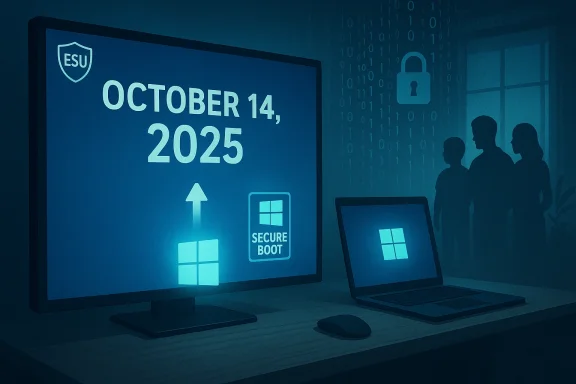
Microsoft published a fixed end‑of‑support date for mainstream Windows 10 editions: October 14, 2025. After that date, Microsoft stopped delivering routine, free security updates and standard technical support for Windows 10 consumer editions unless a device is enrolled in the company’s limited Extended Security Updates (ESU) program. This lifecycle milestone transforms a long‑running maintenance schedule into a security inflection point for any device that remains on an unsupported OS.
The Birmingham Live piece correctly reflects the headline risk: running an operating system that no longer receives vendor security updates raises the probability that newly discovered vulnerabilities will remain exploitable on unpatched machines. Security and consumer advocacy groups — notably the Public Interest Research Group (PIRG) and consumer organisations — publicly warned Microsoft and called for broader protections; PIRG staff described the cutover in stark terms and warned about the scale of affected devices. Those warnings have been echoed across the trade press and consumer outlets.
At the same time Microsoft offered a narrowly scoped consumer ESU path that extends security‑only patches for eligible Windows 10 devices through October 13, 2026 in many cases. This one‑year lifeline is real, but it has specific enrollment requirements and trade‑offs (account ties, phased rollout, device eligibility) that every household should understand before assuming it’s a no‑cost safety net.
Conclusion
October 14, 2025 marked a definable lifecycle boundary for Windows 10. The Birmingham Live “final warning” distilled a real and measurable risk into a consumer‑facing alert. That risk is not a sudden apocalypse — devices will continue to work — but the security calculus changed on that date and will worsen over time for machines left without vendor patches. Microsoft provided a one‑year ESU lifeline and a free upgrade path to Windows 11, yet both choices carry trade‑offs: technical, financial and environmental.
The sensible, pragmatic path for most households is immediate backup, a compatibility check, and a planned migration — prioritising devices that hold sensitive financial or personal data. For genuinely obsolete hardware, adopt a supported alternative or retire the device responsibly. The headline is simple: act deliberately, but act now — the clock on vendor support has already run down, and delay narrows your safe options.
Source: Birmingham Live 'Final warning' issued for all UK households who use Windows 10
 Background / Overview
Microsoft published a fixed end‑of‑support date for mainstream Windows 10 editions: October 14, 2025. After that date, Microsoft stopped delivering routine, free security updates and standard technical support for Windows 10 consumer editions unless a device is enrolled in the company’s limited Extended Security Updates (ESU) program. This lifecycle milestone transforms a long‑running maintenance schedule into a security inflection point for any device that remains on an unsupported OS.The Birmingham Live piece correctly reflects the headline risk: running an operating system that no longer receives vendor security updates raises the probability that newly discovered vulnerabilities will remain exploitable on unpatched machines. Security and consumer advocacy groups — notably the Public Interest Research Group (PIRG) and consumer organisations — publicly warned Microsoft and called for broader protections; PIRG staff described the cutover in stark terms and warned about the scale of affected devices. Those warnings have been echoed across the trade press and consumer outlets.
At the same time Microsoft offered a narrowly scoped consumer ESU path that extends security‑only patches for eligible Windows 10 devices through October 13, 2026 in many cases. This one‑year lifeline is real, but it has specific enrollment requirements and trade‑offs (account ties, phased rollout, device eligibility) that every household should understand before assuming it’s a no‑cost safety net.
What “end of support” actually means (and what it doesn’t)
- No more routine security updates: Microsoft will not issue the usual monthly cumulative security patches or feature updates for unsupported Windows 10 SKUs. That’s the central operational fact — new vulnerabilities affecting the OS will not be fixed on those systems by Microsoft unless the device is covered by ESU.
- Systems will still boot and run: End of support does not make a PC stop working instantly. Applications and existing data will continue to function, but exposure to newly discovered exploits increases every day.
- Some Microsoft services can continue: Certain Microsoft protections (for example, security‑intelligence updates to Defender) may continue for limited builds or under different service arrangements, but they are not a substitute for OS security patches. Treat such updates as partial and limited mitigation, not a replacement for vendor OS updates.
The Extended Security Updates (ESU) lifeline — what it covers and what it costs
Microsoft announced a consumer‑facing ESU program that gives many households an extra year of security‑only updates — generally through October 13, 2026 for eligible devices — but with important caveats:- Eligibility and enrollment: ESU enrollment for consumer devices arrived as an opt‑in option exposed through Windows Update → Settings in a phased rollout. Some enrolments require a Microsoft account, and there are specific hardware/edition eligibility rules that can block enrollment. Consumer ESU is not an automatic, unconditional extension for every machine.
- Scope of updates: ESU generally provides critical and important security patches only. It does not restore feature updates, quality improvements, or broad product enhancements. If your workflow depends on feature or driver updates, ESU is only a partial remedy.
- Time‑bound nature: The ESU window is explicitly one year for most consumers; after that, Microsoft’s published timelines show only paid or enterprise extensions under different terms. The one‑year ESU is a stop‑gap, not a new permanent support track.
- Privacy and account trade‑offs: Reporting from industry outlets found that some ESU enrollments require linking to a Microsoft account and may include enrollment telemetry — a material change for users who prefer local accounts or minimal cloud linking. Those privacy trade‑offs are part of the decision calculus.
Why the risk is real — the threat model for households
- Exploit lifecycle: Many vulnerabilities are discovered privately (by researchers, bug bounty participants, or criminals). When a vendor provides patches quickly, the window for attackers is narrow. Remove the patch stream and that window becomes permanent for unpatched installations. This is the core threat model: the longer a device runs unpatched software, the higher the risk that zero‑day or soon‑to‑be‑public exploits will be weaponised.
- Scale and attacker incentives: Security commentators warned that tens or hundreds of millions of unpatched devices create an attractive target for commodity malware and ransomware operators. Industry observers and consumer groups used words like “looming security disaster” to convey that scale‑driven risk. Such phrasing maps to an attacker logic: mass‑market vulnerabilities are highly profitable to exploit.
- Third‑party software compatibility and drivers: Even if a device is patched via ESU, third‑party apps and drivers that expect a supported OS can become a maintenance and security challenge over time. App vendors and hardware makers may narrow their QA matrix to Windows 11, increasing compatibility friction for Windows 10 holdouts.
Windows 11 as the primary migration path — facts and friction
Microsoft’s official position is straightforward: migrate eligible machines to Windows 11, which continues to receive full security and feature updates. The upgrade is free for eligible devices, but there are real compatibility and setup considerations:- Windows 11 is a free upgrade from Windows 10 for eligible PCs; Microsoft’s upgrade FAQ explains the process and the conditions Windows Update uses to present the offer. The installer and Upgrade Assistant are the supported routes for moving to Windows 11.
- Minimum system requirements: Windows 11 has concrete minimum hardware requirements: a 64‑bit, 1 GHz or faster CPU with two or more cores, 4 GB RAM, 64 GB storage, UEFI with Secure Boot, and Trusted Platform Module (TPM) version 2.0. These items are firm prerequisites for supported installation paths. Microsoft publishes both a short requirements list and a more detailed minimum hardware PDF.
- PC Health Check and compatibility checks: Microsoft’s PC Health Check app (and other tools) will indicate whether a particular device meets the Windows 11 requirements and, in some cases, offer remediation steps (for example, enabling TPM/Secure Boot in firmware). But PC Health Check and Windows Update may differ in timing or policy‑driven eligibility, so follow Microsoft’s guidance when acting.
- Downloaded image size and network considerations: A Windows 11 ISO or upgrade package typically runs in the order of 5–6 GB, and installation requires additional free space for temporary files and rollback data. That means users on metered or capped broadband plans should plan their downloads carefully or use a non‑metered connection. Microsoft’s minimum storage guidance (64 GB recommended) underpins this point.
What Birmingham Live reported — verified points and items to treat cautiously
The Birmingham Live warning piece covered several facts that we can verify:- The article correctly states that Microsoft’s official support for Windows 10 ended on October 14, 2025. That is Microsoft’s lifecycle date.
- It accurately notes that Microsoft provided an ESU pathway that, for many consumers, sustained security updates through October 13, 2026. That limited lifeline has been widely reported and partially confirmed by Microsoft communications and tech outlets.
- The reporting quoted security commentators and consumer advocates — including PIRG and other voices — warning about increased attack risk for unpatched systems. Those statements have public corroboration in other outlets.
- Exact numbers of affected UK households or the worldwide population still running Windows 10 differ across sources and sampling methodologies; any single figure should be read as an estimate. Treat large‑number claims (e.g., “one billion”) as high‑level indicators rather than precise totals unless the underlying telemetry is shown. We flag those counts as estimates.
- The suggestion that every Windows 10 PC will be immediately compromised after October 14 is alarmist — risk rises, but compromise is not guaranteed. The realistic framing: unsupported machines become increasingly attractive and easier targets over time.
Practical, ranked actions for households (step‑by‑step)
If you or someone you advise is still on Windows 10, follow this prioritized checklist. These steps are ordered by risk reduction and practicality.- Back up now (full image and user files).
- Create a system image or full file backup to an external drive or cloud. If the upgrade fails, you must be able to restore data.
- Check Windows 11 compatibility.
- Run Microsoft’s PC Health Check or the manufacturer’s upgrade tool to identify blockers (TPM, Secure Boot, CPU). If PC Health Check reports a compatibility gap, follow vendor guidance to enable TPM/Secure Boot or confirm whether your CPU is on Microsoft’s approved list.
- Enrol in ESU only if your device is eligible and you accept the trade‑offs.
- ESU enrollment can buy a year of security‑only patches, but check whether your machine and local policy meet the enrollment criteria (Microsoft account requirements, enrolment window, device edition). ESU is temporary — plan to migrate within the year.
- Upgrade to Windows 11 where supported.
- Use Windows Update or the official Windows 11 Installation Assistant. Note that the download file is typically 5–6 GB; ensure adequate free storage and a non‑metered connection if possible.
- If upgrade is impossible, consider alternatives.
- Evaluate supported Linux distributions (for older hardware) or ChromeOS Flex for a light, supported desktop. These options avoid the Windows support cliff but require rethinking apps and peripherals.
- Harden remaining Windows 10 devices.
- If you must keep Windows 10 beyond the ESU window or cannot enroll, apply strict hardening: remove admin rights for daily use, enable strong endpoint antivirus and network segmentation (guest Wi‑Fi for IoT), keep browsers and applications patched, and avoid risky behaviour (unknown downloads, untrusted attachments).
Costs, privacy and environmental trade‑offs — the bigger picture
- Monetary cost: Upgrading hardware can be expensive. Microsoft’s ESU provides a temporary financial cushion, but long‑term protection requires migration to a supported OS or buying new devices. Consumer groups argued Microsoft’s approach shifts a cost burden to households; Microsoft balanced that concern against product lifecycle policy and enterprise revenue models.
- Privacy and account trade‑offs: Some ESU enrollment paths and the Windows 11 Home initial setup require a Microsoft account and internet connectivity, which is a significant change for users who prefer local accounts. The trade‑off between convenience and data collection is non‑trivial and should be considered.
- E‑waste and sustainability: Buying new hardware at scale creates environmental costs. Consumer advocates pressed Microsoft to mitigate e‑waste by extending support longer or offering relaxed upgrade rules; Microsoft’s limited ESU partly addressed short‑term risk but did not eliminate environmental concerns. Those policy tensions remain unresolved.
Technical deep‑dive: TPM, Secure Boot, and the Windows 11 compatibility gate
Windows 11’s minimum hardware requirements are not arbitrary marketing copy — they support specific security pivots in the OS architecture. The TPM 2.0 requirement and UEFI Secure Boot are intended to reduce local attack surface and enable modern attestation features. But they also create practical compatibility friction:- TPM 2.0: Firmware‑based or discrete TPM 2.0 modules are required. Many OEM systems sold in recent years include TPM 2.0 but ship with it disabled; enabling it in UEFI often resolves compatibility issues. For older motherboards, a physical TPM module may not exist.
- Secure Boot / UEFI: Legacy BIOS systems lack Secure Boot. Enabling UEFI and disabling legacy CSM can be required, and this sometimes requires converting disks from MBR to GPT (which must be done carefully). Microsoft and many third‑party guides explain step‑by‑step paths to enable these features.
- Processor and performance: Microsoft’s published CPU lists and guidance aim to ensure a baseline user experience; unsupported CPUs may still run Windows 11 through unofficial bypasses, but that increases operational risk and removes vendor support guarantees.
What to tell friends and family — clear, non‑technical guidance
- If your PC displays a Windows 10 end‑of‑support notice, do not ignore it.
- Back up important files first. Then check Windows 11 compatibility using the PC Health Check app.
- If your device is eligible, plan the upgrade outside peak work hours and on an uncapped connection.
- If your device cannot be upgraded, consider ESU for one year only if you understand account and eligibility trade‑offs — otherwise plan migration to a supported OS or replacement hardware within a year.
Strengths and weaknesses of Microsoft’s approach — critical analysis
Strengths:- Microsoft’s lifecycle clarity gives organisations and households a fixed planning horizon. The ESU option provided a short‑term mitigation that prevented an immediate emergency for many households.
- The Windows 11 hardware requirements raise the baseline for platform security — TPM and Secure Boot materially improve certain threat models when properly used.
- The ESU’s time‑bound, account‑linked structure shifts responsibility and potential cost to consumers and small organisations rather than solving the compatibility or e‑waste problem at scale. Consumer advocates argued this was insufficient and likely to leave many devices in a precarious state.
- Hardware requirements create a segmentation between users who can upgrade easily and those who cannot — this has privacy, economic, and environmental consequences that remain politically and ethically contested.
Final recommendations for WindowsForum readers
- Treat the Birmingham Live warning as accurate in its core claim: unsupported Windows 10 machines face an increasing security risk. Use the ESU window if necessary, but plan a migration within the year.
- Don’t be rushed by headlines into risky “workaround” installs; unsupported bypasses or hacked installers may remove vendor protections and invalidate future support options.
- Prioritise backups and a staged upgrade approach: choose one machine, test the upgrade path, confirm app compatibility, then roll out to others.
- For older, non‑upgradable machines: investigate lightweight Linux distributions or ChromeOS Flex as legitimate, supported alternatives that keep hardware usable without exposing you to an unsupported Windows attack surface.
Conclusion
October 14, 2025 marked a definable lifecycle boundary for Windows 10. The Birmingham Live “final warning” distilled a real and measurable risk into a consumer‑facing alert. That risk is not a sudden apocalypse — devices will continue to work — but the security calculus changed on that date and will worsen over time for machines left without vendor patches. Microsoft provided a one‑year ESU lifeline and a free upgrade path to Windows 11, yet both choices carry trade‑offs: technical, financial and environmental.
The sensible, pragmatic path for most households is immediate backup, a compatibility check, and a planned migration — prioritising devices that hold sensitive financial or personal data. For genuinely obsolete hardware, adopt a supported alternative or retire the device responsibly. The headline is simple: act deliberately, but act now — the clock on vendor support has already run down, and delay narrows your safe options.
Source: Birmingham Live 'Final warning' issued for all UK households who use Windows 10
