

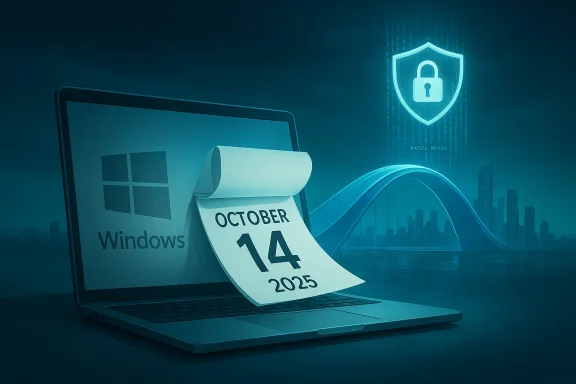
Microsoft set a hard deadline: Windows 10’s vendor-supplied mainstream support ended on October 14, 2025, and while your PC will still boot and run, that calendar cut changes the risk, compatibility, and support equations in ways that compound every day you wait. ([support.microsoft.microsoft.com/en-us/help/5066791)
Microsoft supported Windows 10 for a decade, delivering monthly security rollups and periodic feature updates under the “Windows as a service” model. That era reached its final scheduled milestone on October 14, 2025: Microsoft stopped issuing routine security and quality updates to mainstream Windows 10 editions and shifted its guidance toward Windows 11 and paid or account-tethered bridges for holdouts. This is not marketing copy or a feature freeze—it is the end of the vendor-maintained safety net.
What that means in practice is straightforward but frequently misunderstood. Your machine doesn’t self-destruct the day after the deadline. It keeps booting, apps continue to run, and files stay where you left them. The important difference is that the ongoing flow of monthly security patches—the small, invisible fixes that close newly discovered vulnerabilities in the Windows kernel, networking stack, drivers, and core services—has stopped for un-enrolled Windows 10 devices. Attackers know when a product reaches EOL; unsupported systems become higher-value targets because newly discovered holes are no longer guaranteed to be fixed by the vendor.
Important caveats:
The clock is real; the consequences are incremental but cumulative. Act now while your options are widest: upgrade where you can, use ESU only as a bridge, and consider Linux or new hardware for everything else. Your machine will still turn on tomorrow—but the longer you wait, the fewer good choices will remain.
Source: MakeUseOf Still running Windows 10? Here's what actually happens if you don't upgrade
 Background / Overview
Microsoft supported Windows 10 for a decade, delivering monthly security rollups and periodic feature updates under the “Windows as a service” model. That era reached its final scheduled milestone on October 14, 2025: Microsoft stopped issuing routine security and quality updates to mainstream Windows 10 editions and shifted its guidance toward Windows 11 and paid or account-tethered bridges for holdouts. This is not marketing copy or a feature freeze—it is the end of the vendor-maintained safety net.What that means in practice is straightforward but frequently misunderstood. Your machine doesn’t self-destruct the day after the deadline. It keeps booting, apps continue to run, and files stay where you left them. The important difference is that the ongoing flow of monthly security patches—the small, invisible fixes that close newly discovered vulnerabilities in the Windows kernel, networking stack, drivers, and core services—has stopped for un-enrolled Windows 10 devices. Attackers know when a product reaches EOL; unsupported systems become higher-value targets because newly discovered holes are no longer guaranteed to be fixed by the vendor.
What “End of Support” Actually Means (and What It Doesn’t)
The vendor support cliff is procedural, not mechanical
After October 14, 2025, Microsoft ceased routine security updates, quality rollups, and standard technical support for mainstream Windows 10 editions. That means:- No more monthly Patch Tuesday security fixes for the general installed base.
- No guaranteed fixes from Microsoft for newly discovered Windows OS vulnerabilities.
- Official technical support channels will not provide troubleshooting or remediation for new issues on Windows 10.
- Microsoft may still offer narrowly scoped commercial options (see ESU below) or product-specific exceptions, but those are conditional and time‑boxed.
- Your PC will not stop working the moment the date passes.
- Third-party applications may continue to run and be updated (or not) depending on vendor policies.
- Microsoft may still issue emergency updates in exceptional circumstances—there is historical precedent—but this is the exception, not the rule.
Patch Tuesday and the slow leak
Microsoft’s monthly update cadence (Patch Tuesday) is how many small vulnerabilities are closed before attackers weaponize them. Once the vendor stops shipping those patches, the vulnerabilities accumulate. Threat actors routinely scan for unpatched systems; an OS that no longer receives patches is, over time, a steadily more attractive target. The harm is rarely immediate and headline‑grabbing on day one—it’s a slow, compounding erosion of safety and compatibility.The Security Case: Why “Still Works” ≠ “Still Safe”
Historic precedent: Windows XP and WannaCry
A useful historical parallel is Windows XP. After Microsoft stopped standard support for XP, some installations were left unpatched and were later exploited in large-scale outbreaks—most notably the WannaCry ransomware campaign in May 2017. That incident forced Microsoft to take the unusual step of releasing emergency patches for unsupported versions to slow the spread. The XP experience shows two things: unsupported systems are attractive targets, and vendors will only rarely issue emergency fixes for dead OSes—soail reliance on such rescues is dangerous.Practical security impacts for Windows 10 holdouts
- New remote‑code‑execution and privilege‑escalation vulnerabilities discovered after the EOL date will not be fixed on un-enrolled Windows 10 PCs.
- Attackers will increasingly target unpatched Windows 10 machines as part of broader campaigns (ransomware, botnets, credential theft).
- Endpoint and antivirus solutions can help but are not substitutes for OS‑level patches; they offer a mitigation layer, not a permanent defense.
- Network appliances, VPN clients, and drivers tied to older OS internals will increasingly drift away from vendor testing and certification, creating interoperability and stability risks over time.
Compatibility and the Application Ecosystem
Browsers and apps: not all vendors move at the same pace
Major browser vendors have signaled different plans. Mozilla has publicly stated it will continue to support Firefox on Windows 10 for the foreseeable future, while Microsoft has clarified that Microsoft Edge and WebView2 will be updated on Windows 10 devices enrolled in supported channels through at least 2028 to align with the ESU window. Google and other app vendors have not universally committed to a single cut-off; many will continue support for now, but long-term commitments vary by vendor and product. That means your day-to-day browsing may still get patched for a while, but platform-level holes remain a separate—and more dangerous—problem.Drivers and hardware support
Hardware vendors typically stop testing and certifying legacy drivers after an OS reaches EOL. Over time you can expect:- New peripherals may not offer drivers for Windows 10.
- Firmware updates and vendor tools for your hardware may require Windows 11 or newer driver frameworks.
- Performance and stability regressions linked to driver incompatibilities may appear as newer software assumes more modern OS primitives.
Can Your PC Run Windows 11? The Real Gatekeepers
The most practical upgrade path for most people is Windows 11—but Microsoft enforces a stricter baseline for compatibility than Windows 10 did. The public minimum requirements for Windows 11 include:- UEFI firmware with Secure Boot support and Secure Boot enabled.
- TPM 2.0 (hardware TPM or firmware-based fTPM) enabled.
- A supported CPU family (baseline widely communicated as Intel 8th Gen Core or newer, AMD Ryzen 2000-series or newer, or Qualcomm Snapdragon 850 or newer), plus required instruction-set features.
- Minimum 4 GB of RAM and 64 GB of storage (real-world installations typically need more).
- 64‑bit capable processor and UEFI boot.
Your Realistic Options — Who Each One Is For
If you haven’t acted yet, you have three sensible paths depending on hardware, needs, and risk tolerance.1) Upgrade to Windows 11 — best for the majority of eligible PCs
If your PC meets the Windows 11 minimums, upgrading is the simplest way to remain on a vendor-supported desktop OS. Pros:- Continued monthly security updates and feature servicing.
- Native support for recent platform security features (TPM, Secure Boot).
- Your files, apps, and many settings should carry over in-place.
- Older apps and drivers might behave differently under Windows 11; test mission‑critical software first.
- Some users dislike UI changes or want to delay adoption until they’ve verified software compatibility.
- Run PC Health Check (or check Settings > Windows Update) to confirm eligibility.
- Backup your data (full disk image recommended).
- Use Windows Update or the Installation Assistant if the upgrade offer does not appear.
- Test peripherals and critical applications after migration.
2) Enroll in Windows 10 Extended Security Updates (ESU) — a short-term bridge
Microsoft offered a limited consumer ESU program to extend critical OS security patches for one year beyond EOL (through October 13, 2026), with mechanics that included a $30 purchase or redemption of Microsoft Rewards points and a Microsoft Account tie-in for enrollment in many regions. The program was explicitly framed as a bridge—not a long-term solution—and regional differences apply (for example, Microsoft announced free availability for some European users after policy pressure). ESU keeps you patched for a limited, known interval and is primarily useful for users who cannot upgrade due to hardware or software constraints but need time to plan.Important caveats:
- ESU is time‑boxed; it is not a perpetual patch stream.
- Enrollment mechanics required a Microsoft Account or other enrollment proofs in many regions—local accounts alone were not always sufficient. This generated consumer friction and controversy.
3) Move off Windows: Linux or new hardware with Windows 11 — for constrained hardware or specific needs
If your machine is too old for Windows 11 and you do not want to buy new hardware, Linux is a viable path for many use cases. Modern desktop distributions (Ubuntu, Linux Mint, Fedora) are stable, efficient, and supported on older hardware. Linux is a strong option if you primarily use web apps or open-source software. However, you may face challenges with:- Microsoft 365 desktop apps and some Adobe Creative Cloud apps—these either have limited Linux support or require complex workarounds.
- Peripheral vendor drivers (scanners, specialized audio hardware) that may lack Linux drivers.
Unsupported Windows 11 installs and hacks
There are methods to bypass Windows 11 hardware checks (registry edits, modified installer images, third‑party tools). These can let you run Windows 11 on unsupported CPUs or without TPM enabled, but they have trade-offs: they may void warranty or support, break future updates, and put you in unsupported territory where vendors will not help if things break. Use at your own risk.Practical, Actionable Checklist (What to Do Today)
- Backup now: Create a full image backup of your system and a second copy of critical files to cloud or external media.
- Run PC Health Check: See if your device is Windows 11 eligible and identify any BIOS/UEFI toggles you can enable (Secure Boot, TPM).
- Inventory mission-critical apps: Identify anything that absolutely requires Windows 10 or vendor-certified drivers; test them on a Windows 11 VM or spare machine if possible.
- Decide a path and timeline:
- If eligible: plan upgrade and schedule it at a convenient time after backups.
- If not eligible: evaluate ESU enrollment (if still available in your region), test Linux live USB sessions, or budget for replacement hardware.
- Harden what remains: If you must keep Windows 10 in production, minimize risk—use strong, unique passwords, enable multi-factor authentication, restrict administrative accounts, isolate the device from sensitive networks, and maintain up-to-date third‑party software like browsers and antivirus.
Business and Compliance Risks
For organizations, the calculus is more complex. Unsupported endpoints raise regulatory and insurance problems:- Compliance frameworks (PCI-DSS, HIPAA, various government standards) can require supported OS levels for certain workloads.
- Cyber insurance often expects reasonable patch and maintenance programsOSes weakens coverage positions and can trigger higher premiums or denied claims.
- Managed IT and helpdesk operations become more expensive as vendors stop certifying legacy drivers and software.
The Human Side: Why People Delay and How That Compounds Risk
Many users stick with Windows 10 for perfectly reasonable reasons:- Their hardware works and they don’t want to spend money.
- They depend on legacy apps that may not be tested on Windows 11.
- They dislike the UI or new workflows in Windows 11.
Special Cases and Nuances
Microsoft 365 and Office support on Windows 10
Microsoft explicitly tied Microsoft 365 app support to the Windows 10 lifecycle: Microsoft 365 Apps on Windows 10 were slated to reach end-of-support in mid‑October 2025 alongside Windows 10’s EOL. Microsoft also clarified that it would continue providing security updates for Microsoft 365 on Windows 10 for selected channels through a longer horizon (a separate policy window than the OS itself). Organizations that rely on Office desktop apps should confirm support timelines for the specific Microsoft 365 plans and update channels they use.Extended Security Updates (ESU) nuances and region differences
Microsoft’s consumer ESU program included multiple enrollment routes—purchase, redeeming Microsoft Rewards points, or syncing settings via a Microsoft Account—and Microsoft announced regional adjustments (e.g., different handling in the European Economic Area). That means many consumers had a one-year safety valve, but it came with conditions that some found inconvenient or unacceptable. ESU is a measured bridge—not a permanent safe harbor. Always verify your local eligibility and the exact enrollment steps on vendor documentation.Browsers and web security
Browsers continue to be a vital line of defense. Mozilla committed to continuing Firefox support on Windows 10 for the foreseeable future; Microsoft planned continued Edge updates tied to the ESU window; other browser vendors’ commitments vary. Nevertheless, browsers only protect the user’s web session; they cannot patch a kernel-level exploit, which is where unsupported OSes become especially vulnerable. Keep browsers updated, but don’t mistake that for OS-level security.Long-Term Outlook and Risk Management
- The risk curve is gradual: the worst single-day outcomes are unlikely, but the cumulative exposure increases as more exploits are disclosed and fewer systems remain patched.
- For consumer users with compatible hardware, upgrading to Windows 11 is the least risky path.
- For those with older hardware, ESU buys time—but it’s a short-term bridge and may require account-tethering or fees; evaluate it purely as breathing space to plan a migration.
- For organizations, start migrations now. Patching thousands of endpoints under time pressure is expensive and error-prone; staged migration with user acceptance testing reduce Final Recommendations: A Simple Decision Framework
- Backup everything immediately. No exceptions.
- Run PC Health Check. If eligible for Windows 11, schedule an upgrade after testing backups and critical apps.
- If not eligible:
- Consider ESU as a one-year bridge ONLY if you need time to migrate critical apps.
- Test Linux (Ubuntu or Mint live USB sessions) if you want to avoid hardware purchases and the app list is compatible.
- Plan replacement hardware if your workflows depend on Windows-only software and ESU isn’t an option.
- If you must keep Windows 10 in production, isolate those machines, limit administrative privileges, and enforce strict network segmentation and endpoint monitoring.
- Revisit the plan quarterly: the third‑party app and driver landscape will change, and what’s feasible today may be harder next year.
Conclusion
Running Windows 10 after October 14, 2025 is not an immediate catastrophe—but it is a deliberate choice to run an unsupported platform while the rest of the ecosystem moves on. For many users, that choice will be temporary and bearable; for others it will become dangerous or untenable as app vendors, drivers, and infrastructure drift away. The responsible path is not reactive panic but a practical migration plan: backup, check eligibility, choose an upgrade or migration strategy that fits your workload, and execute on a reasonable timeline.The clock is real; the consequences are incremental but cumulative. Act now while your options are widest: upgrade where you can, use ESU only as a bridge, and consider Linux or new hardware for everything else. Your machine will still turn on tomorrow—but the longer you wait, the fewer good choices will remain.
Source: MakeUseOf Still running Windows 10? Here's what actually happens if you don't upgrade
