

Windows 10 hasn’t quietly faded away into the archive; instead, the retired giant is showing an unexpected pulse — global usage of Windows 10 has ticked up even after Microsoft formally ended support on October 14, 2025. This reversal — logged by market trackers and discussed across tech outlets — complicates the usual narrative of old software rapidly shrinking after end-of-life. The numbers, the official timelines, and the reasons behind them matter for anyone who runs a Windows PC today: consumers, IT pros, and enterprises alike. In this feature I walk through the verified data, explain what’s likely driving the trend, evaluate the security and operational risks, and offer practical guidance for readers deciding what to do next.
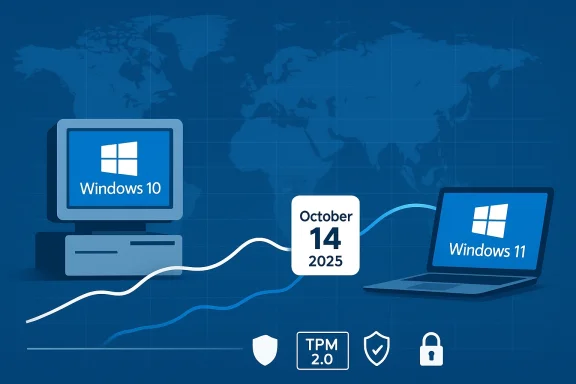
Microsoft formally announced that Windows 10 reached end of support on October 14, 2025, meaning the company no longer provides regular feature updates, mainstream support, or free security updates for consumer editions after that date. Microsoft’s support documentation makes the date and the basic implications explicit: machines will continue to function, but will not receive security patches unless enrolled in a paid Extended Security Updates (ESU) program or specific enterprise arrangements.
At the same time, web-based market trackers recorded an unusual market shift in the months following the cutoff: Windows 11’s share of the worldwide Windows version market fell noticeably between October and December 2025, while Windows 10’s share rose. Statcounter’s December 2025 snapshot showed Windows 11 at roughly 50.7% and Windows 10 at about 44.6% of the desktop Windows version market worldwide — a much tighter race than many expected immediately after end-of-support.
Various news outlets picked up the trend and explored plausible explanations, and the Express article you shared is one of the early summaries of that coverage and the Statcounter figures. The Exprese Statcounter reversal — Windows 11 dipping after hitting a high point in April 2025, and Windows 10 rising in the months after the October retirement — and speculated on possible causes such as Extended Security Updates enrollment.
Three immediate explanations (not mutually exclusive) stand out and are supported by public documentation and reporting:
What to watch in 2026:
Windows 10’s continued use after end-of-life is understandable — it reflects real-world constraints and rational choices. But understanding the risks and trade-offs is essential: what looks like a small market-share blip can mask significant operational exposure if it’s treated as an indefinite strategy rather than a temporary posture.
Source: Daily Express Windows 10 shows signs of life despite Microsoft ending support
 Background
Microsoft formally announced that Windows 10 reached end of support on October 14, 2025, meaning the company no longer provides regular feature updates, mainstream support, or free security updates for consumer editions after that date. Microsoft’s support documentation makes the date and the basic implications explicit: machines will continue to function, but will not receive security patches unless enrolled in a paid Extended Security Updates (ESU) program or specific enterprise arrangements. At the same time, web-based market trackers recorded an unusual market shift in the months following the cutoff: Windows 11’s share of the worldwide Windows version market fell noticeably between October and December 2025, while Windows 10’s share rose. Statcounter’s December 2025 snapshot showed Windows 11 at roughly 50.7% and Windows 10 at about 44.6% of the desktop Windows version market worldwide — a much tighter race than many expected immediately after end-of-support.
Various news outlets picked up the trend and explored plausible explanations, and the Express article you shared is one of the early summaries of that coverage and the Statcounter figures. The Exprese Statcounter reversal — Windows 11 dipping after hitting a high point in April 2025, and Windows 10 rising in the months after the October retirement — and speculated on possible causes such as Extended Security Updates enrollment.
Overview: the facts you can verify right now
- Microsoft’s official Windows 10 end-of-support date: October 14, 2025. After that date Microsoft no longer provides technical support or free security updates for Windows 10 consumer editions; ESU is available as a paid, temporary extension.
- Statcounter’s public dataset shows Windows 11 at roughly 50.7% and Windows 10 at roughly 44.6% worldwide for December 2025, reflecting a narrowing gap and a modest rebound for Windows 10 in the months after end-of-support. These month-to-month shifts are small in absolute terms, but significant given the context.
- Independent press coverage flagged the same trend and proposed drivers: rollback by users unhappy with Windows 11, hardware-compatibility barriers, administrative or enterprise migration timelines, and uptake of ESU. Those analyses were reported by multiple outlets and echoed in industry coverage.
Why this looks surprising — and why the surprise is real
Most product lifecycle thinking expects adoption of a successor OS to accelerate at end-of-life for its predecessor. Microsoft actively promoted Windows 11 as the upgrade path and offered it as a free upgrade for eligible Windows 10 PCs. So why would Windows 10 usage rise when support ended?Three immediate explanations (not mutually exclusive) stand out and are supported by public documentation and reporting:
1) Hardware and compatibility limits block upgrades for many PCs
Windows 11 requires specific hardware features — TPM 2.0, UEFI Secure Boot, a 64-bit processor with 2+ cores and appearing on Microsoft’s compatibility list, at least 4 GB RAM and 64 GB storage, and other checks. Those requirements exclude a significant installed base of older devices, and Microsoft has been explicit that only systems meeting the compatibility criteria are granted the supported free upgrade. That hard line constrains how many Windows 10 users can move to Windows 11, even if they want to.- The practical effect: millions of still-serviceable PCs are simply not eligible for a supported Windows 11 upgrade without hardware changes, firmware updates, or buying new machines. This keeps a floor under Windows 10 usage.
- Independent reporting and analysis have repeatedly highlighted the hardware hurdle as a major reason adoption of Windows 11 lagged earlier in its lifecycle.
2) Enterprises and extended support slow migration velocity
Large organizations rarely flip an OS overnight; they plan, test, and migrate at scale. Microsoft offers Extended Security Updates (ESU) options for Windows 10 that let organizations buy more time to migrate, and the consumer ESU window can also link to some uptake. Microsoft’s official guidance and lifecycle pages confirm ESU options and explicitly recommend them for customers who cannot immediately upgrade. ESU and enterprise timelines mean Windows 10 can retain a substantial installed base months — or even years — after end-of-support, depending on contracts.3) Some users are rolling back to Windows 10 after poor Windows 11 experiences
Multiple outlets and community forums documented instances of problematic Windows 11 updates (broken drivers, recovery environment bugs, or feature regressions), and some users reported moving back to Windows 10 until the issues were resolved. Press coverage of December 2025 / January 2026 patch cycles noted significant fixes and also reports of update-induced breakages that prompted rollbacks or disabled automatic updates while users waited for fixes. That dynamic can temporarily increase Windows 10 share in short-term snapshots.Deep dive: the numbers and what they actually show
Numbers are deceptively simple. Two points matter when reading Statcounter or similar trackers:- Sampling and methodology: Statcounter measures visits to websites that use its analytics code, then infers OS-version market share. It’s a representative — but not perfect — view of worldwide usage patterns. Month-to-month swings can reflect real adoption behavior, but also seasonal effects, OEM build cycles, and other sampling noise. Use the numbers as directional evidence, not an absolute census.
- The meaningful signal in late-2025: the direction shift after October is the headline. Windows 11 peaked earlier in 2025 and then declined modestly by the end of the year, while Windows 10’s share rose. The magnitude wasn’t a wholesale reversal (we aren’t seeing Windows 10 reclaiming majority share), but the trend contradicts the simplistic expectation that Windows 10 would only decline post-retirement. Statcounter’s December 2025 table showed Win11 ~50.68% vs Win10 ~44.64% globally. That tightening matters because it implies upgrade momentum slowed and other forces nudged users back or held them in place.
Interpreting causes: weighing the evidence
Below is an evidence-based assessment of likely contributors, ranked by plausibility and supported sources.Most likely contributors
- Hardware incompatibility remains the dominant structural limiter to migration. Microsoft’s compatibility policy and requirements are clear and strongly enforced; millions of devices simply cannot run Windows 11 under the supported path. This is a structural ceiling on natural adoption.
- Enterprise migration timelines and ESU adoption create a practical tail. Large fleets, regulated environments, and specialized industrial systems often delay upgrades until they can validate everything. Microsoft’s ESU guidance demonstrates the explicit expectation that many customers will remain on Windows 10 for a limited period.
- Short-term rollback and update-hesitancy triggered by problematic updates or regressions likely explains much of the immediate bounce-back to Windows 10 observed in late 2025. December 2025 Patch Tuesday was unusually heavy (multiple zero-days and 50+ CVEs), and the combination of emergency fixes and isolated breakages led some users and admins to delay or reverse upgrades. Independent security press and patch analysis documented the scale of that update cycle.
Possible but smaller contributors
- Consumer sentiment and interface preference: some users dislike Windows 11’s UI changes or AI integrations and prefer Windows 10’s familiarity. This is real, but anecdotal; it is unlikely to explain large-scale version shifts without corresponding structural barriers or specific events prompting migration reversal. Press coverage and community threads support the sentiment but not large-scale causation.
- OEM preloads and device purchasing patterns: holiday PC sales can change the installed base composition (new Windows 11 devices spreading), but that should favor Windows 11 during high-sales quarters. The observed decline in Windows 11 share during the end-of-year period suggests other forces outweighed new-device additions in the measured sample.
Speculative or unverified causes (flagged)
Some breathless commentary suggested conspiratorial ideas — that Microsoft intentionally lets Windows 10 continue to live longer to extract more revenue from hardware refreshes, or that cloud key-sharing policies are pushing users away. These deserve scrutiny and caution: motivations are complex and business incentives don’t map neatly to short-term market share spikes. Where a claim is not well-supported by multiple independent data points, treat it as speculative. (I flag these explicitly because the public evidence is thin or circumstantial.)Security and operational risk analysis
If you or your organization is running Windows 10 today, here’s a clear-eyed appraisal of the risks:- No free security updates for consumer Windows 10 after Oct 14, 2025. That means new vulnerabilities discovered after that date will not receive patches unless you’re on an ESU plan or similar arrangement. Microsoft explicitly warns that an unsupported OS is increasingly attractive to attackers.
- Patch volatility on Windows 11 adds short-term complexity. The December 2025 and subsequent Patch cycles were unusually active — addressing multiple zero-days and several dozen vulnerabilities — and some updates caused functional regressions for a minority of users. While Microsoft fixed many issues quickly, the short-term reliability risk for early adopters increased, which explains why cautious users or admins stuck with Windows 10. Security teams should keep this reality in mind: fast-moving vulnerabilities require reliable patch testing and rollback plans.
- Data-protection and privacy considerations are evolving. Recent reporting shows Microsoft has complied with legal requests to provide BitLocker recovery keys under valid warrants — a development that has renewed privacy debates and may influence how privacy-conscious users view Windows 11’s default cloud-based key storage. If you rely on built-in encryption but want maximum legal protection against compelled access, you must manage recovery keys yourself. Multiple outlets have covered this development and its implications.
- Third-party mitigation is an imperfect substitute. For organizations trying to postpone migration, micro-patching vendors and extended-security services can provide temporary relief, but they are not a long-term replacement for vendor-supplied fixes and can increase operational complexity and cost. Microsoft’s ESU is the officially supported bridge for many customers.
What readers should do now — practical guidance
Below are concrete, prioritized actions for individuals and organizations, in order of urgency.For home users and individual power users
- Confirm your device’s status:
- Check whether your PC is eligible for Windows 11 via Microsoft’s PC Health Check or by reviewing the published minimum requirements (TPM 2.0, Secure Boot, CPU list, RAM/storage). If your machine meets the specs, consider upgrading or testing Windows 11 in a non-critical partition or virtual machine.
- If you can’t or choose not to upgrade immediately:
- Consider the consumer ESU if available in your region and cost-effective to buy a little time.
- Harden the system: apply all remaining security best practices (full-disk encryption with local key control, strong passwords, multifactor authentication for accounts, uninstall unused services).
- Isolate higher-risk activities (banking, sensitive work) onto devices that are fully supported.
- Manage BitLocker keys explicitly:
- If you use BitLocker and care about third-party access to recovery keys, opt to store recovery keys locally or in a secure, user-controlled vault rather than default cloud backups. Reporting shows cloud-stored keys have been produced under warrant.
For IT professionals and enterprises
- Treat this as a migration project with staged rollouts:
- Inventory hardware and software compatibility, prioritize business-critical systems, and use testing rings before broad upgrades. ESU is a valid short-term mitigation but plan for full migration.
- Harden patch management and rollback capabilities:
- Given that some Windows 11 updates caused regressions, maintain robust testing and rollback tools, and coordinate vendor and OEM driver updates. Monitor Microsoft’s security bulletins closely; December 2025 showed the speed and severity of modern vulnerabilities.
- Re-evaluate encryption and key management policies:
- Review whether corporate policies permit cloud-stored BitLocker keys or mandate customer-controlled key management; the legal and privacy landscape has shifted and should inform policy.
Strengths, weaknesses, and wider implications
Notable strengths in the current environment
- Microsoft has provided a clear, documented lifecycle and an ESU path — realistic tools for controlled transitions. Enterprises benefit from predictable options for risk management.
- Windows 11 continues to mature; many of the early reliability issues have been patched and the platform’s security baseline (TPM, virtualization-based protections) is technically stronger for new devices.
Key weaknesses and risks
- The hardware barrier leaves many machines stranded, forcing users into awkward choices: buy new hardware, accept unsupported status, or attempt unsupported workarounds. That is both a user-experience and environmental problem (e‑waste).
- Update reliability concerns (some high-profile regressions in late 2025) have eroded early adopter confidence and can slow adoption — a commercial and security problem for Microsoft and its partners.
- Privacy and data-protection debates (e.g., handing BitLocker recovery keys to law enforcement under warrant) add a layer of reputational complexity for the platform and influence migration choices for privacy-conscious users.
Final analysis and what to watch next
Windows 10’s modest rebound in late 2025 is not a resurrection of the platform — Microsoft’s retirement calendar is real and consequential — but it is a symptom of a more complex migration environment: incompatible hardware, enterprise timelines, real update reliability concerns, and changing privacy expectations. The short-term market-share pulse recorded by Statcounter is a valid, measurable signal that migration dynamics are not purely linear.What to watch in 2026:
- Whether Windows 11’s stability and update cadence continue to improve and restore confidence among cautious users.
- How broad OEM and retail PC replacement trends evolve, particularly in enterprise procurement cycles and consumer holiday buying patterns.
- Enterprise uptake of ESU and the length of transition windows for regulated industries.
- Any policy or technical changes Microsoft makes around key management and privacy controls in response to the BitLocker recovery key controversy.
Windows 10’s continued use after end-of-life is understandable — it reflects real-world constraints and rational choices. But understanding the risks and trade-offs is essential: what looks like a small market-share blip can mask significant operational exposure if it’s treated as an indefinite strategy rather than a temporary posture.
Source: Daily Express Windows 10 shows signs of life despite Microsoft ending support
