

As October wound down, the month’s cybersecurity headlines sketched a clear, uncomfortable pattern: legacy platforms reaching their limits, social-media-driven malware that preys on casual trust, and nation-state actors — backed by AI-assisted tooling — raising the stakes of espionage and disruption. This edition synthesizes the key takeaways from ESET’s Tony Anscombe, Microsoft threat intelligence, and multiple independent reporting threads to give Windows users and administrators an actionable view of what changed in October 2025 and what to do about it.
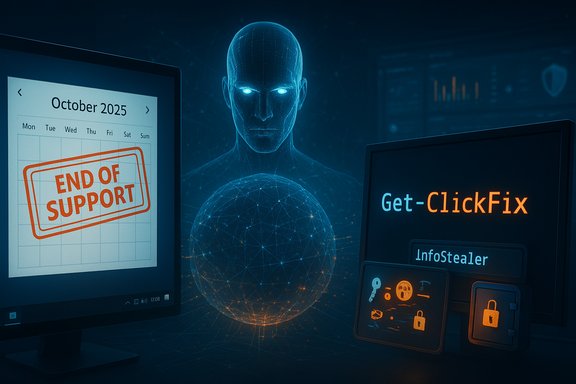
October’s beat combined long‑anticipated lifecycle news with immediate operational threats. On October 14, 2025, Windows 10 reached end of support, shifting the baseline for security updates and forcing choices for millions of users and organizations. At the same time, threat actors continued to weaponize social platforms. Short-form TikTok videos disguised as “free activation” or “fix” tutorials have been used to instruct viewers to run single-line PowerShell commands that download and execute info‑stealer malware — a tactic called ClickFix that has resulted in widespread credential theft and wallet compromises. On the geopolitical front, Microsoft’s recent threat intelligence highlights a rapid increase in AI-assisted cyber operations by Russia, China, Iran and North Korea — not only to automate phishing and disinformation, but to scale technical intrusion capabilities aimed at U.S. targets. Finally, China’s Ministry of State Security publicly accused the U.S. NSA of a “premeditated” intrusion into its National Time Service Center (NTSC), an allegation that demonstrates how cyber operations and counterclaims now play out in the open, complicating attribution and diplomatic channels. Reporting on that accusation surfaced through security outlets and state channels in late October.
This article expands on those themes with independent verification and practical remediation steps, cross‑checking official lifecycle pages, vendor advisories, and multiple incident reports.
Key SEO phrases used naturally in the text: Windows 10 end of support, TikTok malware, ClickFix attacks, info‑stealer, state‑backed hackers, AI in cyberattacks, extended security updates, PowerShell hardening, endpoint detection and response.
Source: WeLiveSecurity This month in security with Tony Anscombe – October 2025 edition
 Background / Overview
October’s beat combined long‑anticipated lifecycle news with immediate operational threats. On October 14, 2025, Windows 10 reached end of support, shifting the baseline for security updates and forcing choices for millions of users and organizations. At the same time, threat actors continued to weaponize social platforms. Short-form TikTok videos disguised as “free activation” or “fix” tutorials have been used to instruct viewers to run single-line PowerShell commands that download and execute info‑stealer malware — a tactic called ClickFix that has resulted in widespread credential theft and wallet compromises. On the geopolitical front, Microsoft’s recent threat intelligence highlights a rapid increase in AI-assisted cyber operations by Russia, China, Iran and North Korea — not only to automate phishing and disinformation, but to scale technical intrusion capabilities aimed at U.S. targets. Finally, China’s Ministry of State Security publicly accused the U.S. NSA of a “premeditated” intrusion into its National Time Service Center (NTSC), an allegation that demonstrates how cyber operations and counterclaims now play out in the open, complicating attribution and diplomatic channels. Reporting on that accusation surfaced through security outlets and state channels in late October. What the WeLiveSecurity roundup captured (summary)
Tony Anscombe’s October roundup compressed these developments into a practical lens for defenders: Windows 10’s end of support reshapes risk calculus for endpoint security; social media is a growing vector for credential theft and infostealers; and the strategic use of AI by state‑aligned actors is changing adversary tradecraft. The roundup’s themes are consistent with the primary reporting and advisory notices that landed across security blogs and vendor advisories during the month.This article expands on those themes with independent verification and practical remediation steps, cross‑checking official lifecycle pages, vendor advisories, and multiple incident reports.
Windows 10 end of support — facts, implications and practical options
The hard facts
- Microsoft has set October 14, 2025 as the end of free standard support for Windows 10. After that date, routine security updates, feature updates and free technical assistance for Windows 10 Home, Pro, Enterprise and Education are no longer provided.
- Microsoft published an Extended Security Updates (ESU) option that covers critical/important security patches for a limited period (through October 13, 2026 for consumer ESU in the initial program), with various enrollment routes including free enrollment when syncing PC settings to a Microsoft account or a paid option.
Why this matters
End of support changes the attacker landscape in two ways:- Known and future vulnerabilities in Windows 10 will no longer be fixed on a normal cadence, increasing exposure for systems that remain on the platform.
- Businesses and hobbyists that delay migration create a long tail of vulnerable endpoints — ideal for opportunistic actors who scan the internet for unpatched targets.
Options and tradeoffs (practical guidance)
- Upgrade eligible machines to Windows 11 where hardware permits. Use Microsoft’s PC Health Check and vendor guidance to assess compatibility.
- Enroll in Windows 10 ESU if immediate migration is impossible; treat ESU as a bridge, not a permanent fix. ESU covers security updates only and may require linking devices to a Microsoft account for consumers.
- Where upgrading is not feasible, consider migrating workloads to supported alternatives: modern Linux distributions for specific use cases, or ChromeOS/Cloud devices for web‑centric work.
- For organizations: prioritize inventory, prioritize high‑risk systems for replacement or sandboxing, increase logging and IDS/EDR coverage, and harden network segmentation to limit lateral movement from aging endpoints.
Short‑term hardening checklist (for admins)
- Ensure EDR/antivirus signatures and behavioral detection are up to date.
- Enforce multi‑factor authentication (MFA) across all cloud and critical services.
- Audit and reduce local administrator counts; adopt least privilege where possible.
- Back up critical data offline and test restoration procedures regularly.
TikTok ClickFix and social‑media‑driven infostealers
What’s happening
A wave of short TikTok clips instruct users to copy a one‑line PowerShell command and execute it with elevated privileges to “activate” or “fix” software (Windows, Spotify, Photoshop, Netflix, etc.. Those commands fetch a script that downloads infostealer malware families — reported payloads include Aura Stealer, Vidar, and variants of StealC — which exfiltrate browser credentials, cookies, and cryptocurrency keys. Security researchers and regional CERTs have documented these campaigns and warned users to never paste commands from untrusted sources.Why it works
- Short‑form video platforms encourage rapid consumption and copying.
- Casual users often lack the contextual fear of executing commands that, to experienced users, look obviously dangerous.
- Attackers exploit legitimate cloud hosting and content delivery networks to serve payloads, complicating takedown efforts.
Countermeasures — technical and human
- Never paste commands into PowerShell or terminal windows from unverified video descriptions or comments.
- Configure PowerShell ConstrainedLanguageMode or use Group Policy to restrict execution policy on managed endpoints.
- Use endpoint protection with behavior‑based detection; monitor for suspicious child processes created by PowerShell or for processes that add Defender exclusions.
- Educate users with concrete examples (show the exact one‑line command and explain the impact) and run short drills simulating social‑media lures.
- Apply credential hygiene: rotate keys, use FIDO2 or hardware MFA where possible, and assume credentials exposed via infostealers are compromised.
Evidence and reporting
The campaign has been documented by multiple news outlets and CERTs; BleepingComputer published a technical breakdown of the ClickFix chain, and national CERT advisories reinforced the same mitigation guidance. These independent accounts converge on the same IOCs and recommended mitigations.State‑backed hackers, AI and the changing threat model
What Microsoft reported
Microsoft’s recent digital‑threat reporting identifies a marked increase in AI‑assisted operations by Russia, China, Iran and North Korea: more than 200 AI‑generated or AI‑assisted influence/attack artifacts identified in July alone — a doubling year‑over‑year and an order‑of‑magnitude increase since 2023. The company highlights uses that include automated spearphishing, deepfake personas to influence and deceive, and AI‑assisted reconnaissance that increases operational tempo for intrusions.Practical implications
- AI lowers the bar for high‑quality social engineering: phish emails are more believable and can be tailored at scale.
- Automated tools accelerate vulnerability discovery, parsing, and even exploit generation — compressing weeks of reconnaissance into hours.
- Attribution grows more complex as adversaries use commodity AI and cloud resources — sometimes via stolen cloud credentials — to obfuscate provenance.
Defensive posture recommendations
- Treat AI as both a threat and a force multiplier for defenders. Invest in AI‑augmented detection but retain human review for high‑impact alerts.
- Focus on identity hardening: MFA, conditional access policies, and continuous authentication monitoring become the most effective mitigations against automated credential compromise.
- Build rapid triage playbooks: when AI‑assisted spearphishing is suspected, isolate affected accounts, require password resets, and scan for secondary artifact indicators.
- Increase public‑private threat sharing — many AI‑enabled campaigns rely on commodity tools and cloud misconfigurations that rapid information exchange can disrupt.
China’s NTSC accusation: public charges, limited independent verification
China’s Ministry of State Security published an allegation that the U.S. National Security Agency used an extensive toolkit over several years to target the National Time Service Center (NTSC), claiming the operation was “premeditated” and that Chinese authorities uncovered “irrefutable evidence.” Independent reporting on the accusation appeared quickly in security‑focused outlets, echoing the MSS WeChat post and summarizing the chain of claims. At time of reporting, major international wire services had not independently corroborated the MSS technical claims in public filings; the allegation highlights how cyber‑accusations now form part of diplomatic messaging. Readers should treat the details as contested until independently validated.Why this matters for Windows users and admins
- Strategic infrastructure (time services, GNSS/time servers) is a high‑value target: attacks or tampering can cascade into network failures, financial transaction errors, or industrial control disruptions.
- Public accusations increase the chance of retaliatory activity, misattribution, or opportunistic misinformation that may impact enterprise trust decisions.
- Security teams should monitor for unusual traffic to or from time‑synchronization endpoints, validate NTP configurations, and maintain resiliency for services that rely on external time sources.
Caution on attribution
Public claims by state actors are politically charged and often selective in technical detail. Treat primary statements as significant but incomplete; require corroboration from independent technical analysis before operational conclusions are drawn.Strengths and risks: a critical assessment
Positive signals and strengths
- The security community and major vendors are sharing high‑quality telemetry and warnings faster than before, enabling quicker defensive action across organizations.
- Microsoft’s transparency about AI’s application to cyber operations helps defenders plan for a near future where automation drives both offense and defense.
- Regional CERTs and reputable outlets are documenting emerging social‑media vectors (ClickFix) with concrete IOCs and mitigations that organizations can apply immediately.
Key risks and blind spots
- The end of Windows 10 support creates a multi‑year tail of vulnerable devices; ESU and patch bridges help, but they do not replace adoption of modern platforms and architectural hardening.
- Social media as a distribution vector scales attack reach and shortens the moment-to‑impact window: a single viral clip can expose thousands in hours.
- AI‑enabled adversaries reduce operational friction for nation‑states and financially motivated gangs; defenders who lack AI tooling or governance will be outpaced.
- Geopolitical claims (e.g., NTSC allegations) increase noise in the signal and can complicate incident response when diplomacy, public messaging, and technical evidence intersect.
Practical checklist: immediate actions for Windows users and administrators
- Inventory, prioritize, replace: identify all Windows 10 hosts and classify them by criticality. Migrate the most critical first.
- Apply layered defenses: enable EDR, enforce MFA, implement conditional access and passwordless options where possible.
- Educate aggressively: run short, frequent awareness sessions on ClickFix-style lures and don’t‑paste‑commands rules.
- Harden PowerShell and scripting: restrict execution policy, enable logging (PowerShell module logging, script block logging), and forward logs to SIEM/EDR.
- Backup and recover: ensure offline backups exist and test restore; assume account compromise when an infostealer is detected.
- Monitor supply signals: track vendor advisories and threat intelligence for AI‑assisted campaigns and update playbooks accordingly.
Conclusion
October 2025 crystallized a near‑term reality for defenders: lifecycle decisions (Windows 10 end of support) have immediate security consequences, social platforms now serve as mass‑distribution channels for information‑stealing malware, and AI is no longer a future threat — it’s being integrated into modern adversary playbooks. The collective response must be pragmatic: migrate or mitigate legacy endpoints, harden identity and endpoint controls, and treat AI as both a risk and a tool to be harnessed by defenders. The month’s reporting — summarized in Tony Anscombe’s roundup and corroborated across vendor advisories and independent reporting — provides clear, actionable priorities for IT teams and Windows users alike.Key SEO phrases used naturally in the text: Windows 10 end of support, TikTok malware, ClickFix attacks, info‑stealer, state‑backed hackers, AI in cyberattacks, extended security updates, PowerShell hardening, endpoint detection and response.
Source: WeLiveSecurity This month in security with Tony Anscombe – October 2025 edition
