

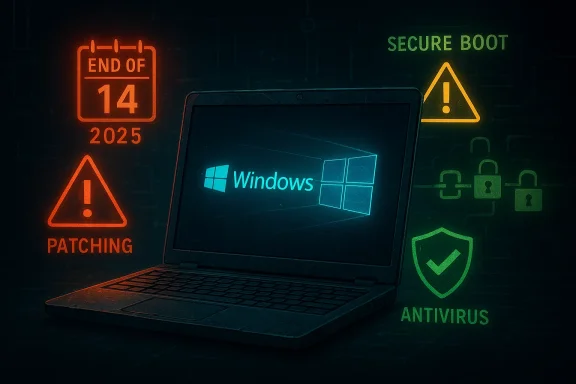
 Windows 10’s last chapter is now a security management problem, not just a software story
Windows 10 did not vanish when support ended, but the risk calculus changed overnight for millions of PCs. The operating system still boots, apps still run, and plenty of households and businesses are hanging on — yet the regular cadence of security fixes that quietly kept the platform resilient is gone. Microsoft is offering a one-year consumer Extended Security Updates bridge, but it is a narrow bridge, not a restoration of full support, and the next major pressure point is already visible in the form of Secure Boot certificate expiration starting in June 2026. That combination makes the Windows 10 question less about nostalgia and more about how much risk you are willing to carry.Overview
Windows 10 has spent years in a peculiar limbo: technically mature, broadly familiar, and still deeply embedded across the PC ecosystem, but also increasingly out of step with the direction Microsoft wants the platform to take. Microsoft has confirmed that Windows 10 support ended on October 14, 2025, meaning the operating system no longer receives technical assistance, feature updates, or security fixes through normal Windows Update channels. The company is still updating Microsoft Defender Antivirus on Windows 10 through October 2028, and it is also selling a limited consumer ESU program that extends critical security updates until October 13, 2026.That matters because the end of support is not a dramatic shutdown event. It is a gradual erosion of safety margins. As time passes, newly discovered vulnerabilities that would once have been patched may remain open, and attackers tend to notice those gaps faster than casual users do. Microsoft’s own guidance now frames Windows 10 as functional but increasingly exposed, which is a significant shift from “old but safe enough” to “old and unsupported unless you actively maintain a buffer.”
The timing is especially awkward because Windows 11 adoption has been slower than Microsoft would like, and the upgrade path is blocked for many otherwise healthy older PCs. Microsoft’s own licensing and hardware rules make it clear that Windows 11 is the supported path forward, but not every system can meet the requirements without replacement. For a lot of users, the decision is not a simple software upgrade; it is a hardware spending decision wrapped in a security policy decision.
There is also a second, underreported layer of risk. Microsoft now warns that Secure Boot certificates used by most Windows devices begin expiring in June 2026, and that change could affect the ability of some devices to boot securely if they are not updated in time. Even if a Windows 10 PC remains usable in the short term, the surrounding trust infrastructure is also aging out, which means the device’s security posture is being weakened from more than one direction at once.
The practical meaning of “end of support”
For most users, “end of support” sounds abstract until something breaks or gets exploited. In practice, it means Microsoft no longer promises to defend the operating system against the next wave of bugs, and the machine becomes more reliant on third-party defenses, cautious usage, and luck. That is a major change even if the interface looks exactly the same on Monday morning as it did on Friday night.- No more routine security patches through standard Windows Update.
- No technical support from Microsoft for Windows 10 issues.
- No feature updates to improve the platform or modernize defenses.
- No guarantee that newly found vulnerabilities will ever be fixed.
Why this is different from an ordinary aging-out process
Old software is not automatically unsafe, but unsupported software becomes increasingly hard to justify because attackers can study it longer while defenders have fewer official tools. That asymmetry is why end-of-support dates matter so much in enterprise IT and why consumer systems eventually inherit the same problem. The operating system may still be stable, but the threat environment around it is anything but stable. That distinction is the whole story.Why Windows 10 is still everywhere
Windows 10’s persistence is not a sign that users are careless. It is proof that the PC ecosystem changes slowly, that hardware replacement is expensive, and that many people have perfectly functional machines they do not want to retire. StatCounter data cited by reporting shows Windows 11 overtaking Windows 10 only in mid-2025, and Windows 10 still accounted for a very large share of installed Windows PCs afterward. That means the end of support affects an enormous installed base, not a niche legacy population.The problem is amplified by compatibility constraints. Microsoft continues to position Windows 11 as the default secure path, but the system requirements are real, and some older PCs cannot be upgraded without compromises or unsupported workarounds. For users with capable but noncompliant hardware, the choice can feel punitive: buy new, pay for ESU, or run unsupported and hope for the best. That is not a technical dilemma alone; it is a consumer economics dilemma.
The business world faces a related but distinct issue. Enterprises often have tighter change-control procedures, custom line-of-business apps, and device fleets that do not refresh on consumer timelines. That is one reason Microsoft offers a separate business ESU path at much higher prices, with annual cost escalation for longer coverage. Microsoft is clearly signaling that the longer a fleet lingers, the more expensive stalling becomes.
The market reality behind the upgrade lag
Windows 10’s large installed base reflects friction, not ignorance. Many users know support has ended, but they also know their current system works and their alternatives cost money. The result is a classic IT standoff: the vendor wants a platform transition, while users want to stretch the life of functioning hardware.- Older PCs may still be fast enough for daily use.
- Some peripherals and niche software are tied to Windows 10.
- Replacement PC pricing can be hard to justify for light users.
- Enterprises must balance security against operational disruption.
Consumer and enterprise behavior diverge
Consumers often delay until the machine fails or a must-have app stops working. Enterprises, by contrast, have to think in terms of compliance, auditability, and incident response. The same end-of-support milestone therefore creates two different problems: inconvenience for homes, and governance risk for organizations. That difference is why one-size-fits-all advice falls apart so quickly.What Microsoft is actually offering
The most important thing to understand about the consumer ESU program is that it is not a revival of Windows 10 support. Microsoft says ESU provides access to critical and important security updates, but not feature improvements, product enhancements, or technical support. In other words, it is a limited containment strategy, not a full service contract.That limitation matters because users sometimes hear “extended updates” and assume the system becomes current again. It does not. ESU buys time, and only time. It does not reduce the underlying age of the platform, the growing gap in third-party support, or the long-term likelihood that hardware and application vendors will shift attention to Windows 11. Microsoft itself is explicit about that boundary.
The enrollment process also has prerequisites. Microsoft says consumer devices must run Windows 10 version 22H2, be fully up to date, and be signed in with an administrator account. Microsoft also ties the free and low-cost pathways to its own account ecosystem, requiring Windows Backup for one option and offering a 1,000 Rewards points route or a $30 one-time payment route for consumers. That structure is no accident; it nudges users toward Microsoft identity, Microsoft backup, and Microsoft services.
The three consumer paths
Microsoft’s messaging leaves consumers with three practical ways to stay within the company’s supported orbit. Each path trades something different: money, data integration, or convenience. None of them is identical to staying on a fully supported mainstream OS.- Upgrade to Windows 11 if the PC qualifies.
- Enroll in consumer ESU for one additional year of security updates.
- Replace the device if hardware or performance constraints make the first two unattractive.
Why ESU is more of a delay than a solution
ESU does help narrow the immediate attack window, and that is valuable. But it also gives users a false sense of resolution if they mistake “safer for another year” for “safe in the long run.” The clock simply resets, it does not stop.The Secure Boot certificate problem is the next deadline
The upcoming Secure Boot certificate expiration is the detail that makes the Windows 10 situation more urgent than a simple end-of-support story. Microsoft says the Secure Boot certificates originally issued in 2011 begin expiring in June 2026, and that most personal devices will automatically receive new certificates through Microsoft-managed updates. Still, the company is warning that devices not updated in time could face secure-boot disruption.For Windows 10 users, this does not mean every PC will suddenly fail. It does mean the operating system is entering a period where the security foundation beneath it is also changing. A machine that is already unsupported for regular patches and then misses certificate updates could become harder to trust, harder to troubleshoot, and more vulnerable to boot-level problems. That is a bad place to be if you are already trying to stretch the life of the device.
The timing is especially awkward because Microsoft is delivering warnings about certificate changes while also nudging users toward Windows 11 and ESU. That creates a layered transition: upgrade the OS if you can, enroll in ESU if you need time, and make sure the underlying boot trust chain is not left behind. In practice, that means the “just keep using Windows 10” camp has to monitor more than one expiration date.
Why boot trust matters to ordinary users
Secure Boot sounds like enterprise jargon, but it matters because it helps ensure the PC starts with trusted code. If that trust chain degrades, malware and tampering become harder to detect and easier to hide, especially at a low level. Ordinary users may never touch the setting directly, yet they are still dependent on it working as intended.- Secure Boot helps protect the startup process.
- Expiring certificates can create maintenance headaches.
- Microsoft says most personal devices should receive updates automatically.
- Devices outside that update flow may need more attention.
The hidden cost of waiting too long
A lot of users think in terms of “my PC works today,” which is understandable. But security problems tend to pile up at the edges first: update gaps, compatibility issues, expired certificates, and app support erosion. By the time these weak points become visible, the remediation options are often more expensive and less convenient than they would have been earlier. That is the trap Microsoft is trying to avoid.How the threat model changes after support ends
Once support ends, the attack model changes in a subtle but important way. The PC does not become instantly compromised, but the odds shift because defenders lose one of their most reliable tools: regular platform patching. Attackers do not need every Windows 10 machine to be vulnerable; they only need a subset to lag behind long enough for exploitation to work.This is why antivirus alone is not a complete answer, even though it remains important. Microsoft is still updating Defender, and third-party security software can still catch obvious malware, but endpoint protection works best when the operating system itself is patched. Without those patches, some exploits can target flaws below the level where traditional antivirus detection is strongest. That is especially true for drive-by attacks and chained exploits.
Software and hardware compatibility will also deteriorate over time. Developers tend to follow the installed base, and vendors eventually stop spending engineering resources on unsupported platforms. Microsoft itself notes that older systems may see reduced performance and functionality, while newer apps and drivers move on to Windows 11. This is how an operating system becomes “unsupported” in practice long before a user admits it.
What attackers gain from the support gap
The support gap gives attackers more leverage because defenders have fewer official fixes to deploy. Even if exploit chains are discovered slowly, unpatched systems remain viable targets longer. That does not guarantee compromise, but it raises the acceptable risk threshold for criminals looking for easy wins.- Vulnerabilities can remain exposed for longer periods.
- Exploit kits can target older endpoints more confidently.
- Phishing and malicious downloads become more valuable.
- Boot-level trust issues can compound OS-level weakness.
Why consumer security habits matter more now
On Windows 10 after support ends, the user’s behavior matters more than it used to. Clicking fewer suspicious links, keeping browsers current, and installing reputable security software are no longer just “best practices”; they are compensating controls. The machine is no longer standing on Microsoft’s full safety net.Business implications are bigger than home-user inconvenience
For organizations, the end of Windows 10 support is not just a software lifecycle event. It is a budgeting issue, a compliance issue, and a risk-management issue. Businesses that remain on Windows 10 after support must justify why unsupported endpoints are acceptable, what compensating controls are in place, and how they will migrate before ESU costs and operational drag become too large.Microsoft’s ESU pricing structure reinforces that point. The company charges businesses $61 per PC for the first year of ESU, with the price doubling in later years if they continue extending coverage. That is a deliberate economic signal: short-term delay is tolerable, but long-term deferral becomes progressively more expensive. Consumer pricing is gentler, but the strategic message is the same.
Enterprises also face a more complicated device inventory. Some systems can be upgraded, some need replacement, some are tied to specialized workflows, and some are buried in remote or lightly managed environments where upgrade projects take time. That means the real job is not “move off Windows 10,” but “identify every endpoint that still depends on it and decide whether to upgrade, isolate, or retire.”
Enterprise tactics that reduce risk
Businesses that are still transitioning should think in layers rather than binaries. A mix of patch management, segmentation, account controls, and endpoint security can reduce the blast radius while migration continues. A platform transition is easier when the organization does not treat every old device as equally exposed.- Prioritize internet-facing and privileged endpoints first.
- Keep high-risk devices off sensitive network segments.
- Use strong endpoint protection and centralized monitoring.
- Inventory legacy apps before they create migration surprises.
Why home users should care about enterprise lessons
Consumers often assume enterprise guidance is irrelevant to them, but the logic is similar. If a company needs layered controls to survive on unsupported Windows, an individual user is even less likely to be fine relying on default settings alone. What scales down from enterprise best practice is usually caution, not complexity.The smart choices for consumers right now
For consumers, the decision tree is now clearer than the marketing makes it sound. If the PC is eligible for Windows 11 and you can tolerate the migration, that is the cleanest option. If you need more time, ESU is a reasonable stopgap. If the machine is old, marginal, or tied to hardware that may not survive another year, replacement may actually be the cheapest path once the hidden risk is counted.The mistake is treating these as equivalent choices. They are not. Windows 11 is the long-term supported platform, ESU is a temporary extension, and sticking with unsupported Windows 10 without any compensating protection is the highest-risk option by a wide margin. Microsoft’s own documentation makes that hierarchy explicit even if the messaging on the surface sounds softer.
There is also a psychological dimension to migration. Users often delay because they fear disruption more than they fear abstract cyber risk. That is rational in the short term, but it becomes less rational as more software, drivers, and certificate updates move away from Windows 10. At some point, waiting stops reducing effort and starts increasing it.
How to decide without overcomplicating it
A practical consumer decision can be made in a few steps. The goal is not perfection; it is avoiding avoidable exposure while preserving usability.- Check whether the PC is eligible for Windows 11.
- If not, evaluate ESU versus replacement cost.
- If staying on Windows 10, strengthen third-party protection immediately.
- Make a migration timeline before more dependencies expire.
Why “I’ll wait and see” is weaker now
Waiting made more sense when Windows 10 was still receiving routine security fixes. Now every month of delay has a larger downside because the platform is no longer being actively defended by Microsoft. The longer you postpone the decision, the more the decision is made for you.Strengths and Opportunities
There is still a reasonable path for Windows 10 users who need time, and Microsoft’s own bridge options make the transition less chaotic than a hard cutoff would have been. The trick is using that time strategically rather than passively. For many users, the situation is uncomfortable but manageable if they act deliberately instead of hoping the ecosystem will stay still.- Windows 10 still runs normally, so users are not forced into instant downtime.
- Consumer ESU buys one more year of critical security updates.
- Microsoft Defender updates continue through October 2028.
- Windows 11 is a cleaner long-term target for supported hardware.
- Security software and VPNs can add layers while migration is underway.
- The current window allows planning instead of crisis buying.
- Businesses can phase upgrades instead of rewriting everything at once.
A real chance to improve security habits
The upside of this transition is that it forces better hygiene. Many users have relied on default platform protection for years, and that habit is now less safe than it used to be. If this nudges people toward stronger passwords, better backups, and more disciplined patch management, the security outcome could improve even before the OS migration is complete.Risks and Concerns
The main concern is that users may overestimate the value of partial protections and underestimate how quickly the ecosystem around Windows 10 can drift away. ESU helps, but it does not fix the larger problem of an aging platform surrounded by newer hardware, newer apps, and evolving security expectations. That mismatch is where trouble tends to accumulate.- Unsupported Windows 10 lacks routine patching, increasing exposure.
- ESU is limited and does not restore full support.
- Hardware and app compatibility will continue to erode.
- Secure Boot certificate changes add a second deadline.
- Users may confuse Defender updates with full protection.
- Attackers often target lagging systems first.
- Migration costs may rise if users wait too long.
The biggest risk is complacency
The most dangerous outcome is not dramatic failure; it is slow normalization of risk. If Windows 10 continues to function, many people will keep using it as though nothing changed. That is exactly how unsupported software becomes a security liability before anyone notices.Looking Ahead
The next several months will tell us whether Microsoft’s transition plan is working or merely delaying the inevitable. If Windows 11 adoption continues to rise, the Windows 10 problem becomes a shrinking but still important legacy issue. If adoption stalls again, Microsoft may face more pressure from users who feel they are being pushed off functioning hardware too quickly. Either way, the security clock is already ticking.The Secure Boot certificate deadline in June 2026 is the key marker to watch because it introduces a separate trust-maintenance issue on top of end-of-support. Even devices that survive the Windows 10 cutoff without incident may still need attention to remain securely bootable. That makes this less like a one-time retirement date and more like a sequence of maintenance milestones.
For users, the smartest approach is to treat Windows 10 as a temporary environment with shrinking margin, not a stable base for indefinite use. The people who fare best will be those who either move to Windows 11, use ESU as a disciplined bridge, or harden their existing systems with the understanding that this is a holding pattern, not a destination.
- Verify whether the PC qualifies for Windows 11.
- Decide quickly whether ESU is worth the time it buys.
- Strengthen antivirus and backup practices now.
- Track Secure Boot certificate guidance before June 2026.
- Plan for hardware replacement before software support gaps widen.
Source: PCMag UK Still on Windows 10? Do This Now to Reduce Your Risk of Getting Hacked
