

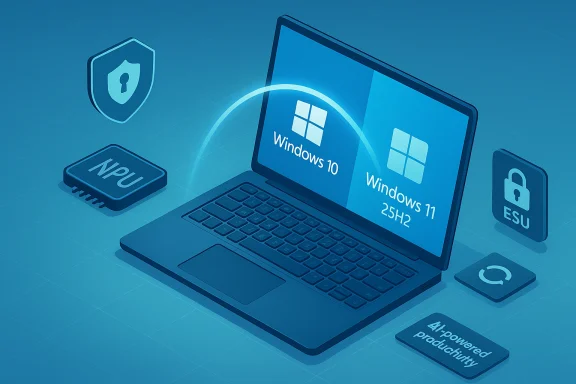
Microsoft has quietly shifted how it moves millions of remaining Windows 10 users forward: when a consumer chooses to upgrade through Windows Update, Windows 10 now offers the Windows 11 25H2 “2025 Update” directly — not an interim 23H2 or 24H2 release — while Microsoft continues to press Windows 11 as the default path through full‑screen prompts and marketing that emphasizes “AI‑powered productivity.”
Windows 10 reached its official end of standard support on October 14, 2025. Microsoft’s published guidance makes three options clear for consumers: upgrade to Windows 11 if your PC is eligible, buy a new PC that ships with Windows 11, or enroll an eligible device in the one‑year consumer Extended Security Updates (ESU) program — a time‑boxed bridge that runs through October 13, 2026 for most consumer devices. Microsoft’s support pages and multiple industry outlets confirm the October 14 end‑of‑support date and the availability of the ESU bridge. At the same time, Microsoft published and began rolling out Windows 11, version 25H2, as an enablement package (an eKB) that flips features already staged in prior monthly cumulative updates into the “on” position. That delivery model keeps the download small and the install fast for machines already running Windows 11 24H2 and fully patched, while devices still on Windows 10 will follow a larger in‑place upgrade flow. Independent press coverage and Microsoft distribution channels show 25H2 reached broad availability in late September 2025 with RTM ISOs landing for x64 and ARM64.
Acknowledgement of uncertainty: specific pop‑up screenshots and the exact wording of Microsoft’s marketing materials can vary by region and by telemetry gating; any single user’s experience with an upgrade prompt is a valid data point but not a definitive global template. Where the article cites user‑reported pop‑up behavior, those observations should be treated as credible but anecdotally reported until Microsoft publishes an identical screenshot or guidance across all locales.
Conclude by recognizing the new reality: Microsoft has set the direction — Windows 11 25H2 is the destination for upgradeers, and Microsoft will continue to bake AI into the OS and partner hardware. For anyone running Windows 10, the practical imperative is unchanged: decide, prepare, and move with purpose — whether that means upgrading to Windows 11, budgeting for new Copilot+ hardware, or taking ESU to buy time for a safer, planned migration.
Source: Windows Latest Windows 10 now directly upgrades to Windows 11 25H2, as Microsoft pitches AI-powered productivity
 Background / Overview
Windows 10 reached its official end of standard support on October 14, 2025. Microsoft’s published guidance makes three options clear for consumers: upgrade to Windows 11 if your PC is eligible, buy a new PC that ships with Windows 11, or enroll an eligible device in the one‑year consumer Extended Security Updates (ESU) program — a time‑boxed bridge that runs through October 13, 2026 for most consumer devices. Microsoft’s support pages and multiple industry outlets confirm the October 14 end‑of‑support date and the availability of the ESU bridge. At the same time, Microsoft published and began rolling out Windows 11, version 25H2, as an enablement package (an eKB) that flips features already staged in prior monthly cumulative updates into the “on” position. That delivery model keeps the download small and the install fast for machines already running Windows 11 24H2 and fully patched, while devices still on Windows 10 will follow a larger in‑place upgrade flow. Independent press coverage and Microsoft distribution channels show 25H2 reached broad availability in late September 2025 with RTM ISOs landing for x64 and ARM64. What Microsoft changed in the upgrade path
Windows Update now offers 25H2 directly to Windows 10 upgraders
Historically an upgrade that originates on Windows 10 could land you on the most current stable Windows 11 baseline available at the time of the upgrade. Microsoft has now made that explicit in practice: users who select “Upgrade to Windows 11” from Windows 10’s Windows Update experience are being offered Windows 11 25H2 as the destination. The installer still shows the normal affording choices — you are not forced into the upgrade — but when the user chooses “Download and install,” Windows begins acquiring the 25H2 payload. This behavior aligns with Microsoft’s policy of steering eligible devices to the most current supported Windows 11 release while keeping Windows 10 on life‑support through ESU where applicable.The install flow: optional prompts, not a forced push
Microsoft exposes this upgrade as an optional download within Windows Update and has used targeted full‑screen messaging to bring the choice to users’ attention. Those pop‑ups typically present an “Upgrade now” CTA and text that stresses improved security and new features under Windows 11. The dialog is presented as a recommended action rather than an unavoidable forced upgrade; users who ignore it remain on Windows 10 — albeit unsupported unless they opt into ESU. Reported behavior from multiple testers and outlets indicates the prompt does not surface direct ESU signup options in the same UX flow, which can create confusion about the option to remain on Windows 10 via a paid subscription. That specific pop‑up wording and behavior has been reported anecdotally by press and testers; treat the precise UI copy as subject to regional or telemetry gating until Microsoft publishes an authoritative screenshot or guidance.What is Windows 11 25H2 — the practical details
Enablement package model and lifecycle implications
- 25H2 is delivered primarily as an enablement package for PCs running Windows 11 24H2 and the required cumulative updates. On a current 24H2 machine the eKB typically amounts to a very small download and a single restart to activate the version string and feature flags.
- For Windows 10 devices, the upgrade behaves like a larger in‑place update: the installer will pull the necessary OS binaries and drivers to move the device to Windows 11 25H2, which may take significantly longer and involves compatibility checks.
Major visible changes (concise)
- Start menu and Shell refinements: a single, scrollable Start page and new All apps views.
- File Explorer AI actions: right‑click actions that surface image edits (erase subject, blur background) and Copilot‑powered summarization for Microsoft 365 files in OneDrive/SharePoint.
- Copilot surface improvements: Click‑to‑Do selection tooling, Recall (local opt‑in snapshot history), and improved on‑device semantic search on Copilot+ certified hardware.
- Security hardening and legacy removals: Microsoft removed older components such as PowerShell 2.0 and WMIC, and emphasized additional runtime and memory‑safety investments.
Extended Security Updates (ESU): the bridge Microsoft is offering
Microsoft’s consumer ESU program is a time‑limited safety net for eligible Windows 10 devices. Key facts:- ESU for consumer devices extends security‑only updates for one year — typically through October 13, 2026 for eligible devices — and is a paid option. Commercial customers have different pricing and longer (but limited) windows.
- Enrollment for consumer ESU requires linking the device to a Microsoft account; Microsoft has stated that local accounts alone are not sufficient for the consumer ESU redemption flow. This change was highlighted by independent reporting and user guides covering the ESU program. If you prefer local accounts and no cloud link, the consumer ESU path may be less convenient.
Microsoft’s messaging: AI‑first productivity and Copilot+ hardware
Microsoft’s public marketing and partner materials have been explicit about the direction: Windows 11 is the platform for Microsoft’s Copilot AI experiences and Microsoft is positioning Copilot+ PCs as the class of hardware that unlocks the best on‑device AI. Official Microsoft blog posts define Copilot+ hardware as delivering improved local model inference through NPUs and tighter integration with Windows security primitives. Partner toolkits and reseller pages use phrases such as “It’s time to upgrade to secure, AI‑powered productivity” and emphasize vendors pushing Copilot and Microsoft 365 experiences. Microsoft’s consumer‑facing ads and partner materials go further: some assets urge customers to “stay on the right side of risk” and promote Windows 11 Pro PCs with Intel vPro and Copilot branding as the modern, secure choice. Those marketing messages are consistent with Microsoft’s product strategy: tie a platform refresh to a narrative about security, performance and AI productivity, and make the preferred path (Windows 11 on modern hardware) obvious.Why this is good — benefits and strengths
1. Security posture and ongoing support
Upgrading to Windows 11 25H2 (or enrolling in ESU) restores or preserves the receipt of security patches and Windows servicing. For internet‑connected or corporate machines, staying on a supported OS is fundamental to reducing exposure to newly discovered vulnerabilities. Microsoft’s lifecycle page and multiple news outlets corroborate that unsupported Windows 10 machines will no longer receive security updates after October 14, 2025.2. Lower friction updates (enablement package)
For already current Windows 11 devices, 25H2 is efficient to apply: reduced download size and typical one‑restart installs on 24H2 hardware lower downtime and management overhead for IT. This small‑footprint model is advantageous for large fleets.3. Productivity tooling where it matters
Copilot integrations (summaries, Click‑to‑Do, File Explorer actions) are genuinely useful for routine tasks — file summaries, quick image edits and table extraction flows can save time. Microsoft and partners are tightly linking these features to Microsoft 365 and Copilot subscriptions, which can produce real workplace efficiencies when combined with governance and training.The risks, caveats, and things to watch
1. Hardware and licensing gating — hidden costs
Several of the most attractive AI experiences require Copilot+ hardware (on‑device NPUs) and/or a Microsoft 365 Copilot subscription. That creates two cost vectors: hardware refreshes and recurring subscription fees. For users who expected a free or purely software upgrade, the reality can be disappointing: the base OS upgrade may be free, but the richest AI features may not be. Industry reporting and Microsoft partner messaging make these gates explicit.2. Privacy and telemetry trade‑offs
Features such as Recall (local snapshot history), Copilot Vision, and on‑screen AI actions introduce new telemetry and privacy considerations. Microsoft emphasizes local processing and encryption options for many of these features, but organizations and privacy‑sensitive users should validate retention windows, encryption states, and admin controls before enabling them widely. Do not assume default settings preserve maximum privacy; test before you deploy at scale.3. Upgrade UX confusion — ESU vs. upgrade
The full‑screen upgrade prompts focus on upgrading and rarely surface ESU as an alternative. That UX design can mislead users who want to pay for continued Windows 10 security updates or who prefer to remain on Windows 10 for compatibility reasons. Independent reporting and user anecdotes indicate the pop‑ups emphasize moving to Windows 11 and buying new hardware but do not prominently present the ESU enrollment steps in the same dialog. This is an area where Microsoft’s marketing and lifecycle messaging diverge in tone from the more nuanced technical options Microsoft is actually offering. Treat reports of specific pop‑up copy as user‑reported and subject to regional variation.4. Compatibility and driver issues
As always, some older peripherals, VPN clients, or security agents struggle after major OS upgrades. Microsoft’s enablement package model reduces churn on already‑current Windows 11 devices, but for Windows 10 → Windows 11 in‑place upgrades you should expect to validate drivers and third‑party software. IT teams should pilot widely and create rollback plans. Industry reporting and Microsoft release notes call out the need for pilots and staged deployments.Recommendations for home users and IT teams
For individual/home users
- Back up important files now — to OneDrive or an external drive.
- Run the PC Health Check and Windows Update compatibility scan to confirm whether your device is eligible for Windows 11.
- If eligible and you want Microsoft’s newest features and security: plan for the Windows 11 upgrade, but review licensing if you want Copilot features.
- If your PC is not eligible and you need security updates: consider ESU enrollment as a bridge while budgeting for replacement hardware. Remember ESU consumer enrollment requires linking a Microsoft account.
For IT administrators
- Inventory: map hardware capability (TPM, Secure Boot, NPU thresholds), business‑critical apps, and driver dependencies.
- Pilot: test 25H2 on representative hardware racks; validate security agents, VPNs, and imaging flows.
- Control rollout: use WSUS, Intune, or Windows Update for Business rings; treat 25H2 as a lifecycle reset when you flip devices to the new baseline.
- Policy and privacy: define Copilot feature enablement policies, consent flows, and data retention settings before mass enabling on user devices.
How Microsoft’s narrative and marketing shape the urgency
Microsoft’s partner toolkits, reseller pages and marketing place two themes front and center: security and AI‑powered productivity. These messages are amplified by device makers who brand Copilot+ hardware and by Microsoft’s own ads that position Windows 11 as the safer, more productive choice. On balance, Microsoft’s messaging is consistent with product realities — the best Copilot experiences do live on modern hardware — but the rhetoric can make ESU and other legitimate migration options feel invisible in the consumer desktop UX. That design choice raises questions about transparency and consumer choice.Quick checklist: decide and act
- Check eligibility: Settings > Privacy & security > Windows Update > Upgrade options.
- Backup: full file backup and create a system image if possible.
- Pilot: if you manage multiple devices, pilot 25H2 on a small cohort.
- Decide: upgrade, buy new hardware, or enroll in ESU (if eligible and you need time).
- Implement: use Windows Update for Business, WSUS, or vendor imaging for large rollouts.
Final assessment — balancing opportunity and cost
Microsoft’s move to offer Windows 11 25H2 directly to users who choose to upgrade from Windows 10 is logical from a lifecycle and product narrative perspective: it reduces friction for users who want to move to the latest supported baseline and ties the platform tightly to Microsoft’s AI vision. The enablement package model and modest, targeted feature set make 25H2 a pragmatic, low‑risk update for already‑current Windows 11 systems. Yet the combination of hardware gating, subscription gates for advanced Copilot features, and the marketing emphasis on “upgrade now” risks creating real friction for households and organizations that have reasonable reasons to remain on Windows 10 for a short time. ESU exists for that reason, but the consumer UX around ESU enrollment (Microsoft account linking, paid plan) and the lack of prominent ESU signposting in marketing prompts are friction points that should be clearly understood before any decision. If anything, the practical advice to users and IT is unchanged: inventory, pilot, and make a deliberate migration plan that weighs security, compatibility, and cost — and treat ESU as a time‑boxed bridge rather than a permanent fallback.Acknowledgement of uncertainty: specific pop‑up screenshots and the exact wording of Microsoft’s marketing materials can vary by region and by telemetry gating; any single user’s experience with an upgrade prompt is a valid data point but not a definitive global template. Where the article cites user‑reported pop‑up behavior, those observations should be treated as credible but anecdotally reported until Microsoft publishes an identical screenshot or guidance across all locales.
Conclude by recognizing the new reality: Microsoft has set the direction — Windows 11 25H2 is the destination for upgradeers, and Microsoft will continue to bake AI into the OS and partner hardware. For anyone running Windows 10, the practical imperative is unchanged: decide, prepare, and move with purpose — whether that means upgrading to Windows 11, budgeting for new Copilot+ hardware, or taking ESU to buy time for a safer, planned migration.
Source: Windows Latest Windows 10 now directly upgrades to Windows 11 25H2, as Microsoft pitches AI-powered productivity
