

Microsoft’s consumer support for Windows 10 officially ended on October 14, 2025, and that change has immediate, practical consequences for billions of devices worldwide — but it’s not the abrupt “turn your PC off forever” scenario some headlines suggested. What changes, what stays, and what you should do next all depend on the choices you make in the coming weeks and months.
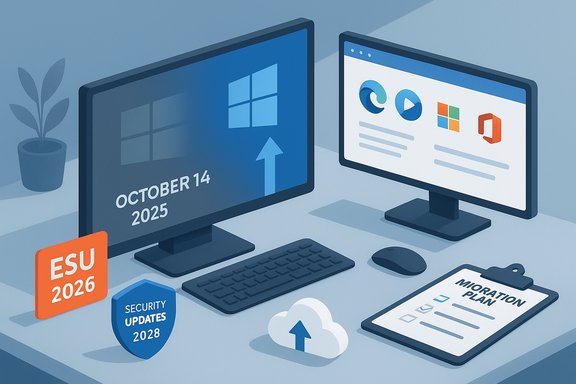
Microsoft set a clear deadline: Windows 10 reaches end of support on October 14, 2025. After that date Microsoft no longer provides free monthly security patches, feature updates, or standard technical support for Windows 10 consumer editions. This is the lifecycle milestone that Microsoft defines as the end of mainstream servicing for a product: the OS will still run, but the vendor-supplied safety net that kept it current and patched will be removed unless you enroll in an explicit add-on program.
To ease the transition, Microsoft offered a limited Consumer Extended Security Updates program — consumer ESU — that provides critical and important security fixes for an extra year, running through October 13, 2026. Microsoft also committed to continuing certain application- and service-layer protection updates on Windows 10 for a longer period: notably security intelligence (definition) updates for Microsoft Defender Antivirus and continued servicing for Microsoft Edge/WebView2 and Microsoft 365 Apps on Windows 10 for roughly three more years, into 2028.
These timelines and caveats change how you should think about risk, compatibility and planning: if you are using Windows 10 today, you must decide whether to upgrade to Windows 11, enroll in ESU for a temporary bridge, move to a different OS, or accept growing risk over time.
Windows 10’s end of support closes a long chapter: a decade of a wildly successful operating system giving way to a platform Microsoft wants users to leave behind. The company provided short-term safety nets — a one-year consumer ESU option, ongoing Defender and Edge maintenance through 2028 — but those stopgaps cannot replace the long-term security and compatibility that come with a supported OS. The practical choice for most users is clear: use ESU to buy time if required, then migrate off Windows 10 to a supported platform — whether that’s Windows 11, a modern Linux distribution, or a cloud/virtual solution — before a gradual but inexorable compatibility and security decline turns temporary inconvenience into a true risk.
Source: AOL.com Windows 10 life support ends Oct. 14. Here’s what will happen.
 Background / Overview
Microsoft set a clear deadline: Windows 10 reaches end of support on October 14, 2025. After that date Microsoft no longer provides free monthly security patches, feature updates, or standard technical support for Windows 10 consumer editions. This is the lifecycle milestone that Microsoft defines as the end of mainstream servicing for a product: the OS will still run, but the vendor-supplied safety net that kept it current and patched will be removed unless you enroll in an explicit add-on program.To ease the transition, Microsoft offered a limited Consumer Extended Security Updates program — consumer ESU — that provides critical and important security fixes for an extra year, running through October 13, 2026. Microsoft also committed to continuing certain application- and service-layer protection updates on Windows 10 for a longer period: notably security intelligence (definition) updates for Microsoft Defender Antivirus and continued servicing for Microsoft Edge/WebView2 and Microsoft 365 Apps on Windows 10 for roughly three more years, into 2028.
These timelines and caveats change how you should think about risk, compatibility and planning: if you are using Windows 10 today, you must decide whether to upgrade to Windows 11, enroll in ESU for a temporary bridge, move to a different OS, or accept growing risk over time.
What “end of support” actually means
The concrete effects
When Microsoft ends support for a consumer OS, the practical consequences are narrow but material:- No more free security updates for the operating system: After October 14, 2025, un-enrolled Windows 10 consumer PCs will no longer receive OS-level security updates through Windows Update. That means kernel, driver, system-service and platform fixes stop arriving via normal channels.
- No feature or quality updates: New features, reliability improvements and non-security bug fixes are discontinued.
- No standard Microsoft technical assistance: Microsoft’s product support channels will not provide troubleshooting assistance for Windows 10 issues under normal consumer support frameworks.
- Applications may be variably affected: Microsoft and third-party apps may continue to work, but vendors reserve the right to change support policies. Microsoft has stated that Microsoft 365 Apps will continue to receive certain security servicing on Windows 10 until 2028, but feature/quality support will be limited.
What does the PC owner see?
Your PC continues to boot and function after October 14, 2025. Web browsers, productivity apps and games will keep running for the foreseeable future. But the system will become more attractive to attackers over time because new OS-level vulnerabilities discovered after end-of-support will not be patched unless your machine is enrolled in ESU or covered by other special arrangements.The consumer Extended Security Updates (ESU) program — what it covers and how to enroll
What ESU is — and what it isn’t
- ESU is security-only: Consumer ESU provides only critical and important security updates for eligible Windows 10 versions. It does not deliver new features, performance enhancements, or general technical support.
- Time-limited bridge: Consumer ESU is a one-year program that covers Windows 10 devices through October 13, 2026.
- Originally for enterprises: ESU has been used historically by enterprises that must delay migrations, but Microsoft expanded a consumer-friendly version so home users can buy a one-year bridge.
Enrollment options and cost
Consumers can enroll in ESU through an enrollment wizard exposed via Windows Update if the device is running the qualifying Windows 10 release and has the prerequisite updates. Enrollment options include:- Free enrollment if you sync your Windows settings via Windows Backup (which uses OneDrive to back up settings and selected data).
- Redeem 1,000 Microsoft Rewards points to enroll at no monetary cost.
- A one-time purchase of $30 USD (local-currency equivalent and taxes may apply).
Regional differences and consumer protections
Policy nuances vary by region. Regulators in some areas (notably the European Economic Area) challenged enrollment conditions that effectively required enabling cloud backup or other Microsoft services to receive free ESU access. Microsoft made adjustments in some jurisdictions. This means there may be different enrollment mechanics for EEA residents compared with other territories. Those regional differences can affect how easy it is to enroll without purchasing additional cloud storage.Important limitations and caveats
- ESU only covers a narrow set of security updates, not everything Microsoft would otherwise fix if the OS were in mainstream support.
- Vendor support for drivers and third-party apps is not guaranteed by ESU.
- ESU is a short-term stopgap: it gives you more time, not the long-term protection a supported OS provides.
What’s still supported after October 14, 2025 — the partial safety nets
Microsoft built a few targeted continuations that mitigate some but not all risks for Windows 10 users:- Microsoft Defender security intelligence (definitions): Microsoft committed to providing Security Intelligence updates for Microsoft Defender Antivirus through at least October 2028. Those updates deliver new malware definitions, detection logic and engine improvements. This helps detect and block known malware and evolving threats, but it won’t patch OS-level vulnerabilities.
- Microsoft Edge and WebView2: Microsoft indicated it will continue servicing Edge and WebView2 on supported branches of Windows 10 into the same multi‑year window. Continued browser updates are important because browsers are a common attack vector.
- Microsoft 365 Apps security servicing: Microsoft will keep providing certain security updates for Microsoft 365 Apps running on Windows 10 through October 10, 2028 even though feature updates are being phased out sooner.
Compatibility, drivers and software lifecycle risk
The compatibility cliff
As vendors focus engineering resources on Windows 11 and newer hardware, software and hardware compatibility on Windows 10 will decline over time. That decline can take several forms:- New versions of applications may no longer support Windows 10.
- Hardware vendors may stop producing driver updates for legacy devices, impairing stability or performance with new peripherals and GPUs.
- Web services and websites may deprecate features incompatible with older browsers or OS-level capabilities.
Drivers and gaming
Gaming and graphics drivers are a special case: GPU vendors historically supported older OS versions for years, but they adjust priorities. Expect driver cadence to slow, and eventually driver releases will be focused on Windows 11. Some major GPU and game vendors signaled multi-year driver support windows for Windows 10, but those commitments are finite and may differ by vendor.Enterprise and specialized software
Businesses and users of niche, industry-specific applications should be especially cautious. Many commercial vendors follow Microsoft’s lifecycle: once the base OS is unsupported, vendors may stop validating or certifying their applications on that platform.Upgrade to Windows 11 — what it takes and practical obstacles
Windows 11 minimum requirements (summary)
To qualify for Microsoft’s official free upgrade path to Windows 11, a device typically must meet these baseline requirements:- 64-bit, 1 GHz or faster processor with at least two cores (specific supported CPU lists apply).
- 4 GB RAM minimum.
- 64 GB storage minimum.
- UEFI firmware capable of Secure Boot.
- TPM 2.0 (Trusted Platform Module) enabled.
- DirectX 12 compatible graphics with WDDM 2.x driver.
- Internet connection and a Microsoft account may be required for some editions during setup.
Why some PCs can’t upgrade
- Older motherboards lack TPM 2.0 or don’t expose it without BIOS/firmware updates.
- CPU model lists exclude older but otherwise functional processors.
- Some OEM devices are not on Microsoft’s supported configuration lists even if they meet other specs.
Options for users whose PCs can’t upgrade
- Buy a new Windows 11 PC — the cleanest path if you want long-term vendor support and guaranteed updates.
- Use ESU for a one-year bridge — buy time if you plan a staged migration.
- Upgrade unsupported anyway (not recommended) — a registry bypass or third-party tools can install Windows 11 on unsupported hardware, but Microsoft may refuse to provide updates to such installations and stability/security risks can increase.
- Switch operating systems — install a modern Linux distribution or ChromeOS Flex for older hardware that cannot run Windows 11.
- Virtualize — run Windows 11 in a virtual machine on a capable host or use cloud-hosted Windows (Windows 365) where hardware requirements are offloaded.
Practical, prioritized checklist — what to do right now
The following steps are ordered by urgency and practical impact for home users and small businesses.- Check which Windows 10 version you’re running
- Open Settings > System > About or the Windows Update page to confirm your build. You should be on Windows 10 version 22H2 to be eligible for Microsoft’s enrollment and to get the last rounds of updates.
- Make a current, tested backup
- Create full backups of your important files. Use a combination of local backup (external disk) and cloud backup. If you plan to enroll in ESU via the Windows Backup pathway, ensure your settings are synced to OneDrive.
- Decide whether to enroll in ESU
- If you cannot upgrade to Windows 11 immediately and rely on the machine for sensitive work, enroll in ESU to receive critical security updates through October 13, 2026. Consider the free options (sync settings / Microsoft Rewards) first if applicable.
- Sign into a Microsoft account if needed
- ESU enrollment requires a Microsoft account. If you prefer local accounts, note that ESU enrollment still needs an MSA to bind the license.
- Plan your migration
- If your PC can run Windows 11, test the upgrade path on a non-critical machine or clone the disk first. If not, evaluate alternatives (Linux desktop, ChromeOS Flex) or shop for a modern Windows 11 PC.
- Harden your device if you stay on Windows 10
- Keep Microsoft Defender and other antivirus definitions current (Microsoft will continue Defender security intelligence updates through at least 2028).
- Use a modern browser that will continue to receive patches (Edge, Chrome, Firefox remain options; confirm each vendor’s support plans).
- Disable unnecessary services, enable system firewalls, and use multi‑factor authentication for accounts.
- Avoid exposing an unsupported Windows 10 machine to risky networks or sensitive online transactions where possible.
- Inventory critical applications and peripherals
- Verify vendor support for your business-critical apps and drivers. If a vendor will stop support on Windows 10, expedite migration.
Alternatives to upgrading: when to consider Linux, ChromeOS Flex, or a new PC
- Linux desktop (Ubuntu, Fedora, Mint, etc. is a good choice for older hardware that cannot meet Windows 11 requirements, or for users who mostly browse the web and use web-based apps. Linux gives long-term security updates without the same hardware restrictions, but application compatibility (particularly for native Windows-only apps) will differ.
- ChromeOS Flex is useful for turning older laptops into lightweight, web-first devices suitable for browsing, streaming and cloud productivity.
- New or refurbished Windows 11 PC is the simplest path for users dependent on Windows‑only applications, especially if hardware-accelerated features (gaming, video editing) are important.
Critical analysis: strengths of Microsoft’s approach — and the risks
Strengths
- Transparent timelines: Microsoft announced concrete cutoff dates and a consumer ESU program, which helps users plan.
- Layered protection: Continuing Defender definitions, Edge/WebView2 servicing and Microsoft 365 App security updates into 2028 eases the migration burden and reduces immediate risk.
- Practical bridge for consumers: Making ESU available to home users (with free enrollment options) is an acknowledgement that many devices in the wild cannot be upgraded immediately.
Risks and shortcomings
- Short ESU window: The consumer ESU window is only one year — short for households or organizations that need multi-year budgeting or large-scale migrations.
- Microsoft account requirement: ESU enrollment requires a Microsoft account; users who intentionally avoid cloud accounts for privacy or operational reasons will find this frictiony.
- Cloud-backup linkage controversy: Offering free ESU in exchange for enabling Windows Backup to OneDrive raised concerns that Microsoft was tying free OS security to continued use of cloud services; some regulators and consumer groups pushed back, producing regional policy divergence.
- Definitions ≠ patches: Defender definitions and Edge patches are valuable, but they cannot mitigate unpatched platform-level vulnerabilities (kernel, drivers, virtualization escapes).
- Long-term ecosystem drift: Vendors will gradually deprioritize Windows 10; hardware and software compatibility will deteriorate over years, and relying on ESU delays but does not negate the inevitability of migration.
Special considerations for different user groups
Home users and casual users
- Short-term: ESU + Defender definitions + safe browsing practices buys time.
- Medium-term: If your PC meets Windows 11 requirements, upgrading is the low-effort path. Otherwise, consider ChromeOS Flex or a Linux distribution for older devices.
Gamers and power users
- Watch GPU vendor driver plans: some vendors committed multi-year driver support, but the cadence and feature parity will increasingly favor Windows 11.
- If gaming performance or new game compatibility is critical, moving to Windows 11 (or new hardware) is the safest bet long-term.
Small business and professionals
- Inventory all software dependencies. Industry applications and bespoke software may require vendor validation on Windows 11.
- ESU provides a one-year breathing space; large-scale migrations require early planning and testing.
Privacy and local-account purists
- ESU requires a Microsoft account to enroll. For users who avoid cloud accounts, choices are limited: pay the fee and use an MSA for enrollment, or migrate to an OS that supports local-only operation going forward.
Long-term outlook and practical timeline
- October 14, 2025 — Windows 10 consumer support ends. No more free OS security updates for un-enrolled devices.
- October 15, 2025 – October 13, 2026 — Consumer ESU window (one-year bridge). Enrollment is available through the Windows Update wizard; options include OneDrive-synced backup, Microsoft Rewards, or a $30 one-time purchase.
- Through at least October 2028 — Microsoft continues delivering Defender Security Intelligence updates, Edge/WebView2 servicing, and limited Microsoft 365 Apps security servicing on Windows 10. Relying on these alone is insufficient; they mitigate, but don’t eliminate, risk.
Final recommendations — decisive, practical actions
- If you are ready and compatible, upgrade to Windows 11 sooner rather than later to stay on a fully supported platform.
- If you can’t upgrade today, enroll in ESU or use the free enrollment mechanism if eligible; treat ESU as a temporary bridge and schedule your migration.
- Back up everything and verify your backups. Don’t rely on a single disk or unattended cloud setting.
- Harden your system: keep Defender and browser definitions current, use a modern browser, enable firewall rules, and use multi-factor authentication for accounts.
- For older hardware, evaluate Linux or ChromeOS Flex as a secure, supported alternative rather than running an unsupported Windows OS indefinitely.
- For businesses, inventory, test, and budget now. Migration projects need time for application compatibility testing, driver validation, and user training.
Windows 10’s end of support closes a long chapter: a decade of a wildly successful operating system giving way to a platform Microsoft wants users to leave behind. The company provided short-term safety nets — a one-year consumer ESU option, ongoing Defender and Edge maintenance through 2028 — but those stopgaps cannot replace the long-term security and compatibility that come with a supported OS. The practical choice for most users is clear: use ESU to buy time if required, then migrate off Windows 10 to a supported platform — whether that’s Windows 11, a modern Linux distribution, or a cloud/virtual solution — before a gradual but inexorable compatibility and security decline turns temporary inconvenience into a true risk.
Source: AOL.com Windows 10 life support ends Oct. 14. Here’s what will happen.
