

Microsoft’s latest extended-support move is a reminder that Windows lifecycle management is now as much about timing and licensing as it is about operating-system engineering. Windows 10 Enterprise 2016 LTSB has reached the point where organizations can buy Extended Security Updates to keep receiving critical fixes past the normal support window, even though Microsoft is still urging customers to move to a newer LTSC release or Windows 11. The practical message is clear: this is not a revival of an old platform, but a controlled bridge for businesses that cannot migrate on Microsoft’s preferred schedule. oft’s decision lands against the backdrop of Windows 10’s long, uneven retirement story. Windows 10 reached the end of free support on October 14, 2025 for mainstream consumer and business editions, but Long-Term Servicing Branch and Long-Term Servicing Channel releases follow different lifecycle rules, which is why the 2016 LTSB family remains in play until October 13, 2026. Microsoft’s own support pages explicitly list Windows 10 Enterprise LTSB 2016 and Windows 10 IoT Enterprise 2016 LTSB as ending on that date, while Windows Server 2016 remains supported until January 12, 2027.
That distinction matters because many readers hear “Windows 10” and assume a single, universal support deadline. In reality, Microsoft’s Windows portfolio is split across consumer, enterprise, IoT, and server tracks, each with its own servicing cadence and commercial logic. The company’s release-health pages and lifecycle documentation reinforce that Windows 10 version 1607 sits in a special category where servicing is being stretched by policy, not by accident.
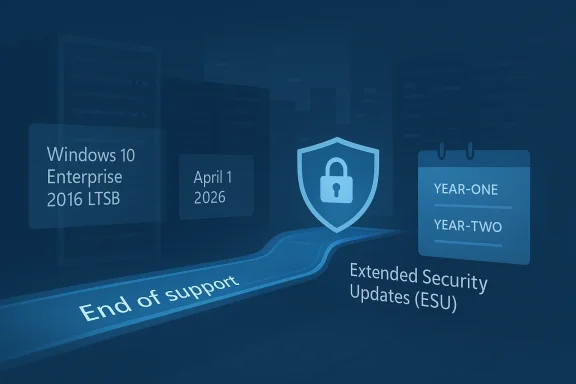
Microsoft’s Extended Security Updates program is the company’s official safety valve for customers who need more time. The current Windows 10 ESU program is priced at $61 per device for Year One, doubles in each following year, and must be purchased cumulatively rather than as a fragmented subscription. That means a customer joining in Year Two pays for Year One as well, which makes the bridge intentionally expensive and very intentionally temporary.
The latest update is particularly notable because it expands the ESU conversation beyond ordinary Windows 10 PCs into the aging but still widely embedded 2016 LTSB ecosystem. Microsoft’s licensing resources now refer to a consistent ESU pricing model across Windows and SQL Server products, including Windows 10 Enterprise 2016 LTSB and Windows Server, with pricing standardized from April 1, 2026 onward. That consistency is important for procurement teams, but it also signals that Microsoft is tightening the commercial machinery around legacy support rather than loosening it.
The 2025 ESU effort for mainstream Windows 10 was about buying time for a huge installed base that had just crossed its end-of-support boundary. This newer 2016 LTSB announcement is narrower, but strategically revealing: it shows Microsoft is willing to extend paid support across multiple legacy tracks as long as the customer remains inside a managed licensing channel. That is a far cry from saying Microsoft wants people to stay put. It is saying the company will monetize delay while continuing to push modernization.
The term LTSB itself is a clue to the product’s philosophy. Unlike mainstream Windows releases, LTSB systems are meant to change slowly, avoid many consumer-facing app additions, and stay frozen on a known-good baseline. That makes them attractive for specialized equipment, but it also means each passing year creates more distance between the installed base and the modern Windows ecosystem. That gap is the real cost of stability.
Microsoft’s support pages have long treated Windows 10 version 1607 as a special servicing island. The company has continued shipping updates for the platform, but the support timeline is finite and explicit. Microsoft’s own language is blunt: after support ends, Windows no longer receives free software updates, technical assistance, or security fixes, and customers should move to Windows 11 or an eligible support arrangement.
The newer ESU mechanics are therefore not an admission that Microsoft wants to keep aging Windows releases alive indefinitely. They are a recognition that enterprise reality is messy. Hardware refresh cycles, application certification, validated imaging stacks, and OEM dependencies rarely align neatly with a product’s support cutoff. Paid security updates exist because real organizations do not always move in lockstep with vendor calendars.
Microsoft’s explanation also frames the offer as a temporary option for customers “unwilling or unable” to move immediately to newer LTSC releases or Windows 11. That phrasing is important because it positions ESU as a contingency, not an equal alternative. Thestill migration; ESU is the pause button that keeps security posture from collapsing while the migration work catches up.
The pricing structure is also part of the story. Microsoft has long used a doubling-cost model for ESU, and the current Windows 10 program continues that logic. Year One is $61 per device in the general program, with a discounted price of $45 for systems managed through Intune or Autopatch, but the total still rises every year and remains cumulative. That makes the program more of a spending escalator than a bargain.
Microsoft is also not limiting the discussion to a single product line. The same announcement umbrella includes Windows 10 IoT Enterprise 2016 LTSB and Windows Server 2016, both of which have their own end-of-support timelines and fallback paths. IoT customers are being told to work through OEMs for pricing, while Server 2016 customers are encouraged to move to Windows Server 2025 if possible, with ESU serving as a backup plan.
For procurement teams, the channel split matters as much as the price itself. ESU can be bought through Volume Licensing or CSP, and Microsoft’s partner guidance indicates that the offer has been adapted into a perpetual purchase structure for CSP customers. That structure lowers administrative friction for resellers, but it also reinforces that the program is meant to be processed through formal enterprise mechanisms rather than ad hoc retail transactions.
This is a subtle but important shift in Microsoft’s behavior. ESU used to feel like an afterthought attached to product sunsets. Now it is a polished licensing product with channel rules, purchase windows, and pricing normalization. The company is still saying “move on,” but it is doing so with far more commercial discipline than before.
That matters because the true cost of replacing old systems is not always the operating system itself. It is the test cycles, user training, app remediation, hardware replacements, and rollback planning that surround it. ESU gives IT leaders a chance to schedule those tasks over months instead of forcing them into a single emergency sprint.
At the same time, Microsoft is making it clear that ESU is not a license to ignore modernization. The official guidance continues to recommend moving to newer LTSC releases or Windows 11 where possible, and the company’s support materials emphasize that ESU covers security updates, not feature work or general technical support. That limitation is critical because many organizations want a support extension to behave like a version freeze with benefits. It does not.
Small businesses often sit in a middle ground where they are not large enough for elaborate upgrade programs but are too dependent on Windows to ignore end-of-support deadlines. For them, ESU can be the difference between running a clean transition plan and keeping an exposed machine online while a reseller, MSP, or internal admin hunts for replacement hardware. That makes the policy practically relevant even if the product itself is enterprise-branded.
There is also a psychological effect here. When Microsoft offers a paid extension, some smaller organizations interpret that as permission to postpone hard decisions. But the pricing tive rules, and the lack of new features all point the other way. ESU is a safety net, not a comfort zone.
The server and IoT references in this announcement are easy to overlook, but they are arguably more important than the headline Windows 10 detail. Windows Server 2016 is still inside a long tail of enterprise deployment, and Microsoft’s support pages place its end of support on January 12, 2027. That makes ESU a critical bridge for administrators who need time to move virtualized services, line-of-business workloads, and support tooling without risking a rushed migration.
The Windows 10 IoT Enterprise 2016 LTSB path is even more specialized. IoT deployments often live inside appliances, kiosks, factory stations, and embedded systems where the OEM, not the end customer, controls a lot of the support and pricing conversation. Microsoft’s guidance to consult OEMs for ESU pricing reflects that reality and avoids pretending the IoT market behaves like a standard desktop estate.
This is where Microsoft’s lifecycle strategy becomes most visible. The company is not simply extending support; it is segmenting the market by deployment style, then assigning each segment a different commercialization route. That keeps the policy manageable for Microsoft and pushes responsibility for specialty pricing down into the channel where those devices are already sold and supported.
The pricing model also sends a message to PC OEMs, system integrators, and managed service proeshes, managed endpoint services, and modernization projects become easier to sell when the alternative is a visibly rising support bill. In that sense, ESU functions as both a security product and a market signal: the longer you wait, the more expensive inertia becomes.
There is also a subtle competitive angle with cloud services. Microsoft offers ESU at no additional cost for certain virtualized Windows environments, including Azure-based options. That creates a meaningful incentive to move legacy workloads into Microsoft-hosted platforms where licensing and support are easier to package. The support extension is therefore not just defensive; it can also be an acquisition path for cloud consumption. (learn.microsoft.com)
The bigger question is whether the market accepts Microsoft’s implicit bargain: pay more to keep old systems safe, or move quickly to the newer platform and absorb the migration pain now. For some estates, especially in IoT and tightly regulated industries, that bargain will be easy to justify. For others, it will simply crystallize how costly delay has become. That is the real force of the announcement.
Source: Neowin A ten-year old Windows version now has official extended support from Microsoft
That distinction matters because many readers hear “Windows 10” and assume a single, universal support deadline. In reality, Microsoft’s Windows portfolio is split across consumer, enterprise, IoT, and server tracks, each with its own servicing cadence and commercial logic. The company’s release-health pages and lifecycle documentation reinforce that Windows 10 version 1607 sits in a special category where servicing is being stretched by policy, not by accident.
Microsoft’s Extended Security Updates program is the company’s official safety valve for customers who need more time. The current Windows 10 ESU program is priced at $61 per device for Year One, doubles in each following year, and must be purchased cumulatively rather than as a fragmented subscription. That means a customer joining in Year Two pays for Year One as well, which makes the bridge intentionally expensive and very intentionally temporary.
The latest update is particularly notable because it expands the ESU conversation beyond ordinary Windows 10 PCs into the aging but still widely embedded 2016 LTSB ecosystem. Microsoft’s licensing resources now refer to a consistent ESU pricing model across Windows and SQL Server products, including Windows 10 Enterprise 2016 LTSB and Windows Server, with pricing standardized from April 1, 2026 onward. That consistency is important for procurement teams, but it also signals that Microsoft is tightening the commercial machinery around legacy support rather than loosening it.
 Why this is different from the 2025 Windows 10 ESU program
The 2025 ESU effort for mainstream Windows 10 was about buying time for a huge installed base that had just crossed its end-of-support boundary. This newer 2016 LTSB announcement is narrower, but strategically revealing: it shows Microsoft is willing to extend paid support across multiple legacy tracks as long as the customer remains inside a managed licensing channel. That is a far cry from saying Microsoft wants people to stay put. It is saying the company will monetize delay while continuing to push modernization.Why enterprises should pay attention first
For enterprises, LTSB and LTSC a; they are operational anchors for kiosks, line-of-business appliances, regulated devices, and low-change environments. Those systems often cannot absorb fast-moving platform changes without validation, and that makes ESU a tactical insurance policy. In that context, the new support offer is less about convenience than about risk containment, audit continuity, and buying time for replacement cycles that can stretch across several budget years.Background
Windows 10 Enterprise 2016 LTSB shipped in an era when Microsoft was still convincing customers that “Windows as a service” could coexist with long-life enterprise servicing. LTSB was the compromise for organizations that wanted the Windows 10 platform without the churn of regular feature changes. Over time, that compromise became a lifeline for systems where stability mattered more than features, especially in sectors that prize predictability over novelty.The term LTSB itself is a clue to the product’s philosophy. Unlike mainstream Windows releases, LTSB systems are meant to change slowly, avoid many consumer-facing app additions, and stay frozen on a known-good baseline. That makes them attractive for specialized equipment, but it also means each passing year creates more distance between the installed base and the modern Windows ecosystem. That gap is the real cost of stability.
Microsoft’s support pages have long treated Windows 10 version 1607 as a special servicing island. The company has continued shipping updates for the platform, but the support timeline is finite and explicit. Microsoft’s own language is blunt: after support ends, Windows no longer receives free software updates, technical assistance, or security fixes, and customers should move to Windows 11 or an eligible support arrangement.
The newer ESU mechanics are therefore not an admission that Microsoft wants to keep aging Windows releases alive indefinitely. They are a recognition that enterprise reality is messy. Hardware refresh cycles, application certification, validated imaging stacks, and OEM dependencies rarely align neatly with a product’s support cutoff. Paid security updates exist because real organizations do not always move in lockstep with vendor calendars.
How the servicing model changed over time
Microsoft used to be able to rely on bigger, slower operating-system releases and more predictable in-place upgrade cycles. Windows 10 changed that by normtes, then Windows 11 intensified the pressure by tying hardware eligibility to security features and platform requirements. The result is a market where version control is no longer just an IT preference; it is a lifecycle decision with budget, compliance, and procurement consequences.Why LTSB/LTSC still exists at all
LTSB and LTSC survive because some environments simply cannot tolerate constant change. Think of retail terminals, factory machines, medical peripherals, security appliances, and embedded systems where uptime and qualification history matter more than the latest interface feature. Microsoft keeps those lines alive because the company knows the world still runs on long-tail deployment models, even if its consumer messaging increasingly favors rapid modernization.Why this announcement resonates now
Timing maow deep into the post-Windows-10 era for mainstream users, yet many organizations are still buried in inventory that was chosen for compatibility, not elegance. By formalizing ESU availability for Windows 10 Enterprise 2016 LTSB in April 2026, Microsoft is acknowledging that some of those systems will miss the migration window and need a safer glide path. (microsoft.com)What Microsoft actually announced
The most important part of the announcement is not merely that ESU exists, but that Microsoft has now confirmed it is available for Windows 10 Enterprise 2016 LTSB as of April 1, 2026. The company’s updated licensing language and Message Center guidance make clear that organizations can buy the program through Volume Licensing or a Cloud Solution Provider channel. That is a deliberate enterprise-only path, not a consumer convenience feature.Microsoft’s explanation also frames the offer as a temporary option for customers “unwilling or unable” to move immediately to newer LTSC releases or Windows 11. That phrasing is important because it positions ESU as a contingency, not an equal alternative. Thestill migration; ESU is the pause button that keeps security posture from collapsing while the migration work catches up.
The pricing structure is also part of the story. Microsoft has long used a doubling-cost model for ESU, and the current Windows 10 program continues that logic. Year One is $61 per device in the general program, with a discounted price of $45 for systems managed through Intune or Autopatch, but the total still rises every year and remains cumulative. That makes the program more of a spending escalator than a bargain.
Microsoft is also not limiting the discussion to a single product line. The same announcement umbrella includes Windows 10 IoT Enterprise 2016 LTSB and Windows Server 2016, both of which have their own end-of-support timelines and fallback paths. IoT customers are being told to work through OEMs for pricing, while Server 2016 customers are encouraged to move to Windows Server 2025 if possible, with ESU serving as a backup plan.
The licensing model in plain English
This is a classic Microsoft enterprise play: the customer pays for time, not transformation. The device remains on an aging platform, but security updates continue to arrive for a defined period, and the organization uses that period to finish application testing, hardware refreshes, or budget approvals. The key is that ESU does not restore the full support relationship; it only extends the security update runway.Why cumulative payment matters
The cumulative-payment rule is one of the least forgiving parts of the program. It means organizations cannot wait until the last minute and then buy only the remaining months they want. Microsoft is forcing the decision to be made in annual blocks, which both simplifies licensing and discourages casual procrastination. It is a financial nudge wrapped in a support policy.Why the April 1, 2026 date matters
The April 1 date lines up with Microsoft’s broader pricing consistency update for Windows and SQL Server ESUs. That suggests a coordinated licensing reset rather than an isolated product tweak. In other words, Microsoft is not just supporting old software; it is harmonizing how it charges for the privilege of keeping old software secure.Pricing, channels, and procurement friction
Microsoft’s ESU pricing model is deliberately steep because it is designed to drive migration, not create a comfortable long-term shelter. The first year’s Windows 10 ESU price is $61 per device, while Intune- or Autopatch-managed devices receive a lower $45 rate. That discount favors organizations already invested in modern endpoint management, which is exactly where Microsoft wants customers to be anyway.For procurement teams, the channel split matters as much as the price itself. ESU can be bought through Volume Licensing or CSP, and Microsoft’s partner guidance indicates that the offer has been adapted into a perpetual purchase structure for CSP customers. That structure lowers administrative friction for resellers, but it also reinforces that the program is meant to be processed through formal enterprise mechanisms rather than ad hoc retail transactions.
This is a subtle but important shift in Microsoft’s behavior. ESU used to feel like an afterthought attached to product sunsets. Now it is a polished licensing product with channel rules, purchase windows, and pricing normalization. The company is still saying “move on,” but it is doing so with far more commercial discipline than before.
Why the discountatch matters
The lower rate for Intune and Autopatch-managed systems is not just a coupon. It is a policy lever that rewards customers for using Microsoft’s preferred management stack, where update compliance can be observed, governed, and accelerated. That makes ESU pricing part of a broader endpoint-management strategy, not just a renewal formality.Why managed environments are easier to monetize
If a device estate is already under Intune or Autopatch, Microsoft can more easily validate eligibility and streamline activation. That lowers support ambiguity and reduces the chance that a customer treats ESU as a generic patch subscription. In practical terms, Microsoft gets tighter control, and the customer gets fewer excuses for delay. It is a neat piece of ecosystem lock-in.What this means for budget planning
The cumulative model means finance teams must plan for a staircase, not a flat fee. That may sound obvious, but it changes how organizations build migration budgets because ESU is not stable across years. The message is unmistakable: every year spent delaying modernization costs more than the last.Enterprise impact
For enterprises, this announcement is mostly about risk management under time pressure. Windows 10 Enterprise 2016 LTSB often sits in specialized estates where upgrading can mean recertifying software, validating drivers, and retesting hardware integrations. ESU offers a way to keep those systems patched while migration work continues in parallel.That matters because the true cost of replacing old systems is not always the operating system itself. It is the test cycles, user training, app remediation, hardware replacements, and rollback planning that surround it. ESU gives IT leaders a chance to schedule those tasks over months instead of forcing them into a single emergency sprint.
At the same time, Microsoft is making it clear that ESU is not a license to ignore modernization. The official guidance continues to recommend moving to newer LTSC releases or Windows 11 where possible, and the company’s support materials emphasize that ESU covers security updates, not feature work or general technical support. That limitation is critical because many organizations want a support extension to behave like a version freeze with benefits. It does not.
Where IT teams will feel the pressure most
The heaviest pressure will land on operations groups that manage mixed fleets. Some devices may qualify for Windows 11, some may not, and some may be too embedded to touch quickly. That creates a three-track problem: migrate, isolate, or extend. ESU helps with the third track, but it does not solve the first two.What Microsoft is really asking enterprises to do
Microsoft is effectively asking enterprises to make a decision matrix. If the device can move, move it. If it cannot, buy time. If the business can’t justify either path immediately, accept the cost of delay. That logic may be blunt, but it is consistent with the company’s broader lifecycle policy across Windows and server products.Why this is good news with a catch
The good news is that organizations now have an official, well-defined fallback instead of resorting to unsupported workarounds. The catch is that fallback is intentionally uncomfortable, because Microsoft does not want to incentivize inertia. In practical terms, the announcement is less a rescue than a toll booth.Consumer and small-business implications
For consumers, this story is mostly indirect, but it still matters. Most home users are not running Windows 10 Enterprise 2016 LTSB, yet the same lifecycle logic governs Microsoft’s broader ecosystem. Once support ends, the company expects customers to move, and the Windows Update experience increasingly enforces that expectation rather than merely suggesting it.Small businesses often sit in a middle ground where they are not large enough for elaborate upgrade programs but are too dependent on Windows to ignore end-of-support deadlines. For them, ESU can be the difference between running a clean transition plan and keeping an exposed machine online while a reseller, MSP, or internal admin hunts for replacement hardware. That makes the policy practically relevant even if the product itself is enterprise-branded.
There is also a psychological effect here. When Microsoft offers a paid extension, some smaller organizations interpret that as permission to postpone hard decisions. But the pricing tive rules, and the lack of new features all point the other way. ESU is a safety net, not a comfort zone.
How small businesses should read the signal
The signal is that Microsoft expects migration to be the default and delay to be the exception. If a small business is still on an older supported track, it should treat ESU as a bridge while deciding whether to standardize on newer hardware, move workloads, or replace legacy apps. Anything else turns a temporary program into a habit.Why the message is more punitive than helpful
To some users, ESU feels like Microsoft monetizing its own support deadlines. That criticism is understandable. Still, from Microsoft’s perspective, the company is selling the risk-reduction service that keeps the old platform viable while nudging customers toward the platform it wants them to adopt. That tension is the entire business model.Wr lesson sits
The real lesson for consumers is not about LTSB specifically. It is about the broader direction of Windows servicing, where deadline enforcement, lifecycle pressure, and automatic forward movement matter more every year. Even if most users never touch ESU, they are living inside a support architecture shaped by the same assumptions.rver 2016 and IoT: the quieter half of the storyThe server and IoT references in this announcement are easy to overlook, but they are arguably more important than the headline Windows 10 detail. Windows Server 2016 is still inside a long tail of enterprise deployment, and Microsoft’s support pages place its end of support on January 12, 2027. That makes ESU a critical bridge for administrators who need time to move virtualized services, line-of-business workloads, and support tooling without risking a rushed migration.
The Windows 10 IoT Enterprise 2016 LTSB path is even more specialized. IoT deployments often live inside appliances, kiosks, factory stations, and embedded systems where the OEM, not the end customer, controls a lot of the support and pricing conversation. Microsoft’s guidance to consult OEMs for ESU pricing reflects that reality and avoids pretending the IoT market behaves like a standard desktop estate.
This is where Microsoft’s lifecycle strategy becomes most visible. The company is not simply extending support; it is segmenting the market by deployment style, then assigning each segment a different commercialization route. That keeps the policy manageable for Microsoft and pushes responsibility for specialty pricing down into the channel where those devices are already sold and supported.
Why server customers should care even if they are not on LTSB
Server customers often think of Windows Server as a separate universe from desktop Windows, but the support math is similar. Once the deadline approaches, security risk, maintenance windows, and hardware refresh planning all collide. ESU buys administrators time to avoid a forced and possibly disruptive cutover.Why IoT is its own problem
IoT systems are frequently deployed in places where downtime is expensive and recertification is slow. A payment terminal, factory controller, or branch-office kiosk may be tied to a vendor stack that only updates on a very slow cadence. For those customers, ESU can be the difference between a controlled replacement project and a risky hardware swap under deadline pressure.Why Microsoft uses OEMs for pricing
By telling IoT customers to consult OEMs, Microsoft is acknowledging that channel economics vary too much to standardize neatly. That can frustrate buyers, but it also reflects the reality that embedded deployments often bundle software, support, and hardware in ways a universal Microsoft price sheet would not capture well. In practice, that means less transparency and more partner dependence.Competitive and market implications
Microsoft’s ESU strategy quences that extend beyond support policy. By charging for extra time on older Windows builds while promoting newer LTSC releases and Windows 11, the company creates a strong incentive to stay inside the Microsoft ecosystem rathernatives. That matters because migration pain is often where platform switching becomes possible.The pricing model also sends a message to PC OEMs, system integrators, and managed service proeshes, managed endpoint services, and modernization projects become easier to sell when the alternative is a visibly rising support bill. In that sense, ESU functions as both a security product and a market signal: the longer you wait, the more expensive inertia becomes.
There is also a subtle competitive angle with cloud services. Microsoft offers ESU at no additional cost for certain virtualized Windows environments, including Azure-based options. That creates a meaningful incentive to move legacy workloads into Microsoft-hosted platforms where licensing and support are easier to package. The support extension is therefore not just defensive; it can also be an acquisition path for cloud consumption. (learn.microsoft.com)
Why this helps Microsoft’s ecosystem strategy
ESU reduces thrs leave Microsoft entirely just because a legacy version ages out. Instead, they can stay in the fold, pay for more time, and gradually be nudged into newer Microsoft management and cloud offerings. It is a clever piece of ecosystem retention, and a very familiar one.Why rivals should pay attention
Competing desktop platforms do not necessarily win because they are technically better. They win when Microsoft’s upgrade path becomes too expensive, too complex, or too disruptive. By making the delay tax explicit, Microsoft is trying to keep those customers from shopping around. The tradeoff is that some organizations may simply accept the cost rather than changing platforms, which is exactly what Microsoft wants.Why this is about lifecycle power, not nostalgia
The underlying market story is not that customers love old Windows releases. It is that Microsoft controls the pace of modernization by controlling the patce of the clearest examples of that leverage, because it prices access to safety rather than access to features.Strengths and Opportunities
The announcement has real upsides, especially for organizations caught between a stable installed base and an imperfect migration reality. It provides a sanctioned bridge, reduces the risk of unsupported systems, and lets IT teams move on a scheduleudgets, and hardware availability rather than a hard deadline alone.- Keeps critical security patches flowing for systems that cannot migrate immediately.
- Creates a legal, supported fallback instead of pushing administrators toward risky unofficial workarounds.
- Buys time for validation of application compatibility, drivers, and compliance sign-off.
- Rewards modern endpoint management through the Intune and Autopatch discount.
- Improves planning clarity with formal channel and pricing rules.
- Helps embedded and IoT environments where hardware replacement cycles are slower.
- Preserves continuity for server estates that cannot be rebuilt overnight.
Risks and Concerns
The dangers are equally obvious. ESU can easily become a comfort blanket that delays necessary work, and the cumulative pricing model can turn deferment into a rising financial burden. Worse, security updates are not a substitute for broader technical support, so organizations may still face operational gaps even while paying for protection.- Delayed migration can become normalized, especially if budgets are tight.
- Cumulative pricing punishes late buyers and can make the final bill painful.
- ESU does not add features or general support, so operational problems may remain unresolved.
- Legacy systems may still carry compatibility risk even when patched.
- IoT pricing through OEMs reduces transparency and complicates procurement.
- Organizations may overestimate the safety of staying put, mistaking paid patches for strategic viability.
- Security gaps can widen around the OS, because updates alone do not modernize the surrounding software stack.
Looking Ahead
The next few months will tell us whether this becomes a niche licensing footnote or a broader enterprise talking point. If Microsoft’s pricing consistency update works as intended, more customers will probably treat ESU as a standardized procurement item rather than a last-minute rescue purchase. That would make legacy Windows support more predictable for Microsoft, even if it remains expensive for customers.The bigger question is whether the market accepts Microsoft’s implicit bargain: pay more to keep old systems safe, or move quickly to the newer platform and absorb the migration pain now. For some estates, especially in IoT and tightly regulated industries, that bargain will be easy to justify. For others, it will simply crystallize how costly delay has become. That is the real force of the announcement.
What to watch next
- Whether more LTSB/LTSC products are folded into formal ESU pricing updates.
- How quickly partners and CSPs position ESU as part of migration bundles.
- Whether Microsoft expands discounting for managed environments.
- How Windows Server 2016 customers respond to the 2027 deadline.
- Whether IoT OEM pricing becomes more visible or remains opaque.
Source: Neowin A ten-year old Windows version now has official extended support from Microsoft
