

Microsoft moved quickly to clean up two bugs that were tripping up the Windows 10 Extended Security Update (ESU) experience, restoring the on‑device enrollment path and removing an erroneous “end of support” warning that had sowed confusion across consumer and business environments.
When Microsoft announced the consumer Windows 10 Extended Security Updates (ESU) pathway to give eligible devices one additional year of security patches, the plan promised a relatively simple on‑device enrollment experience for most users running Windows 10, version 22H2. The ESU window for consumer devices runs through October 13, 2026, and enrollment is the gate that enables a Windows 10 device to keep receiving security‑only updates after the official end‑of‑support date of October 14, 2025.
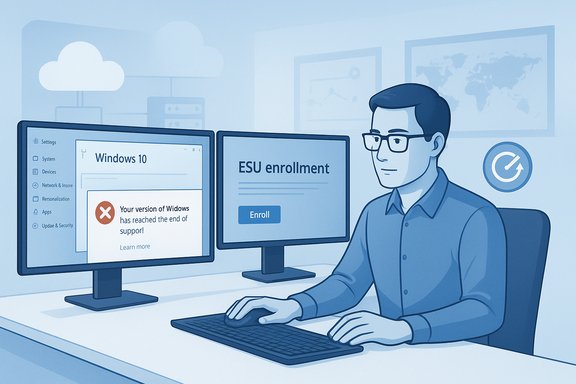
In early November 2025 a pair of related issues emerged. First, some devices presented a false message in Settings that said: “Your version of Windows has reached the end of support.” That prompt appeared on Windows Update pages for devices that were already enrolled in ESU or for devices that should not have displayed the warning. Second, some users attempting to opt into the consumer ESU via the Settings → Update & Security → Windows Update enrollment wizard were blocked because the ESU enrollment wizard could fail during the sign‑up flow.
Both problems were important for the same reason: they undermined user confidence in whether affected PCs would actually continue to receive security updates. Microsoft acknowledged the issues and rolled out updates and server‑side corrections to resolve them.
For users who were unsure whether their device was actually receiving updates, the immediate steps are to check Windows Update history and ensure that recent monthly security updates were installed successfully. If updates are missing after enrollment and the system shows an “end of support” message, follow the remediation steps above—install the November patches or the consumer OOB update, reboot, and re‑run the wizard.
Strengths:
Source: Windows Central https://www.windowscentral.com/micr...updates-and-your-pc-wont-lie-to-you-about-it/
 Background
When Microsoft announced the consumer Windows 10 Extended Security Updates (ESU) pathway to give eligible devices one additional year of security patches, the plan promised a relatively simple on‑device enrollment experience for most users running Windows 10, version 22H2. The ESU window for consumer devices runs through October 13, 2026, and enrollment is the gate that enables a Windows 10 device to keep receiving security‑only updates after the official end‑of‑support date of October 14, 2025.In early November 2025 a pair of related issues emerged. First, some devices presented a false message in Settings that said: “Your version of Windows has reached the end of support.” That prompt appeared on Windows Update pages for devices that were already enrolled in ESU or for devices that should not have displayed the warning. Second, some users attempting to opt into the consumer ESU via the Settings → Update & Security → Windows Update enrollment wizard were blocked because the ESU enrollment wizard could fail during the sign‑up flow.
Both problems were important for the same reason: they undermined user confidence in whether affected PCs would actually continue to receive security updates. Microsoft acknowledged the issues and rolled out updates and server‑side corrections to resolve them.
What happened — the technical summary
The erroneous “end of support” message
- The incorrect warning began showing up after the October 14, 2025 cumulative update for Windows 10 (the update branch that marked the official end of mainstream support).
- The message could appear on the Windows Update settings page for:
- Windows 10, version 22H2 (Pro, Education, Enterprise editions) that were enrolled and configured with an ESU product key,
- Windows 10 Enterprise LTSC 2021, and
- Windows 10 IoT Enterprise LTSC 2021.
- Crucially, the message was a display issue only: devices that were properly enrolled and licensed for ESU continued to download and install security updates via Windows Update.
The enrollment wizard failure
- Separate from the display bug, a consumer enrollment path bug could cause the ESU enrollment wizard to fail during the enrollment process, preventing affected consumer machines from completing on‑device enrollment.
- Microsoft issued an out‑of‑band update aimed specifically at consumer devices to address the enrollment problem and make the ESU wizard usable for those who had been blocked.
- After installing that out‑of‑band update and restarting, consumer devices should be able to enroll in ESU using the normal Settings wizard and then receive ESU patches via Windows Update.
What Microsoft shipped and how to apply the fixes
Microsoft used a combination of fixes to address the two problems:- A server‑side/cloud configuration correction was pushed initially to mitigate the erroneous “end of support” message for many devices automatically. That step allowed Microsoft to remove the false warning quickly for devices that could reach Microsoft update services.
- Formal update packages that include a permanent resolution shipped in the regular update channel. A November cumulative update rolled the display fix into the servicing stack for applicable Windows 10 builds.
- For the enrollment wizard failure, Microsoft released an out‑of‑band (OOB) cumulative update for consumer Windows 10 devices. That package resolves the enrollment wizard failure and is intended to be applied immediately by systems trying to enroll.
- Ensure the device is running Windows 10, version 22H2 (build numbers in the 19044/19045 family).
- Install all outstanding Windows Updates, including any servicing stack updates (SSUs) and the latest cumulative updates released after November 11, 2025.
- Reboot after updates are applied.
- For consumer devices that previously failed to enroll via the wizard, run the ESU enrollment wizard again from Settings → Update & Security → Windows Update.
- If the Settings page still shows the erroneous message, confirm the device has internet connectivity and reboot—server‑side corrections may take a short time to propagate.
Why this mattered — practical impact and user anxiety
The two bugs struck at the heart of what the ESU program was supposed to deliver: a smooth, low‑friction way for consumers and organizations to keep receiving security updates while they migrate off Windows 10.- For consumers who rely on the on‑device enrollment path, a failed wizard or a scary “end of support” banner is not just an annoyance. It can cause confusion that leads people to delay updates, escalate to support channels, or make rushed decisions like buying new hardware unnecessarily.
- For IT administrators, false “end of support” flags on machines can generate unnecessary help‑desk tickets and complicate compliance tracking. Organizations that rely on patch management need assurance that devices are both enrolled and actually receiving updates.
- The timing amplified the impact. The October 14, 2025 end‑of‑support milestone already primed users and admins to be vigilant; any messaging that suggested coverage had been withdrawn created outsized alarm.
Strengths in Microsoft’s response
- Rapid remediation: Microsoft acknowledged the problem quickly and delivered both a server‑side mitigation and formal updates within a short window. That quick triage reduced the window of exposure for affected devices.
- Targeted OOB update for consumers: The out‑of‑band update focused on enabling enrollment for consumer devices and bundled needed fixes so users didn’t have to wait for the next scheduled Patch Tuesday.
- Clarity about the symptom vs. effect: Microsoft made it clear the incorrect message was a display/notification issue and that devices with an activated ESU license would continue to receive security updates. Clear separation of symptom and real impact is essential in crisis messaging, and Microsoft’s guidance helped avoid widespread panic once it was communicated.
- Patch delivery through normal channels: The resolution was folded into cumulative updates and servicing metadata, which helps patch management systems and enterprises apply the fix in a controlled manner.
Remaining risks and weaknesses
- Rollout gaps and propagation lag: Cloud config fixes and staged rollouts inevitably propagate over time. Devices that are isolated or behind strict firewalls may not receive server‑side corrections quickly, leaving them stuck with the erroneous display or blocked enrollment.
- Dependency on Microsoft Account for consumer ESU: The consumer ESU enrollment path requires specific prerequisites (Windows 10 version 22H2, latest servicing updates, and typically a Microsoft Account for the “free” enrollment path). That requirement raises privacy and operational concerns for users who prefer local accounts or who are reluctant to bind devices to cloud identities.
- Confusion about messaging vs. entitlements: Even when Microsoft explains that updates continue to flow, many users interpret the “end of support” wording as meaning their machine is no longer protected. Clearer UI wording could have prevented the emotional reaction that led people to believe they had lost coverage entirely.
- Operational overhead for enterprise teams: The episode created noise for IT teams that had to triage false alarms, confirm enrollment status, and, in some cases, manually push fixes. That consumes time and increases the chance for human error when administrators apply ad‑hoc remediations.
- Untracked scale of affected devices: There is no public figure for how many devices displayed the false message or were blocked from enrollment, so assessing the full scope and impact is difficult. This lack of transparency complicates risk assessments for stakeholders.
What end users should check right now
Short checklist for Windows 10 device owners who want to be sure they’re covered:- Confirm your device is running Windows 10, version 22H2. Open Settings → System → About to check the OS version and build number.
- Install all outstanding updates from Settings → Update & Security → Windows Update. Include optional servicing stack updates if your management tool exposes them.
- If you previously saw the “Your version of Windows has reached the end of support” message:
- Verify that your device shows an activated ESU license in the appropriate diagnostic and licensing views.
- Reboot and wait a few minutes for any cloud configuration changes to propagate.
- If you attempted to enroll via the ESU wizard and it failed, install the latest cumulative updates (the OOB update for consumers was released in November) and then retry the enrollment wizard from Settings.
- For users with local accounts who don’t want to sign in with a Microsoft Account: be aware that the free consumer ESU path typically required linking to an MSA (regional exceptions apply). If you refuse to use an MSA and haven’t paid for ESU in non‑EEA markets, you may need to plan for an upgrade to keep receiving patches after October 13, 2026.
Recommendations for IT administrators
- Inventory and verify ESU entitlements
- Use your centralized device inventory and licensing tools to confirm which machines are expected to be covered by ESU and whether the ESU license is activated and servicing is up to date.
- Enforce update orchestration
- Push the November servicing updates or the out‑of‑band OOB update to consumer endpoints that were blocked from enrolling. Ensure SSUs are applied first where required.
- Communicate proactively
- Tell end users that the issue was a display/configuration error and that updates continue to flow for activated ESU clients. Communicate concrete steps and timelines rather than leaving users to interpret the UI message alone.
- Audit networks for propagation
- For air‑gapped or heavily segmented networks, ensure devices can reach Microsoft update endpoints for the cloud config change to apply, or plan to deploy the cumulative fix packages manually.
- Revisit onboarding prerequisites
- Confirm Windows 10 version compliance (22H2) and that any enrollment prerequisites (for example, specific cumulative updates or MSA requirements where relevant) are addressed ahead of time.
Regulatory and privacy considerations
Microsoft’s consumer ESU approach tied free enrollment for many users to actions that push devices toward cloud services—syncing settings, redeeming Microsoft Rewards points, or using a Microsoft Account. That model drew scrutiny in some regions and prompted regulatory attention.- The European Economic Area (EEA) received specific concessions that loosened some of the original prerequisites for free enrollment; regulatory pressure affected how Microsoft framed the enrollment paths and what was required in certain markets.
- Consumers who are sensitive to cloud account requirements or to data synchronization should evaluate whether the temporary ESU bridge is worth the tradeoff; organizations with data residency or privacy constraints must treat the MSA linkage to ESU with caution.
What this episode reveals about Microsoft’s update posture
The incident is a case study in how complex lifecycle transitions can be for an operating system that still runs on hundreds of millions of devices.- Transition events (like end of support) amplify sensitivity to any UI changes, messaging, and enrollment paths.
- Microsoft’s ability to push server‑side fixes and OOB updates quickly shows operational maturity and responsiveness.
- At the same time, the episode highlights that subtle metadata and UX conditions in the update pipeline can generate outsized user anxiety if they aren’t validated across a broad matrix of product SKUs (consumer vs. enterprise, LTSC variants, IoT variants).
- Documentation and timely, clear communication are as important as the technical fix itself—users need plain language that separates “display/notification” errors from real entitlement failures.
The good news — security updates continued to flow
Despite the alarming message on some Settings pages, the most important practical takeaway for most affected machines is that security updates continued to be delivered to devices that were properly enrolled and licensed for ESU. Microsoft’s fixes simply corrected the UI and restored the enrollment pathway for those who could not complete sign‑up.For users who were unsure whether their device was actually receiving updates, the immediate steps are to check Windows Update history and ensure that recent monthly security updates were installed successfully. If updates are missing after enrollment and the system shows an “end of support” message, follow the remediation steps above—install the November patches or the consumer OOB update, reboot, and re‑run the wizard.
Final assessment and outlook
Microsoft’s ESU program was always a stopgap measure—a carefully scoped, time‑limited bridge to give consumers and organizations breathing room to upgrade. What this recent bug episode shows is that even well‑intentioned mitigation programs need rigorous rollout validation and clear user messaging.Strengths:
- Fast patching cadence and a combination of server‑side and client‑side fixes.
- Clear distinction from Microsoft that the message was incorrect and updates continued for enrolled devices.
- The dependence on staged rollouts and server propagation created uneven user experiences.
- The enrollment prerequisites and account requirements remain contentious for some users and raise privacy/operational questions.
Quick reference — what to do now
- Check: Settings → System → About to confirm Windows 10 version 22H2.
- Update: Install all pending Windows updates and restart.
- Re‑try: Open Settings → Update & Security → Windows Update and run the ESU enrollment wizard again if you previously saw a failure.
- Verify: Confirm recent security updates appear in Windows Update history.
- Protect: If you cannot or will not enroll in ESU, plan an upgrade to a supported OS well before October 13, 2026, and consider isolating systems that must remain on Windows 10.
Source: Windows Central https://www.windowscentral.com/micr...updates-and-your-pc-wont-lie-to-you-about-it/
