

Microsoft moved swiftly this week to plug two separate but related problems that tripped up the first Extended Security Updates (ESU) delivery for Windows 10 after mainstream support ended, shipping an emergency “preparation” package for commercial environments and an out‑of‑band enrollment fix for consumer systems. The roll‑out hiccups left some organisations unable to install the November security rollup and left some consumers unable to complete the in‑OS ESU signup, prompting an unusually public scramble to sequence updates and reassure admins that the ESU pipeline can be restored.
Windows 10 reached mainstream end of support in mid‑October, after which Microsoft opened the consumer and commercial Extended Security Updates (ESU) pathway that provides security‑only patches for eligible systems through a defined period. ESU is explicitly a temporary bridge, not a feature roadmap: consumer ESU extends security coverage for one year while enterprise customers can purchase additional years under separate commercial arrangements.
The ESU rollout uses a mix of in‑OS enrollment flows for consumers and license activation or subscription activation for commercial deployments. That complexity — a mixture of local wizards, Microsoft Account entitlements, and cloud‑linked subscription activation — is a recipe for a brittle initial roll‑out when the program and its supporting update logic meet real‑world deployment topologies.
In this instance there were two distinct failure modes observed on or around the first post‑end‑of‑support Patch Tuesday:
Microsoft responded with an out‑of‑band update targeted at consumer devices that had not yet enrolled. That update repairs the ESU enrollment wizard and ensures that the subsequent enrollment operation can complete. The out‑of‑band package also bundles a servicing stack update (SSU) to improve update reliability on affected builds.
Practical effect: consumer devices that were blocked from joining ESU could become eligible again after installing the out‑of‑band patch and rebooting, then completing the in‑OS enrollment.
Microsoft released a targeted “Extended Security Updates (ESU) Licensing Preparation Package” aimed squarely at commercial devices that used subscription activation. The preparation package must be installed in a specific order relative to the October servicing baseline and the November security rollup; once applied, the previously failing ESU rollup could be deployed successfully.
Practical effect: organisations using subscription activation needed to ensure the preparation package was applied before pushing the November cumulative to avoid the installer error and to restore normal ESU roll‑out.
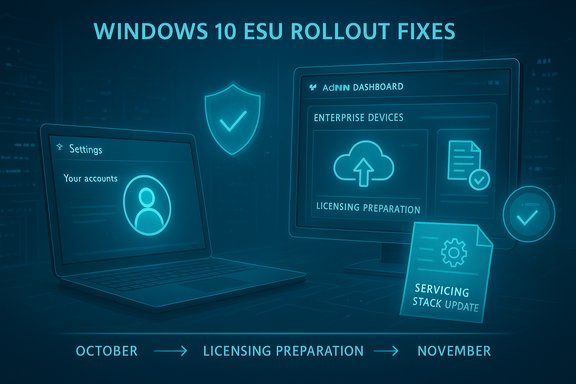
Microsoft’s response was to publish discrete packages targeted at the two failure modes and to clarify the install order for commercial customers: baseline (October servicing) → preparation package → November security rollup.
Microsoft documented the prerequisites and required sequencing in support articles, but internal mechanics of the “preparation” package — what it adjusts in the activation pipeline — are not exposed in engineering detail. That opaqueness is understandable from a security and product‑architecture perspective, but it can be unsettling for operators who prefer deterministic, transparent update behaviour.
Cautionary note: some claims about the breadth of impact and the inner workings of the preparation package remain hard to independently verify from outside Microsoft’s engineering teams. Administrators should prioritise practical verification (SSU present, preparation package applied, rollup installs) over speculation about internal changes.
For IT professionals, the immediate task is clear and procedural: verify baselines and servicing stack versions, apply the appropriate KBs in the order Microsoft prescribes, confirm entitlement, and deploy the November rollup to affected devices. For the broader Windows ecosystem, this episode is a reminder that transitions from free, implicit security coverage to paid or account‑based models increase the operational burden on administrators — and that careful, conservative deployment practices are essential when security updates depend on entitlement checks.
The remediation packages restore the ESU flow for affected devices; the longer lesson is organisational: patch pipelines must be resilient to changes in entitlement logic, and testing, sequencing and clear documentation are the non‑negotiable controls that prevent a single buggy wizard or one misordered install from becoming a fleet‑wide outage.
Source: The Register https://www.theregister.com/2025/11/18/windows_10_esu_patch/?td=keepreading/
 Background
Windows 10 reached mainstream end of support in mid‑October, after which Microsoft opened the consumer and commercial Extended Security Updates (ESU) pathway that provides security‑only patches for eligible systems through a defined period. ESU is explicitly a temporary bridge, not a feature roadmap: consumer ESU extends security coverage for one year while enterprise customers can purchase additional years under separate commercial arrangements.The ESU rollout uses a mix of in‑OS enrollment flows for consumers and license activation or subscription activation for commercial deployments. That complexity — a mixture of local wizards, Microsoft Account entitlements, and cloud‑linked subscription activation — is a recipe for a brittle initial roll‑out when the program and its supporting update logic meet real‑world deployment topologies.
In this instance there were two distinct failure modes observed on or around the first post‑end‑of‑support Patch Tuesday:
- A consumer‑facing bug in the ESU enrollment wizard that could terminate enrollment with a vague error and prevent a device from signing up.
- A commercial deployment problem where the November security rollup failed to install on devices that had been activated via Windows subscription activation (managed through Microsoft 365 admin workflows), producing an installation error and blocking the rollup.
What went wrong: a timeline of the failures and fixes
The consumer enrollment failure (out‑of‑band fix)
Soon after the ESU enrollment option became available in Settings on eligible consumer devices, some users reported the in‑OS wizard failing with terse messages such as “Something went wrong” or region‑related errors when attempting to enroll. That blocked affected consumer machines from completing the sign‑up flow and therefore from being entitled to the ESU rollups that Microsoft was issuing to enrolled devices.Microsoft responded with an out‑of‑band update targeted at consumer devices that had not yet enrolled. That update repairs the ESU enrollment wizard and ensures that the subsequent enrollment operation can complete. The out‑of‑band package also bundles a servicing stack update (SSU) to improve update reliability on affected builds.
Practical effect: consumer devices that were blocked from joining ESU could become eligible again after installing the out‑of‑band patch and rebooting, then completing the in‑OS enrollment.
The commercial installation failure (preparation package)
Separately, commercial customers reported that the November security cumulative (the first ESU rollup available after end of mainstream support) failed to install on some devices that had been activated through Windows subscription activation — a cloud‑oriented activation path used by organisations that buy and manage licenses via Microsoft 365. The failure typically surfaced as an update installation error with the classic installer code indicating a component store or installer failure.Microsoft released a targeted “Extended Security Updates (ESU) Licensing Preparation Package” aimed squarely at commercial devices that used subscription activation. The preparation package must be installed in a specific order relative to the October servicing baseline and the November security rollup; once applied, the previously failing ESU rollup could be deployed successfully.
Practical effect: organisations using subscription activation needed to ensure the preparation package was applied before pushing the November cumulative to avoid the installer error and to restore normal ESU roll‑out.
Technical anatomy: why sequencing and activation matter
The ESU delivery model for Windows 10 is more complicated than a typical cumulative update because it mixes entitlement checks and activation artifacts with the update servicing pipeline. Key pieces that interact:- Servicing Stack Update (SSU): the component that performs update installation; SSUs are required to be up to date to ensure LCU (latest cumulative update) installs behave correctly.
- Baseline cumulative updates: certain prerequisite updates (the October baseline in this case) must be present before ESU-specific packages or licensing prep packages are applied.
- ESU licensing checks / subscription activation: enterprise subscription activation relies on cloud‑side records to validate entitlement, while consumer enrollment attaches entitlements to a Microsoft account. Both paths add precondition checks to the update flow.
- Preparation and enrollment packages: Microsoft shipped both an enrollment repair for consumer flows and a licensing preparation package for subscription‑activated commercial systems.
Microsoft’s response was to publish discrete packages targeted at the two failure modes and to clarify the install order for commercial customers: baseline (October servicing) → preparation package → November security rollup.
Practical steps: remediation checklist for administrators and advanced users
These steps are presented in the sequence that systems should be remediated to restore ESU update flow. This is the recommended order for commercial environments using subscription activation; consumer devices have a separate, simpler path.- Confirm your Windows 10 build and update baseline.
- Ensure devices are running the supported ESU baseline (version 22H2 builds in the 19044/19045 family) and that the October servicing cumulative is present.
- Confirm and install the latest Servicing Stack Update (SSU).
- Install the latest SSU for your OS build before attempting any ESU packages. Not having the current SSU often prevents LCUs or preparation packages from being applied.
- For commercial devices using subscription activation: install the ESU Licensing Preparation Package.
- Apply the vendor‑supplied preparation package designed for subscription‑activated devices, then reboot if required. The preparation package must be installed after the October baseline and before the November ESU rollup.
- For consumer devices blocked at enrollment: install the out‑of‑band enrollment fix and reboot.
- After applying the out‑of‑band patch, re‑launch the ESU enrollment wizard in Settings to complete enrollment and claim entitlements.
- Attempt the November ESU rollup installation.
- Once prerequisites are satisfied, deploy the November cumulative. Test on a small set of machines before broad rollout.
- Verify license/entitlement state.
- Use built‑in activation verification to check ESU add‑on licensing; on systems where manual keys are used, utilities such as slmgr can show the ESU add‑on license status. For subscription‑activated devices, verify admin portal settings reflect the entitlement.
- For stuck installs: run standard servicing troubleshooting.
- Check the CBS.log and WindowsUpdate.log, run the Windows Update Troubleshooter, verify no pending restarts, and consider temporarily isolating non‑Microsoft services (clean boot) if third‑party interference is suspected.
- Update deployment tools and sync points.
- Ensure WSUS, Microsoft Endpoint Manager (Intune), or other update management systems are synchronised to fetch the new KBs and that approval policies are set correctly.
- Use the exact KB package versions intended for your OS build; installing the wrong architecture or build variant will fail.
- If cloud subscription activation is used, confirm tenant and admin‑center settings are intact and that devices have connected to the service recently so the subscription check can succeed.
How administrators can verify ESU entitlement
The most reliable verification methods differ by activation path:- For systems using manual ESU add‑on keys or MA‑based licensing: confirm ESU activation using activation tools (for example, slmgr output that shows the ESU add‑on in licensed state). This is the authoritative local confirmation that an add‑on key has been accepted by the platform.
- For subscription‑activated devices: verify that the device has connected to the subscription service, that the tenant shows the device as active, and that Windows Update begins offering ESU rollups after the preparation package and prerequisites are applied.
- For consumer enrolments done via the in‑OS wizard: successful completion of the wizard and the subsequent appearance of ESU updates in Windows Update are the practical indicators.
Impact assessment: who was affected and what this means
- Small and medium businesses using Microsoft licensing portals to activate Windows 10 via subscription activation were the most visible victims of the installer failures. Those customers saw the November ESU rollup abort with installer errors until the preparation package was applied in the prescribed sequence.
- Consumers who attempted to enroll using the built‑in wizard but hit the enrollment bug were blocked from joining ESU and thus would not have been offered future ESU rollups until they applied the out‑of‑band correction and re‑enrolled.
- The scope and scale of affected devices are not publicly quantified; Microsoft’s remediation focused on targeted KBs rather than a broad emergency rollback, which suggests a limited but critical failure surface tied to specific activation flows.
- Delayed patch installations for some fleets, increasing short‑term exposure for systems that had not yet received the November security fixes.
- Administrative overhead as teams had to triage update failures, confirm activation states, and sequence fixes across different device populations.
- Messaging and trust friction with end users who saw “end of support” banners despite being eligible for ESU.
What this stumble reveals about patching complexity
Several structural lessons are evident from the incident:- Entitlement logic woven into update flow increases fragility. When update installation depends on successful activation or cloud checks, the update pipeline is only as robust as the least reliable piece of that entitlement chain.
- Sequencing matters more than ever. The requirement to install baseline cumulative updates and an additional preparation package before the security rollup is an unusual dependency chain for a monthly security rollup and increases the chance for operator error.
- Consumer and commercial flows are diverging. Microsoft’s decision to use different mechanisms for consumer ESU (in‑OS wizard tied to Microsoft Account and optional payment) versus commercial ESU (subscription activation, add‑on keys) introduces different failure modes that administrators must handle separately.
- Communications and documentation must be crisp. When serious systems-management tasks require specific ordering, concise public documentation and clear KB guidance are essential to avoid mass confusion. The presence of two distinct KBs — one out‑of‑band enrollment fix and one licensing preparation package — required admins to read and follow multiple support documents to restore normal operation.
Risks and longer‑term implications
- Short term: organisations that delayed application of the preparation package or SSU could have had machines miss a critical November security fix. While a one‑patch delay is rarely catastrophic, the first post‑EOS months are especially sensitive because attackers will study and exploit any lapse in patch coverage.
- Medium term: the complexity of the ESU model may push some organisations to accelerate their Windows 11 migration plans, particularly if managing entitlement and activation across thousands of endpoints introduces operational overhead and risk.
- Trust and perception: incidents like this add to perception risk for Microsoft among IT pros who rely on predictable update behaviour. Even a narrowly scoped bug can have outsized reputational impact when it affects security patching.
- Vendor lock‑in and billing friction: the ESU program necessarily converts some previously free security coverage into a paid model for consumers and a higher‑cost commercial service. Administration errors that block entitlements risk becoming billing disputes if organisations cannot prove they were receiving coverage when an incident occurs.
Recommendations: a conservative playbook for IT teams
- Treat ESU deployments like a feature release: test end‑to‑end in a lab environment that mimics both subscription‑activated and manual key activation flows before broad deployment.
- Implement a pre‑deployment checklist for ESU months that includes:
- Confirming the October baseline cumulative is installed.
- Verifying the latest SSU is present.
- Applying the licensing preparation package (commercial) or the out‑of‑band enrollment fix (consumer) where appropriate.
- Confirming entitlement via activation tools or portal checks.
- Use phased rollouts and monitoring: stage updates to a small percentage of devices, validate success and rollback criteria, then widen deployment.
- Maintain clear audit trails for entitlement and activation: keep copies of successful slmgr outputs (or equivalent portal logs) so that entitlement state can be established quickly if there is a dispute.
- Communicate to users: if employees see an “end of support” banner, explain that this is a generic UI message and that the real indicator is whether the ESU updates are installing—then direct them to contact IT and avoid panic.
- Where possible, prioritise upgrading hardware that comfortably supports Windows 11; ESU is a bridge, not a replacement for a long‑term upgrade strategy.
Why Microsoft’s choice of fix strategy matters
The dual‑fix strategy — an out‑of‑band enrollment update for consumers and a narrowly scoped licensing preparation package for subscription‑activated commercial devices — is pragmatic because it avoids wholesale rollbacks and targets the specific bugs. However, it also imposes new operational demands on administrators who must now validate install order and entitlement state before running routine monthly patching.Microsoft documented the prerequisites and required sequencing in support articles, but internal mechanics of the “preparation” package — what it adjusts in the activation pipeline — are not exposed in engineering detail. That opaqueness is understandable from a security and product‑architecture perspective, but it can be unsettling for operators who prefer deterministic, transparent update behaviour.
Cautionary note: some claims about the breadth of impact and the inner workings of the preparation package remain hard to independently verify from outside Microsoft’s engineering teams. Administrators should prioritise practical verification (SSU present, preparation package applied, rollup installs) over speculation about internal changes.
Conclusion
The first weeks of ESU life for Windows 10 were always going to be delicate: managing entitlement, activation, and servicing logic across millions of heterogeneous endpoints is inherently challenging. Microsoft’s rapid publication of both an out‑of‑band enrollment repair and a targeted licensing preparation package shows the company can respond quickly to operational failures, but the episode also spotlights the brittle seams introduced by mixing cloud entitlement with traditional servicing.For IT professionals, the immediate task is clear and procedural: verify baselines and servicing stack versions, apply the appropriate KBs in the order Microsoft prescribes, confirm entitlement, and deploy the November rollup to affected devices. For the broader Windows ecosystem, this episode is a reminder that transitions from free, implicit security coverage to paid or account‑based models increase the operational burden on administrators — and that careful, conservative deployment practices are essential when security updates depend on entitlement checks.
The remediation packages restore the ESU flow for affected devices; the longer lesson is organisational: patch pipelines must be resilient to changes in entitlement logic, and testing, sequencing and clear documentation are the non‑negotiable controls that prevent a single buggy wizard or one misordered install from becoming a fleet‑wide outage.
Source: The Register https://www.theregister.com/2025/11/18/windows_10_esu_patch/?td=keepreading/
