

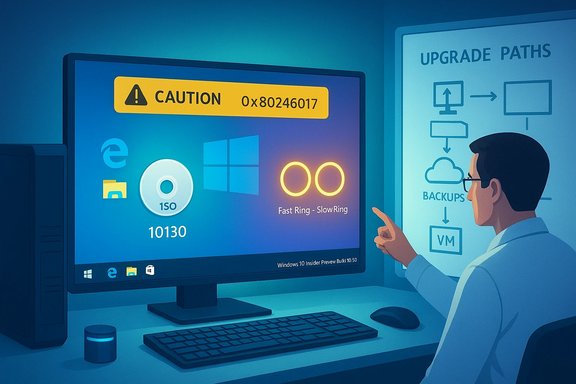
Microsoft’s decision to publish ISO images for Windows 10 Insider Preview Build 10130 while simultaneously withholding the build from the Slow ring exposed a tension at the heart of the Insider program: how to balance fast access and recovery options for advanced testers against the responsibility to protect less technical users from unstable code. The June 5, 2015 release of the official ISOs — paired with a slow-ring hold due to several known bugs — was a pragmatic but controversial move that solved an immediate distribution problem for blocked Fast-ring devices while amplifying questions about update policy, quality control, and the risks of installing preview builds on production hardware.
Background
The Insider rings and the ISO policy
Microsoft’s Windows Insider Program has long used a tiered distribution model to manage risk and feedback velocity: the Fast ring receives new builds rapidly (and often less stably) for aggressive testing, while the Slow ring receives a curated subset of builds that have had more field vetting. Historically, Microsoft promised to publish ISO images only when builds advanced to the Slow ring — a policy intended to prevent widespread clean installs of immature code and to encourage testing of the upgrade path via Windows Update.Build 10130 disrupted that convention. After Fast-ring installers encountered an upgrade-blocking error, Microsoft published official ISOs to unblock testers who couldn’t receive the update via Windows Update, while explicitly delaying the Slow-ring rollout until critical fixes were available. Gabe Aul’s announcement explained the rationale and named the update-blocking error code (0x80246017) that motivated the exception to the ISO rule.
Why ISOs matter
ISOs are not merely convenience files — they are decisive tools for troubleshooting and test reproducibility:- They allow clean installs and virtual machine deployments so testers can establish a known baseline.
- They provide in-place upgrade paths for systems blocked by broken Windows Update flows.
- They become a permanent artifact that can be archived and re-used for regression testing or forensic analysis.
What Build 10130 delivered — features and fixes
Visual polish and UX tweaks
Build 10130 was explicitly a fit-and-finish release focused on visual polish and UX tweaks rather than big new features. Highlights included:- Updated system icons — Microsoft reworked hundreds of icons (notably File Explorer icons) to improve visual consistency and modernize the look.
- Taskbar refinements — new taskbar animations for operations like moving files and downloads, plus jump list visual polishing to better match taskbar color.
- Start and Action Center tweaks — refinements to Start and removal of the Action Center border to soften the UI.
- Microsoft Edge improvements — pinned panes, broader reading view support across resolutions (including Surface Pro 3), and full-screen video playback capability.
- Tablet experience restoration — gestures and app command behaviors that brought back useful Windows 8.1 affordances for tablet users.
Known issues in the build
Despite the polish, Microsoft and the community identified several significant problems in 10130:- Mail app crashes and background sync failures — the Mail app could crash due to a memory error, and background synchronization could fail.
- Taskbar flyouts sometimes fail to appear — Start, Cortana, Network, Battery, and Action Center flyouts could intermittently not show; often a retry was necessary.
- Intermittent Wi‑Fi connectivity drops — in some cases Wi‑Fi would stop working and require a system reboot to recover, a serious productivity issue.
- Start menu instability — some testers reported the Start menu becoming non-functional until a reboot.
- Upgrade/installation errors — some Fast-ring users encountered upgrade errors (notably 0x80246017) that prevented Windows Update from completing, prompting the ISO release.
Why Microsoft made the ISO exception — practical reasoning
Unblocking the blocked
The immediate operational justification was simple: the Fast ring had users who could not receive the build over Windows Update due to the 0x80246017 error. Those Insiders were effectively blocked from getting the latest Fast-ring build. Without ISOs, the only options were to wait for a fix via Windows Update, revert to an earlier build, or attempt unofficial workarounds.Publishing the ISOs gave those users a supported recovery and upgrade path that circumvented the Windows Update channel, restoring their ability to test and submit feedback. Microsoft framed the move as a targeted exception rather than a policy change.
Operational trade-offs
Releasing ISOs for a still-buggy Fast-ring build is a calculated trade-off:- Pros:
- Restores update capability for blocked devices.
- Preserves continuity of testing and feedback flow.
- Provides fresh, reproducible baselines for virtualization, clean installs, and forensic work.
- Cons:
- Encourages clean installs of unstable code by less experienced users who might not understand the risks.
- Increases the surface area for calls to support forums, complaints on social media, and bad impressions for mainstream users who stumble into Insider builds.
- Erodes the “Slow ring = safer” clarity, since ISOs effectively let anyone install the build regardless of ring assignment.
Community reaction and troubleshooting reports
Boot loops and hardware incompatibilities
Insider community threads documented a range of upgrade and installation pathologies: some devices entered boot loops after attempting to upgrade to 10130; others failed to boot clean installs on specific hardware configurations. Reports also described scenarios where the upgrade process altered boot sectors and required recovery media to restore the previous build.Those real-world failures underscore the practical risks of installing pre-release builds on diverse hardware and the vital role ISOs play in allowing affected users to fall back, reimage, or perform clean installs in isolated VMs. They also reinforced Microsoft’s caution about not pushing unstable Fast-ring builds to the Slow ring until fixes were in place.
Mixed press and analysis
Wider tech press coverage acknowledged Microsoft’s pragmatic unblocking approach while calling out the inconsistency with prior ISO policy and the risk of widening distribution of buggy code. Commentary ranged from supportive (this was a necessary operational fix) to critical (why publish a full installer for a build the company itself deemed unstable for wider distribution?. The Register, PCWorld, and several outlets covered both the release and the rationale behind holding the Slow ring back.Technical guidance for testers and IT pros
Who should (and should not) install Build 10130 from ISOs
- Do install from ISOs if:
- You are a Fast-ring Insider blocked by Windows Update and need a supported upgrade path.
- You are deploying the build into virtual machines or isolated lab systems for testing.
- You need a known baseline for application compatibility testing.
- Do not install if:
- You rely on the PC for production or critical tasks.
- You are not comfortable recovering from boot failures, driver conflicts, or network interruptions.
- You expect fully stable networking, mail, and UI experiences.
Best practices: preparing to use an Insider ISO
- Back up everything. Create a full image or at least back up user data to an external drive or cloud storage.
- Create a recovery drive. Ensure you can boot into recovery mode and restore previous images if needed.
- Use a virtual machine. Prefer VMs for exploratory installs; snapshots allow fast rollback.
- Disconnect peripherals. Unplug nonessential USB devices to reduce driver conflict surfaces.
- Record pre-install system state. Note installed drivers, BIOS/UEFI version, and partitioning to speed troubleshooting.
- Check for updated drivers. Before upgrading, ensure critical drivers (storage, network) have the latest versions compatible with the target build.
Broader implications and program-level lessons
The ring model’s limits exposed
Build 10130 showed the limits of a two-ring model when distribution errors interfere with Windows Update itself. If the update channel is the vector that is failing, the ring segmentation can’t protect users who are blocked from receiving builds; it only protects those who are not blocked. Publishing ISOs becomes a tactical remedy in such scenarios, but it isn’t a sustainable substitute for robust deployment tooling that can target devices reliably.Transparency and expectations
Microsoft’s public explanation for the exception — and its explicit statement that the exception was not a policy change — were important for managing expectations. Still, the episode highlighted that even carefully designed Insider programs must be prepared to be flexible during rapid development cycles. Transparently communicating trade-offs and providing robust recovery paths are vital to avoid eroding trust among enthusiastic testers.Evolution of Insider practices
In the weeks after Build 10130, Microsoft continued to refine distribution and ISO availability policies, including temporarily suspending ISO provision during certain flight windows to prioritize distribution testing for public release. Those iterative changes showed a program learning from hard-won field experience: protecting the generalist Slow-ring population while preserving advanced tools for power testers and lab operators.Critical analysis — strengths, weaknesses, and risks
Strengths of Microsoft’s approach
- Practical problem solving: Publishing ISOs addressed a concrete, blocking problem for Fast-ring testers and preserved the pace of feedback and validation.
- Transparency: Gabe Aul’s blog post acknowledged the trade-off and directly named the error code and rationale.
- Tools for testers: ISOs provided the canonical clean-install and in-place-install artifacts necessary for reproducible testing and VM deployment.
Weaknesses and potential missteps
- Mixed messaging: Releasing ISOs without a Slow-ring push blurred the simple safety signal many Insiders used to interpret the rings.
- Risk to inexperienced users: ISOs lowered the barrier to installing unstable code outside the Fast ring, increasing the chance inexperienced Insiders would install on production machines.
- Operational complexity: The move risked increasing support noise and negative impressions when end-users encountered the documented bugs (Wi‑Fi, Mail, Start).
Security and reliability risks
- Unstable drivers and networking: Persistent Wi‑Fi failures or audio driver regressions can create data loss scenarios or leave devices unreachable for remote remediation.
- Boot failures: Boot-loop reports and MBR/boot-sector changes during upgrades can necessitate recovery media and manual intervention — a nontrivial risk for less technical users.
- Fragmentation: If testers deploy ISOs widely across diverse hardware, the inconsistent field data could complicate triage and root-cause analysis.
Practical takeaway: how to handle similar situations today
- Prefer deploying preview builds in virtualized or sandboxed environments.
- Use ISOs for recovery or lab deployment only when there is a clear operational reason (e.g., blocked updates).
- Maintain robust backups and a tested recovery plan before attempting an ISO-based upgrade.
- Monitor vendor driver updates and the Windows Insider blog for post-release dynamic updates that address known problems.
- If you’re managing multiple test machines, centralize builds in VMs or images to reduce hardware-based variability when filing feedback.
Conclusion
The release of Windows 10 Insider Preview Build 10130 ISOs while holding the build from the Slow ring was a pragmatic response to an operational failure in the update path. It balanced the need to unblock Fast-ring testers against the imperative to avoid exposing broader Slow-ring users to unstable code. The move underscored the delicate trade-offs in running a live, public preview program: transparency and rapid problem resolution matter, but so do clear policy signals and robust recovery tooling. For testers and IT professionals, the lesson is enduring — use ISOs intentionally, prepare for fallbacks, and keep production systems out of the preview fast lane. When Microsoft later adjusted ISO availability during subsequent flight windows, it illustrated how real-world incidents like 10130 help refine policies to better protect both users and the product going forward.Source: BetaNews https://betanews.com/article/micros...ew-build-10130-isos-too-buggy-for-slow-ring/]
