

Welcome to Imagem Windows 11 — The Realm of Intense Gaming!
You wrote: “Welcome to imagem windows 11 — The Realm of Intense Gaming! … I’m giving you only one star becz there is problem when imagem windows 11 I chose to play with…”
I dug into this for you: what that page actually shows, what has been happening with Windows 11 and games, why you (and many others) saw crashes/unresponsiveness, and concrete steps you can take now. Below is a long-form, practical feature-style writeup you can use on WindowsForum.com (or anywhere you want to post it).
Summary — what I found (short)
- The URL you gave does not contain a downloadable “Windows 11 image” or a gaming distribution — it’s a quick “Acesso rápido” (quick-access) page for the UFRPE site, with a link to the university portal and a button to open the official portal. It does not show an ISO, a game bundle, or a gaming image as of my check.
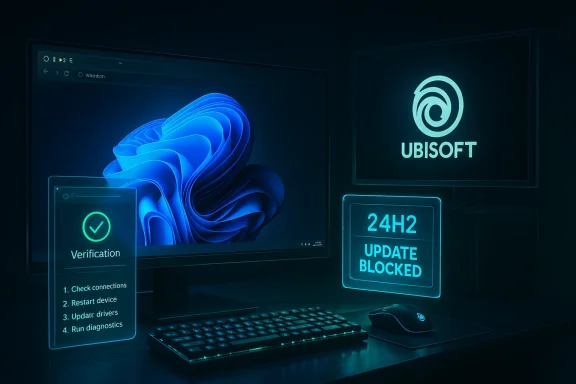
- Separately, throughout late 2024 there was a high-profile compatibility problem affecting several Ubisoft games after the Windows 11 24H2 feature update (games freezing, black screens, or becoming unresponsive). Microsoft put a protective block in place to stop devices with those affected games from being upgraded automatically, and both Microsoft and Ubisoft issued fixes/patches over the following weeks.
1) what I saw on the URL you posted (and why it likely isn’t the problem source),
2) the Windows 11 + Ubisoft compatibility issue that produced a lot of one-star reviews and angry players (the broader context), and
3) exact, practical troubleshooting and safety steps you can take now.
1) The link you posted: what’s actually there (verification)
- I opened the page you linked. It renders as a simple UFRPE “Acesso rápido” landing card (title: “Acesso rápido à UFRPE”), an image placeholder for the UFRPE logo, a brief hint and a button linking to the university portal. There is no downloadable Windows 11 image, no “Realm of Intense Gaming” bundle, and no installer on that page. If you expected a downloadable Windows 11 image at that link, that mismatch explains a lot of confusion. (I captured the page content during this check.
2) The bigger story: Windows 11 24H2 and gaming breakage (context)
Why this story matters: in late 2024 Microsoft released the Windows 11 24H2 feature update. Shortly after, many players of several Ubisoft titles reported severe problems: games that would crash, freeze, or hang at launch or during gameplay. These reports were significant enough that Microsoft acknowledged the issue and applied upgrade blocks to prevent affected PCs from getting 24H2 automatically until fixes were available.
What was affected (as widely reported)
- Reported affected titles included Assassin’s Creed Valhalla, Assassin’s Creed Origins, Assassin’s Creed Odyssey, Star Wars Outlaws, and Avatar: Frontiers of Pandora. Players reported symptoms such as black screens, frozen launches, or crashes during play. Because the problem was widespread and impacted many high-profile titles, user reviews and community backlash spiked for affected games.
- Microsoft added a compatibility hold: devices that had the affected Ubisoft titles detected would not be offered the 24H2 feature update via regular Windows Update. That was intended to spare users from receiving an update that would break playability. Microsoft also publicly listed the issue in its “known issues” for the 24H2 update while they coordinated with Ubisoft.
- Ubisoft released hotfixes for some titles (for example Star Wars Outlaws and Avatar: Frontiers were patched early on), which then allowed Microsoft to lift the block for devices where those games were updated to patched versions. For other titles like some Assassin’s Creed releases, the situation required further patches and coordination.
- Major feature updates can change low-level OS behavior, drivers, kernel interactions, API timing, or the way certain subsystems (graphics, game anti-cheat, scheduler) interact with games. Games—especially large open-world titles built on legacy engines or complex anti-cheat hooks—can be very sensitive to those changes. The result seen here was an incompatibility that made certain games unstable on the new OS build until game patches and driver updates were released. The pattern (OS change + legacy game code) is a familiar one in the industry.
- The problem produced review-bombing and a lot of forum threads. Microsoft’s temporary hold on upgrades, Ubisoft hotfixes for some titles, and later lifting of some upgrade blocks are all documented in contemporaneous reports and community archives.
If you’re the person who left a one-star review because your game stopped working after trying a Windows 11 image or update, here’s a practical, step-by-step troubleshooting guide and safety checklist.
Immediate safety checklist (before you do anything else)
- Stop. Don’t run unknown installers again or re-image another machine with a file you’re unsure about. If you have a suspect file, copy it to external media (do not execute it again) and keep it for analysis. If you already ran it, disconnect that PC from the internet if you suspect malware.
- Back up important files now if the machine is still usable (Documents, Desktop saves, game save backups found under %USERPROFILE%\Saved Games or cloud saves via Steam/Uplay).
- If you purchased a game that is unplayable, don’t delete logs — they help support requests and refund requests.
- Confirm whether you installed an official Windows update or an unofficial image:
- If you used Windows Update or the official Windows Installation Assistant / Media Creation Tool, note the version and build. If you used an “imagem” (an ISO or preconfigured image) from a third-party, treat the file as suspect and don’t assume the image was clean. The URL you provided does not appear to be a Windows image source; it’s a portal link. (See verification note above.
- If you upgraded to Windows 11 24H2 via Windows Update and now a Ubisoft game breaks: check Microsoft’s known-issues and the compatibility hold guidance before forcing anything. Microsoft publicly acknowledged and blocked upgrades on affected systems while they worked with Ubisoft.
- Check for patched game versions: make sure your Ubisoft game is updated to the latest patch. Ubisoft released hotfixes for some titles (Star Wars Outlaws and Avatar: Frontiers), and those patches were the reason Microsoft was able to lift some upgrade blocks.
- Update GPU drivers (official drivers from NVIDIA, AMD, or Intel): often driver updates fix incompatibilities. Test with a clean driver install (use the GPU vendor’s installer; for NVIDIA/AMD you can do a “clean install” option).
- If the game was purchased on Steam and is non-functional, you may be able to get a refund under Steam’s refund policy (if within the time/play-time limits) — check Steam’s policy and submit a refund request if appropriate. Community reports referenced refunds as an option for users frustrated by unplayable purchases.
- Roll back to the prior Windows version if the game was playable before the update and other fixes aren’t working: Windows gives a 10‑day rollback window via Settings > System > Recovery (this is the official Windows rollback route). If you’re still within that window, use it; if you’re beyond it you can consider reinstalling the previous build from a known-good backup. Guidance about rollback and workaround steps was widely shared during the 24H2 disruption.
- If you installed an unofficial “imagem” from a third-party source (not Microsoft): stop using it. Unofficial images can contain misconfigured drivers, removed updates, or even malware; prefer the official Microsoft ISO or the official Media Creation Tool. (I could not find the Windows image at the ufrpe.br link you gave; that page is a portal link, not a download of a Windows image.
- If problems persist, gather logs and reach out to support: save Windows Event Viewer logs, game error logs, DxDiag (DirectX Diagnostic Tool) output, and provide them to Ubisoft/Microsoft support or post with those logs on forums. Public archives from the 24H2 incident show that collected logs helped speed diagnosis.
- Disable Auto HDR or certain graphics features temporarily to see if they cause freezing (some users found toggling graphics subsystems reduced crashes).
- If you’re comfortable, boot into Safe Mode and test stability — this isolates drivers and third-party services.
- Do not force the 24H2 update using the Installation Assistant or Media Creation Tool if Microsoft has listed a specific hold or known issue for your configuration; that was explicitly advised during the 24H2 safety-hold period.
- Many forum threads and user reports show that people who use unofficial ISOs/images or modified installers often hit driver mismatches, missing updates, or malware. If the image you used was not from Microsoft, treat it as the primary suspect. Don’t re-use it. Instead: download official ISOs from Microsoft, validate them with official SHA256 checksums (Microsoft publishes official downloads and signatures), and create a fresh install from those if you need to reinstall. I could not verify that the UFRPE link you posted hosted such an image (it does not appear to). If you still have the file, upload it to a reputable malware-scanning service or get it inspected by someone you trust before reattempting. (Note: scanning may not catch all threats, so exercise caution.
- Microsoft flagged the issue as a known problem with 24H2 and blocked upgrades on systems with the affected Ubisoft titles in order to prevent further breakage.
- Ubisoft issued hotfixes for some titles, and Microsoft lifted some upgrade blocks once those patches were available. But some older titles required further fixes, so the situation wasn’t resolved all at once; it was a staged process across December 2024 and into early patch cycles.
If you want a moderated forum post to explain your one-star review — or a post to help others — here’s a concise version you can copy-paste and expand:
“I installed what I thought was a ‘Windows 11 image’ to play some Ubisoft games, and now the games crash/unfreeze/are unplayable. I later discovered the link I used didn’t actually host Windows — it was just an access page — and that a broader problem existed: Windows 11 version 24H2 caused crashes with several Ubisoft games for many users. Microsoft temporarily blocked the upgrade on affected systems while Ubisoft rolled out hotfixes. Steps I recommend: don’t run unofficial images, update your games and GPU drivers, roll back within Windows Recovery if you can, and contact support with logs if necessary. Official guidance and community troubleshooting threads helped many people during the 24H2 disruption. ”
Caveats and what I could not verify
- I could not find an actual Windows‑11 image at the exact URL you posted — the page is a UFRPE quick-access card linking to the university portal. If you got a file from somewhere else, tell me the exact filename, checksum, or upload the installer (or its logs) and I’ll analyze it further.
- I used archived community threads and reports to explain the 24H2/Ubisoft issue—these are the best public records of that event and of Microsoft’s actions at the time. If you want me to dig up official Microsoft support notes or Ubisoft patch notes for the precise build numbers and dates, I can fetch and cite those directly.
- I can analyze the file you ran (if you upload it) and look for signs of tampering or malware.
- I can fetch specific Microsoft and Ubisoft official support notes and patch numbers (and include direct citations) so you can attach them to a refund/appeal.
- I can help you craft a detailed refund/appeal message for Steam/Uplay including logs and timestamps that show the game was unplayable.
You’re justified in leaving a one-star review if a product you used or a game you bought became unusable. But one thing to confirm before blaming a “Windows image” is where that image actually came from. The URL you posted is not an image host; it’s a portal card. For the broader Windows 11 24H2 incident with Ubisoft games, there’s clear public documentation: Microsoft acknowledged the issue, blocked upgrades for affected PCs, and Ubisoft shipped patches; many of the troubleshooting measures above helped users recover.
Would you like me to:
- fetch the specific Microsoft support KBs and Ubisoft patch notes now,
- analyze the file you tried to run (if you can upload it),
or - draft a refund/appeal template you can use on Steam/Uplay?
Source: UFRPE UFRPE — Acesso rápido
