

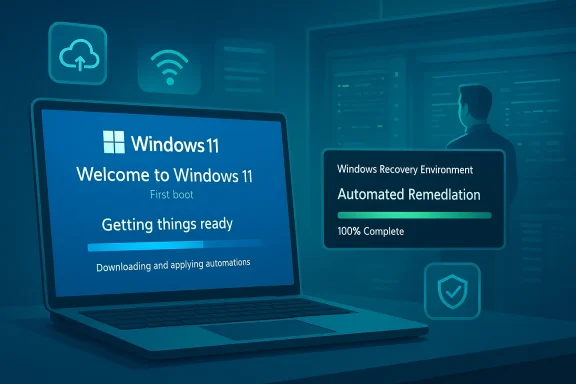
Microsoft’s latest Windows 11 flighting has quietly knit together a string of setup, recovery, and resiliency improvements that are more consequential than the typical monthly patches — and they point to a clear shift in priorities: make first-boot and post-failure recovery work automatically, quickly, and with less manual intervention. The rollout spans an OOBE (Out‑of‑Box Experience) update, a trio of Safe OS/Dynamic updates that harden setup and WinRE, and a set of Insider/preview builds that introduce Quick Machine Recovery, a redesigned failure UX, and tighter controls around account creation during setup. Taken together, these changes will reduce support calls for many organisations but also raise new operational and privacy questions IT teams should plan for now.
Windows setup and recovery are two of the least glamorous but most important parts of the platform: when they fail, users and IT teams face downtime, lost data, and expensive interventions. Microsoft’s recent updates target that precise problem space by shipping fixes and feature changes across several fronts:
In operational terms that means OOBE can:
Independent coverage from multiple outlets and hands‑on guides confirms the feature’s existence and behavior; Windows Central, HowToGeek, and Microsoft’s own documentation all describe QMR as a supported mechanism to deliver remediations during recovery.
Microsoft’s preview KB5062660 is a notable example: besides QMR, it includes a redesigned failure interface (a “black” variant of the old BSOD) and other recovery UX changes intended to make failure states clearer and less intimidating for users. Multiple outlets reported the change alongside Microsoft’s preview notes.
But it also means accepting a different balance between control and convenience. Account-first OOBE and dynamic remediations tilt the platform toward cloud-driven defaults. For many organisations that’s fine — and even desirable — but for privacy-minded users, certain regions, and highly constrained networks, it introduces trade-offs that must be consciously managed.
At the same time, the simultaneous tightening of OOBE to prefer Microsoft accounts, and the increased reliance on network-delivered remediations, create legitimate concerns about choice, privacy, and offline resilience. Organisations and power users should prepare accordingly: validate images, check recovery partitions, define offline recovery plans, and update deployment documentation. Policymakers and privacy advocates will rightly continue to scrutinise account-first decisions in consumer setups.
If you manage Windows fleets, treat these changes as a call to update your testing regimen and recovery playbooks. If you’re a home user, keep your recovery media handy, install preview builds only in test environments, and read the new recovery options in Settings so you’re not surprised when your next major update changes how recovery behaves. The net effect should be fewer failures that require hands‑on fixes — but only if organisations and users invest a little time up front to adapt.
Microsoft’s steady, quiet upgrade to the plumbing of Windows — not just the shiny features — is an overdue and welcome direction. The new recovery capabilities and OOBE improvements can materially reduce downtime and support costs, but they come with management and privacy trade‑offs that organisations and users must plan for. Update your images, test recovery, and prepare your helpdesk: the future of Windows setup and recovery is more automatic, and that’s both an opportunity and a responsibility.
Source: Neowin Windows 11 gets big update with improved OOBE, recovery, and more in new builds
 Background / Overview
Windows setup and recovery are two of the least glamorous but most important parts of the platform: when they fail, users and IT teams face downtime, lost data, and expensive interventions. Microsoft’s recent updates target that precise problem space by shipping fixes and feature changes across several fronts:- An OOBE-focused update (KB5059093) intended to improve the initial setup flow for Windows 11 version 24H2 and Windows Server 2025 so devices are properly provisioned and up to date out of the box. ([support.microsoft.comrosoft.com/en-au/topic/kb5059093-out-of-box-experience-update-for-windows-11-version-24h2-and-windows-server-2025-april-25-2025-7f6906ff-a3a2-49af-a2b9-c56e474cb21d)
- Multiple Safe OS / Dynamic updates that adjust the Windows Recovery Environment (WinRE) and Setup experience to reduce edge-case failures and make recovery tools more capable.
- Insider/preview builds that introduce Quick Machine Recovery (QMR) and a redesigned post-failure experience (including a “black screen” replacement for the classic BSOD), allowing automated remediations to be applied from WinRE or during restart flows.
What’s in the OOBE update (KB5059093) — and why it matters
The aim: a safer, more modern first boot
KB5059093 is billed as an OOBE update for Windows 11 version 24H2 and Windows Server 2025. The stated goals are pragmatic: ensure the Out‑of‑Box Experience can deliver up-to-date configuration, drivers, and remedial logic during first boot so users don’t ship devices that immediately require troubleshooting or updates. Microsoft’s support descrip explicit: improve the OOBE experience and the reliability of setup on initial device provisioning.In operational terms that means OOBE can:
- Run dynamic checks (and receive dynamic updates) during setup so critical fixes can patch a device before the user finishes configuration.
- Offer drivers and connectivity prompts when network hardware isn’t present by default, reducing setup blockers for some OEM hardware scenarios.
Why this is important for enterprises and refurbishers
For IT teams imaging hundreds or thousands of devices, the promise is simple: fewer machines that get stuck at first boot, fewer image reworks, and a higher success rate for automated provisioning. For refurbishers and OEM service centers that perform mass re-deployments, dynamic OOBE updates can be the difference between a smooth cycle and a jammed assembly line. The same benefits apply to consumers buying new hardware — devices should work out of the box with fewer driver or update headaches.Quick Machine Recovery and the Windows Resiliency Initiative
What Quick Machine Recovery (QMR) does
Quick Machine Recovery is a new recovery mechanism that makes Windows attempt known remediations for critical boot failures automatically. When Windows encounters certain unbootable states, QMR will:- Boot into WinRE (the Windows Recovery Environment).
- Reach out to Microsoft Update to download a remediation package targeted for the detected failure pattern.
- Apply the remediation and attempt to restart into the normal Windows environment.
- If unsuccessful, fall back to the traditional recovery options and present additional guidance to the user or admin.
Availability and configuration
- QMR is available on devices running Windows 11 24H2 once they have build 26100.4700 (or later) and the supporting preview updates installed. The Microsoft Learn docs and the support article both list build thresholds and configuration guidance.
- QMR can be enabled or disabled by administrators; on consumer editions it is enabled by default unless device management policies prevent it. The Settings app includes a dedicated Quick Machine Recovery page under System > Recovery in recent insider/preview builds.
Real-world benefits
The feature reduces the need for manual recovery media, reduces helpdesk load (a remediation delivered automatically can save troubleshooting time), and allows Microsoft to rapidly distribute targeted fixes for systemic boot issues at scale.Independent coverage from multiple outlets and hands‑on guides confirms the feature’s existence and behavior; Windows Central, HowToGeek, and Microsoft’s own documentation all describe QMR as a supported mechanism to deliver remediations during recovery.
WinRE, Dynamic Updates, and the new restart UX
Better WinRE, but with complexity
Recent Safe OS and dynamic updates (examples discussed in preview releases: KB5055643, KB5057781, KB5059281 and others) aim to make WinRE and setup more robust by shipping updated recovery binaries, improved driver handling in recovery, and enabling automatic downloads during recovery. These updates are not flashy feature rollouts — they’re foundational fixes that change the behavior of the recovery environment.Microsoft’s preview KB5062660 is a notable example: besides QMR, it includes a redesigned failure interface (a “black” variant of the old BSOD) and other recovery UX changes intended to make failure states clearer and less intimidating for users. Multiple outlets reported the change alongside Microsoft’s preview notes.
The redesigned restart / failure screens
Microsoft has been experimenting with replacing the decades-old blue-screen failure UX with a more modern, informative surface that gives clearer instructions and status on what the OS is doing to recover. This plays neatly with QMR because a clearer failure UX can inform users when an automated remediation is running and what the expected outcome will be. Coverage from PCWorld and other outlets highlighted the visible shift in aesthetic and messaging in preview updates.Tightening OOBE: account-first setup and blocked workarounds
Microsoft is closing local-account workarounds in Insider builds
A parallel — and politically sensitive — change visible in recent Insider builds is Microsoft’s removal of several in‑setup workarounds that previously allowed users to create a local user account during OOBE without a Microsoft account or an internet connection. Commands and scripts like OOBE\BYPASSNRO and the more recently discoveredstart ms-cxh:localonly have been disabled in developer and beta channel builds, effectively making an MSA and network access the default consumer path during OOBE in those test builds. Multiple major outlets and the Windows Insider blog detailed this change and Microsoft’s stated rationale: those bypasses can leave devices improperly configured and bypass critical security and recovery flows.Why this matters (and why it’s controversial)
- For organisations that build images for distribution, managed setups are unaffected if you use provisioning packages or deployment tools; but for consumers, refurbishers, and small businesses that prefer local accounts for privacy or simplicity, this change reduces choice and raises privacy questions.
- Microsoft contends this improves security and ensures critical set‑up steps (e.g., BitLocker key escrow, Windows Hello setup, OneDrive/backup prompts) are not skipped. Critics counter that forcing cloud accounts and internet connectivity during setup is heavy-handed and can complicate installations in restricted networks or for users who simply prefer local credentials. Coverage from Ars Technica, Tom’s Hardware, and Windows Central captures both sides of the debate.
Strengths: What Microsoft gets right with this round of changes
- Reduced downtime and fewer helpdesk escalations. QMR and more capable WinRE updates mean many boot-failure scenarios can be resolved automatically, which improves business continuity for users and enterprises. This is perhaps the single most pragmatic win for organisations.
- Safer out-of-box experiences. Dynamic OOBE updates reduce the odds of users finishing setup on an insecure or partially configured device. For OEMs and VARs that ship devices at scale, this lowers the chance of returns and support cases.
- Faster response to systemic issues. The combination of preview KBs and targeted remediation delivery in WinRE allows Microsoft to deploy fixes for widespread problems more quickly than relying solely on monthly cumulative updates. The KB5062660 preview and related channels show how Microsoft can iterate faster in the preview pipeline.
Risks, edge cases, and things IT teams must plan for
1) Dependence on network connectivity during recovery or setup
Automated remediations delivered via Windows Update assume network connectivity. That’s sensible for most consumer devices, but in air‑gapped environments, devices behind captive portals, or networks with strict outbound rules, QMR may not be able to fetch remediations — and fallback behavior will be required. Administrators should document fallback procedures and keep recovery media that includes critical fixes for offline recovery scenarios.2) OOBE account changes and privacy implications
The blocking of local-account workarounds in Insider builds demonstrates an account-first direction. Organisations and privacy-conscious users must plan for that by:- Reviewing provisioning and Autopilot workflows to ensure they continue to work.
- Updating documentation that instructs users on initial setup.
- Training support staff on alternative methods for creating local accounts post‑setup, or provisioning devices with local accounts before finalising OOBE.
3) Recovery partition sizing and update regressions
Some cumulative updates and WinRE changes increase the size of Safe OS or WinRE images. Historically, that has created situations where updates fail because the recovery partition isn’t large enough or where a later update unintentionally breaks WinRE functionality (for example, the October 2025 cumulative update that required an out‑of‑band fix KB5070773 to restore USB support inside WinRE). These incidents underline that patching WinRE and core recovery components needs careful testing in imaging pipelines. Make sure recovery partitions meet the recommended sizes and test updates against your standard images.4) Preview channel variability
Some features arrive first in Insider and preview channels, where behavior can change rapidly. Relying on preview features (e.g., QMR behavior as shipped in KB5062660 preview builds) without a test plan risks surprises during broad deployment. Always validate preview changes against your deployment images and policies.Practical guidance for administrators and power users
Quick checklist to prepare for these changes
- Validate recovery partitions on reference images and confirm they meet Microsoft’s recommended sizes.
- Document and test fallback recovery media for air‑gapped or restricted networks.
- Update deployment images (and Autopilot/MDM profiles) with the latest preview patches if you intend to rely on QMR behavior.
- Train helpdesk staff on the new failure UX and where to look for QMR logs and status messages during recovery.
- Review the implications of an account‑first OOBE on your provisioning workflow and adjust image/pre-provision scripts accordingly.
How to check and configure Quick Machine Recovery
- Ensure the device has Windows 11 24H2 and the relevant build (26100.4700 or later).
- Open Settings > System > Recovery and look for the Quick machine recovery page in preview builds; from there you can enable/disable and configure behavior. Documentation from Microsoft shows the Settings integration and command-line configuration options for managed environments.
Steps to protect WinRE and the update pathway
- Include WinRE verification in your image‑validation checklist (reagentc /info and partition sizing).
- Maintain an updated offline recovery image that contains OEM drivers where possible.
- Add pre‑ and post‑update validation steps to your ring deployment process to watch for regressions to WinRE behavior.
Why this matters beyond the technical details
Microsoft’s recent moves represent a philosophy shift: the company is investing in the resilience of Windows, not just its features. That means designing Windows to be more self-healing and to reduce the human time spent recovering from failures. For corporate IT teams and service providers, that can translate into lowered operational cost and faster mean time to repair.But it also means accepting a different balance between control and convenience. Account-first OOBE and dynamic remediations tilt the platform toward cloud-driven defaults. For many organisations that’s fine — and even desirable — but for privacy-minded users, certain regions, and highly constrained networks, it introduces trade-offs that must be consciously managed.
Final assessment — balancing opportunity and caution
Microsoft’s latest builds and updates deliver tangible, long‑needed improvements to setup and recovery: Quick Machine Recovery promises to reduce downtime by automatically applying remediations, WinRE is becoming smarter and more robust, and OOBE updates close gaps that previously left users with devices that weren’t fully configured. These are strong, practical wins for reliability and supportability.At the same time, the simultaneous tightening of OOBE to prefer Microsoft accounts, and the increased reliance on network-delivered remediations, create legitimate concerns about choice, privacy, and offline resilience. Organisations and power users should prepare accordingly: validate images, check recovery partitions, define offline recovery plans, and update deployment documentation. Policymakers and privacy advocates will rightly continue to scrutinise account-first decisions in consumer setups.
If you manage Windows fleets, treat these changes as a call to update your testing regimen and recovery playbooks. If you’re a home user, keep your recovery media handy, install preview builds only in test environments, and read the new recovery options in Settings so you’re not surprised when your next major update changes how recovery behaves. The net effect should be fewer failures that require hands‑on fixes — but only if organisations and users invest a little time up front to adapt.
What we watched to verify this story
This article synthesises Microsoft’s official support and documentation pages alongside independent reporting and community discussion to confirm both the technical facts and the practical implications:- Microsoft’s support writeups for KB5059093 and preview KBs provide the canonical descriptions of OOBE and preview changes.
- Microsoft Learn and Microsoft Support explain Quick Machine Recovery and how it integrates with WinRE and Settings.
- Independent outlets and tech media documented the preview UI changes, emergency out‑of‑band fixes to WinRE, and the controversy over closing OOBE local‑account workarounds; these external reports were used to cross‑check behavior observed in Insider and preview channels.
- Community threads and internal rollup notes (the supplied thread extracts) were used to ensure the real‑world, deployment‑level impacts and troubleshooting anecdotes were captured.
Microsoft’s steady, quiet upgrade to the plumbing of Windows — not just the shiny features — is an overdue and welcome direction. The new recovery capabilities and OOBE improvements can materially reduce downtime and support costs, but they come with management and privacy trade‑offs that organisations and users must plan for. Update your images, test recovery, and prepare your helpdesk: the future of Windows setup and recovery is more automatic, and that’s both an opportunity and a responsibility.
Source: Neowin Windows 11 gets big update with improved OOBE, recovery, and more in new builds
