Microsoft’s admission that a servicing regression broke core Windows 11 shell functionality in certain provisioning scenarios crystallizes a slow‑burn crisis for the operating system: a July 2025 cumulative update (represented in Microsoft’s advisory by KB5062553) introduced a timing‑dependent failure that can leave the Start menu, Taskbar, File Explorer and Settings unable to initialize on first sign‑in or in non‑persistent VDI sessions, and Microsoft publicly documented the problem only in November 2025 under support bulletin KB5072911, offering manual re‑registration workarounds but no immediate permanent fix.
Background / Overview
Microsoft’s support advisory describes a provisioning‑time regression that appears when a Windows 11, version 24H2 device receives monthly cumulative updates released on or after July 2025 (the advisory calls out the July cumulative, KB5062553, as the initiating package). The root technical detail: built‑in UI dependencies are shipped as updatable XAML/appx packages, and in some provisioning or first‑logon sequences those packages are not registering in time for shell processes to create their UI objects. The result is a race condition where Explorer.exe, StartMenuExperienceHost, ShellHost and other XAML‑backed components attempt activation before the packages are available to the user session. This advisory joins a string of high‑impact servicing incidents that surfaced across the October–November 2025 servicing cycle — from emergency out‑of‑band updates for recovery‑environment USB input to third‑party vendor mitigations after performance regressions — and it sharpens the debate about how Microsoft balances rapid monthly security servicing with the stability needs of diverse enterprise and consumer environments.What Microsoft confirmed (the technical facts)
- After provisioning a PC with a Windows 11, version 24H2 cumulative update released on or after July 2025 (KB5062553), StartMenuExperienceHost, Search, SystemSettings, Taskbar, Explorer and other XAML‑hosted components might fail to initialize for first‑time logon or for every logon in non‑persistent OS installations (VDI, pooled desktops).
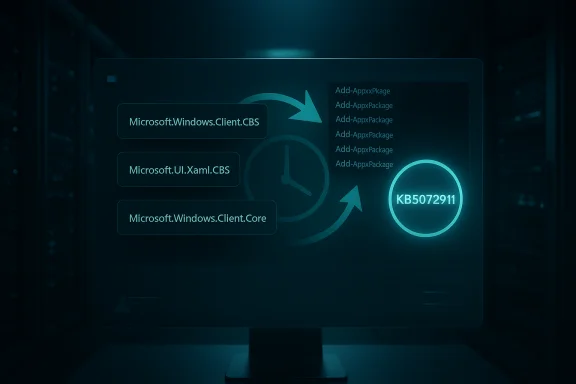
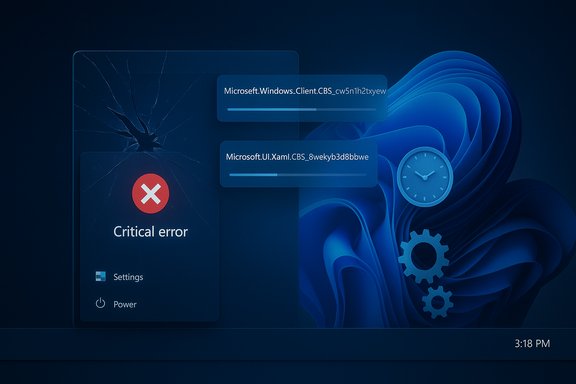
- The cause Microsoft lists is that the OS’s dependency XAML packages (for example Microsoft.Windows.Client.CBS_cw5n1h2txyewy, Microsoft.UI.Xaml.CBS_8wekyb3d8bbwe, Microsoft.Windows.Client.Core_cw5n1h2txyewy) are not registering in time after servicing, creating the activation race.
- Microsoft provided workarounds: manual Add‑AppxPackage re‑registration commands that must run in the user session and a sample synchronous logon script for non‑persistent environments designed to block Explorer until packages are registered. The company stated it is “working on a resolution” without giving an ETA for a permanent servicing fix.
Why this matters: the anatomy of the failure
How Windows ships modern UI components
Windows has been moving many in‑box UI pieces into packaged appx/XAML bundles so Microsoft can update UI components independently of major OS builds. That modular approach improves agility, but it also introduces more moving parts into the servicing sequence: when those packages are updated, the OS must re‑register them for active user sessions so COM/XAML activation works correctly.Where provisioning and VDI complicate things
Provisioning and non‑persistent virtual desktop installations are sensitive to timing and sequence. In these flows, the image or system applies updates and then immediately creates user sessions; if package registration lags even briefly, shell processes may begin and attempt to load XAML views that aren’t ready. The result is the high‑visibility symptom set Microsoft lists: crashes, blank taskbar, critical Start menu errors, Settings failing to open, and XAML island views that never initialize.Symptoms administrators and users are seeing
- Start menu may show a “critical error” or refuse to launch.
- System Settings (Start → Settings → System) may silently fail to open.
- Explorer.exe might run but the taskbar/window elements are missing.
- ShellHost.exe / StartMenuExperienceHost crashes during XAML view initialization.
- Other XAML‑island views (app‑embedded UIs) fail to render.
Short‑term mitigation: what IT teams can (and should) do now
Microsoft’s KB gives two primary operational mitigations: manual re‑registration for interactive remediation and a scripted, synchronous registration at logon for non‑persistent environments.- Manual re‑registration (interactive repair)
- In an affected user session, run:
- Add‑AppxPackage -Register -Path 'C:\Windows\SystemApps\MicrosoftWindows.Client.CBS_cw5n1h2txyewy\appxmanifest.xml' -DisableDevelopmentMode
- Add‑AppxPackage -Register -Path 'C:\Windows\SystemApps\Microsoft.UI.Xaml.CBS_8wekyb3d8bbwe\appxmanifest.xml' -DisableDevelopmentMode
- Add‑AppxPackage -Register -Path 'C:\Windows\SystemApps\MicrosoftWindows.Client.Core_cw5n1h2txyewy\appxmanifest.xml' -DisableDevelopmentMode
- Restart SiHost/Explorer to let the shell pick up the registered packages.
- In an affected user session, run:
- Non‑persistent/VDI scripted approach (scale)
- Implement a logon script wrapper that executes the above Add‑AppxPackage commands synchronously before letting explorer.exe start. Microsoft’s sample batch wrapper blocks Explorer until the packages are registered, ensuring the shell starts only after registration completes. This reduces the race but can increase logon time.
- These workarounds are procedural, not code‑level fixes; they restore functionality by re‑registering the packages in the user session rather than eliminating the underlying race condition.
- Some enterprise controls, app‑allow lists or security tools may block Add‑AppxPackage or the execution policy used in the sample script; test in a lab before wide rollout.
- The synchronous logon script will increase logon latency if not carefully optimized; measure and pilot before deploying across production pools.
Broader context: the October servicing wave and vendor responses
The provisioning regression is not an isolated servicing oddity. October 2025’s cumulative (KB5066835) touched multiple low‑level subsystems and produced several high‑impact regressions that forced rapid, out‑of‑band responses. One direct consequence for gamers was measurable performance regressions after the October update; NVIDIA publicly released a GeForce Hotfix driver, 581.94, explicitly to mitigate “lower performance may be observed in some games after updating to Windows 11 October 2025 KB5066835.” That hotfix was offered as a rapid mitigation pending integration into the next full Game Ready branch. These parallel events — Microsoft’s documented provisioning race and vendor hotfixes for game regressions — illustrate how platform servicing can create a cascade of cross‑vendor troubleshooting, rapid mitigations, and hard operational choices for administrators and consumers.Critical analysis: strengths, failures and risk assessment
Notable strengths in Microsoft’s response
- Microsoft documented the issue publicly with a concrete technical explanation and explicit, testable workarounds instead of leaving customers to guess at root cause.
- The KB includes a reproducible repair path and a script pattern for VDI admins, which is pragmatic and usable at scale when scripted and tested.
Practical weaknesses and operational risks
- Late acknowledgment: the bug traces to updates starting in July 2025, but Microsoft’s advisory appeared publicly in November 2025 — a window of months during which provisioning flows and VDI deployments could be disrupted without clear vendor guidance. That delay has operational consequences for education, enterprise rollout and refurbishment pipelines.
- Workaround friction: requiring Add‑AppxPackage execution in user sessions or synchronous logon scripts introduces management overhead, potential security policy friction, and increased logon times. Large fleets must weigh the operational cost of these mitigations against the security imperative of applying monthly LCUs.
- No scope telemetry: Microsoft has not published device‑level impact statistics for the regression, so administrators must rely on forum signals, helpdesk reports and targeted pilot rings to estimate blast radius — an imprecise and anxiety‑inducing way to manage risk.
Security tradeoffs and deployment posture
Delaying rollouts or keeping images patched behind a validation ring reduces immediate exposure but increases the window to known CVEs. Conversely, rapid deployment exposes more devices to rare but high‑impact regressions. The pragmatic operational posture is to:- Stage updates in pilot rings that cover provisioning/VDI images and user profiles used in production.
- Automate post‑update smoke tests that verify Start menu, Explorer and Settings in a fresh user session.
- Keep a tested rollback plan and recovery media available for images used in provisioning pipelines.
Impact on developer, power‑user and gaming communities
- Developers and IT teams that rely on VDI, instant‑clone pools or freshly imaged provisioning are the highest‑risk group; first‑time sign‑in failures directly break onboarding and automated imaging flows.
- Power users and testers are rightfully concerned: repeated high‑impact servicing regressions erode trust in automatic monthly servicing and force some users back to manual update control or slower deployment cadences. Community threads and technical forums reflected frustration and an appetite for more conservative rollout options for critical images.
- Gamers experienced a related, but technically distinct, fallout during the October servicing wave: reduced in‑game fps and stuttering that prompted NVIDIA to ship hotfix driver 581.94 as an emergency mitigation — an example of a vendor stepping in when an OS servicing change produces ecosystem‑wide performance variance.
What Microsoft should do next (and what admins should demand)
- Ship a targeted Known Issue Rollback (KIR) or an LCU that addresses the package registration ordering/race without reintroducing security regressions.
- Publish clearer telemetry: at minimum, a percentile or rough magnitude indicator to help admins gauge fleet exposure.
- Update Release Health/known issues pages in a timelier fashion for provisioning/VDI, and provide prebuilt logon script packages or Group Policy templates for quick deployment.
- Expand pre‑deployment automation guidance: publish sample smoke‑test scripts for first‑logon shell checks so IT can validate images automatically post‑patch.
- Pilot cumulative updates against images used for provisioning and VDI before broad rollouts.
- Implement Microsoft’s synchronous registration script for non‑persistent pools where practical and measure logon time impact.
- Prepare signed remote execution scripts for helpdesk remediation that run Add‑AppxPackage in user context.
- Monitor Release Health and be ready to block updates on images until a KIR or fix appears.
SEO‑friendly technical checklist for affected users and admins
- Confirm Windows 11 build and update history; check whether your systems received cumulative updates released on or after July 2025 (KB5062553 mentioned in Microsoft’s KB).
- If a Start menu crash or Explorer crashes occur on first sign‑in, try the manual Add‑AppxPackage re‑registration commands in an affected user session and restart SiHost/Explorer.
- For VDI and non‑persistent images, deploy a synchronous logon script that registers the three named packages before Explorer starts; test and measure logon impact.
- Gamers who saw reduced FPS after the October update should evaluate NVIDIA’s GeForce Hotfix 581.94 as a mitigation; if unaffected, the hotfix can be skipped until a regular Game Ready driver consolidates changes.
Broader editorial take: stability first, agentic OS second
Microsoft’s push toward richer, AI‑enabled experiences and more frequent in‑box feature delivery is understandable as a product direction. But platform stability and predictable servicing must remain the primary obligations of an operating system used for education, enterprise and developer workflows. When foundational shell features — Start menu, Taskbar, Settings and Explorer — can be disrupted by a monthly cumulative update, it creates a credibility gap that no new feature branding can immediately fix. Community sentiment reflected in support threads aligns with a simple set of priorities users actually care about: reliability, control, predictable updates, and clear rollback paths.Making Windows “agentic” or adding more AI layers will not help if the basic I/O surfaces and recovery tooling remain brittle on update. A sustainable path is to marry modern modular delivery (appx/XAML) with more conservative pre‑deployment testing, stronger automatic rollback triggers, and better telemetry exposure for admins so they can make informed risk calculations.
Conclusion
Microsoft’s KB5072911 is an unambiguous admission that a servicing change introduced a provisioning‑time regression that can break core Windows 11 shell functionality in specific, high‑value scenarios — first‑logon and non‑persistent VDI — and while the vendor has provided concrete, testable mitigations (manual Add‑AppxPackage re‑registration and synchronous logon scripts), it has not yet delivered a permanent fix or published device‑scale impact metrics. The ecosystem response — including NVIDIA’s hotfix for gaming regressions — highlights how servicing changes ripple across vendors and user communities. For administrators and power users the immediate imperatives are pragmatic: test updates in pilot rings, implement Microsoft’s scripted mitigations where necessary, track Release Health closely, and demand clearer telemetry and faster remediation from platform maintainers until the underlying race condition is resolved.Source: OC3D Yes, Windows is broken - Microsoft Admits - OC3D