

Microsoft’s latest Windows 11 update, version 25H2, arrives not as a blockbuster image rebase but as a compact, service‑style release that in most cases installs with a single small download and one restart — a practical change that reduces downtime, shrinks update payloads, and resets the support clock for devices that adopt it.
Windows 11 25H2 (the “2025 Update”) continues Microsoft’s recent shift toward a servicing-first model: feature binaries are shipped throughout the year inside monthly cumulative updates on the active servicing branch and then activated for a formal yearly version by publishing a small enablement package (eKB). For devices already running Windows 11 version 24H2 and kept current with the required cumulative updates, this means the 25H2 transition is often a tiny download and a single restart instead of the long, multi‑gigabyte process many users remember from older feature upgrades. This release is deliberately modest in consumer‑visible reinvention and more focused on security, manageability, and enterprise connectivity. Microsoft describes 25H2 as a consolidation of work staged during the 24H2 servicing cycle — a “flip the switch” approach that activates dormant features rather than shipping a large new image. That operational choice reduces risk for many users and simplifies patching for IT teams, because 24H2 and 25H2 share the same servicing branch and receive the same monthly cumulative updates.
Source: findarticles.com Windows 11 25H2 Compact Update Will Install In One Restart
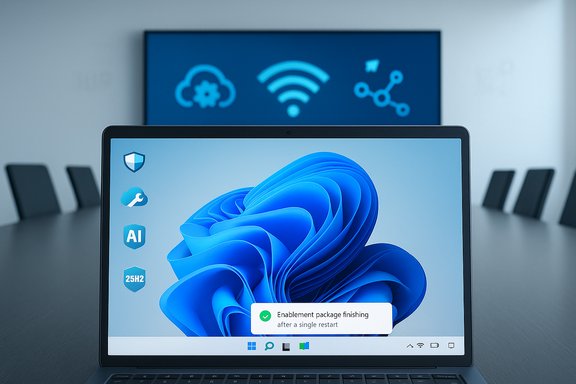 Background / Overview
Windows 11 25H2 (the “2025 Update”) continues Microsoft’s recent shift toward a servicing-first model: feature binaries are shipped throughout the year inside monthly cumulative updates on the active servicing branch and then activated for a formal yearly version by publishing a small enablement package (eKB). For devices already running Windows 11 version 24H2 and kept current with the required cumulative updates, this means the 25H2 transition is often a tiny download and a single restart instead of the long, multi‑gigabyte process many users remember from older feature upgrades. This release is deliberately modest in consumer‑visible reinvention and more focused on security, manageability, and enterprise connectivity. Microsoft describes 25H2 as a consolidation of work staged during the 24H2 servicing cycle — a “flip the switch” approach that activates dormant features rather than shipping a large new image. That operational choice reduces risk for many users and simplifies patching for IT teams, because 24H2 and 25H2 share the same servicing branch and receive the same monthly cumulative updates. What’s actually in 25H2
A compact install and the “one‑restart” promise
The marquee talking point is the install experience: for most fully patched 24H2 machines the enablement package is small and the update completes after a single restart. That outcome depends on prerequisites — notably that the device is on 24H2 and has the specific cumulative updates Microsoft lists as required — and on not having blocked drivers or third‑party agents that demand additional servicing. If those prerequisites are missing, or if servicing stack or driver updates are required, the installer will perform the usual multi‑stage process and may require multiple restarts.- Why it’s fast: the enablement package simply toggles features that are already present on disk; it does not copy the full OS image.
- The practical caveat: the single‑restart path is real, but only for devices that already meet Microsoft’s baseline prerequisites.
Security and the Secure Future Initiative
Microsoft frames 25H2 as a security‑forward release, spotlighting investments in build‑time and runtime vulnerability detection and what the company calls AI‑assisted secure coding. The message is that improved tooling and automation help find and fix vulnerabilities earlier in the development lifecycle and during post‑release remediation efforts. This is a material engineering direction — but public documentation provides high‑level descriptions rather than detailed technical disclosure, so the practical impact will be measurable only over time and subject to third‑party validation. Treat the broad claims as promising but not yet fully verifiable in granular detail.Quick Machine Recovery (QMR)
One of the most consequential user‑facing features is Quick Machine Recovery, a cloud‑assisted extension of the Recovery Environment that can automatically connect to Windows Update, search for published remediations for repeated boot failures, download and apply fixes, and attempt to boot the machine again. QMR aims to shorten downtime from widespread boot problems by delivering targeted remediations without manual intervention. IT administrators can configure and control the behavior through management tooling; home devices often ship with more permissive defaults. The feature is built to be a best‑effort measure and falls back to traditional Startup Repair when network remediation isn’t available.Enterprise Wi‑Fi 7 readiness
25H2 introduces support for Wi‑Fi 7 (802.11be / Extremely High Throughput) for enterprise access points — a readiness posture that enables higher throughput, lower latency, and enterprise roaming/security capabilities where certified Wi‑Fi 7 hardware and drivers exist. This is explicitly a platform‑level readiness: vendor‑provided Wi‑Fi 7 drivers and enterprise access points must be present to realize the benefits. In other words, OS support is only one part of the ecosystem puzzle; NIC drivers and network hardware still determine whether you actually get Wi‑Fi 7 performance on any given device.UI refinements, AI actions, and removal of legacy baggage
25H2 primarily activates experiences that were staged during 24H2:- AI actions in File Explorer (image edits, document summarization via Copilot flows), improved search behaviors, and Click‑to‑Do automation. Many AI features are hardware‑ and license‑gated (Copilot+ hardware, Microsoft 365/Copilot entitlements).
- Taskbar and Start menu refinements, including new Start views and a more scrollable All apps experience in some configurations. These are incremental improvements rather than top‑to‑bottom redesigns.
- Removals: legacy components such as PowerShell 2.0 and WMIC are removed from shipping images, which reduces attack surface but requires administrators to migrate scripts that rely on those older interfaces.
Under the hood: servicing technologies that make this possible
Unified Update Platform (UUP)
The enablement package strategy benefits from the Unified Update Platform (UUP) and differential delivery technologies. UUP enables clients to download only the changes needed to produce the new image from the files already present on disk, rather than fetching a full image — historically reducing download sizes significantly for feature updates and speeding delivery. Expect variable results: the savings vary depending on how up‑to‑date a device already is and which optional content it has installed. Microsoft’s UUP messaging and engineering posts indicate differential downloads can cut update payloads substantially versus canonical full images.Component‑Based Servicing (CBS) and servicing stacks
The Component‑Based Servicing (CBS) infrastructure, the Servicing Stack, and Servicing Stack Updates (SSUs) remain central to how Windows stages, applies, and repairs components. CBS decides which components are applicable and coordinates the installation, while SSUs and the combined SSU+LCU process reduce installation overhead and help produce the compact enablement experience. Enterprises must keep servicing stack updates current to benefit from the smaller eKB workflows.How to install Windows 11 25H2 (practical steps)
Consumer / Home path (fastest for patched 24H2 machines)
- Confirm you are on Windows 11 version 24H2 and fully updated with the prerequisite cumulative updates.
- Open Settings → Windows Update, enable “Get the latest updates as soon as they’re available,” and click Check for updates. If the 25H2 enablement package has been offered to your device, it will appear as “Feature update to Windows 11, version 25H2” — click Download and install.
- After the small download finishes, click Restart now. In the common case you will experience a single reboot; when complete verify Settings → System → About or run winver to confirm version 25H2.
Manual / imaging / power‑user options
- Use the Windows Installation Assistant, the Media Creation Tool, or download the official ISO from Microsoft’s download/Insider pages for in‑place upgrades, clean installs, or lab imaging. Mount the ISO and run Setup.exe to perform an in‑place upgrade while keeping personal files and apps — this route is useful if Windows Update does not offer the enablement package to your PC.
Important pre‑install checks and pro tips
- Back up important files and record BitLocker keys before upgrading.
- Update OEM drivers and firmware (chipset, storage, NIC, GPU) — these frequently determine whether a device receives the 25H2 offer and whether the install can complete in one restart.
- Temporarily disable or update low‑quality third‑party utilities (antivirus, disk filters, kernel hooks) that bind into kernel space; these are common causes of servicing failures and additional restarts.
What IT teams need to know
Management and rollout
25H2 is available through standard Windows Update for Business, Intune, WSUS, and Configuration Manager. The enablement package model reduces the need for full image validation in many cases because the underlying OS base is unchanged; pilot validation should focus on feature enablement and app/agent compatibility rather than revalidating the entire OS image. However, enterprise testing remains essential for drivers, EDR/AV agents, and specialized hardware.Phased rollout, safeguards, and the Release Health dashboard
Microsoft continues to use phased rollouts and telemetry‑based safeguard holds that can prevent the offer on specific hardware or driver pairings. IT pros should monitor Microsoft’s Windows release health dashboard for known issues, mitigations, and safeguard IDs before broad deployment. Use progressive rings and targeted deployments to validate critical line‑of‑business applications before wide rollout.Lifecycle and support dates
Adopting 25H2 resets the support window: for Home and Pro editions, version 25H2 receives an additional year of servicing compared with remaining on 24H2 (the official lifecycle tables show the end‑of‑servicing dates moving forward by roughly one year for systems that upgrade to 25H2). That lifecycle reset is a legitimate operational reason for organizations to adopt the new version in a timely, validated manner.Risks, caveats, and known issues
Recent WinRE regression and emergency patch
A real‑world caution: an October security update temporarily broke USB keyboard and mouse functionality inside the Windows Recovery Environment (WinRE) for some configurations running KB5066835, affecting both 24H2 and 25H2 devices. Microsoft issued an out‑of‑band fix (KB5070773) shortly after. This incident is a reminder that even small servicing changes can have outsized effects on recovery tooling; keep Release Health monitored and ensure recovery media is available.Driver and agent incompatibilities
Some devices will require additional servicing stack updates or OEM driver updates before the compact enablement path succeeds. Anti‑cheat systems, kernel‑mode filters, and poorly maintained third‑party agents are common culprits for extended install flows or failures. When the installer needs multiple reboots, it often signals prerequisite updates (SSUs, drivers) were applied mid‑install. Let the process finish and retest in staged rings.Feature gating and licensing complexity
Many of the more visible AI and Copilot‑driven experiences remain hardware‑ and license‑gated (for example, Copilot+ PCs with NPUs, or Microsoft 365/Copilot entitlements). Installing 25H2 does not guarantee immediate access to every advertised AI capability; some features will be turned on gradually via server‑side flags or require additional drivers and subscriptions. Plan for variability across device classes and tenants.Unverifiable or aspirational claims
Microsoft’s statements about AI‑assisted secure coding and the Secure Future Initiative describe an important direction, but many of those claims are programmatic and high level. Independent verification of the tooling’s effectiveness, measurable reduction in vulnerabilities, and how telemetry or developer workflows change will require time and external audits; treat initial claims as aspirational until more concrete auditability and metrics are published.Practical recommendations (by audience)
- Home users
- If your PC is on 24H2 and fully updated, enable the Windows Update “Get the latest updates as soon as they’re available” toggle and check for updates; the 25H2 enablement package should install quickly and typically requires one restart. Back up first and update OEM drivers.
- Power users / enthusiasts
- If you prefer control, download the official ISO or use the Installation Assistant for in‑place upgrades. Avoid community‑built ISOs for production systems. Confirm SHA‑256 hashes for official media when available.
- IT administrators
- Validate critical apps and agent compatibility in a small pilot ring.
- Ensure WSUS/ConfigMgr content syncs the required updates (WSUS availability dates can differ from consumer rollout dates).
- Monitor Windows Release Health and safeguard IDs, and prepare rollback/mitigation plans if issues occur.
Conclusion
Windows 11 version 25H2 represents a pragmatic evolution of Microsoft’s servicing approach: instead of surprising users with a heavy, disruptive image rebase, Microsoft is offering a compact, enablement‑style update that activates features already delivered through the servicing branch — usually with a small download and a single restart for properly patched 24H2 systems. That operational model reduces user downtime, lowers bandwidth and image maintenance overhead, and gives organizations a clear, one‑year lifecycle incentive to adopt the new version when they’re ready. At the same time, the model places new emphasis on maintenance discipline: keep devices patched, update drivers and firmware, pilot changes carefully, and watch the Release Health dashboard for issues that could affect recovery, drivers, or specialized agents. For most users the 25H2 upgrade will be a low‑friction, fast‑moving event; for IT teams it’s a welcome simplification that still requires the usual validation work to keep fleets safe and productive.Source: findarticles.com Windows 11 25H2 Compact Update Will Install In One Restart
