Microsoft’s 25H2 update for Windows 11 lands as a pragmatic, security‑first and AI‑infused refinement rather than a dramatic visual overhaul, but its real significance lies in how Microsoft rewired the platform: faster installs via an enablement package, deeper Copilot integration across core surfaces, hardware‑gated on‑device AI for new “Copilot+” PCs, and important enterprise‑grade manageability and hardening. This release will matter to everyday users, IT teams, and organizations weighing migration plans, because it changes both how features are delivered and how AI surfaces interact with data and devices.
Windows 11, version 25H2 is delivered primarily as an enablement package — a small “master switch” that activates features already shipped in dormant form through cumulative updates on 24H2 systems. That means most eligible PCs already have the underlying binaries; applying 25H2 is often a small download and a single restart rather than a full reinstall. Microsoft’s official guidance and rollout timing make this explicit: the enablement package is documented on Microsoft Support (KB5054156), and the release instructions were summarized on the Windows Experience Blog when the update was published. The practical consequence for users and IT is simple: for well‑maintained devices running the necessary preconditions, the update is low friction and fast to install. For organizations and managed fleets, Microsoft still stages distribution via WSUS/Configuration Manager and applies safeguard holds where compatibility issues are detected, so enterprise rollout remains deliberate and controllable.
Risk considerations:
However, organizations should pilot 25H2 to validate legacy tooling and recovery paths, confirm licensing entitlements for Copilot flows that access corporate data, and decide whether their device refresh plans should include Copilot+ hardware for workers who will benefit from on‑device AI.
Windows 11 25H2 is a maturity play: smarter, leaner, and more manageable for IT — and more capable for users who choose the new AI hardware tier. Its success will be determined by how well Microsoft continues to balance seamless activation, transparency about where data travels, and practical enterprise controls for the features it enables.
Microsoft’s documentation and multiple independent reports make clear that 25H2 is a turning point in how Windows delivers features and integrates AI — not because it rearranges the desktop, but because it embeds intelligence into workflows and tightens the platform’s security and servicing model. For administrators, the imperative is straightforward: test, validate, and adopt on a cadence that matches business needs; for users, enjoy faster installs and smart helpers — but be mindful of hardware and subscription limits that shape which AI features appear on your PC.
Source: Brandsynario Microsoft Rolls out Windows 11 25H2 Update: What's New?
 Background / Overview
Windows 11, version 25H2 is delivered primarily as an enablement package — a small “master switch” that activates features already shipped in dormant form through cumulative updates on 24H2 systems. That means most eligible PCs already have the underlying binaries; applying 25H2 is often a small download and a single restart rather than a full reinstall. Microsoft’s official guidance and rollout timing make this explicit: the enablement package is documented on Microsoft Support (KB5054156), and the release instructions were summarized on the Windows Experience Blog when the update was published. The practical consequence for users and IT is simple: for well‑maintained devices running the necessary preconditions, the update is low friction and fast to install. For organizations and managed fleets, Microsoft still stages distribution via WSUS/Configuration Manager and applies safeguard holds where compatibility issues are detected, so enterprise rollout remains deliberate and controllable.What’s new at a glance
25H2 is best read as consolidation and strategic activation rather than a list of headline consumer bells and whistles. Key themes are:- Copilot-first integration: Copilot moves from an optional sidebar app to a contextual assistant woven into taskbar, selection-based overlays, File Explorer, and Settings. Many workflows now let you select text or images and invoke AI actions inline.
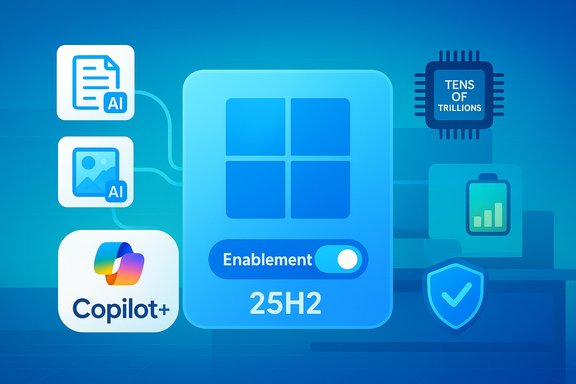
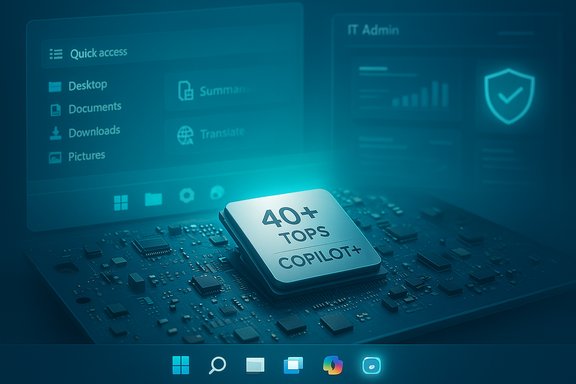
- On‑device AI and Copilot+ PCs: Microsoft formalized a new device tier — Copilot+ PCs — whose NPUs meet a 40+ TOPS threshold to enable low‑latency, on‑device inference for features like Recall, Cocreator and Windows Studio Effects. These experiences may behave differently on non‑Copilot hardware.
- Smarter File Explorer: Contextual AI actions (image edits, quick summarization for Microsoft 365 files) and curated Microsoft 365 views are surfaced directly in File Explorer, reducing clicks for common content tasks.
- Performance and power polish: Smaller servicing windows, reduced background resource usage, and energy‑aware CPU scheduling aim to improve responsiveness and battery life on laptops.
- Security and manageability: Kernel‑level hardening, removal of legacy components such as PowerShell 2.0 and WMIC, and new policy controls for administrators (for example, debloating preinstalled Store apps) strengthen enterprise posture.
Deployment, prerequisites and the enablement model
How the enablement package works
The enablement package model means 25H2 uses the same core files as 24H2; new capabilities were shipped earlier in a dormant state and are activated by the eKB. Microsoft’s KB article (KB5054156) spells out the prerequisites: devices must be on Windows 11 24H2 and have a specified cumulative update (for example, the August 29, 2025 preview KB5064081 or later) installed before applying the eKB. The update requires a restart. Benefits of this approach:- Smaller downloads and faster installs for kept‑current machines.
- Reduced servicing complexity for IT: fewer binaries change during the activation.
- Easier rollback and targeted safeguard holds if Microsoft detects device‑level incompatibilities.
When and how you’ll see the offer
Microsoft began staged availability with documentation posted on September 30, 2025 and signaled WSUS/enterprise distribution to follow in mid‑October 2025. For consumers, enabling the Settings toggle Get the latest updates as soon as they’re available increases the chance the update offer appears when checking Windows Update. Managed devices continue to follow IT‑controlled update rings. Practical steps to check or trigger the update:- Open Settings → Windows Update.
- Toggle Get the latest updates as soon as they’re available (optional for early opt‑in).
- Click Check for updates and look for “Download and install — Windows 11, version 25H2.”
Copilot, AI features and what runs where
Copilot as system fabric
The most visible strategy behind 25H2 is pushing Copilot from being an isolated app into a system fabric: taskbar entry, selection overlays (“Click to Do”), contextual right‑click actions, and an “Agent in Settings” that surfaces natural language guidance and fixes. The goal is to reduce context switching — summarize an email, extract a table from a screenshot to Excel, or apply quick image edits from File Explorer without opening multiple apps. The feature rollout is staged and, importantly, many advanced flows are gated by licensing or hardware.File Explorer: AI where files live
File Explorer now surfaces AI actions in the context menu: image edits (blur background, remove objects, remove background), summarization for Microsoft 365 files stored in OneDrive/SharePoint, and curated views that surface relevant people and shared documents. Some of these actions run locally on capable hardware; others fall back to cloud processing and require Microsoft 365/Copilot entitlements. Independent coverage and early previews confirm this hybrid model.Copilot Vision, Click to Do, and Recall
- Copilot Vision can perform scoped screen analysis (OCR, UI element recognition) but is designed to require explicit session consent.
- Click to Do overlays appear when text or images are selected and provide instant actions: summarization, translation, or table extraction.
- Recall is an opt‑in snapshot history that indexes activity and lets users restore recent windows, tabs and content; Microsoft states Recall is encrypted and leverages Windows Hello/TPM when available.
Copilot+ PCs and the 40+ TOPS threshold
Microsoft formalized a hardware tier — Copilot+ PCs — that include a dedicated NPU capable of 40+ TOPS (trillions of operations per second). This threshold is documented on Microsoft’s Copilot+ pages and developer guidance; certified Copilot+ devices can perform low‑latency on‑device inference for features like Auto Super Resolution, Cocreator in Paint, Windows Studio Effects for video calls, and faster Recall queries. These capabilities are explicitly hardware‑gated: non‑Copilot machines will often rely on cloud fallbacks with higher latency and different privacy characteristics. Caveat: while Microsoft is explicit about the 40+ TOPS requirement for Copilot+ marketing, implementation details (which models run locally vs. in cloud and battery tradeoffs per workflow) can vary by OEM and driver maturity; treat specific performance claims as conditional on device configuration and driver support.Performance, power and reliability improvements
25H2 emphasizes incremental engineering work that compounds into smoother daily use:- Faster updates: The enablement package design reduces install times and reboot windows for 24H2‑patched systems.
- Reduced background resource usage: Microsoft tweaked background scheduling and indexing to improve responsiveness and lower idle power draw.
- Battery handling: Laptops see refinements in power management (Energy Saver defaults, interaction‑aware CPU throttling) to extend battery life, particularly when AI workloads are offloaded to NPUs.
- Recovery tooling: New Quick Machine Recovery and improved WinRE experiences are intended to shorten remediation time for devices that fail to boot — though a prior WinRE regression in October 2025 (USB input stopped responding in WinRE) was serious enough to trigger an out‑of‑band fix (KB5070773). IT teams should validate recovery behavior as part of their 25H2 pilots.
Security, lifecycle and enterprise controls
25H2 includes a clear security posture shift: Microsoft removed old, insecure components (PowerShell 2.0, WMIC) from shipping images and invested in kernel‑level hardening and runtime vulnerability detection. For enterprises, the update resets servicing timelines (24 months for Home/Pro; 36 months for Enterprise/Education) and offers new policy controls like selective removal of preinstalled Store apps via Intune or Group Policy. These changes simplify long‑term management and reduce attack surface, but they also require administrators to review legacy scripts and tooling that relied on removed components. IT‑facing controls and cautions:- New Group Policy/MDM CSPs let admins control Copilot usage and model access in managed environments.
- Licensing gates exist: certain Copilot flows that access tenant data (Microsoft 365 Copilot) require paid Copilot seats; generic Copilot features in Windows are more limited without them.
Privacy, telemetry and governance — the tradeoffs
Integrating AI into the OS increases the relevance of telemetry and model‑backed reasoning. Microsoft emphasizes session consent for Copilot Vision and on‑device wake‑word opt‑in for voice activation, but organizations must assess the privacy surface of each feature, especially when cloud fallbacks are involved.Risk considerations:
- Data exposure: Some summarization and enhanced contextual actions will call cloud services for richer results; these flows may send metadata or content off‑device depending on feature gating and licensing.
- Telemetry increase: More context‑aware features expand telemetry footprints, which may affect compliance in regulated industries.
- Recall and local indexing: Although Microsoft states Recall is encrypted and protected by platform attestation, the very existence of a local, search‑able activity index may raise policy concerns in shared or locked environments. Administrators should carefully review and test Copilot controls in M365 admin and Windows policy layers.
Real‑world implications — who should upgrade, and when
25H2 is compelling for several groups:- Managed enterprises and IT teams who need stronger security defaults, improved recovery tooling, and policy controls should pilot 25H2 in controlled rings. The enablement approach reduces installation friction but still requires app compatibility testing and validation of driver/firmware interactions.
- Professionals and creators with Copilot+ hardware will benefit disproportionally from on‑device AI features (faster image workflows, low‑latency studio effects). If AI capabilities are central to workflows, consider Copilot+ device procurement as part of refresh cycles.
- Everyday users gain incremental polish, faster installs and stronger security, but many new AI features may be gated by hardware or licensing and therefore appear gradually. For casual users, upgrading when the offer appears (or through the opt‑in toggle) is reasonable; robust enterprise fleets should pilot first.
How to get 25H2 now — a practical checklist
- Confirm your device is on Windows 11, version 24H2 and fully patched (required cumulative updates, e.g., KB5064081 or later).
- Optional: Enable Get the latest updates as soon as they’re available in Settings → Windows Update to increase the chance of an immediate offer.
- Click Check for updates and follow the Download and install — Windows 11, version 25H2 prompt if available.
- For managed fleets, test on a small pilot group, validate critical drivers and applications, and confirm WinRE/boot recovery behavior before broad rollouts; apply safeguard holds if needed.
Risks, known issues and mitigation
- Pre‑boot/WinRE regressions: A documented October 2025 regression disabled USB input in WinRE for some cumulative updates; Microsoft shipped an out‑of‑band fix (KB5070773). Administrators should verify recovery workflows in their test images.
- Hardware gating and feature disparity: Because Copilot experiences vary by hardware and licensing, user expectations must be managed — not every device will be Copilot+ capable, and some AI features may be disabled or cloud‑backed by default.
- Privacy and compliance gaps: The expansion of contextual AI increases the telemetry surface; regulated organizations should review data‑handling contracts, tenant settings for Copilot/M365, and Windows telemetry policies.
Critical analysis — strengths and concerns
Strengths
- Operationally pragmatic: The enablement model reduces upgrade friction and downtime for well‑maintained devices, which lowers adoption barriers for consumers and SMBs.
- AI where it helps: Integrating AI into the surfaces users already use (File Explorer, selection overlays, Settings) can materially speed common tasks without forcing a radical UI change.
- Enterprise controls: Policy plumbing for model usage, selective app debloating, and WSUS/ConfigMgr timing give administrators practical levers to manage risk.
- On‑device AI potential: Copilot+ and 40+ TOPS NPUs allow low‑latency, privacy‑sensitive inference for workloads sensitive to latency and data locality. This hardware‑software co‑design is a substantive capability for creators and knowledge workers.
Concerns and unanswered questions
- Fragmentation by hardware and licensing: The Copilot+ tier creates a capability split: two users on identical software may have very different experiences based on hardware and subscriptions. That fragmentation complicates support and training.
- Privacy complexity: Despite session consent mechanics, hybrid local/cloud flows and expanded telemetry make auditing and compliance harder. The devil is in the configuration details and enterprise consent policies.
- Operational risk from regressions: Even with the enablement model, cumulative updates that staged the features can introduce pre‑boot or recovery regressions. The WinRE USB regression earlier in the year is a striking example and underlines the importance of test validations.
Final verdict — is it time to upgrade?
For most users and organizations the answer is: yes, but with planning. Windows 11 25H2 is not an attention‑grabbing redesign; it’s a purposeful, consolidation update that shifts the platform into an AI‑aware posture while tightening security and refining reliability. The enablement package model makes adoption operationally simple for devices meeting the prerequisites, and Copilot+ hardware enables genuinely faster, privacy‑better experiences where required.However, organizations should pilot 25H2 to validate legacy tooling and recovery paths, confirm licensing entitlements for Copilot flows that access corporate data, and decide whether their device refresh plans should include Copilot+ hardware for workers who will benefit from on‑device AI.
Windows 11 25H2 is a maturity play: smarter, leaner, and more manageable for IT — and more capable for users who choose the new AI hardware tier. Its success will be determined by how well Microsoft continues to balance seamless activation, transparency about where data travels, and practical enterprise controls for the features it enables.
Microsoft’s documentation and multiple independent reports make clear that 25H2 is a turning point in how Windows delivers features and integrates AI — not because it rearranges the desktop, but because it embeds intelligence into workflows and tightens the platform’s security and servicing model. For administrators, the imperative is straightforward: test, validate, and adopt on a cadence that matches business needs; for users, enjoy faster installs and smart helpers — but be mindful of hardware and subscription limits that shape which AI features appear on your PC.
Source: Brandsynario Microsoft Rolls out Windows 11 25H2 Update: What's New?