

Windows 11’s latest feature wave — shipped as the 25H2 enablement package and accompanied by a steady stream of cumulative and preview KBs — is proving to be more evolution than revolution, and for many users the promise of smoother performance has not yet materialized. Reports from community forums and recent preview release notes show a pattern: Microsoft is rolling out compact, low‑disruption updates and gated AI features, but the servicing cadence and interdependent changes have created real-world instability for a subset of devices.
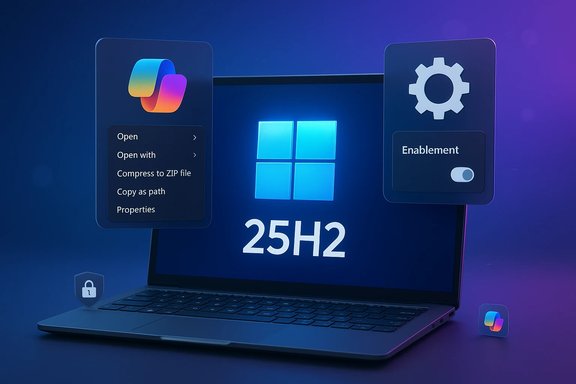
Windows 11, version 25H2 arrived primarily as an enablement package that flips feature flags on top of the 24H2 codebase rather than delivering a full rebase. That design keeps the install fast—often a single restart for already-patched systems—but also means many new experiences are server‑side gated or hardware‑entitled, notably Copilot+ and on‑device AI features that require NPUs and OEM drivers. Microsoft’s staged rollout approach aims to reduce broad incompatibilities, yet the lightweight delivery model does not eliminate regressions introduced earlier in the servicing stream.
At the same time, Microsoft continues to iterate monthly: preview “C” updates, optional preview LCUs, and regular cumulative security rollups arrive quickly. That velocity helps ship fixes faster but also raises the chance that an optional preview introduces new breakages for the curious or the early‑adopter pilots. Multiple community reports and collected release notes underscore the mixed result: meaningful UI polish and new AI actions on one hand, and File Explorer, audio, peripheral, and recovery regressions on the other.
The recommended posture is pragmatic: treat 25H2 and associated preview KBs as controlled upgrades rather than drop‑everything events. For enthusiasts and admins who can tolerate pilot pain, the new Copilot and File Explorer features are worth testing. For production fleets, the conservative path—update drivers, pilot judiciously, and wait for cumulative rollups that fold in validated fixes—remains the best risk‑mitigation strategy. Microsoft’s model of fast iteration has benefits; realizing them with minimal disruption requires careful planning, up‑to‑date drivers, and a robust rollback and recovery plan.
Source: MSN https://www.msn.com/en-us/news/tech...windows-11-fixing-copilot-problems-and-more/]
 Background / Overview
Windows 11, version 25H2 arrived primarily as an enablement package that flips feature flags on top of the 24H2 codebase rather than delivering a full rebase. That design keeps the install fast—often a single restart for already-patched systems—but also means many new experiences are server‑side gated or hardware‑entitled, notably Copilot+ and on‑device AI features that require NPUs and OEM drivers. Microsoft’s staged rollout approach aims to reduce broad incompatibilities, yet the lightweight delivery model does not eliminate regressions introduced earlier in the servicing stream.At the same time, Microsoft continues to iterate monthly: preview “C” updates, optional preview LCUs, and regular cumulative security rollups arrive quickly. That velocity helps ship fixes faster but also raises the chance that an optional preview introduces new breakages for the curious or the early‑adopter pilots. Multiple community reports and collected release notes underscore the mixed result: meaningful UI polish and new AI actions on one hand, and File Explorer, audio, peripheral, and recovery regressions on the other.
What 25H2 actually delivers (and what it doesn’t)
An enablement package, not a reimagining
25H2 is correctly described as an enablement update: the binaries for many changes have been shipping in cumulative updates throughout the 24H2 cycle, and 25H2 simply activates those dormant capabilities. That makes the upgrade less disruptive and reduces driver churn compared with a full feature rebase. However, because visibility of some features depends on server entitlements or specific hardware, installing the enablement package does not guarantee every advertised capability will appear.Feature polish and AI integration
Key end‑user improvements are incremental and pragmatic:- AI actions in File Explorer (context‑menu Quick Actions such as summarization and simple image edits) on Copilot‑entitled devices.
- Dark‑mode polish and context menu simplification for File Explorer dialogs to eliminate jarring white flashes.
- Task Manager and Settings refinements, plus better energy/battery controls for mobile devices.
The performance question: why many users feel let down
Perception vs. benchmarks
Multiple community posts and independent reporting converge on an uncomfortable reality: on everyday tasks Windows 11 can feel slower than Windows 10—even when synthetic benchmarks show near‑parity. The gap is largely perceptual and behavioral: tiny latencies in File Explorer, context menus, and search add up to a noticeably less responsive experience. These delays are amplified by modern UI composition, background cloud lookups, and additional default services such as Widgets, OneDrive sync, and Copilot hooks.Root causes exposed by the community
The common technical threads behind perceived sluggishness include:- More background features enabled by default (telemetry, cloud indexing, Copilot agents) that consume CPU and I/O cycles.
- Increased UI composition cost (rounded corners, blur/transparency and WinUI layers) that places additional load on the GPU and the UI thread.
- File Explorer’s added complexity — cloud thumbnails, shell extensions, preview handlers and AI hooks — which can delay folder and context‑menu launches on certain hardware and with third‑party shell extensions.
- Driver and OEM middleware mismatches that produce regressions across audio, input, and storage.
Notable regressions and bugs reported in the wild
The update cadence and preview packages produced a broad set of community‑reported issues. The most visible and disruptive include:- File Explorer freezes, context‑menu lag, and dark‑mode white flashes. Microsoft has targeted these with preview and cumulative fixes, but intermittent reports persist in specific configurations.
- Mouse cursor disappearances in text fields and Chromium browsers; a fix landed in certain preview builds but other cursor regressions keep recurring in follow‑up servicing.
- USB audio and DAC issues, where USB DACs or external audio devices stop producing sound after certain updates; several preview updates explicitly addressed DAC audio regressions.
- Webcam and peripheral failures—including integrated cameras not recognized after a patch—forcing some users to roll back or, in extreme cases, reinstall Windows to regain camera function.
- WinRE (Recovery Environment) USB-input failures: an October servicing incident left local WinRE images unable to accept USB keyboard or mouse input on affected devices, a severe issue because it disables common on‑device recovery flows. Microsoft acknowledged the problem and worked to remediate.
- Hyper‑V and virtualization networking glitches: virtual switches and remote desktop behaviors regressed for some Virtual Machine hosts, causing operational headaches for lab and production environments.
- Update installation loops and failed upgrades: some cumulative and preview packages produced install failures and rollback loops on particular hardware or driver combos (common triggers include legacy drivers or endpoint security interference).
Patchwork: recent KBs, fixes, and Microsoft’s response
Microsoft has been actively shipping targeted fixes across preview and cumulative channels. Representative updates and their focuses include:- Preview LCUs and feature previews (example: KB5070311 family) that extend dark‑mode polish, refine Explorer context menus, and add Copilot/Studio Effects device‑gated features—published as optional preview packages intended for Release Preview rings. These packages explicitly note that some experiences are staged and may not appear immediately on all devices.
- Targeted bug fix rolling updates addressing DAC audio, cursor disappearance, File Explorer freezes, and other regressions (example preview KBs discussed in community threads). Microsoft often bundles a Servicing Stack Update (SSU) alongside preview LCUs to harden the update pipeline.
- Security cumulates and December/January rollups that fold previous preview fixes into the monthly cumulative (LCU), but those cumulates can carry known issues of their own and in some cases required follow‑up cumulatives to correct regressions.
- Acknowledge issues on its Release Health / Known Issues pages.
- Release targeted preview fixes to Release Preview or Insiders.
- Fold validated fixes into the monthly cumulative once confidence rises.
Administration and user guidance: practical steps
For home users, power users, and IT administrators the following pragmatic guidance reduces exposure to regressions while keeping systems reasonably current:- Delay optional preview updates on production machines. Optional “C” releases and preview LCUs are for testing; do not deploy them widely without pilot validation.
- Keep drivers and OEM firmware current before installing feature updates. Many regressions are triggered by old NIC, audio, or camera drivers. OEM driver updates often fix compatibility mismatches introduced by servicing changes.
- Create and test recovery media, and validate WinRE. Given reports of WinRE input regressions, ensure you have updated recovery drives and an alternate recovery path (offline image or bootable media) before applying risky preview packages.
- Pilot updates with a representative hardware mix. For organizations, deploy to small, representative rings (pilot → broad pilot → production) and monitor telemetry for key functions like sign‑in, backup, virtualization, and audio/video.
- Use WSUS/Intune/Autopatch controls for staged rollouts. These management tools let admins orchestrate timing and apply safeguard holds when Microsoft flags a compatibility issue.
- Back up and document rollback procedures. When you do enable optional previews or force the 25H2 enablement package, have a tested rollback path and full image backups for mission‑critical endpoints.
The business case: balancing feature delivery and stability
Microsoft’s servicing model prioritizes rapid feature delivery—especially for AI and Copilot experiences—but that comes with tighter coupling among OS services, drivers, and third‑party extensions. For enterprises, the calculus is straightforward: prioritize stability and measured rollouts where operational continuity matters. For enthusiasts and power users who value cutting‑edge features, the preview channels and enablement packages offer a faster route—but with more risk. The company’s enablement‑package strategy reduces upgrade downtime, yet device gating and server entitlements mean that some touted 25H2 experiences will remain invisible to many users even after installation.Strengths: what Microsoft is getting right
- Faster, lower‑disruption installs through the enablement package model. Users on 24H2 can flip to 25H2 quickly, saving time and reducing image churn.
- Targeted UX polish that addresses long‑standing annoyances—dark‑mode dialog consistency, refined context menus, and faster Explorer operations in many scenarios. These fixes enhance daily usability when they land correctly.
- On‑device AI gating that avoids forcing heavy AI stacks on devices without appropriate hardware, preserving battery and thermal budgets while enabling advanced tasks on capable Copilot+ PCs.
- Transparent pilot and preview pathways: Release Preview, Insider rings, and optional LCUs give both Microsoft and admins the telemetry and feedback needed to refine changes before broad deployment.
Risks and tradeoffs: where caution is warranted
- Perception of regressions undermines trust. Even isolated or intermittent regressions (cursor, File Explorer, audio) can significantly degrade user trust in system quality, which is hard to rebuild.
- Third‑party drivers remain a chronic problem. OEM and third‑party drivers are a major source of instability; inconsistent vendor response times can prolong vulnerability windows.
- Preview updates as a double‑edged sword. They accelerate fixes but increase the odds that curious users install unstable packages and experience regressions that require rollbacks or clean installs to resolve.
- Feature gating complexity. The mix of enablement packages, server gating, and hardware entitlements complicates IT planning—installing the KB doesn’t guarantee visible feature delivery, making validation tricky.
Notes on specific reports in the media (transparency and verification)
The news cycle referenced here includes reports that Microsoft pushed specific KBs to broaden access to Moment 5 experiences (for example, BetaNews coverage citing KB5034848). That specific KB reference could not be independently verified in the locally available preview archives used for this analysis; treat such singular KB claims as reported by the outlet and subject to confirmation from Microsoft’s official KB pages if precise KB numbers matter for your deployment. Always confirm the KB number and its documented changes on official update pages before taking action. (Cautionary note: the broader pattern—Microsoft issuing targeted preview updates to widen feature exposure—is well documented in multiple release notes and community threads.A short, practical checklist before you upgrade to 25H2 or install preview KBs
- Backup your system image or create a full disk clone.
- Update OEM drivers (audio, chipset, network, camera) and firmware.
- Validate WinRE functionality and prepare offline recovery media.
- Test updates on representative pilot devices across hardware classes.
- Monitor Release Health / Known Issues pages and vendor advisories for last‑minute blocks or mitigations.
- If you rely on unique workflows (Hyper‑V hosts, specialized audio hardware, or USB‑only input devices), delay optional previews until a suitable fix is confirmed.
Conclusion
Windows 11 25H2 is an evolutionary update: it brings meaningful polish, targeted AI integrations, and incremental performance and battery improvements while relying on an enablement package to minimize disruption. For many users, those changes will be welcome and low‑risk. Yet the real story this release cycle exposes is the tension between rapid feature velocity and cross‑platform stability. Preview packages and staged rollouts have shortened time to fix—but they have also surfaced a web of regressions for a non‑trivial subset of devices, producing the perception that performance has not improved, or has even regressed, for everyday tasks.The recommended posture is pragmatic: treat 25H2 and associated preview KBs as controlled upgrades rather than drop‑everything events. For enthusiasts and admins who can tolerate pilot pain, the new Copilot and File Explorer features are worth testing. For production fleets, the conservative path—update drivers, pilot judiciously, and wait for cumulative rollups that fold in validated fixes—remains the best risk‑mitigation strategy. Microsoft’s model of fast iteration has benefits; realizing them with minimal disruption requires careful planning, up‑to‑date drivers, and a robust rollback and recovery plan.
Source: MSN https://www.msn.com/en-us/news/tech...windows-11-fixing-copilot-problems-and-more/]
