

Windows 11’s quietly released 25H2 enablement package does more than flip a version number — it also primes the operating system for a series of behind‑the‑scenes driver improvements that target modern Wi‑Fi and SoundWire audio hardware, plus a handful of kernel and storage driver enhancements aimed at OEMs and enterprise deployments. These changes are largely invisible to the average user until hardware vendors ship updated drivers, but they matter: when OEMs adopt the new driver interfaces and inbox coverage, users with Wi‑Fi 7 adapters or SDCA/SoundWire audio hardware can see fewer connection oddities and fewer “audio not found” headaches after OS or driver changes.
Windows 11, version 25H2 is delivered primarily as an enablement package for most machines running 24H2 — a small eKB that flips features on and advances the build number rather than shipping a full OS replacement. That design means many platform-level changes are preparatory, with the real end‑user benefits dependent on driver and firmware updates from silicon vendors and OEMs. Microsoft’s public documentation for driver development highlights key additions: WiFiCx updates to enable Wi‑Fi 7 enterprise connectivity, expanded inbox support for the SoundWire Device Class for Audio (SDCA), the introduction of a safer user‑mode accessor header for kernel code, and other driver API additions for storage and packet monitoring. These are shipping as part of the Windows Driver Kit (WDK) for 25H2 and are intended for hardware vendors and IHVs to consume. Microsoft’s own user‑facing "what’s new" notes and the Windows Experience blog emphasize the enterprise story: Wi‑Fi 7 support for enterprise access points and policy management improvements for commercial customers are front and center. But the driver development document goes deeper, showing how the OS has been adjusted to make it easier for drivers and Windows to detect and negotiate Wi‑Fi 7 enterprise features, and how inbox audio drivers can cover more SDCA scenarios. In short: the plumbing is updated; the appliances still need to be hooked up.
For end users, the change is incremental but practical: expect fewer hard failures (like missing audio devices after an OS reinstall) and, over time, more reliable enterprise Wi‑Fi behavior if your organization and OEM adopt the new driver stack. That eventual payoff depends on vendor action — Microsoft laid the rails; hardware partners must run their trains.
Windows 11 25H2 is a reminder that meaningful platform progress often happens under the hood. For users with cutting‑edge hardware — Wi‑Fi 7 adapters and SoundWire audio chains — the update establishes a clearer path to reliability and compatibility, provided vendors follow through. IT teams should treat 25H2 as an opportunity to validate firmware and driver rollouts, and end users should expect gradual, not instantaneous, improvements as the OEM ecosystem updates to exploit the new capabilities.
Source: Windows Latest Windows 11 25H2 quietly brings behind-the-scenes upgrades across Wi-Fi and audio via new drivers
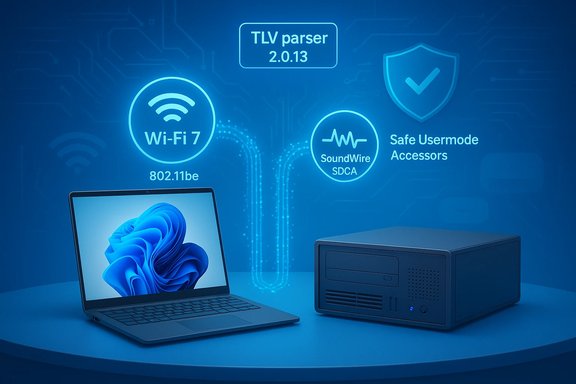 Background / Overview
Windows 11, version 25H2 is delivered primarily as an enablement package for most machines running 24H2 — a small eKB that flips features on and advances the build number rather than shipping a full OS replacement. That design means many platform-level changes are preparatory, with the real end‑user benefits dependent on driver and firmware updates from silicon vendors and OEMs. Microsoft’s public documentation for driver development highlights key additions: WiFiCx updates to enable Wi‑Fi 7 enterprise connectivity, expanded inbox support for the SoundWire Device Class for Audio (SDCA), the introduction of a safer user‑mode accessor header for kernel code, and other driver API additions for storage and packet monitoring. These are shipping as part of the Windows Driver Kit (WDK) for 25H2 and are intended for hardware vendors and IHVs to consume. Microsoft’s own user‑facing "what’s new" notes and the Windows Experience blog emphasize the enterprise story: Wi‑Fi 7 support for enterprise access points and policy management improvements for commercial customers are front and center. But the driver development document goes deeper, showing how the OS has been adjusted to make it easier for drivers and Windows to detect and negotiate Wi‑Fi 7 enterprise features, and how inbox audio drivers can cover more SDCA scenarios. In short: the plumbing is updated; the appliances still need to be hooked up. What changed for Wi‑Fi: WiFiCx and Wi‑Fi 7 enterprise readiness
The technical lift: WiFiCx updates and a new TLV parser
At the driver interface layer, Microsoft updated the WiFiCx public header and library to support Wi‑Fi 7 enterprise connections. The WiFiCx stack — the Windows driver interface IHVs use for Wi‑Fi adapters — now includes a newer TLV (type‑length‑value) parser (version 2.0.13) and capabilities that allow Windows and the driver to detect whether both sides support Wi‑Fi 7 enterprise connectivity. That capability detection reduces mismatch scenarios that used to cause strange fallbacks or intermittent failures during enterprise authentication and roaming. These changes are meaningful because Wi‑Fi 7 (802.11be) introduces new features such as Multi‑Link Operation (MLO), wider channel bandwidths (up to 320 MHz), and stronger mandatory enterprise security modes (WPA3‑Enterprise in many enterprise profiles). The new WiFiCx hooks let drivers surface those capabilities to the OS and vice versa so Windows can make smarter decisions during association and roaming.Enterprise vs. Consumer: who benefits?
- Enterprise deployments will benefit the most: organizations that deploy certified Wi‑Fi 7 access points and require enterprise authentication (WPA3‑Enterprise, PMF required, etc. can expect improved compatibility, more reliable roaming, and fewer negotiation failures between clients and APs.
- Home users on WPA2/WPA3‑Personal networks will likely see little or no immediate difference. Consumer routers and adapters that use simpler authentication and fewer enterprise features don’t rely on the new enterprise‑grade negotiation paths.
Practical indicators: how to check if your PC is Wi‑Fi 7 ready
If you want to know whether your PC has a Wi‑Fi 7 adapter or is currently connected using Wi‑Fi 7, Windows provides a few simple CLI checks:- Open a Command Prompt and run:
netsh wlan show drivers
Look for "Radio types supported" — if the list includes 802.11be, your adapter advertises Wi‑Fi 7 capability. - Run:
netsh wlan show interfaces
The “Radio type” (or Radio Type in some localizations) will show 802.11be when you are connected in a Wi‑Fi 7 session; newer netsh output can also show MLO links and per‑link RSSI in dBm for advanced troubleshooting. Community reports and Microsoft Q&A threads confirm that netsh remains the practical CLI for this diagnostic work.
OEMs and drivers: the missing piece
Crucially, the 25H2 operating system changes enable the behavior — they do not automatically update your adapter’s firmware or vendor driver. IHVs and OEMs must ship certified driver packages that consume the new WiFiCx interfaces. Intel, for example, validated Wi‑Fi drivers for 25H2 in recent driver releases and advised users to update when encountering connectivity issues, demonstrating the OEM rollout dynamic in practice. That means your experience with 25H2’s Wi‑Fi improvements depends on whether your laptop vendor or adapter maker publishes compatible drivers for your model.What changed for audio: SoundWire, SDCA and inbox driver coverage
What are SoundWire and SDCA?
SoundWire is a modern hardware bus and interconnect used to carry audio streams between SoC audio controllers and peripheral codecs or amplifiers inside laptops and tablets. The SoundWire Device Class for Audio (SDCA) is the device class and driver model Windows uses for SoundWire devices. SDCA covers a range of functions including multi‑channel capture, companion amplifier controls, and low‑latency audio streams for complex audio topologies.New inbox coverage and multichannel stability
Windows 11, version 25H2 expanded the SDCA driver stack to support companion amp functions, multichannel capture scenarios, and — importantly — marked all SDCA drivers as included inbox. Put simply, Windows now ships a broader set of built‑in SDCA drivers that act as a baseline fallback for many SoundWire hardware variants. That change reduces the number of systems that arrive with blank audio devices after an OS reinstall or before OEM drivers are installed, and it helps stabilize multichannel capture where previously a mismatch between Windows and vendor drivers could lead to one channel failing or capture sessions dropping.Real‑world impact and caveats
- For many users, the inbox SDCA support will reduce “audio not found” incidents immediately after system updates or reinstallation, because Windows can now provide a generic driver that covers common SDCA functions until OEM drivers are installed.
- For advanced audio features, vendor‑supplied drivers and firmware are still likely to be required. The inbox driver is typically a compatibility layer — it ensures basic functionality and reduces hard failures but may not expose all vendor‑specific DSP features, tuning, or low‑latency modes.
- Vendors such as Realtek already publish SDCA/ SoundWire driver packages for a variety of devices, and driver repositories show dozens to hundreds of SDCA hardware IDs that OEMs have used in shipping systems. That ecosystem reality is why Microsoft’s inclusion of SDCA inbox drivers matters: it addresses a broad compatibility surface across many OEM models.
Kernel and developer‑facing changes: usermode_accessors.h and safer interactions
Windows 11 25H2 adds usermode_accessors.h to the kernel development toolbox — a header that provides dedicated functions to safely read from and write to user‑mode virtual address space from kernel code. These accessors (CopyFromUser, ReadStructFromMode, WriteHandleToMode, and a range of aligned and interlocked helpers) standardize and harden memory copy semantics, add alignment and IRQL annotations, and reduce ad‑hoc pointer gymnastics in driver code. The net effect is a safer kernel‑to‑user communication model and lower risk of incorrect memory access patterns that could lead to crashes or security vulnerabilities. Other developer additions in the driver doc include new NPIs for PktMon (allowing kernel drivers to notify the PktMon platform about packets), storage interfaces for attesting FIPS compliance, and general WDK packaging improvements to support NuGet distribution of WDK artifacts. These are clearly aimed at making the driver development and CI/CD workflow more robust — a necessary step as hardware becomes more complex and enterprises demand more predictable driver behavior.Deployment reality: why most users won’t see changes immediately
Windows 11 25H2’s driver‑level changes are architectural: they give driver authors new APIs, expand inbox coverage for certain hardware classes, and add safer kernel utilities. But the user experience improvement requires three additional steps:- Hardware vendors (IHVs) must build drivers that use the new WDK features and validate them against Microsoft’s submission requirements.
- OEMs must sign, package, and distribute those drivers either through Windows Update (optional hardware support) or via vendor update tools (Intel Driver & Support Assistant, Lenovo Vantage, Dell SupportAssist, etc..
- Firmware/BIOS updates may also be required for some devices to fully enable features like MLO or companion amp functions.
Risks, tradeoffs, and what to watch for
1. Driver fragmentation and timing gaps
Because OEMs control driver rollouts, Windows’ new capabilities can be available in principle long before they reach your machine. That can create a period of fragmentation: some laptops will have fully validated 25H2‑aware drivers, others will continue to run older driver stacks with legacy behaviors. Expect a phased rollout and plan for the possibility that updates may be incremental rather than instantaneous.2. Inbox drivers vs. vendor drivers
Inbox SDCA drivers will improve baseline compatibility, but they are not a wholesale replacement for vendor drivers. OEM drivers may include specialized DSP features, thermal or power management integration, and tuned audio paths. In some cases, switching from an OEM driver to an inbox driver can temporarily remove vendor‑specific features; conversely, vendor drivers can sometimes introduce regressions. Backup and test on critical systems before swapping driver packages.3. Enterprise enforcement and security posture
Wi‑Fi 7 enterprise support carries an expectation of modern security (WPA3‑Enterprise, PMF, stronger ciphers). That is a feature for security‑oriented organizations, but it can be a compatibility hurdle for legacy APs or mixed‑mode deployments that have not upgraded authentication or management settings. IT teams must validate AP configurations and certificate/AKM settings before broadly enabling Wi‑Fi 7 enterprise profiles. Microsoft’s enterprise documentation explicitly lists prerequisites for organizations adopting Wi‑Fi 7.4. Unverified performance claims
Third‑party coverage and vendor release notes sometimes make performance or latency claims after driver updates (for example, single‑digit percentage improvements in connection detection). These claims may be real on specific hardware configurations and driver revisions, but they are difficult to generalize. Treat early performance numbers with caution until independent benchmarks or broader field data confirm consistent gains. Where reporting is anecdotal, label it as such.5. Stricter driver submission rules
Microsoft continues to raise the bar for driver submissions and attestation; recent policy changes require better isolation and more robust validation before drivers are signed for WHCP/attestation. That increases quality but can delay vendor rollouts if packages require rework to pass new validation checks. Enterprise and driver teams should be prepared for longer validation cycles during this tightened enforcement period.Practical checklist: how to prepare your PC or fleet
For end users and IT pros who want to maximize the chance of seeing 25H2’s driver improvements without surprises, follow these steps:- Verify Windows 11 25H2 (or ensure you have the relevant enablement KB if you’re on 24H2). Microsoft documents the 25H2 rollout and enablement package behavior in their update history.
- Identify whether your device has Wi‑Fi 7 hardware:
- Run netsh wlan show drivers and netsh wlan show interfaces to check supported radio types and current connection radio type (802.11be = Wi‑Fi 7).
- Check OEM and silicon vendor sites for validated driver updates (Intel, Realtek, Broadcom, Dell, HP, Lenovo). Use vendor update assistants or the OEM support portal for the most compatible packages. Intel’s driver notes around 25H2 validation are a good template for what to look for.
- For audio problems after OS updates or reinstalls, see whether an SDCA‑based device is present in Device Manager (look for SOUNDWIRE/SDCA hardware IDs). If basic audio is missing, the inbox SDCA driver may reintroduce functionality until a vendor package is applied. Keep vendor packages handy if you need advanced audio features.
- Test in a controlled environment before broad deployment: verify Wi‑Fi roaming behavior with enterprise APs and validate multichannel audio capture scenarios for content creators or conferencing hardware. Document any vendor‑specific features lost or gained during driver swaps.
Why this matters: a measured but meaningful platform step
Windows 11 25H2 is not a flashy consumer feature release; it’s a platform maturation step that prepares Windows for modern wireless and audio hardware while making driver development and validation safer and more consistent. For enterprise IT departments and hardware partners, the SDK and driver APIs included in 25H2 reduce ambiguity in how Windows and vendor drivers interact, especially around Wi‑Fi 7’s more complex feature set and SoundWire’s extended audio topologies.For end users, the change is incremental but practical: expect fewer hard failures (like missing audio devices after an OS reinstall) and, over time, more reliable enterprise Wi‑Fi behavior if your organization and OEM adopt the new driver stack. That eventual payoff depends on vendor action — Microsoft laid the rails; hardware partners must run their trains.
Final assessment: strengths, limitations, and the cautious outlook
- Strengths
- Technical completeness: Microsoft updated both the user‑facing and developer‑facing pieces — new WiFiCx hooks, SDCA inbox coverage, and kernel helpers — providing a broad, integrated set of improvements for modern hardware.
- Enterprise focus: The explicit support for Wi‑Fi 7 enterprise APs acknowledges that organizations will drive real‑world value from Wi‑Fi 7’s security and roaming improvements.
- Reduced hard failures: Including more SDCA drivers inbox reduces the chance of audio being completely missing after reinstalls, a practical reliability win for many users.
- Limitations and risks
- Dependency on OEMs: The benefits are contingent on vendor driver rollouts; until those arrive, most users will not notice changes.
- Feature tradeoffs: Inbox drivers solve compatibility problems but may not expose vendor optimizations and DSP features—so swapping drivers can be a tradeoff.
- Phased validation and potential regressions: New drivers can introduce regressions; the industry’s movement to stricter validation is helpful but can lengthen time‑to‑deployment.
- Cautionary note on performance claims
- Early reports of micro‑improvements in Wi‑Fi detection or connection speed after specific vendor driver upgrades are interesting but should be treated as preliminary. Independent benchmarking across multiple hardware configurations will be required before declaring broad performance wins.
Windows 11 25H2 is a reminder that meaningful platform progress often happens under the hood. For users with cutting‑edge hardware — Wi‑Fi 7 adapters and SoundWire audio chains — the update establishes a clearer path to reliability and compatibility, provided vendors follow through. IT teams should treat 25H2 as an opportunity to validate firmware and driver rollouts, and end users should expect gradual, not instantaneous, improvements as the OEM ecosystem updates to exploit the new capabilities.
Source: Windows Latest Windows 11 25H2 quietly brings behind-the-scenes upgrades across Wi-Fi and audio via new drivers
