

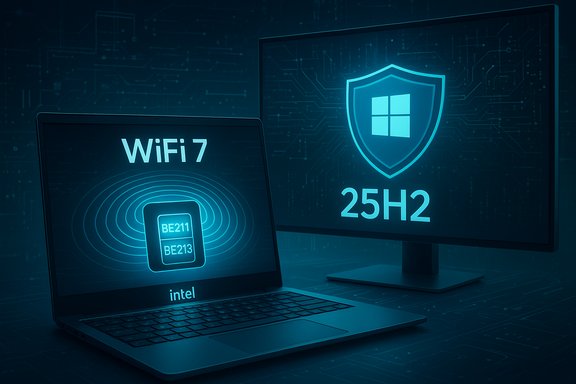
Intel has quietly pushed a pair of refreshed wireless stacks — Intel Wireless Wi‑Fi driver 24.0.2 and Intel Wireless Bluetooth driver 24.0.1 — that formally add support for the company’s newest Wi‑Fi 7 modules and explicitly validate compatibility with Windows 11, version 25H2; the net result is a clearer path for users and administrators who want to move to Microsoft’s 25H2 update without running into wireless driver conflicts.
Windows 11 version 25H2 (the 2025 Update) reached broad availability through Microsoft’s staged rollout in the autumn of 2025, with Microsoft advising users to enable the “Get the latest updates as soon as they’re available” toggle to receive the update sooner. That rollout and the enablement-package approach (which uses the same servicing branch as 24H2) mean many systems will end up running essentially the same codebase, but device-level driver validation remains crucial — especially for newer wireless standards such as Wi‑Fi 7 that depend on tight OS-driver compatibility. Intel’s wireless driver packaging has two parallel versioning schemes: a package/release version (the downloadable bundle) and the driver version that shows in Device Manager for each adapter. Historically Intel has shipped a string of 23.x packages in 2024–2025 that progressively added Wi‑Fi 7 and Windows 11 validation; the move to the 24.0.x family with Wi‑Fi 24.0.2 and Bluetooth 24.0.1 is the next step in that cadence and explicitly lists the new BE211 and BE213 Wi‑Fi 7 modules.
The strengths are clear: official validation, broader Wi‑Fi 7 client coverage, and a consolidated driver train simplify both consumer upgrades and enterprise rollout planning. The risks are manageable but real: OEM‑customized drivers, certificate and authentication requirements for secure 6 GHz operation, and the occasional mismatch between regional driver pages and the canonical Intel download center demand caution.
In short: update the drivers if you plan to adopt Wi‑Fi 7 hardware or move to Windows 11 25H2, test first in a controlled environment, and use the Intel Driver & Support Assistant (or OEM‑approved packages) to reduce surprises. With drivers and OS aligned, the promise of lower latency and multi‑gigabit wireless on Windows desktops and laptops becomes materially more achievable — provided administrators and consumers take the measured steps above.
Conclusion
The 24.0.2 Wi‑Fi and 24.0.1 Bluetooth packages mark the next practical stage of Intel’s wireless roadmap: they bring new Wi‑Fi 7 clients into the supported fold and explicitly validate compatibility with Windows 11 25H2, removing a common upgrade roadblock. The release is a green light for those ready to test or deploy Windows 11 25H2 with Intel wireless hardware, but the usual precautions — OEM checks, pilot testing, and RADIUS/certificate verification for WPA3 environments — remain essential to a smooth migration.
Source: Windows Report Intel releases new Wi-Fi and Bluetooth drivers with full Windows 11 25H2 support
 Background
Windows 11 version 25H2 (the 2025 Update) reached broad availability through Microsoft’s staged rollout in the autumn of 2025, with Microsoft advising users to enable the “Get the latest updates as soon as they’re available” toggle to receive the update sooner. That rollout and the enablement-package approach (which uses the same servicing branch as 24H2) mean many systems will end up running essentially the same codebase, but device-level driver validation remains crucial — especially for newer wireless standards such as Wi‑Fi 7 that depend on tight OS-driver compatibility. Intel’s wireless driver packaging has two parallel versioning schemes: a package/release version (the downloadable bundle) and the driver version that shows in Device Manager for each adapter. Historically Intel has shipped a string of 23.x packages in 2024–2025 that progressively added Wi‑Fi 7 and Windows 11 validation; the move to the 24.0.x family with Wi‑Fi 24.0.2 and Bluetooth 24.0.1 is the next step in that cadence and explicitly lists the new BE211 and BE213 Wi‑Fi 7 modules. What Intel shipped: the technical nutshell
- Intel Wireless Wi‑Fi package: 24.0.2 (package, includes drivers such as 24.0.2.1 for specific adapters). This package adds explicit support for new Intel Wi‑Fi 7 BE211 and BE213 modules while continuing to cover established models such as BE202, BE201, BE200 and popular AX/9000-series parts.
- Intel Wireless Bluetooth package: 24.0.1 (WHQL marked in community reporting), which includes driver builds that match a broad set of Intel wireless adapters — and shares the same advertised stability and performance “functional updates” applied to the Wi‑Fi package.
- Purpose-built validation: both packages are documented as being validated against Windows 11, version 25H2, meaning Intel has tested the bundles with Microsoft’s latest servicing baseline and is publishing them for general availability.
Why this matters: Wi‑Fi 7, 6 GHz and Windows version dependencies
Wi‑Fi 7 (802.11be) brings major improvements — multi‑gigabit throughput, Multi‑Link Operation (MLO), wider channelization (up to 320 MHz depending on spectrum), and advanced modulation. But the standard’s use of the 6 GHz band and related security requirements means vendor drivers and operating system support must be in sync.- Microsoft’s Windows guidance states that Wi‑Fi 7 is available starting with Windows 11, version 24H2 and some key Wi‑Fi 7 features are only guaranteed on that and later builds. That means moving to Windows 11 25H2 is not merely cosmetic: certain 802.11be behaviors (and 6 GHz operation) rely on OS-level networking stack features and security baselines.
- The 6 GHz portion of Wi‑Fi 7 normally requires WPA3/Enhanced Open and Protected Management Frames; enterprise deployments often require WPA3‑Enterprise and other modern cipher suites. In practice, that combination — compliant AP firmware, a Wi‑Fi 7 client adapter, OS support, and up‑to‑date drivers — is required to unlock multi‑link, reduced-latency operation and the highest transfer rates.
What’s new in the packages (practical highlights)
Both Intel packages are described as containing “functional updates” aimed at stability and performance; the release notes for such bundles typically include:- Driver additions to support new adapters (BE211 and BE213 in the 24.0.2 Wi‑Fi package).
- Bug fixes and stability improvements across existing Wi‑Fi 6/6E/7 and 9000-series adapters.
- WHQL / validation notes declaring compatibility with Windows 11 25H2 for this release train.
- Common operational notes for specific legacy adapters (Intel historically warns about special steps when upgrading Bluetooth drivers on older adapters).
- If you have a BE211/BE213 Wi‑Fi 7 module (or plan to upgrade to one), using the 24.0.2 Wi‑Fi package is the supported route on Windows 11 25H2.
- If your PC is moving from 24H2 to 25H2 (or upgrading from older Windows 11 builds), updating Intel’s wireless drivers first or in close sequence reduces the chance of encountering blocked upgrades or post‑update wireless regressions.
Installation and update paths (recommended)
- Check your adapter: open Device Manager → Network adapters (or run netsh wlan show drivers) and confirm the exact model string. Confirming hardware first prevents wrong driver installs.
- Prefer the Intel Driver & Support Assistant (IDSA) for consumer updates: it detects the adapter and offers the correct package automatically. For corporate environments, use the IT admin “drivers‑only” zips tailored for deployment.
- Back up or set a System Restore point before installing new drivers, particularly in enterprise or production machines.
- For Bluetooth upgrades on systems with older Intel Wireless‑AC adapters (historical advisory), follow any vendor notes about disconnecting and unpairing Bluetooth devices before the update; re‑pair devices after the driver install if advised. This avoids pairing-state issues that have been documented for some Intel driver transitions.
- If you’re planning to move to Windows 11 25H2 now, enable Settings → Windows Update → “Get the latest updates as soon as they’re available” to receive the enablement package earlier, but verify driver availability first. If Windows Update shows a driver block, check the OEM support site for branded variants of Intel drivers — OEMs sometimes ship customized packages that are required for specific vendor features.
Compatibility caveats and OEM considerations
- OEM-customized drivers: many laptop and desktop manufacturers repackage Intel drivers with specific settings, power‑management tweaks, or bundled utilities. Installing Intel’s generic package in place of OEM drivers can sometimes disable OEM features or cause unexpected behavior. If your device is under warranty or managed by IT, consult the OEM first.
- Driver packaging vs driver binary: Intel’s package number (e.g., 24.0.2) is not identical to the driver file version you see in Device Manager. A package can contain multiple driver binaries for different adapters and OS combinations. Always check the release notes for the exact driver build number that corresponds to your adapter.
- Legacy device notes: prior Intel updates included advisories for adapters such as Wireless‑AC 9560 / 9462 / 9461 where users were asked to unpair Bluetooth devices before upgrading. Similar advisories may appear in release notes for new packages; read the product page and Intel’s release notes before mass deployment.
- Windows version constraints: while updates can be applied on Windows 10 and Windows 11, 6 GHz and Wi‑Fi 7 features are only available on Windows 11 24H2 and newer. Simply installing the driver on Windows 10 will not unlock 6 GHz operation because the OS lacks the required stack changes.
Enterprise impact: deployment and policy guidance
IT teams should treat the 24.0.2/24.0.1 rollout as a planned compatibility window for 25H2 migrations.- Staged lab testing: deploy to a pilot fleet equipped with BE202/BE201/BE200 first, then to early adopter hardware with BE211/BE213. Validate roaming, MLO behavior, WPA3 authentication paths and certificate/RADIUS workflows for WPA3‑Enterprise.
- RADIUS / certificate hygiene: Wi‑Fi 7 and 6 GHz enterprise modes often mandate stricter authentication ciphers. Validate your 802.1X profiles, certificate lifetimes and revocation checks before enabling Wi‑Fi 7 SSIDs at scale.
- Update orchestration: choose a driver-first or OS-first approach depending on your environment. If going OS‑first (push 25H2), bundle driver updates in the same maintenance window to avoid devices falling into blocked states. If going driver‑first, ensure drivers are sourced from the OEM or Intel via controlled repositories.
Troubleshooting common scenarios
- No 802.11be reported by netsh: If netsh wlan show drivers does not show 802.11be after installing a 24.0.2 package, verify the adapter model, driver binary version, and that the system is on Windows 11 24H2/25H2. Check AP firmware and SSID configuration (WPA3 / PMF settings). In some cases a clean driver uninstall plus reinstall resolves leftover INF mismatch issues.
- Bluetooth pairing issues after update: If peripherals stop pairing, follow Intel’s advisory (if present) to unpair devices before upgrade or remove the device via Device Manager → show hidden devices → uninstall Bluetooth drivers and then reinstall. Re‑pair devices afterward. Test audio, HID and LE peripherals individually.
- Rollback path: Keep the previous drivers available. Windows allows driver rollback via Device Manager; for mass rollback, maintain driver repositories or use your management platform to re‑deploy the prior package. For laptops under warranty, check OEM recovery options first.
Strengths of these releases
- Official 25H2 validation: having Intel explicitly validate drivers for Windows 11 25H2 reduces upgrade friction and the chance of a blocked or unstable update. This lowers risk for consumers and IT teams planning migrations.
- Wi‑Fi 7 client coverage: adding BE211 and BE213 to the supported adapter list broadens ecosystem readiness and helps ensure clients are ready when Wi‑Fi 7 APs and routers are deployed.
- Consolidated driver train: a single modern package that spans Wi‑Fi 6, 6E and 7 reduces fragmentation for admins who manage mixed fleets. The Intel Driver & Support Assistant plus IT admin zip files make automated deployment straightforward.
Risks and open questions
- OEM divergence: many OEM systems still prefer vendor‑branded driver builds. Installing Intel’s generic package can be the right choice for performance, but it may void certain vendor‑specific behaviors or power management settings. Confirm with your OEM if device‑specific firmware or drivers are required.
- Localized rollout differences: Intel’s download center sometimes staggers package naming across localized pages. If the English download center still lists 23.x while other regional pages show 24.x, administrators should rely on the canonical product release notes and the Intel Driver & Support Assistant to avoid mismatches. This mirrors how vendor sites propagate updates and explains why community mirrors show different version numbers at the same time.
- Security posture requirements for Wi‑Fi 7: enterprise-grade Wi‑Fi 7 on 6 GHz will generally require WPA3 enterprise profiles and updated RADIUS infrastructure. Organizations that assume Wi‑Fi 7 is a simple “faster Wi‑Fi” upgrade risk misconfiguring networks and exposing devices to connectivity failures or partial feature subsets. Plan for authentication and cipher updates.
- Unverified user reports: community forum reports and localized Intel pages are useful for rapid confirmation, but administrators should prioritize Intel’s official release notes and Microsoft compatibility guidance. If a particular upgrade behavior is not documented by Intel’s official release note or Microsoft advisories, treat it with caution until verified.
Practical checklist before upgrading to 25H2 on an Intel‑based system
- Confirm the exact wireless adapter model and firmware/driver versions already installed.
- Visit Intel’s official download center or run the Intel Driver & Support Assistant to identify the recommended package for your adapter.
- Read the package release notes for any adapter-specific advisories (for example, Bluetooth unpair instructions or legacy-adapter exceptions).
- If in a managed environment, stage the driver and OS upgrade in a pilot group, verify WPA3/802.1X behavior and roaming, then expand gradually.
- Keep OEM support contact details handy and the previous driver package available for rollback.
Final analysis: what this means for consumers and IT
Intel’s arrival at a 24.x driver family that lists Windows 11 25H2 validation and adds BE211/BE213 support is a timely and pragmatic move. For consumers, the change removes a major uncertainty tied to moving to Microsoft’s 25H2 enablement package: wireless connectivity should no longer be a blocker if the proper Intel drivers are installed. For IT, the move is an invitation to accelerate 25H2 pilots, but it does not absolve teams from the usual validation steps: testing, certificate and RADIUS readiness, and OEM compatibility checks.The strengths are clear: official validation, broader Wi‑Fi 7 client coverage, and a consolidated driver train simplify both consumer upgrades and enterprise rollout planning. The risks are manageable but real: OEM‑customized drivers, certificate and authentication requirements for secure 6 GHz operation, and the occasional mismatch between regional driver pages and the canonical Intel download center demand caution.
In short: update the drivers if you plan to adopt Wi‑Fi 7 hardware or move to Windows 11 25H2, test first in a controlled environment, and use the Intel Driver & Support Assistant (or OEM‑approved packages) to reduce surprises. With drivers and OS aligned, the promise of lower latency and multi‑gigabit wireless on Windows desktops and laptops becomes materially more achievable — provided administrators and consumers take the measured steps above.
Conclusion
The 24.0.2 Wi‑Fi and 24.0.1 Bluetooth packages mark the next practical stage of Intel’s wireless roadmap: they bring new Wi‑Fi 7 clients into the supported fold and explicitly validate compatibility with Windows 11 25H2, removing a common upgrade roadblock. The release is a green light for those ready to test or deploy Windows 11 25H2 with Intel wireless hardware, but the usual precautions — OEM checks, pilot testing, and RADIUS/certificate verification for WPA3 environments — remain essential to a smooth migration.
Source: Windows Report Intel releases new Wi-Fi and Bluetooth drivers with full Windows 11 25H2 support
