

Windows 11’s 25H2 update is now broadly available to compatible PCs, delivered primarily as a compact enablement package that flips on a year’s worth of staged features while also baking in important security hardening, legacy cleanup, and changes to servicing lifecycles for Home/Pro and Enterprise/Education editions.
Microsoft’s 25H2 release is not a single monolithic overhaul so much as a consolidation and activation of capabilities that were introduced across 2025 through cumulative updates and previews. For most devices already on Windows 11, version 24H2, 25H2 is distributed as an enablement package — a small download that typically installs quickly and requires only a restart to activate features already present on the device. That delivery model minimizes downtime while resetting servicing windows for consumer and commercial SKUs.
The staged rollout began in late September 2025 and has been expanded in waves since then. Microsoft uses telemetry-driven safeguard holds and an eligibility toggle in Settings ("Get the latest updates as soon as they’re available") to prioritize systems likely to upgrade successfully while withholding the offer from devices flagged for incompatibilities. Administrators can also obtain the update through managed channels (Windows Update for Business, WSUS, Configuration Manager, Microsoft Autopatch and Intune paths).
Practical upgrade path summary:
Conclusion: For users and administrators who prioritize security, manageable downtime, and gradual access to AI-assisted productivity, 25H2 is a sensible step forward. For environments with legacy dependencies or heavy customization, measured adoption and careful testing remain the prudent course.
Source: Ubergizmo Windows 11 25H2 Rolls Out With New Features And Security Enhancements
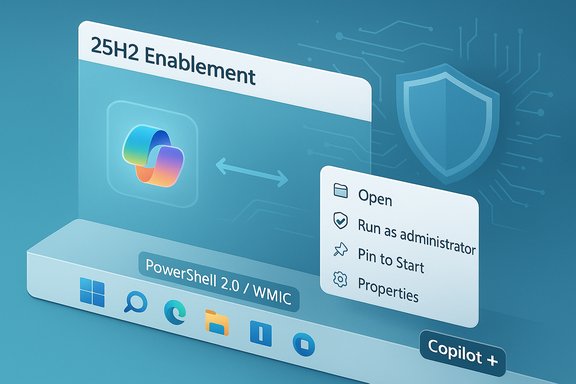 Background
Microsoft’s 25H2 release is not a single monolithic overhaul so much as a consolidation and activation of capabilities that were introduced across 2025 through cumulative updates and previews. For most devices already on Windows 11, version 24H2, 25H2 is distributed as an enablement package — a small download that typically installs quickly and requires only a restart to activate features already present on the device. That delivery model minimizes downtime while resetting servicing windows for consumer and commercial SKUs.The staged rollout began in late September 2025 and has been expanded in waves since then. Microsoft uses telemetry-driven safeguard holds and an eligibility toggle in Settings ("Get the latest updates as soon as they’re available") to prioritize systems likely to upgrade successfully while withholding the offer from devices flagged for incompatibilities. Administrators can also obtain the update through managed channels (Windows Update for Business, WSUS, Configuration Manager, Microsoft Autopatch and Intune paths).
What 25H2 actually contains: features and polish
25H2 is best read as a refinement and enablement update. It consolidates work done throughout the year and focuses on three overlapping priorities: deeper Copilot/AI integration, security/platform hardening (including removal of legacy components), and small but meaningful usability and accessibility refinements.Headline user-visible items
- Copilot made pervasive — Copilot surfaces across the taskbar, selection overlays (Click to Do), and contextual actions; voice-first interactions are introduced (opt‑in wake-word “Hey, Copilot”) and several assistant flows are now built into shell surfaces. Feature visibility depends on licensing and hardware capabilities.
- File Explorer AI actions — Right-click context menu actions for common image edits (blur background, remove objects, remove background) and summarization for Microsoft 365 documents stored in OneDrive/SharePoint. Some AI actions run locally on capable hardware; others fall back to cloud processing and may require Microsoft 365/Copilot entitlements.
- UI and personalization tweaks — Start menu refinements (including a smartphone-integration area in some configurations), lock screen customization options, and the return of a full clock in Notification Center are among modest visible upgrades intended to streamline day-to-day use.
- Accessibility improvements — Narrator receives upgrades including better reading in Word, a Braille viewer, and improved voice access. These are practical, incremental wins for assistive technology users.
- Device migration and continuity — Easier device-to-device migration flows and improved recovery tooling such as Quick Machine Recovery and WinRE refinements for administrators and support staff.
- Faster Copilot activation — Multiple invocation options (wake word "Hey, Copilot" or holding Alt + Space) aim to reduce friction for those who rely on the assistant frequently.
- Virtual keyboard and gaming improvements — A virtual keyboard tuned for gamepad input and other small gaming polish items surface in the update.
Under-the-hood and platform changes
- Enablement-package model — Most visible code has already been shipped to devices across 2025 and is simply activated by the 25H2 package. This minimizes download size and installation time for fully patched 24H2 systems.
- Hardware-tiering: Copilot+ PCs — Microsoft formalized a new Copilot+ device tier for machines that include a dedicated NPU capable of ~40+ TOPS; these devices can run low‑latency on‑device models for features such as Recall, Auto Super Resolution, and some Windows Studio Effects without always depending on cloud services. Expect feature parity to vary across standard and Copilot+ hardware.
- Kernel and memory-safety investments — Microsoft continues incremental work toward memory-safety (including targeted Rust usage in components), runtime vulnerability detection, and increased hardware-rooted protections (TPM, Secure Boot, VBS). These are engineering investments intended to reduce exploitability of classic memory corruption vectors.
Security posture and legacy cleanup
A central thread in 25H2 is a deliberate effort to shrink Windows’ long-term attack surface while lifting baseline protections.- Removal of legacy components: The PowerShell 2.0 engine and the WMIC utility are no longer present in the shipping images. Microsoft recommends migrating scripts to modern PowerShell (5.1/7+) and to CIM/WMI cmdlets or management APIs. For organizations with legacy automation, this is operationally significant and requires planning.
- Stronger vulnerability detection and runtime hardening: Microsoft emphasizes kernel-level hardening and runtime detection for modern threats. Product documentation and independent reporting describe investments in memory safety, Rust for select components, and more stringent default protections. These measures help curb a class of vulnerabilities that historically relied on memory corruption.
- AI-assisted secure coding — claim and caution: Some coverage attributes “AI-assisted secure coding” and stronger developer tooling to Microsoft’s statements about 25H2. While Microsoft has publicly described memory-safety work and tooling changes, direct attributions to an individual executive or an exhaustively documented "AI-assisted secure coding" program were not consistently traceable in the supplied materials; treat those characterizations as high-level summaries of Microsoft’s engineering direction until confirmed in official product-release posts or security whitepapers.
Licensing, privacy and the Copilot calculus
25H2’s AI threads introduce complexity that goes beyond mere UI polish.- Licensing gates: Many of the richer Copilot experiences that interact with tenant data or Microsoft 365 content are gated behind paid Copilot seats or specific Microsoft 365 entitlements. Generic Copilot features are available more broadly, but Graph-backed, tenant-aware flows require organizational licensing and admin configuration.
- Local vs. cloud processing: Copilot+ devices can perform many inference tasks locally, improving latency and privacy, while non‑Copilot hardware typically falls back to cloud processing. Microsoft’s public guidance and independent testing both emphasize that whether a feature runs locally or in the cloud depends on the hardware tier, model size, licensing, and service configuration. Administrators must map these behaviors to their compliance needs.
- Telemetry and governance: Embedding AI in the OS increases the telemetry surface. Microsoft exposes controls (session-consent, opt‑in wake-word processing, and tenant admin controls for model access), but organizations must assess how Copilot flows interact with compliance obligations, where metadata or content may be routed to cloud services, and what retention options exist. Treat statements about “local-only” processing cautiously: per-feature behavior can vary by tenant settings and licensing.
Support timelines and lifecycle changes
25H2 restarts servicing windows:- Windows 11 Home and Pro — 24 months of support from release.
- Windows 11 Enterprise and Education — 36 months of support.
Known issues and stability concerns
Shortly after its staged rollout Microsoft and community telemetry documented several issues that are important for admins and power users to consider before broad deployment.- Failures in modern XAML-based apps: Microsoft confirmed that some 24H2/25H2 systems may see failures in modern XAML applications — a class that includes File Explorer, the Start menu, Settings, Taskbar, and Windows Search. Reports indicate these issues are more prevalent on enterprise-configured systems than on consumer devices. Microsoft is developing a fix but has not published a firm ship date at the time of reporting. Organizations should treat this as a significant compatibility risk for managed fleets and plan pilot testing accordingly.
- Peripheral and driver regressions: Because 25H2 flips on features already present on devices, latent driver or EDR/AV incompatibilities can surface only after activation. Safeguard holds exist to block problematic device cohorts, but real-world pilots remain essential.
- Service and server-side edge cases: Certain server scenarios (for example, HTTP.sys-related issues affecting IIS) and odd Task Manager process behaviors were reported in connection with cumulative updates surrounding the enablement package; several of these required targeted patches. Tracking Microsoft’s Release Health and KB pages remains essential during any rollout.
Deployment checklist — who should upgrade and how
25H2 is compelling for certain groups and cautionary for others. The following checklist translates technical realities into actionable steps.For administrators and IT teams
- Inventory and test:
- Confirm device hardware capabilities (TPM 2.0, Secure Boot, UEFI) and determine which systems meet Copilot+ criteria if local AI processing matters.
- Validate drivers, firmware, and EDR/AV agents in a lab image that mirrors production.
- Migrate legacy automation:
- Replace PowerShell 2.0 scripts and WMIC-based tooling with PowerShell 5.1/7+ and CIM/WMI cmdlets. Maintain a compatibility backlog and prioritize scripts used in critical provisioning or monitoring.
- Pilot strategically:
- Run a pilot with a representative cross-section of hardware (standard and Copilot+) and management tooling to detect issues like the XAML failures noted in early reports. Keep rollback plans ready.
- Governance and controls:
- Configure Group Policy/MDM CSPs to control Copilot and model access, and map licensing entitlements for tenant-aware Copilot flows.
- Monitor Release Health:
- Track Microsoft’s KBs and release-health advisories (and apply out‑of‑band fixes when necessary). The enablement approach lowers installation friction but can surface latent compatibility problems only after activation.
For consumers and power users
- If you value minimal downtime and are already on 24H2 and fully patched, the enablement package is low-friction and many users will benefit immediately from small OS refinements.
- If you rely on older peripheral tooling, custom scripts or third-party drivers, run a local backup, create a restore point, and consider waiting a short pilot period for initial patches.
- Use the Windows Update toggle "Get the latest updates as soon as they’re available" to receive the offer earlier, but expect feature visibility to remain gated by hardware and server-side rollout controls.
Benefits: what 25H2 gets right
- Low-friction deployment model — the enablement package drastically reduces the cost, bandwidth, and downtime of a major-year update for well-patched machines.
- Security-first posture — removing ancient runtimes and investing in memory safety/mitigations is good systemic hygiene and reduces common exploit surfaces.
- Meaningful AI ergonomics when hardware permits — Copilot integration and File Explorer AI actions can save repeated interaction costs for knowledge workers, particularly on Copilot+ devices where local inference is available.
- Accessibility improvements — incremental Narrator and Voice Access gains improve inclusivity without large behavior change risk.
Risks and limitations: realistic tradeoffs
- Feature fragmentation and licensing complexity: The Copilot experience is uneven across devices and tenants; many high-value flows require paid Copilot/Microsoft 365 entitlements, and local vs cloud processing varies. Organizations should not assume uniform behavior across a fleet.
- Compatibility churn from legacy removals: PowerShell 2.0 and WMIC removals are security-positive but operationally painful for environments that still use older automation. Migration planning is mandatory.
- Uncertain timing for fixes: Known issues flagged for modern XAML-based components and other edge-case regressions are being fixed, but timelines for remediation are not always predictable. That uncertainty raises the cost of an immediate, broad upgrade for enterprise fleets.
- Privacy surface area increases: More context-aware and multimodal Copilot flows expand telemetry and potential cloud interactions; privacy- and compliance-sensitive organizations must review flows feature-by-feature.
Final verdict and recommendation
Windows 11, version 25H2 is an evolutionary — but strategically important — update that formalizes Microsoft’s move to an enablement/package-based yearly release model, tightens security defaults, and deepens Copilot integration across the OS. For individual users and small organizations that keep devices patched and rely on modern drivers, the update is low-risk and offers practical gains in usability and AI-assisted workflows. For large, managed fleets with legacy automation, specialized peripherals, or strict compliance constraints, the update is worth pilot testing but should not be rushed into broad deployment until the currently reported XAML-related issues and any environment-specific regressions are resolved.Practical upgrade path summary:
- Confirm prerequisites and KBs (ensure systems are on 24H2 and meet the cumulative-update baseline).
- Pilot 25H2 on representative devices, including those with EDR/AV and management agents.
- Migrate legacy scripts and tooling off PowerShell 2.0/WMIC before broad rollout.
- Configure Copilot governance while planning licensing for tenant-aware features.
- Monitor Microsoft Release Health and apply fixes for any reported issues before expanding deployment.
Conclusion: For users and administrators who prioritize security, manageable downtime, and gradual access to AI-assisted productivity, 25H2 is a sensible step forward. For environments with legacy dependencies or heavy customization, measured adoption and careful testing remain the prudent course.
Source: Ubergizmo Windows 11 25H2 Rolls Out With New Features And Security Enhancements
