

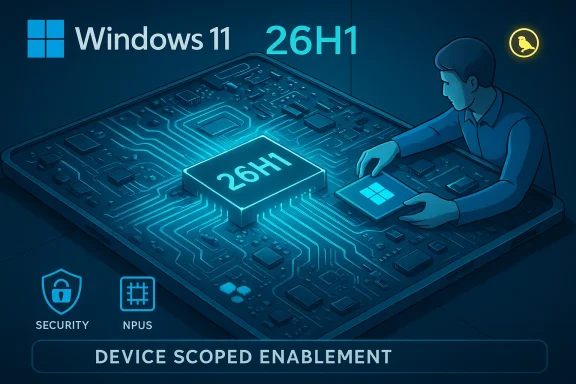
Microsoft’s Canary-channel preview of Windows 11 now reports “Windows 11, version 26H1,” but this is not the next mass-market feature drop — it’s a deliberate engineering pivot that prepares the OS for a new generation of Arm and hybrid processors, laying low-level plumbing into the platform ahead of any consumer-facing rollout.
Microsoft published early Canary builds that explicitly show the version label Windows 11, version 26H1 and tied the codebase to a new internal platform baseline. The Canary updates — notably Build 28000 and later Build 28020.1362 (KB5073095) — are the first public signposts of that shift. These Insider notes make a crucial distinction: 26H1 “only includes platform changes to support specific silicon” and is not a normal consumer-facing feature update. Why this matters: hardware vendors (and Microsoft) are moving into a phase where on-device AI, large neural processing units (NPUs), and heterogeneous core topologies change how the OS must interact with silicon. Rather than trying to graft deep kernel, scheduler, firmware and driver work onto the main 25H2 servicing baseline, Microsoft has created a device-targeted platform branch to be factory-imaged on qualifying systems. That approach reduces day‑one risk for OEMs while preserving the mainstream annual feature cadence for the broad installed base.
Timeframes: vendor roadmaps and Microsoft partner guidance indicate early X2 systems shipping in Q1/Q2 2026, with broader consumer-facing updates still scheduled for the H2 annual release window. Those timelines are contingent on silicon and OEM readiness.
This approach has clear strengths: better day‑one reliability for new Arm devices, tighter co‑validation with OEMs, and less blast radius for risky low-level changes. It also imposes costs: increased complexity for ISVs and IT teams, potential short-term fragmentation, and a dependency on clear vendor communication to avoid buyer confusion.
For most users, the sensible posture remains unchanged: continue on the mainstream 25H2 servicing track and reserve Canary images for testing and development. For those building or buying the first wave of Snapdragon X2 or similar Arm-based Windows devices, insist on explicit OEM documentation about the shipped OS image, driver lifecycle, and support commitments. If Microsoft and its partners execute the Bromine/26H1 strategy transparently and rigorously, the payoff will be smoother launches and more capable hardware-ready Windows experiences — but that success depends on discipline across vendors, thorough testing, and sustained communication to the broader Windows ecosystem.
Source: TechSpot Microsoft begins testing Windows 11 26H1 as it retools the OS for next-gen chips
 Background
Microsoft published early Canary builds that explicitly show the version label Windows 11, version 26H1 and tied the codebase to a new internal platform baseline. The Canary updates — notably Build 28000 and later Build 28020.1362 (KB5073095) — are the first public signposts of that shift. These Insider notes make a crucial distinction: 26H1 “only includes platform changes to support specific silicon” and is not a normal consumer-facing feature update. Why this matters: hardware vendors (and Microsoft) are moving into a phase where on-device AI, large neural processing units (NPUs), and heterogeneous core topologies change how the OS must interact with silicon. Rather than trying to graft deep kernel, scheduler, firmware and driver work onto the main 25H2 servicing baseline, Microsoft has created a device-targeted platform branch to be factory-imaged on qualifying systems. That approach reduces day‑one risk for OEMs while preserving the mainstream annual feature cadence for the broad installed base. Overview: What 26H1 is — and what it is not
- What 26H1 is
- A platform-focused release: under-the-hood OS changes to support new processor architectures and silicon features.
- A device-targeted baseline intended for factory images on specific Arm64 or hybrid devices.
- A Canary-channel engineering stream where OEMs and silicon partners validate drivers, firmware, and runtime components.
- What 26H1 is not
- A broad consumer feature update for existing Intel/AMD x64 PCs.
- A mass Windows Update rollout that every Windows 11 user must install.
- The definitive venue for end-user interface overhauls or large UX changes.
The technical driver: next‑generation Arm and hybrid chips
Why new silicon changes everything
Recent and upcoming Arm-based client SoCs (commonly grouped in coverage as Qualcomm’s Snapdragon X2 family and rumoured platforms like NVIDIA’s N1 / N1x) bring architecture changes that touch deep OS layers:- Larger, more powerful NPUs that demand runtime integration and new attestation/security hooks.
- Heterogeneous CPU clusters (high-performance Oryon-style cores plus efficiency cores) that require scheduler and telemetry tuning.
- Different memory and IO topologies that affect driver interaction, power management, and thermal behavior.
- Vendor-specific firmware/boot contracts that can break WinRE, BitLocker or pre-boot security flows if not handled carefully.
Which chips are driving 26H1?
Public reporting and vendor roadmaps point squarely at Qualcomm’s Snapdragon X2 lineup (including X2 Plus / X2 Elite variants) as the primary catalyst for 26H1. Qualcomm and OEM timelines place early X2-based laptops in the first quarter of 2026, which aligns with Microsoft’s Canary activity and WHCP guidance. Independent outlets and partner commentary have repeatedly linked the “specific silicon” language in the Insider notes to Snapdragon X2-class devices. A second thread in coverage involves Nvidia/MediaTek partnership rumours around N1/N1x client SoCs; those reports remain partly speculative and derived from leaks and community telemetry rather than full vendor confirmation. Treat any detailed N1/N1x claims as unverified or emerging until official datasheets or vendor statements appear. Microsoft’s Canary note itself does not name vendors, which leaves some room for interpretation.What’s actually in the Canary builds (visible and invisible)
Visible changes (user-facing polish)
Canary builds tied to the 26H1 baseline have carried a handful of user-visible refinements — many of which originated in prior Dev/Beta previews — including:- Expanded Full Screen Experience (FSE) for handheld PCs and improved gaming posture handling.
- Copilot+ UI refinements like Click to Do contextual actions and agent-driven Settings interactions on compatible hardware.
- File Explorer tweaks: dark mode parity across dialogs, hover quick-actions in Start, and inline mobile device integration.
- Studio Effects extended to external USB webcams with settings surfaced in both Settings and the quick-access bar.
- Tooltip and tactile improvements for pen haptic feedback on supported devices.
Invisible work (the meat of 26H1)
The substantive changes are platform plumbing, not flashy UX:- Kernel and scheduler updates to properly manage heterogeneous core topologies and new CPU microarchitectures.
- Driver model adjustments and bundled DCH driver stacks tuned to vendor SoC power/thermal envelopes.
- NPU runtime and attestation hooks (e.g., secure model manifests and protected runtimes) for on-device AI workloads and model protection.
- Power management and ACPI policy updates to cohere with new firmware semantics.
- WinRE and BitLocker safeguards — critical, because small changes in pre-boot or recovery can render devices unbootable or recovery-unfriendly.
- Servicing metadata and device catalog entries to enable device-scoped enablement, rollback, and update logic without impacting unrelated hardware.
Delivery model: enablement packages and factory imaging
Microsoft has continued using the enablement package model that it deployed for prior H2 releases: the OS carries new components through cumulative updates, and a lightweight activation package flips the version and enables code that is already present. For 26H1, the practical models are:- Factory imaging: OEMs ship devices preinstalled with the 26H1 baseline image when the device requires it for day‑one compatibility.
- Device-scoped enablement: Microsoft and OEMs can use device catalog/servicing metadata to deliver or withhold enablement without affecting the broad servicing baseline.
- Developer/Insider testing: Canary builds permit partners and engineers to validate code and drivers before shipment.
What this means for different audiences
Consumers and mainstream users
- No immediate action is required. If your PC is Intel or AMD based, 26H1 is unlikely to ever be applied to that device; mainstream feature development continues on the 25H2 ↔ 26H2 cadence.
- Average users should stay on Release Preview/Beta or production channels for stability, and avoid Canary unless they explicitly want to test early platform changes.
- If buying a first-wave X2-powered Copilot+ laptop, confirm with the OEM what image and servicing path are included.
Enterprises and IT
- Treat 26H1 as a separate SKU for device lifecycle planning. OEMs may ship different images for the same model name depending on silicon.
- Update certification matrices, driver packaging workflows, and imaging automation to include Bromine/26H1 HLK playlists when procuring qualifying devices. Microsoft’s WHCP guidance already provides a distinct HLK/playlist alignment for 26H1 (Build 28000).
- Test management and security tools for Arm64 behaviors — agents, MDM clients, boot/WinRE scenarios and BitLocker recovery — before widescale deployment.
Developers and ISVs
- Build and validate Arm64 native binaries where feasible. Expect more native app support to arrive as Arm devices proliferate; some independent projects (browser, media players) are already shipping native Arm builds targeting Snapdragon X2 systems.
- Audit native dependencies and drivers for platform-specific behavior, especially around NPUs, hardware-accelerated AI runtimes, and secure model access.
OEMs and silicon partners
- Co-engineer on signed factory images and verify pre-boot/firmware/WinRE/BitLocker interactions.
- Use the 26H1 HLK / WHCP guidance to certify devices targeted for the platform baseline.
Strengths of Microsoft’s 26H1 approach
- Reduced day‑one risk. Factory imaging with a validated platform baseline lowers the chance of systemic regressions at device launch.
- Tighter OS-to-silicon co‑engineering. Device manufacturers and silicon vendors get a realistic testable image to tune drivers, firmware, and runtimes.
- Flexible rollout. Device-scoped enablement allows Microsoft and OEMs to selectively enable platform features without perturbing the larger installed base.
- Maintain mainstream cadence. Microsoft preserves its annual H2 feature cycle for broader feature investment while still supporting urgent platform needs.
Potential downsides and real risks
- Fragmentation and complexity. Multiple simultaneous platform baselines (25H2 on x64, Bromine/26H1 on select Arm devices, and later 26H2) increase testing and support burdens for ISVs and IT administrators.
- Communication friction. Messaging must be crystal clear so consumers do not misunderstand 26H1 as a general upgrade. Microsoft’s Canary note explicitly says there is “no action required,” but broader signals from OEM marketing could confuse buyers.
- Early-stage instability. Canary builds are experimental by design; known issues (scrolling regressions, sleep/shutdown oddities) will surface and can disrupt testing. Insiders and hardware engineers should expect workarounds and frequent updates.
- Supportability of mixed fleets. Enterprises running mixed silicon may have to manage separate servicing, imaging, and security policies, adding operational overhead.
- Unverified vendor claims. Some claims about N1/N1x or specific TOPS numbers for NPUs are still based on leaks or vendor marketing; treat these as provisional until datasheets and independent benchmarks are available.
Practical guidance and recommended steps
- For IT admins:
- Inventory devices and identify any planned purchases of X2/N1-era laptops.
- Request OEM documentation on the shipped image, servicing path, and driver update policy.
- Allocate a pilot fleet and run full WinRE/BitLocker/driver-update simulations before rolling to production.
- For developers:
- Prioritize Arm64 native builds for critical apps and test NPUs via vendor SDKs where relevant.
- Use Canary images in controlled environments to validate performance and compatibility.
- For enthusiasts and Insiders:
- Join the Canary channel only on test machines or VMs; do not enroll production devices.
- Report bugs with clear repro steps; platform-level telemetry and bug reports help OEM co-engineering.
- For prospective buyers:
- Verify whether a Copilot+ or X2 laptop ships with 26H1 or 25H2 and ask OEMs about long-term servicing and driver support.
What to expect next: 26H2 and the broader feature roadmap
26H1’s role is foundational: it’s a transit layer that enables new silicon to ship stable and certified. The wider, consumer-facing feature update — Windows 11 26H2 — remains Microsoft’s vehicle for delivering broad UX changes, new features, and platform improvements across all architectures later in the year. Expect Microsoft to migrate validated platform plumbing from Bromine into broader servicing where appropriate, and for 26H2 to unify experiences for all users once the ecosystem has stabilized.Timeframes: vendor roadmaps and Microsoft partner guidance indicate early X2 systems shipping in Q1/Q2 2026, with broader consumer-facing updates still scheduled for the H2 annual release window. Those timelines are contingent on silicon and OEM readiness.
Final assessment
Windows 11, version 26H1 is deliberately modest in outward appearance and ambitious in engineering scope. It represents Microsoft’s pragmatic answer to a common problem in modern PC engineering: when silicon introduces structural changes that reach into kernel, firmware and secure runtime layers, the safest path is a device-scoped platform image that OEMs can ship and certify.This approach has clear strengths: better day‑one reliability for new Arm devices, tighter co‑validation with OEMs, and less blast radius for risky low-level changes. It also imposes costs: increased complexity for ISVs and IT teams, potential short-term fragmentation, and a dependency on clear vendor communication to avoid buyer confusion.
For most users, the sensible posture remains unchanged: continue on the mainstream 25H2 servicing track and reserve Canary images for testing and development. For those building or buying the first wave of Snapdragon X2 or similar Arm-based Windows devices, insist on explicit OEM documentation about the shipped OS image, driver lifecycle, and support commitments. If Microsoft and its partners execute the Bromine/26H1 strategy transparently and rigorously, the payoff will be smoother launches and more capable hardware-ready Windows experiences — but that success depends on discipline across vendors, thorough testing, and sustained communication to the broader Windows ecosystem.
Source: TechSpot Microsoft begins testing Windows 11 26H1 as it retools the OS for next-gen chips
