
Microsoft’s long march from Windows 10 to Windows 11 has stalled unevenly — then sprinted, then sputtered again — exposing a brittle choreography between security-first engineering, aggressive AI and marketing ambitions, and a large, wary installed base that prizes predictability over novelty.
Four years after its introduction, Windows 11 sits at the center of an unexpected standoff: many individual users and whole IT fleets have resisted moving off Windows 10, even as Microsoft counted down the support clock and pushed new devices and AI features. The resistance is not a single issue; it’s an accumulation of hardware gating, interface changes, repeated regressions after updates, and a perception that Microsoft is prioritizing promotional AI experiences over day-to-day reliability. Community conversations and independent reporting show that this is a broad, persistent trend — one that accelerated discussions about migration, costs, and alternatives as Windows 10 reached end of support.
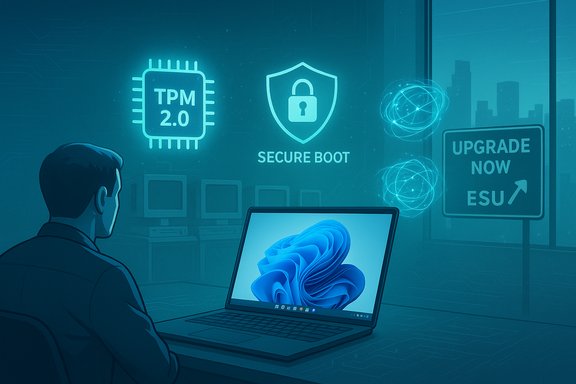
Microsoft’s engineering rationale — requiring TPM 2.0, UEFI Secure Boot, and a vetted CPU list — is a security-forward position designed to enable modern protections like virtualization‑based security (VBS). That move has helped Microsoft argue that Windows 11 is a safer baseline for the ecosystem, but it also placed millions of otherwise functional PCs outside the official upgrade path and created an adoption friction that remains politically and economically charged. The company’s official guidance now points Windows 10 users to upgrade, buy a new PC, or enroll in a paid/point-based Extended Security Updates (ESU) program — options with real trade-offs.
That social pulse did more than vent: it influenced IT procurement conversations, public commentary from OEMs and channel partners, and the framing of the migration problem in mainstream tech coverage.
The company has the levers — ESUs, KB remediation, Insider channels, OEM partnerships — and it has taken steps. But the market’s verdict will be shaped by how quickly and convincingly those steps translate into fewer breakages, clearer choices, and better everyday reliability. For millions of users and thousands of IT teams, the demand is simple and unforgiving: make the OS work without drama. If Microsoft delivers on that promise, adoption will follow. If it doesn’t, the standoff could harden into a long tail of fragmentation, higher support costs, and a more competitive desktop landscape than Microsoft has faced in decades.
Source: WebProNews Windows 11 Adoption Stalls as Users Resist Bugs and 2025 Deadline
 Background / Overview
Four years after its introduction, Windows 11 sits at the center of an unexpected standoff: many individual users and whole IT fleets have resisted moving off Windows 10, even as Microsoft counted down the support clock and pushed new devices and AI features. The resistance is not a single issue; it’s an accumulation of hardware gating, interface changes, repeated regressions after updates, and a perception that Microsoft is prioritizing promotional AI experiences over day-to-day reliability. Community conversations and independent reporting show that this is a broad, persistent trend — one that accelerated discussions about migration, costs, and alternatives as Windows 10 reached end of support.Microsoft’s engineering rationale — requiring TPM 2.0, UEFI Secure Boot, and a vetted CPU list — is a security-forward position designed to enable modern protections like virtualization‑based security (VBS). That move has helped Microsoft argue that Windows 11 is a safer baseline for the ecosystem, but it also placed millions of otherwise functional PCs outside the official upgrade path and created an adoption friction that remains politically and economically charged. The company’s official guidance now points Windows 10 users to upgrade, buy a new PC, or enroll in a paid/point-based Extended Security Updates (ESU) program — options with real trade-offs.
Why adoption stalled: core drivers
1) Hardware gating and perceived planned obsolescence
Windows 11’s minimum system requirements — a 64‑bit CPU on Microsoft’s supported list, UEFI with Secure Boot, and TPM 2.0 — are the most visible reason millions did not migrate early. These are legitimate security choices, but they are also blunt instruments: a non-trivial portion of users own machines that run Windows 10 well yet are formally ineligible to upgrade. The result has been two responses: some consumers replaced hardware (accelerating OEM refresh cycles), while others stuck with Windows 10 or looked at alternatives. Independent telemetry and vendor comments show a massive tail of machines that either can’t or won’t be upgraded. The environmental and economic implications are substantial. Advocacy groups and community threads argued that strict gating risks accelerating e‑waste and imposing outsized costs on households and small businesses that had perfectly serviceable devices. Those concerns dominated many migration planning conversations, especially in education and public-sector deployments where budgets and procurement cycles are slow.2) Everyday regressions that erode confidence
Adoption is an emotional as well as technical decision. For many users, small quality-of-life regressions became dealbreakers: perceived downgrades in Start menu behavior, taskbar customization limits, and brittle multi-monitor handling were commonly cited frustrations. What looks like a cosmetic design choice can cascade into lost time and friction at scale — and that’s what drove many power users and admins to delay. Community reporting and forum evidence repeatedly cite these UI regressions as a central reason users “wait and see” before migrating.3) Update cadence, regressions, and a damaged trust model
Microsoft’s move to faster delivery — monthly cumulative updates combined with feature flights — increases the chance that a problematic change reaches a wide audience. The Windows 11 24H2 release cycle illustrated this risk. Several cumulative updates around mid‑2025 introduced bugs impacting core components (Start menu, File Explorer, Search, Settings) especially where XAML‑based components and dependency registration were involved. Microsoft has documented those symptoms and published mitigation guidance, and independent outlets covered the incidents as evidence of rushed releases and fragile testing in some scenarios. When critical UI surfaces and explorer.exe stability are at risk, migration plans stall.The technical snapshot: what actually broke (and why it matters)
- Several post‑July 2025 cumulative updates tied to the 24H2 train triggered failures in XAML-hosted components, causing StartMenuExperienceHost, Search, SystemSettings, Taskbar, and Explorer to behave incorrectly or crash on first sign-in after updates — particularly in non‑persistent sessions such as VDI. Microsoft tracked these symptoms and published KB guidance (including KB5072911 and related notes) with workarounds and deployment scripts for admins. This was not a single-user anomaly; it was a cross-cutting regression with both consumer‑ and enterprise‑scale impact.
- File Explorer regressions — from slower folder navigation in specific workloads to missing taskbar entries for running apps — acted as a litmus test for perceived polish. Users who faced repeated regressions reported rolling back updates or delaying migrations. Repeatedly experiencing “fix, break, fix” cycles undermines the implicit promise that a major OS upgrade should net a calmer, more capable experience.
- The cumulative effect: when core shells, explorer behaviors, or recovery environments are affected, the cost of testing and remediation rises sharply for IT departments, and the migration calculus shifts in favor of delay or paid ESUs.
Adoption numbers: messy signals, clearer picture
Tracking adoption is fraught because datasets measure different things (web pageviews vs. installed base vs. enterprise inventories). That nuance matters: some trackers reported Windows 11 overtaking Windows 10 in mid‑2025 by pageview‑weighted measures, while other datasets showed a slower, regionally uneven migration. Industry telemetry and vendor commentary paint a consistent story: as Windows 10 EOL approached, migrations accelerated — but a large, stubborn tail remained, especially among older hardware and certain enterprise segments. Recent corporate commentary amplified the scale of holdouts: in late 2025, OEM and channel leaders observed hundreds of millions of PCs that either could upgrade but hadn’t, or were incompatible due to hardware gating. Those big numbers are directional and should be read alongside StatCounter-style snapshots that show Windows 11 becoming the largest active desktop Windows version by mid‑2025 in many pageview-based datasets. The practical takeaway: migration momentum rose sharply near end‑of‑support, but the user base remained split and fragile.The economics: costs, ESUs, and the migration ledger
Microsoft provided a pragmatic escape hatch: Extended Security Updates (ESU) for consumers and organizations. For consumers the options included free enrollment via Microsoft account and Windows Backup sync, redeeming rewards points, or a one‑time purchase option (roughly $30 USD for a year’s coverage). Enterprises could buy multi‑year ESUs through licensing channels (noting tiered pricing). These choices shifted some upgrade pressure into a fiscal decision, but they also tethered many holdouts to Microsoft accounts and cloud sync policies — a subtle shift in Microsoft’s ecosystem leverage. For IT teams, the ledger is simple but penalizing: comprehensive testing, driver validation, hardware refreshes, or the cost of third‑party extended support. Some organizations accepted ESUs to buy time and staged migrations to Windows 11; others accelerated hardware refreshes where budgets allowed. The balance between capital refresh and migration‑workforce cost is why many enterprises delayed or staggered rollouts rather than switching en masse.User sentiment and the social pulse
Community threads, Reddit conversations, and technical forums made the resistance visceral. Reports of resource‑heavy AI features, OneDrive folder redirection surprises, and UI choices that removed longstanding customization options turned into broad narratives about “loss of control.” Many users voiced that they didn’t oppose new features per se — they opposed forced integration, limited opt‑out paths, and updates that broke workflows. Independent posts and aggregated forum analyses documented a steady drumbeat of frustration, from casual consumers to seasoned sysadmins.That social pulse did more than vent: it influenced IT procurement conversations, public commentary from OEMs and channel partners, and the framing of the migration problem in mainstream tech coverage.
Strengths in Microsoft’s position
- Security-first baseline: The TPM, Secure Boot, and kernel hardening initiatives meaningfully reduce attack surface for modern threats. Microsoft can point to concrete security benefits that are hard to deliver purely in software on legacy hardware. The security argument is especially persuasive for regulated organizations and hybrid cloud deployments.
- Modern feature platform: Windows 11 is a platform built to host on-device AI, richer sandboxing, and tighter cloud integration — features many enterprises want for long-term productivity and compliance.
- Migration levers: Microsoft’s ESU program, enrollment wizard, and OEM refresh partnerships provide practical paths for users who need time or budgeted refresh cycles. The company also incrementally patched and improved 24H2 issues after admitting fault in specific components.
Risks and strategic blind spots
- Trust erosion through repeated regressions: When core UI elements fail or updates break recovery scenarios, users and admins measure risk in hours lost. That trust deficit is expensive to repair and cannot be undone by marquee AI features alone. Microsoft publicly acknowledged these issues in support documentation, but the repair time for trust is longer than for code.
- Perception of coercion: Mandatory account bindings for ESU enrollment, heavy OneDrive nudges, and perceived forced Copilot placements feed a narrative of decreasing user choice. This damages goodwill among privacy‑sensitive customers and power users who value local control.
- Hardware-driven inequality: Strict hardware gating risks leaving households and regions behind and increases the risk of e‑waste. While the security rationale is defensible, the optics and environmental cost are politically sensitive and exposed Microsoft to sustained criticism from consumer advocates.
- Third‑party migration: As frustration grows, some users and teams explore Linux distributions or macOS as viable alternatives, particularly for development, creative, or privacy‑oriented workflows. While wholesale platform migration remains rare for many enterprise workloads, pockets of attrition represent reputational and long‑term ecosystem risk.
What Microsoft has already done — and where it should go next
Microsoft has taken several corrective steps: acknowledging issues in official KBs, issuing workarounds and patches for 24H2 XAML-related failures, offering ESU enrollment options, and providing clearer upgrade tooling and messaging. Those actions were necessary but insufficient to restore full confidence quickly. A pragmatic roadmap to reverse the standoff would include:- Prioritize stability over feature velocity for a defined window.
- Freeze disruptive UI changes until a stability bar is demonstrably met in enterprise and consumer telemetry.
- Make AI features truly optional and uninstallable without side effects.
- Provide clear uninstall paths that don’t leave remnants in core apps, and respect user choices across updates.
- Improve pre-release testing for common enterprise scenarios.
- Expand insider testing for non‑persistent and VDI sessions, and publish clearer deployment guidance and canary cohorts.
- Give admins a simpler, modular update control model.
- A “patch triage” experience that surfaces high‑impact fixes without forcing unrelated feature pushes.
- Revisit gating optics with compassionate options.
- Consider supported lighter‑weight “bridge” options for certain hardware classes or longer, low‑cost ESU windows tied to energy‑efficient reuse programs to minimize e‑waste.
Practical guidance for IT teams and power users
- For IT managers:
- Inventory devices and segment by upgradeability and line‑of‑business risk.
- Prioritize pilot groups that mirror real workloads, not just “happy path” deployments.
- Consider ESU to buy time for complex migrations — weigh the per‑device cost vs. retraining and downtime.
- Automate mitigation scripts for known 24H2 issues in non‑persistent environments until fixes are broadly deployed.
- For consumers and prosumers:
- Use Microsoft’s PC Health Check and readied upgrade flows to confirm eligibility.
- If you must stay on Windows 10 briefly, enroll in ESU via the consumer wizard if security updates are required — note the Microsoft account requirement for certain enrollment paths.
- If privacy or choice is paramount, document your dependencies before switching platforms; Linux is an option for some workloads, but it entails compatibility trade-offs.
The competitive angle: why Microsoft cannot be complacent
Competitors are watching. Apple’s macOS continues to gain ground in creative and professional niches, and lightweight Linux distributions have become more approachable for many desktop use cases. Each defections or delay erodes the “default” position Windows has historically enjoyed in many markets. Microsoft’s Windows platform strategy — tightly integrated with Azure, Office 365, and enterprise identity — depends on a healthy, modern installed base. Adoption friction at this scale risks downstream consequences across cloud services, developer tooling, and OEM demand.Conclusion: repair, not rhetoric
Windows 11’s adoption story is not a single statistic but a negotiation: security improvements and a forward‑looking OS vision on one hand; a vocal installed base and brittle update experiences on the other. Microsoft’s options are straightforward and operational: deliver faster, clearer bug remediation; empower users to opt out of features they don’t want; and remove unnecessary friction from migration paths.The company has the levers — ESUs, KB remediation, Insider channels, OEM partnerships — and it has taken steps. But the market’s verdict will be shaped by how quickly and convincingly those steps translate into fewer breakages, clearer choices, and better everyday reliability. For millions of users and thousands of IT teams, the demand is simple and unforgiving: make the OS work without drama. If Microsoft delivers on that promise, adoption will follow. If it doesn’t, the standoff could harden into a long tail of fragmentation, higher support costs, and a more competitive desktop landscape than Microsoft has faced in decades.
Source: WebProNews Windows 11 Adoption Stalls as Users Resist Bugs and 2025 Deadline
